Як купити міжнародні авіаквитки на Aviasales за допомогою криптовалюти
#Інструкція з оплати
Aviasales — один із найпопулярніших сервісів пошуку авіаквитків, і мільйони мандрівників починають планування поїздки саме з нього. Складнощі виникають не на етапі пошуку, а на етапі оплати, особливо коли квиток продає авіакомпанія, яка не приймає крипту. Розберемо, як влаштований сервіс і як оплатити переліт, якщо звичайна картка не проходить або платити хочеться криптовалютою.
Що таке Aviasales
Aviasales — це метапошук авіаквитків, який порівнює ціни сотень авіакомпаній і агентств і показує вигідні варіанти в одному вікні. Ви вводите місто вильоту та прильоту, а сервіс за пару хвилин збирає пропозиції по всьому ринку. Купити квиток напряму у Aviasales або перейти до іншого продавця — вирішуєте самі.
Цінність сервісу — в гнучких інструментах пошуку. Тут є карта низьких цін для тих, хто ще не обрав напрямок, календар із вартістю по днях, фільтри за часом вильоту, пересадками та багажем. Окремо є сповіщення про зниження ціни — додаєте квиток до обраного і отримуєте сигнал, коли він дешевшає.
Aviasales працює і з регулярними рейсами, і з чартерами. У сервісу є мобільний застосунок і телеграм-бот, які стежать за цінами та надсилають гарячі пропозиції. По суті це єдина точка входу для пошуку перельоту, від ідеї до готового бронювання.
Що робити, якщо виникли складнощі з оплатою
Перше, об що спотикається оплата, — ні Aviasales, ні авіакомпанії не працюють із криптовалютою. Тримаєте ви заощадження в USDT або біткоїні, для купівлі квитка це не допоможе: гаманець до оплати не прив'язати. Далі два шляхи. Перший — гнати монети на біржу, міняти на фіат і втрачати на курсі з комісіями. Другий — завести картку, яка живе на крипті, але продавцю показується як звичайна.
Далі виринають проблеми з рейсами. Квиток від перевізника або закордонного агрегатора оплачується через міжнародний еквайринг, а той першочергово дивиться на банк-емітент. Регіон не підтримується — оплата зривається, не дійшовши до підтвердження.
Картки міжнародних банків. Найпряміше оплатити переліт у перевізника вийде саме ними. Міжнародний еквайринг пропускає картку іноземного банку спокійно. Складність в іншому — щоб відкрити рахунок, зазвичай треба особисто приїхати до банку за кордоном, зібрати документи і підтвердити, де ви живете, а власнику крипти ще й спочатку міняти монети на біржі.
Спеціалізовані сервіси для оплати покупок. Тут оплату замовлення за вас проводить посередник — ви віддаєте йому суму, він платить продавцю. На один раз годиться, але за послугу утримають відсоток, а наскільки все швидко і безпечно — питання до конкретного посередника.
Віртуальні міжнародні картки. Для оплати квитків за кордоном через інтернет це найвдаліше рішення. Така картка існує лише в цифровому вигляді — номер, термін і код CVC на місці, і для авіакомпанії вона рівнозначна пластиковій. Деякі сервіси дозволяють вносити на неї крипту, і тоді відпадають обидві перешкоди одразу — і бар'єр із криптовалютою, і брак міжнародної картки. На випуск іде пара хвилин, їхати нікуди не треба.
Mirocard як інструмент для купівлі авіаквитків на Aviasales
Через Mirocard випускають цифрові картки Visa та Mastercard, що поповнюються криптовалютою, і обидві основні складнощі з оплатою квитка відпадають одразу. Aviasales і перевізники бачать перед собою звичайну міжнародну картку, тож списання проходить як зазвичай. Тим, у кого крипта на руках, сервіс відкриває оплату напряму з гаманця, а тим, хто не може завести банківський рахунок, дає надійний спосіб розраховуватися за кордоном.
Спеціально для поїздок у Mirocard заготовлена картка для подорожей і міжнародних платежів. Саме вона підходить під Aviasales, бронювання готелів та інші тревел-сервіси. За випуск візьмуть 10 доларів, а розмір комісії за поповнення ви побачите прямо під час оформлення обраної картки. З однієї картки оплачують і переліт, і проживання, і страховку з орендою авто.
Вносять на картку ходову крипту, від BTC та ETH до USDT і USDC. Спочатку кошти потрапляють на загальний рахунок у кабінеті, а вже з нього ви відправляєте потрібну частину на саму картку. Після того як переказ підтвердиться в мережі, гроші опиняться на балансі за кілька хвилин. Номер, термін і код видно в кабінеті одразу після випуску і захищені двофакторним захистом, стороння людина до них не дістанеться, а для оплати зі смартфона картку прив'язують до Apple Pay або Google Pay.
Як оформити картку Mirocard
Вся процедура йде через інтернет і вкладається в кілька хвилин.
Крок 1. Створіть акаунт. Відкрийте mirocard.com і клікніть «Отримати картку». Якщо ви тут уперше, пройдіть реєстрацію за електронною поштою та паролем, після чого відкрийте лист і перейдіть за посиланням для підтвердження адреси. Тим, у кого вже є обліковий запис Heleket, реєструватися заново не доведеться — при вході через нього в Mirocard підтягнуться і картки, і залишок на рахунку.
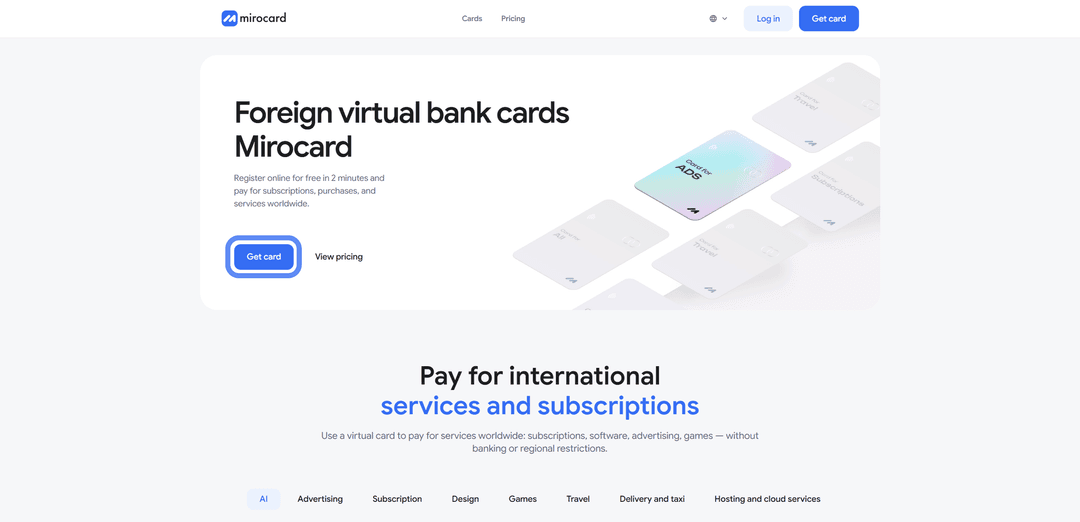

Крок 2. Поповніть майстер-баланс. Майстер-баланс працює як загальний гаманець кабінету, звідки йдуть гроші і на випуск картки, і на її подальше поповнення. Клікніть «Поповнити», задайте монету та мережу, після чого система видасть адресу для переказу. Надішліть на неї крипту зі свого гаманця або біржі. Найменше на комісії мережі ви витратите з USDT у TRC-20. Щойно мережа підтвердить переказ, сума відобразиться на балансі.

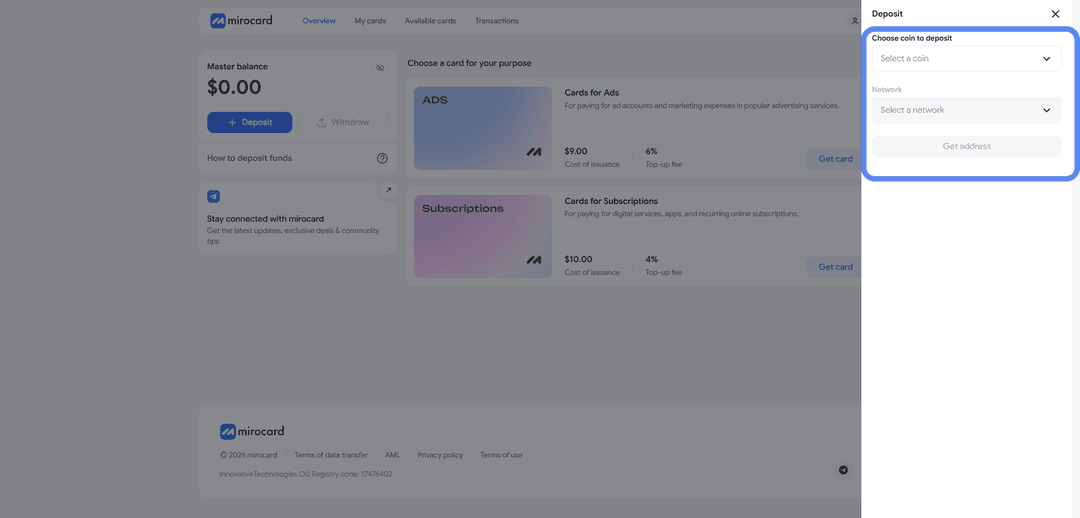
Крок 3. Виберіть картку. Серед доступних карток знайдіть потрібну і натисніть «Випустити картку». Далі відкриється сторінка з розрахунком — там вказана ціна випуску і сума, яку ви кладете на картку як стартовий баланс.
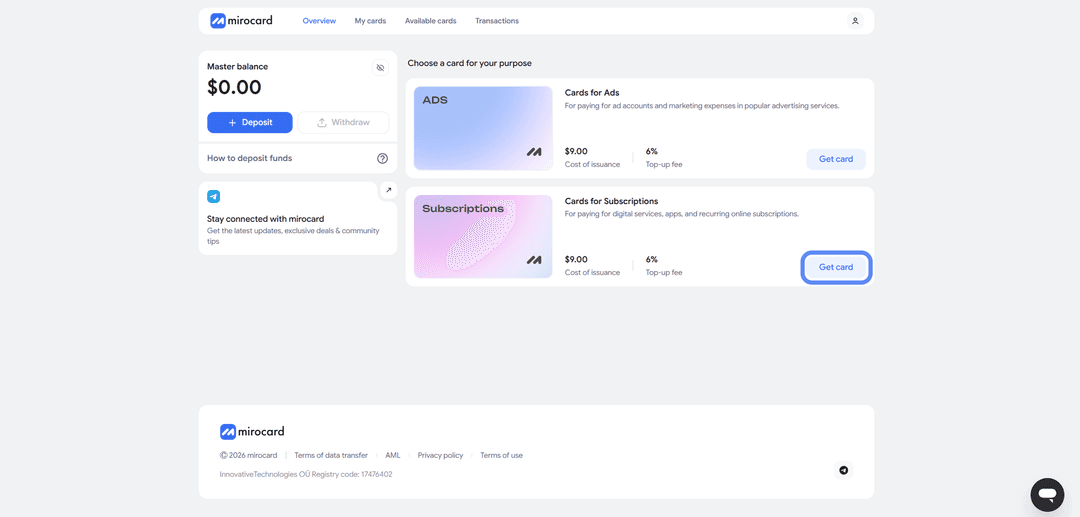
Крок 4. Підтвердьте особу. Коли сервіс запросить верифікацію, додайте документи. Це швидка перевірка заради безпеки вашого рахунку, після неї знімаються обмеження за лімітами. Займає зазвичай пару хвилин.

Крок 5. Оплатіть випуск. Завершіть оформлення, натиснувши кнопку оплати. Ціна випуску піде з майстер-балансу, а частина, що залишилася, ляже на картку, і нею вже можна розраховуватися.
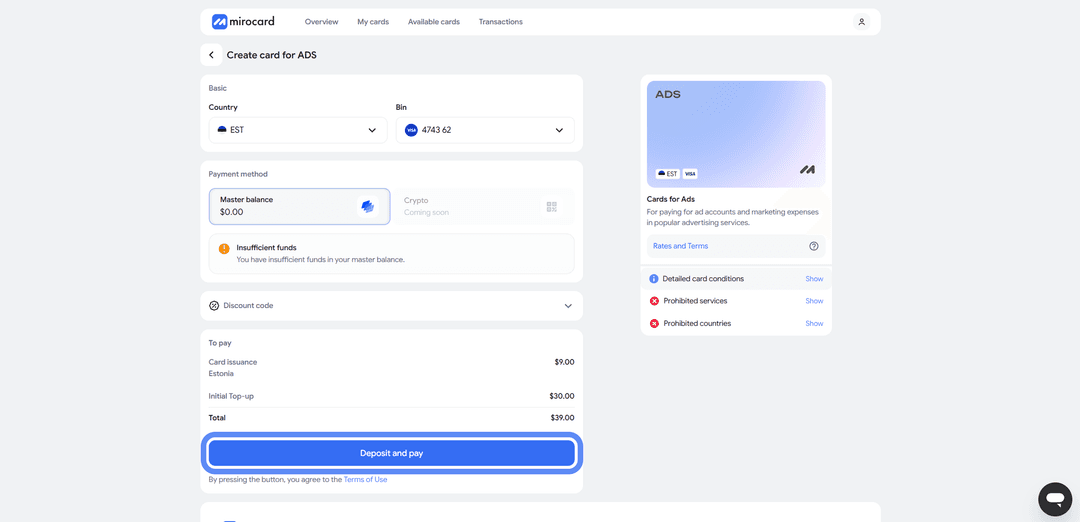
Крок 6. Заберіть реквізити. В особистому кабінеті відобразиться готова картка з номером, терміном і кодом CVC. Нічого активувати не потрібно, платежі вона проводить одразу. Реквізити для купівлі квитка копіюйте звідси ж.
Порада наостанок. Покладіть на картку трохи більше, ніж коштує квиток. В момент оплати продавець іноді ненадовго затримує суму з невеликим запасом, щоб перевірити картку, і зайве повернеться за кілька годин. Не забудьте і про комісію за поповнення, щоб на рахунку гарантовано залишилося на весь замовлення.
Як купити авіаквитки на Aviasales за допомогою Mirocard
З готовою карткою купівля квитка займає кілька хвилин.
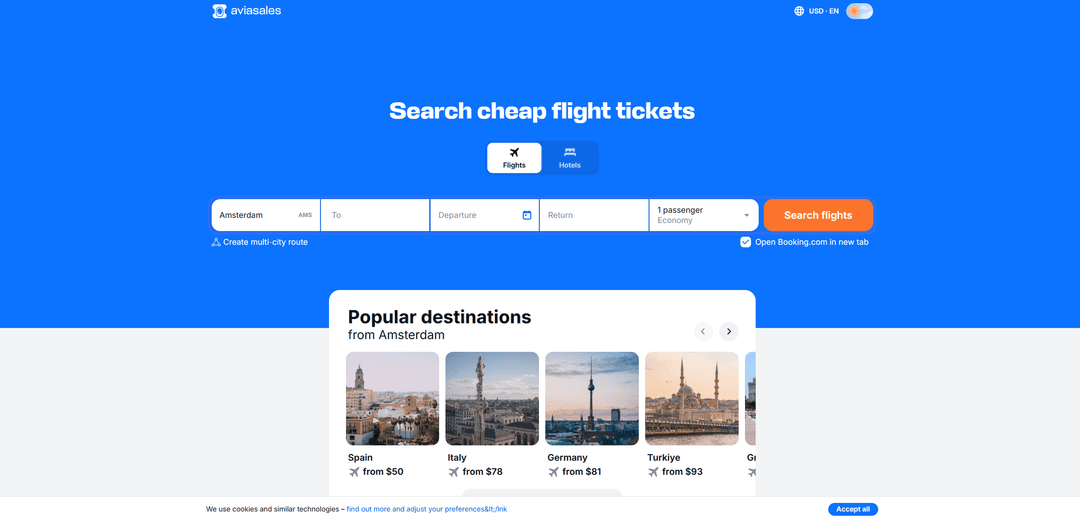
Крок 1. Відкрийте Aviasales. Зайдіть на сайт або в застосунок і увійдіть у профіль — так замовлення та квитки зберігатимуться в одному місці.
Крок 2. Вкажіть маршрут. Введіть місто вильоту і місто прильоту, дати і кількість пасажирів. Якщо напрямок ще не обрано, варіант «Будь-куди» покаже найдешевші міста на карті. Також вкажіть клас обслуговування і кількість пасажирів.
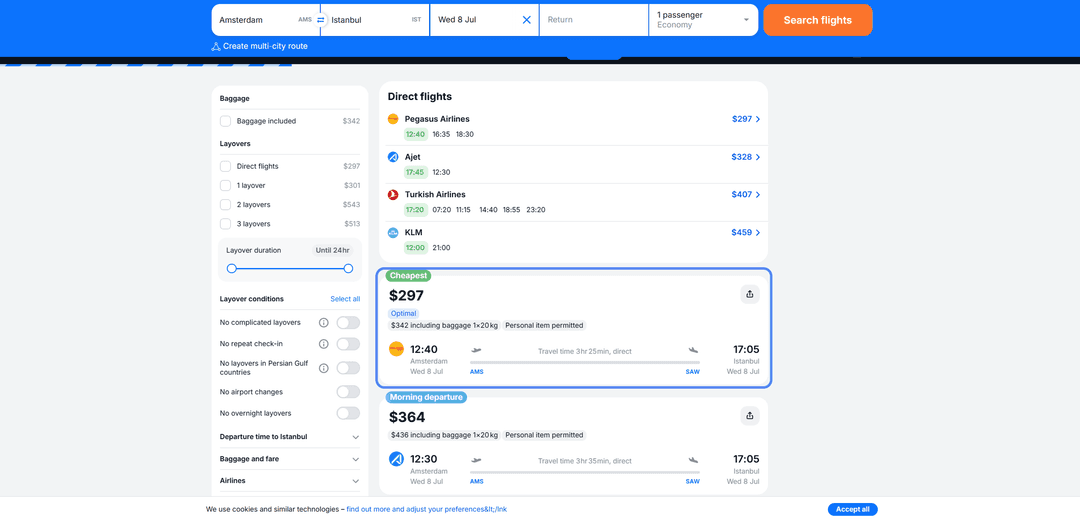
Крок 3. Виберіть рейс. Підберіть зі списку підходящий квиток за ціною, часом вильоту і кількістю пересадок. Тут же видно продавця — авіакомпанію або агентство, у якого оформлюється замовлення.
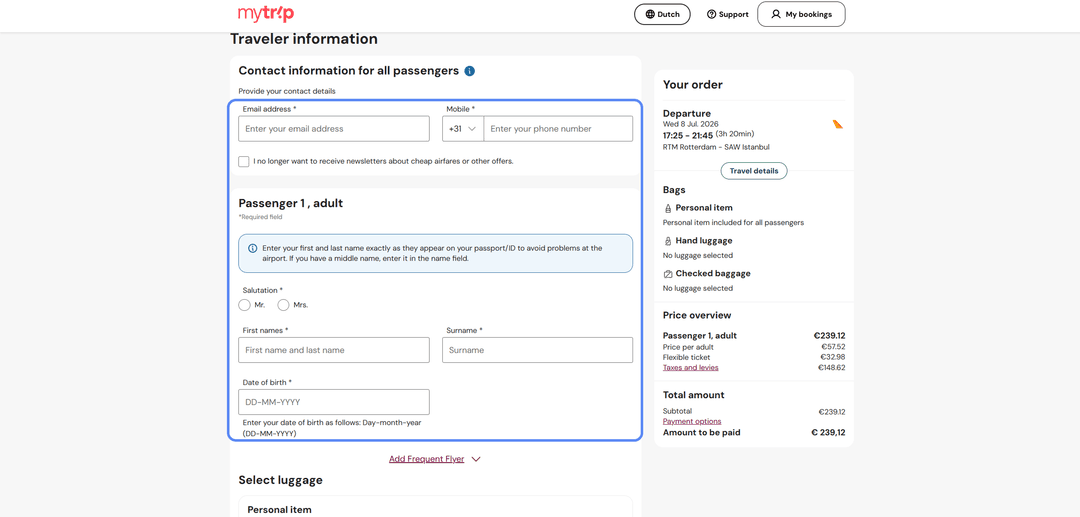
Крок 4. Введіть дані пасажира. Вкажіть контакти та дані документа — електронну пошту, телефон, ПІБ, громадянство, стать, вид і номер документа. Звірте все з паспортом, інакше квиток доведеться переоформлювати.
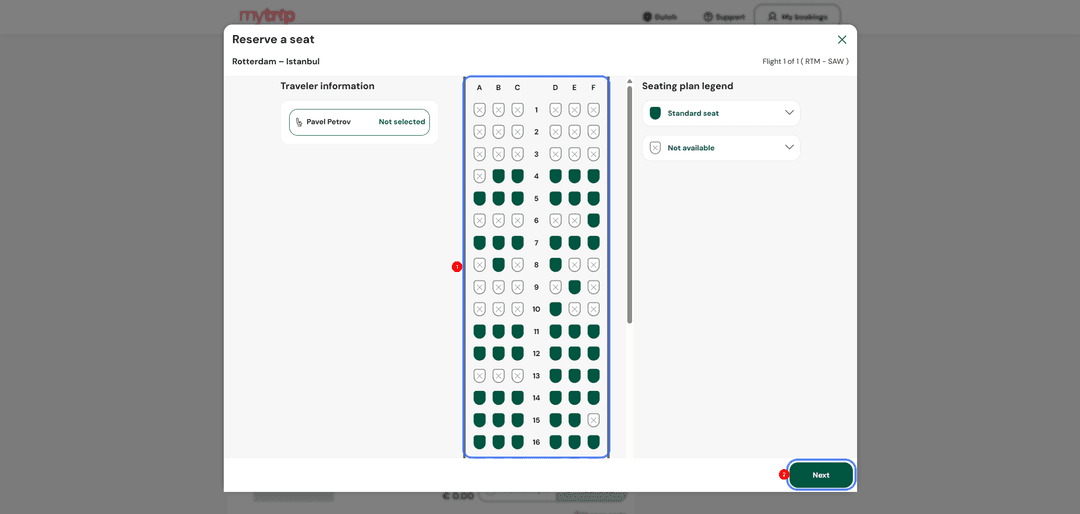
Крок 5. Виберіть місце в салоні. Якщо авіакомпанія дає вибрати крісло, відзначте зручне — його номер і ціна одразу з'являться у вартості.
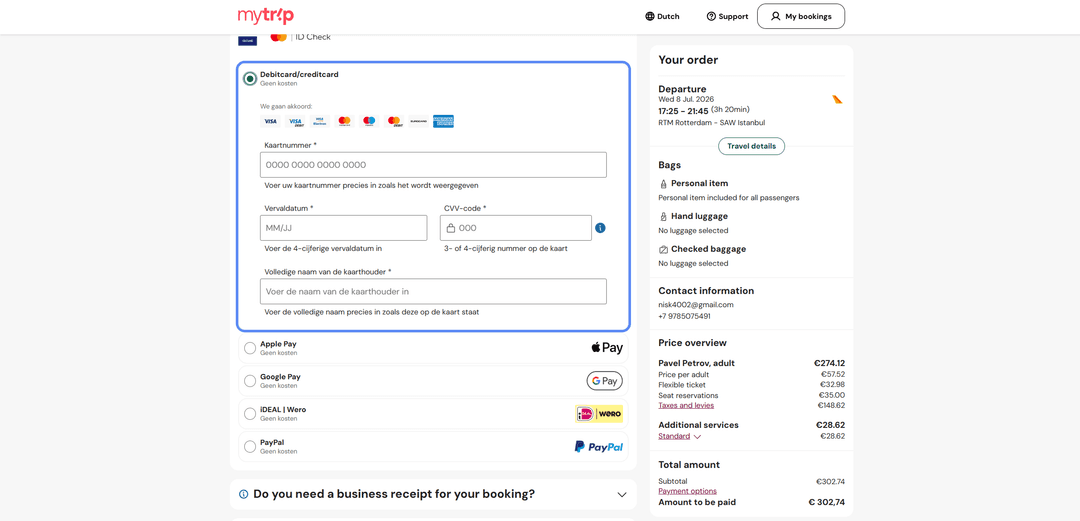
Крок 6. Введіть дані картки. На етапі оплати виберіть оплату карткою і впишіть реквізити Mirocard — номер, термін дії та CVC з особистого кабінету. Перевірте маршрут, дати, дані пасажирів і суму, потім підтвердьте оплату. Квиток прийде на вказану пошту.
Як заощадити на купівлі квитків
Знизити ціну квитка допомагає кілька простих прийомів, і разом вони працюють найкраще.
Дивіться календар низьких цін. Він показує вартість по днях, тому одразу видно, коли летіти дешевше. Зсуньте поїздку на пару днів у будь-який бік, і ціна нерідко падає відчутно — перевіряйте варіанти в діапазоні плюс-мінус три дні від потрібної дати.
Порівнюйте пропозиції різних продавців. Один і той самий рейс продають кілька агентств і сама авіакомпанія, і ціни в них відрізняються. Aviasales показує їх поруч, тож залишається вибрати найвигідніший варіант, заодно перевіривши умови повернення та багажу.
Стежте за акціями та сповіщеннями. Авіакомпанії регулярно запускають розпродажі, а Aviasales надсилає сигнал, коли квиток з обраного дешевшає. Підпишіться на сповіщення або на телеграм із гарячими пропозиціями, щоб не пропускати знижки.
Додатково виручає гнучкість. Квитки вигідніше брати заздалегідь — приблизно за 2–3 місяці до міжнародного рейсу і за 3–4 тижні до внутрішнього. Перельоти з пересадкою, виліт із сусіднього міста і поїздки без багажу теж зменшують підсумкову суму.
Висновок
Оплатити квиток на Aviasales можна різними способами, але в кожного є слабке місце. Банківська картка працює напряму, але її не можна поповнити криптою. Сервіси-посередники виручають разово, але беруть комісію. Віртуальна картка прибирає обидві головні перешкоди — і неможливість платити криптовалютою, і брак доступу до банків.
Mirocard тут працює точнісінько як звична Visa або Mastercard, різниця лише в поповненні криптою. Один раз усе налаштували — і квитки, готелі та інші тревел-сервіси оплачуєте одразу з криптогаманця, минаючи обмін на фіат через біржу. Однієї картки вистачає на всю поїздку, і збирати подорож стає відчутно легше.