Як оплатити підписку Duolingo криптовалютою
#Інструкція з оплати
Duolingo — найпопулярніший застосунок для вивчення мов, але оплатити підписку Super звичайною карткою вдається не завжди. Платіж часто відхиляється на етапі обробки через регіональні обмеження, а криптовалюту сервіс не приймає взагалі. Розберемо, що дає платна версія, чому виникають складнощі з оплатою і як оформити підписку віртуальною карткою з поповненням криптою.
Що таке Duolingo і чому застосунок такий популярний
Duolingo вчить мов у форматі гри, і саме це утримує мільйони користувачів. Уроки короткі, по 5-15 хвилин, і складаються з вправ на переклад, аудіювання і складання фраз, а алгоритм підлаштовується під ваш рівень і підтягує слабкі місця. Вчитися можна і в застосунку на телефоні, і в браузері на duolingo.com.
За застосунком стоїть продумана система мотивації. Ви набираєте очки досвіду, підіймаєтеся в щотижневих лігах і тримаєте серію — ланцюжок днів, у які пройшли хоча б один урок. Що довша серія, то шкода її переривати, тож люди повертаються в застосунок щодня.
Що дає підписка Super Duolingo
Super прибирає те, що заважає в безкоштовній версії, і додає зручні функції для тих, хто займається серйозно. Розберемо основне.
Безлімітні життя. У безкоштовній версії дається п'ять сердець, і вони витрачаються на помилках, а коли закінчуються, урок доводиться відкладати. Підписка знімає цей ліміт, і ви вчитеся далі, скільки б не помилялися, — а помилки під час вивчення мови неминучі.
Персоналізована практика. Super відкриває окремі тренування, які збирають саме ваші помилки і проганяють їх ще раз. Це прискорює прогрес, бо ви працюєте над слабкими місцями точково, а не повторюєте все підряд.
Чому виникають проблеми з оплатою
Власнику криптовалюти Duolingo підкидає головну проблему — монети тут не в обігу. Розрахуватися за Super напряму біткоіном або USDT не вийде, застосунок приймає лише картки та PayPal. Далі два варіанти: або продавати крипту за фіат на біржі й миритися з втратами на курсі й комісіях, або оформити картку, яка працює на крипті.
Другий бар'єр — те, як влаштована оплата в Duolingo, і загальні ліміти транскордонних платежів. Списання проходить через міжнародний еквайринг, а він звіряє країну банку-емітента з країною, вказаною у формі. Розійшлися дані або регіон поза списком дозволених — і транзакцію відхилять, не довівши до підтвердження.
Як можна оплатити підписку
Заплатити за Super реально по-різному, і що підійде саме вам, визначають країна перебування і валюта у вашому розпорядженні.
Міжнародні банківські картки. Найшвидше Duolingo оплачується карткою Visa або Mastercard, випущеною банком за кордоном, — вона спрацьовує без затримок і бере копійчану комісію. Складність вилазить раніше, на випуску: банківський рахунок в іншій країні відкривають далеко не всі, і зазвичай для цього кличуть у відділення з документами. Плюс тому, хто зберігає гроші в крипті, ця картка не допоможе пустити в діло самі монети.
Подарункові картки та альтернативні способи. Оплату закривають і сертифікатами Google Play або App Store — вносите кошти на рахунок магазину застосунків і платите всередині самого застосунку. Робочий шлях, але з застереженнями: сертифікати в продажу з'являються не завжди, у перекупників коштують вище номіналу, а країна вашого профілю має збігатися з країною сертифіката. Окремо є посередники, які беруть оформлення на себе, щоправда за послугу знімуть суттєвий відсоток.
Віртуальні картки. Картка без пластику, з номером, строком і кодом CVC, для Duolingo невідмінна від звичайної. Деякі сервіси дозволяють вносити на неї криптовалюту, і тоді зникають обидві перешкоди одразу — і бар'єр з криптою, і відсутність картки міжнародного банку. На випуск ідуть лічені хвилини в інтернеті.
Чому віртуальні картки зручні для оплати Duolingo
Віртуальна картка вирішує саме ті завдання, об які спотикається оплата Duolingo. Її роблять під міжнародні покупки в мережі, тож міжнародний еквайринг пропускає таку картку спокійно, а низка сервісів дозволяє вносити на неї крипту без проміжних кроків.
До того ж віртуальна картка тягне автопродовження підписки. Списання на дату продовження Duolingo ініціює сам, і цифрова картка відпрацьовує ці повторювані платежі нарівні з пластиком з банку. Потрібно лише стежити, щоб на балансі лишався невеликий запас.
Оформлюється картка миттєво і працює без розгону. Усе робиться через інтернет за кілька хвилин, а реквізити підвантажуються в кабінет одразу після випуску, і жодної окремої активації проходити не треба.
Mirocard для оплати Duolingo
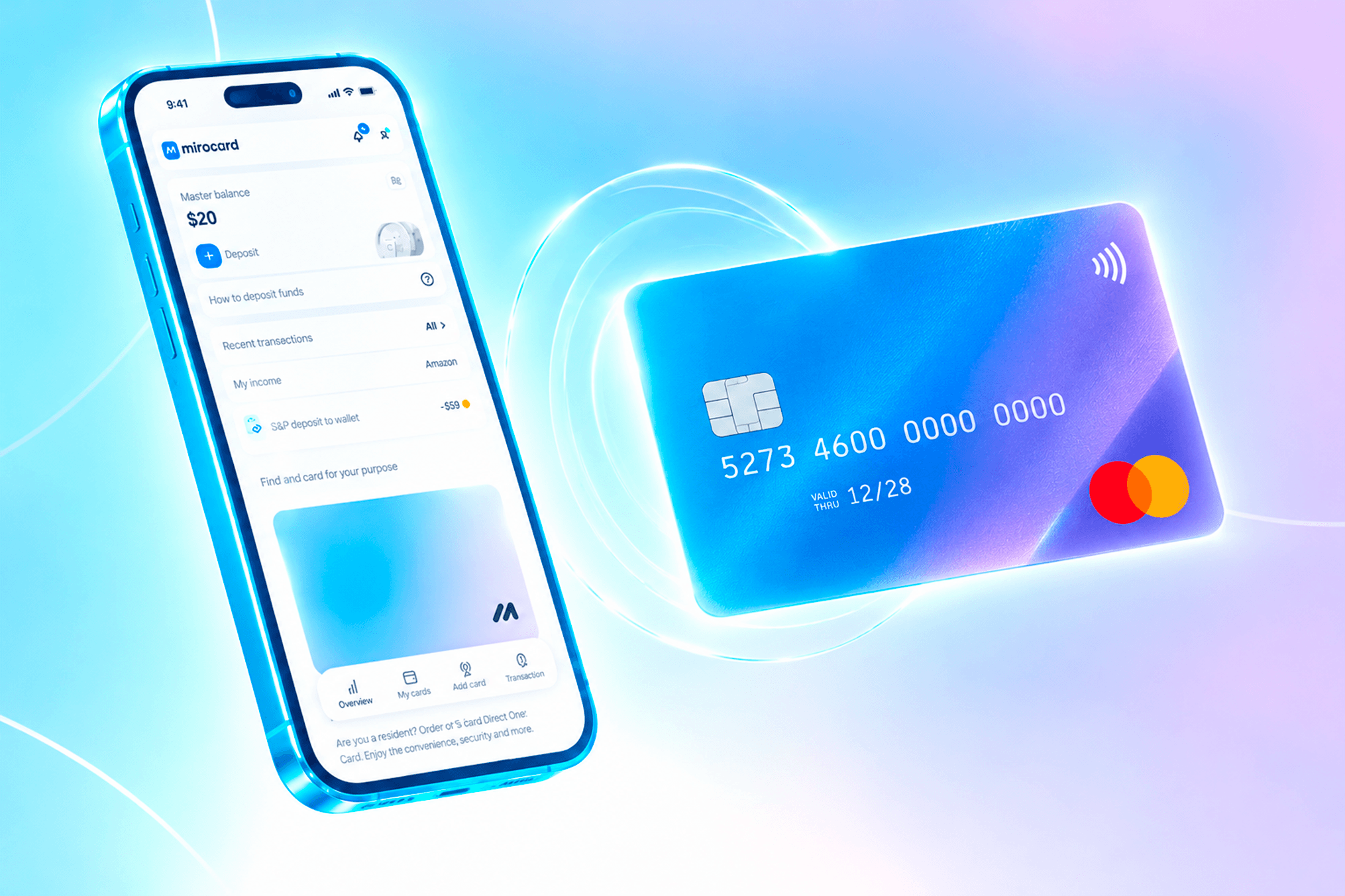
Mirocard робить цифрові картки Visa і Mastercard, які заряджають криптовалютою, і стосовно Duolingo це стикує крипту зі звичним списанням. Застосунок бачить перед собою звичайну міжнародну картку, тож з оформленням підписки проблем не виникає. Тим, у кого капітал у монетах, Mirocard дозволяє платити напряму з гаманця.
До Duolingo підійде картка для оплати послуг і підписок. Її спроєктували під повторювані списання, тож продовження Super іде рівно. Випуск коштує 10 доларів, а розмір комісії на поповнення ви побачите на етапі оформлення. Такою ж карткою оплачують і будь-які інші підписки на цифрові сервіси.
Як випустити картку Mirocard
Оформлення цілком у браузері, а за часом займе пару хвилин.
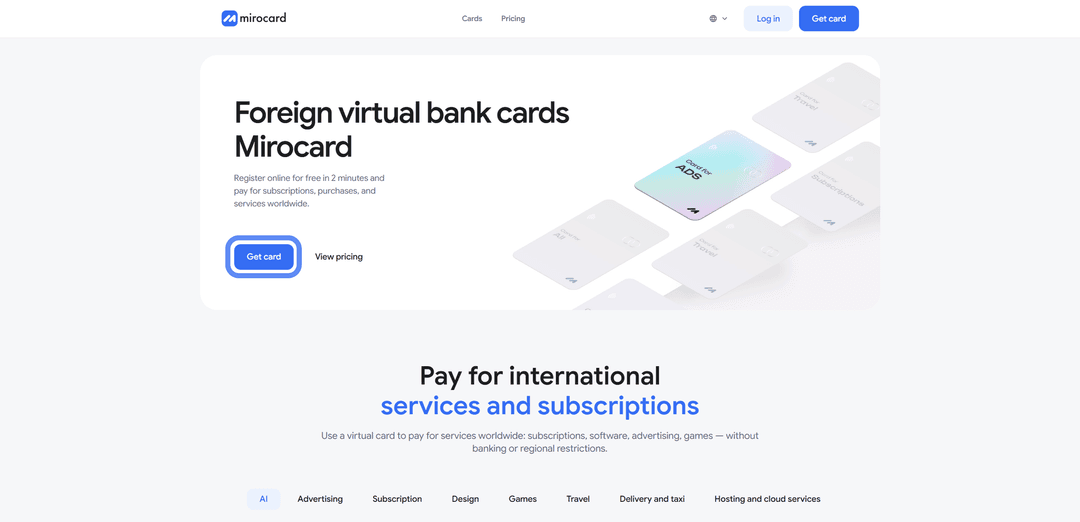
Крок 1. Реєстрація. Перейдіть на mirocard.com і натисніть «Get Card». Від вас знадобиться небагато — ввести пошту, пароль і підтвердити e-mail. Якщо ви раніше користувалися Heleket, заводити обліковий запис заново нема потреби — ваш акаунт перенесеться в Mirocard разом з вашими картками і балансом.

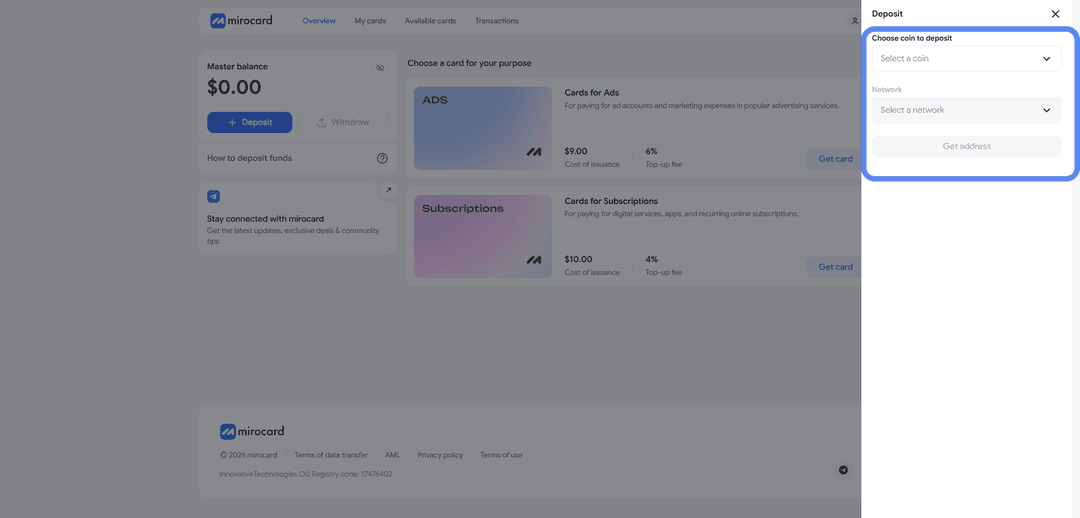
Крок 2. Гроші на майстер-баланс. Цей баланс — каса вашого кабінету, з нього йде оплата і за сам випуск, і за кожне подальше поповнення картки. Тисніть «Top Up», відзначте потрібну монету з мережею, і платформа дасть вам адресу гаманця. Кидаєте на неї крипту з особистого гаманця або з біржового рахунку. Найменше за мережу візьмуть за USDT у TRC-20.

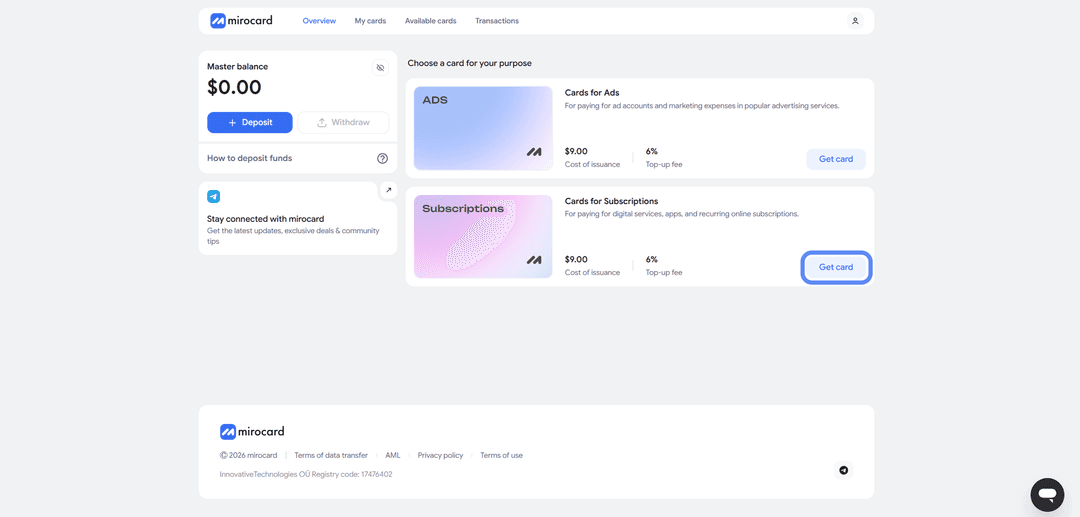
Крок 3. Добір картки. У переліку карток вам потрібна та, що заточена під підписки, — відкривайте її і тисніть «Get Card».
Крок 4. Верифікація. Попросять підтвердити особу — завантажуєте документи. Перевірка швидка і потрібна заради збереження ваших коштів, зате після неї ліміти розкриваються цілком. Зазвичай користувачі проходять верифікацію за пару хвилин.

Крок 5. Оплата випуску. Натисніть «Deposit and Pay» — пройде оплата картки з вашого майстер-балансу.
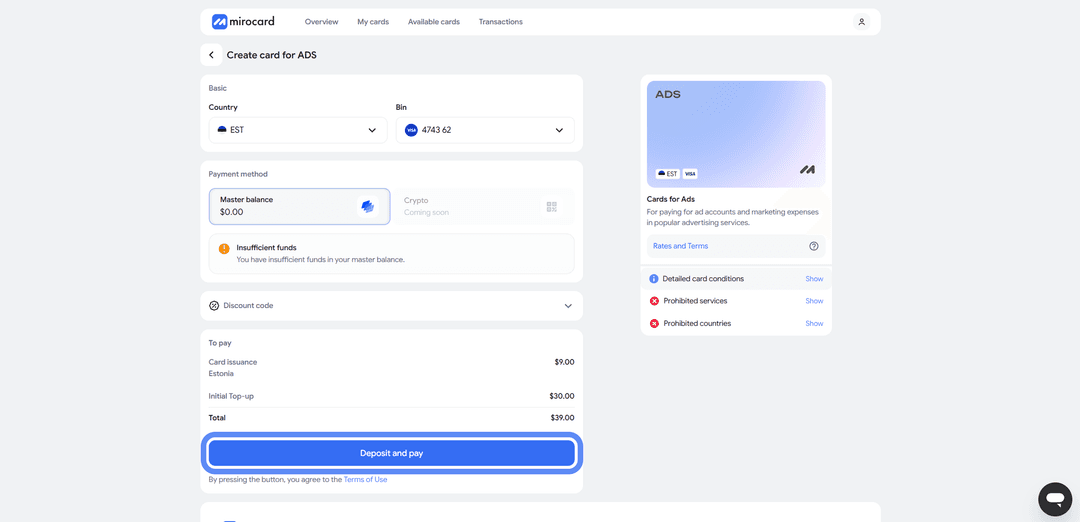
Крок 6. Реквізити на руках. У кабінеті з'явиться готова картка з номером, строком і кодом CVC. Її ми й будемо використовувати для оплати Duolingo та інших сервісів.
Як оплатити Duolingo через Mirocard
З готовою карткою оформлення підписки займає пару хвилин.
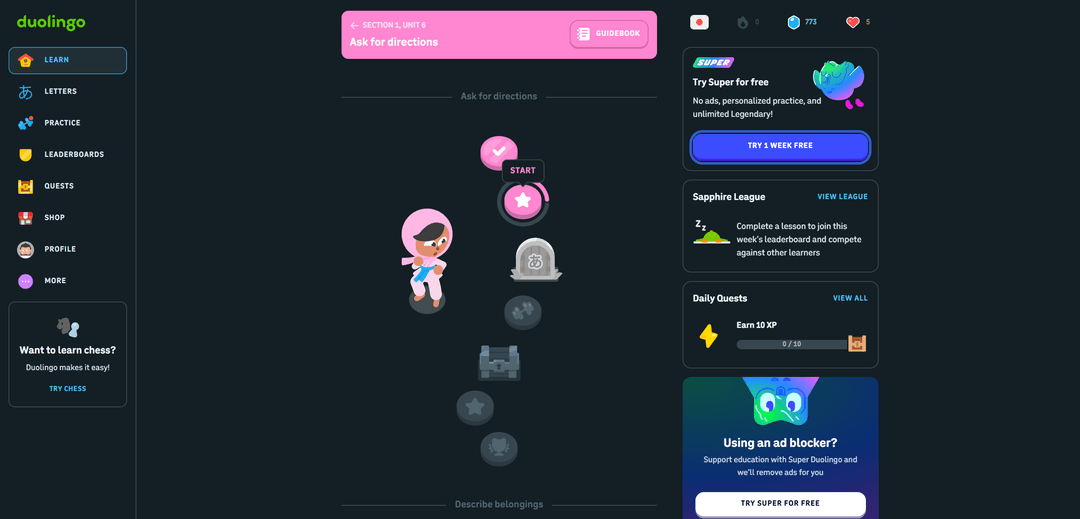
Крок 1. Натисніть «Try Super Duolingo». На головному екрані Duolingo показує банер з пропозицією підписки. Натисніть на нього — сервіс відкриє екран з порівнянням безкоштовної і платної версій.
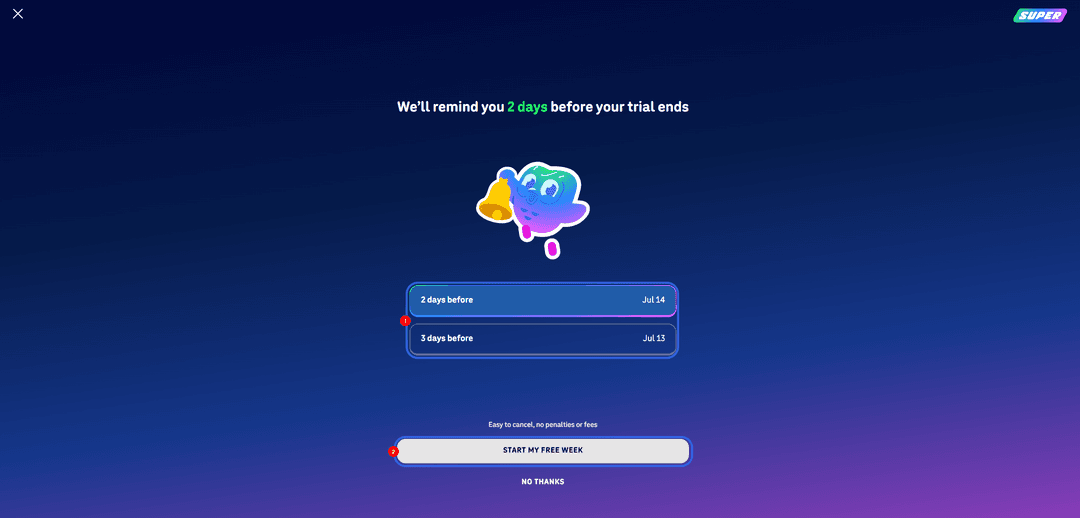
Крок 2. Підтвердьте оформлення підписки. Duolingo запропонує безкоштовний пробний період і попросить підтвердити, що ви хочете його почати. Натисніть кнопку підтвердження.
Крок 3. Оберіть, коли нагадати про закінчення пробного періоду. Сервіс запропонує надіслати нагадування за 2 або за 3 дні до першого списання. Оберіть зручний варіант, щоб встигнути скасувати підписку, якщо вона не підійде, і продовжте.
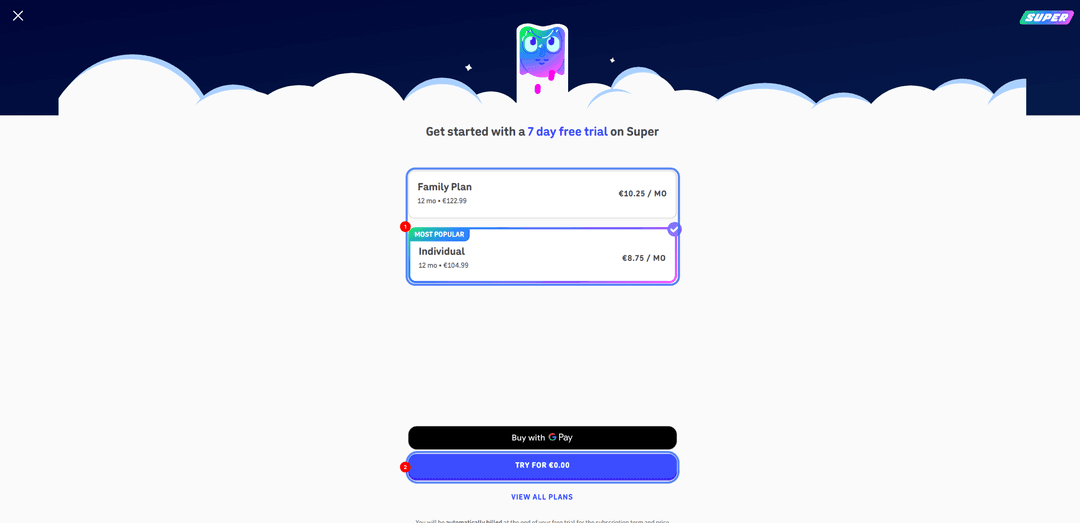
Крок 5. Введіть реквізити картки. У формі оплати впишіть номер картки Mirocard, строк дії і код CVC з особистого кабінету. У полі країни вкажіть ту, до якої прив'язана картка, — її видно в кабінеті Mirocard. Збіг країни і картки допомагає пройти перевірку платіжної системи.
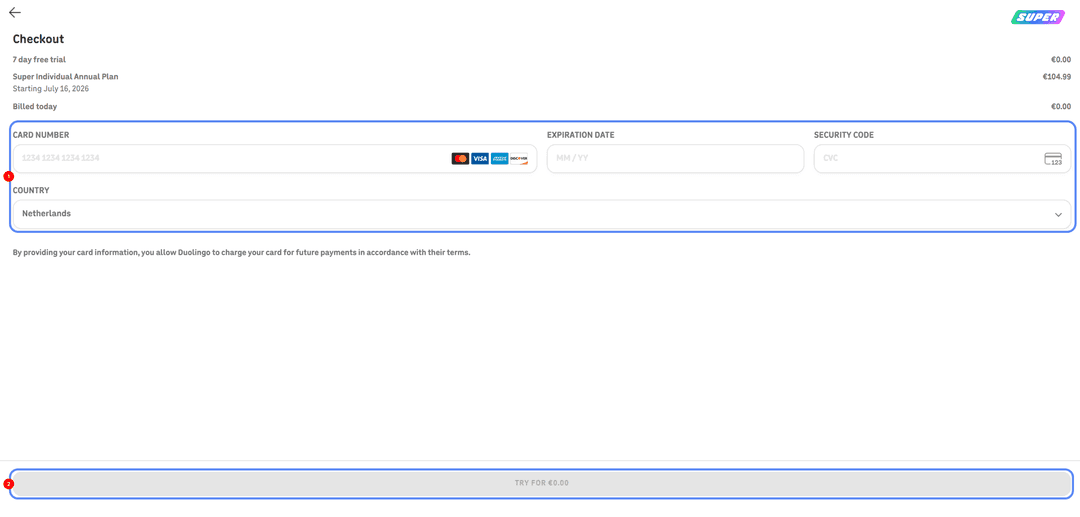
Якщо платіж не пройшов, скопіюйте реквізити з кабінету заново, щоб виключити описку, перевірте баланс з урахуванням комісії і переконайтеся, що країна у формі збігається з карткою. При повторних відмовах зачекайте пару годин перед новою спробою.
Чи варто оформлювати Super Duolingo
Super окупається для тих, хто займається щодня і серйозно. Безлімітні життя не дають переривати урок через помилки, відсутність реклами економить час, а персональна практика прискорює прогрес — для активного користувача це відчутна різниця у зручності й швидкості.
Безкоштовної версії вистачить, якщо ви займаєтеся нерегулярно або тільки знайомитеся із застосунком. Один-два уроки на день повністю доступні і без підписки, а реклама в такому режимі заважає не сильно. Придивитися до Super варто, коли мова увійшла в щоденну звичку і обмеження почали гальмувати.
Висновок
Способів заплатити за Duolingo чимало, і все ж бездоганного серед них немає. Оформити картку закордонного банку для багатьох клопітно, до того ж з криптою вона не працює, а сертифікати і посередники беруть зверху свій відсоток. І тільки віртуальна картка з криптопоповненням гасить одразу дві корінні перешкоди — і стіну перед прямою оплатою монетами, і відірваність від банків за кордоном.
Mirocard — це звичайна Visa або Mastercard, яка живе на крипті. З нашою карткою ви зможете постійно оплачувати Super Duolingo без жодного обмінника чи посередника і без обготівкування.