How to Pay for a YouTube Premium Subscription with Cryptocurrency
#Payment Instructions
YouTube is the largest video platform in the world. Billions of people watch videos, listen to music, learn from tutorials, and follow their favorite creators here. The free version covers basic needs, but it comes with its own inconveniences — ads, no background playback, and a constant need for an internet connection.
Why YouTube Premium Is So Popular
The main benefit is complete ad removal. No pre-roll or mid-roll videos, no banners. Videos start immediately and play without interruption. The second major advantage is background playback. Video or music keeps playing when you minimize the app or turn off your phone screen — essential for anyone who listens to podcasts and music on YouTube.
Payment Methods Users Rely On
There are several working options, and the choice depends on what funds you have available.
International Cards
This includes both physical cards from foreign banks and virtual international cards. YouTube accepts both as standard Visa or Mastercard.
However, these cards don't work with cryptocurrency. To pay for a subscription this way, you'd first need to sell your crypto on an exchange and withdraw fiat to a bank account through a chain of fees. There's also a catch — cards like these aren't available in every country. Virtual cards solve some of these problems — they're issued online in minutes, and some can be topped up directly with cryptocurrency.
Specialized Payment Services
These are intermediaries who process international payments on your behalf. You send them money, and they pay for the subscription from their own funds.
The convenience is that you can pay in various ways, including crypto. But the service charges a markup, usually 15 to 30%. The main risk is depending on the service's honesty. If an intermediary disappears after receiving your money, getting it back is nearly impossible — especially when paying with crypto, where transactions are irreversible.
Alternative Solutions
This approach bypasses bank payments — all you need is a code. But there are limitations. YouTube gift cards aren't available in all countries and only work for accounts in the corresponding region. You can buy a card from authorized sellers or on code marketplaces, usually at a markup. This method doesn't support auto-renewal — you'll need to activate a new code each time.
Paying for YouTube Premium with Cryptocurrency via Mirocard
The card can be topped up with ETH, USDC, USDT, AVAX, BCH, DAI, BNB, BTC, DASH, DOGE, POL, LTC, SOL, TON, TRX, and XMR. A transfer from an exchange or wallet takes a few minutes, and funds are immediately available for payment.
How to Get a Mirocard
The process is fully online and usually takes less than half an hour.
Step 1. Create an Account
Open the Mirocard website and click «Get Card».
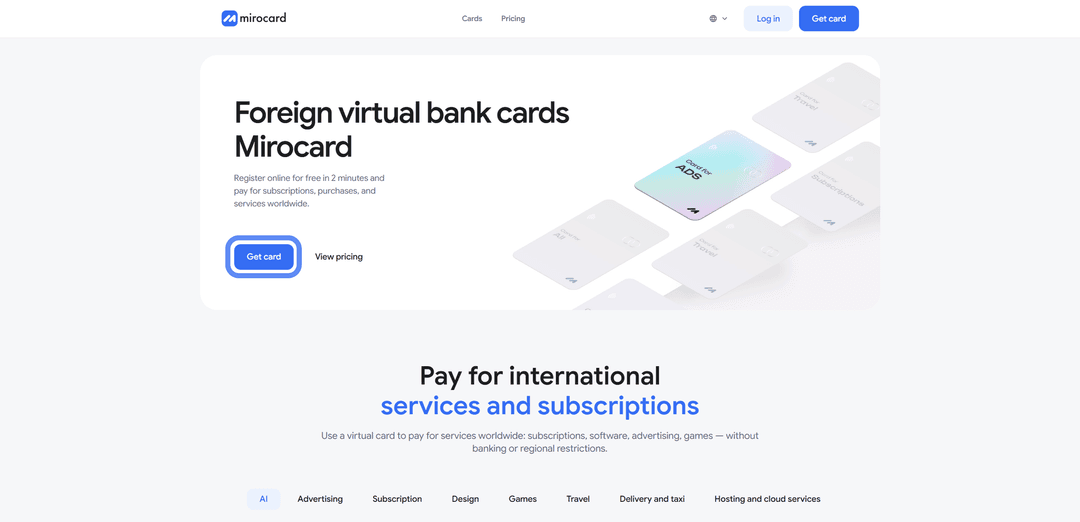
If this is your first visit, select «Sign Up» — you'll need a working email and password, and a confirmation email will be sent to your inbox.

If you already had a Heleket account, log in through it — all your funds and cards will be transferred to Mirocard automatically.
Step 2. Top Up Your Master Balance

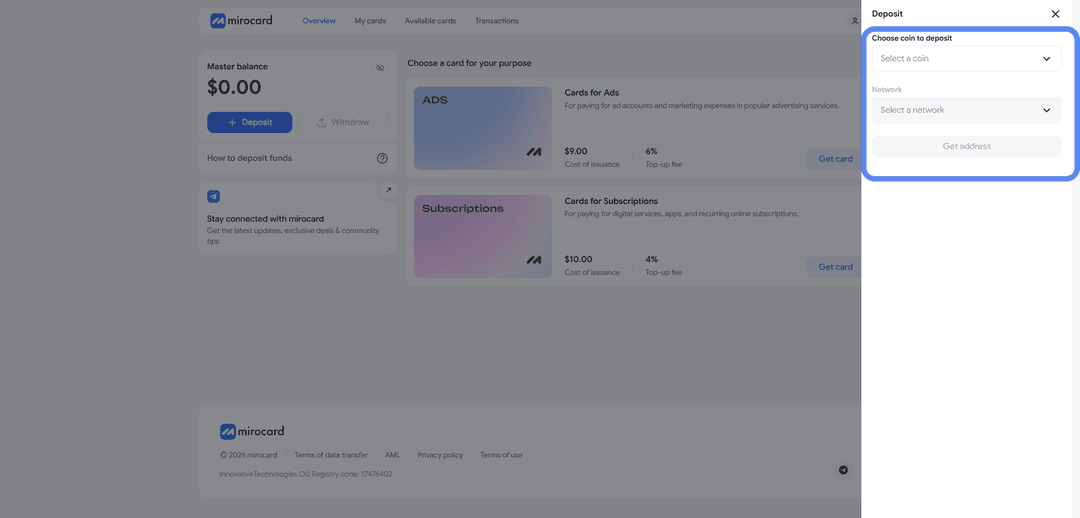
The cheapest transfer fee option is USDT on the TRC-20 network. The service will generate a wallet address — send crypto to it from an exchange or external wallet. Your balance will be credited after the transaction is confirmed on the blockchain.
Step 3. Select a Card
Find the subscription card in the catalog and click «Get Card» on the right side of the block.
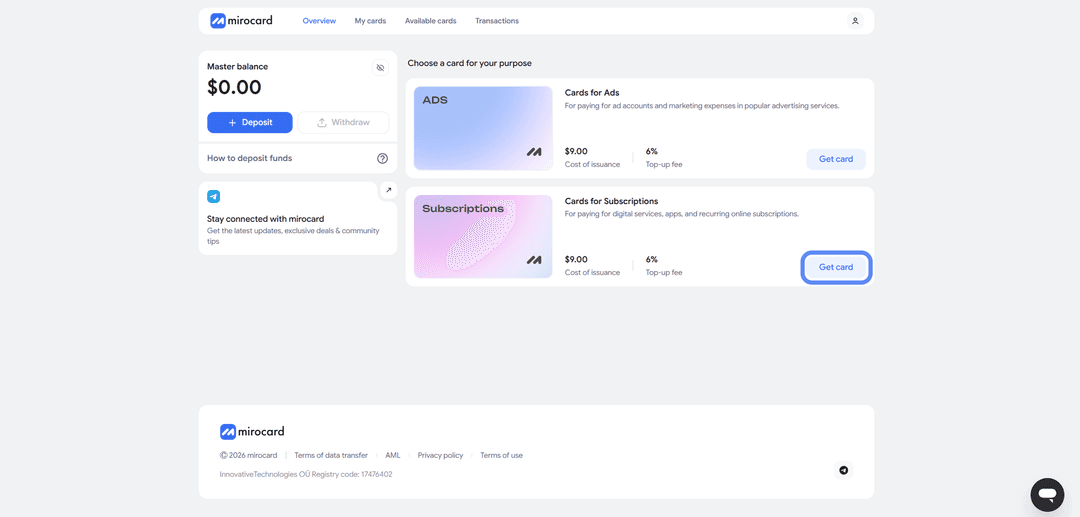
The issuance page will open.
Step 4. Verification
Before issuance, you'll need to upload documents for verification — click «Complete Verification».

This is how the platform protects your balance — only you will be able to manage it and add new cards. After verification, maximum top-up and spending limits will become available.
Step 5. Pay for Issuance
On the issuance page, click «Deposit and Pay».
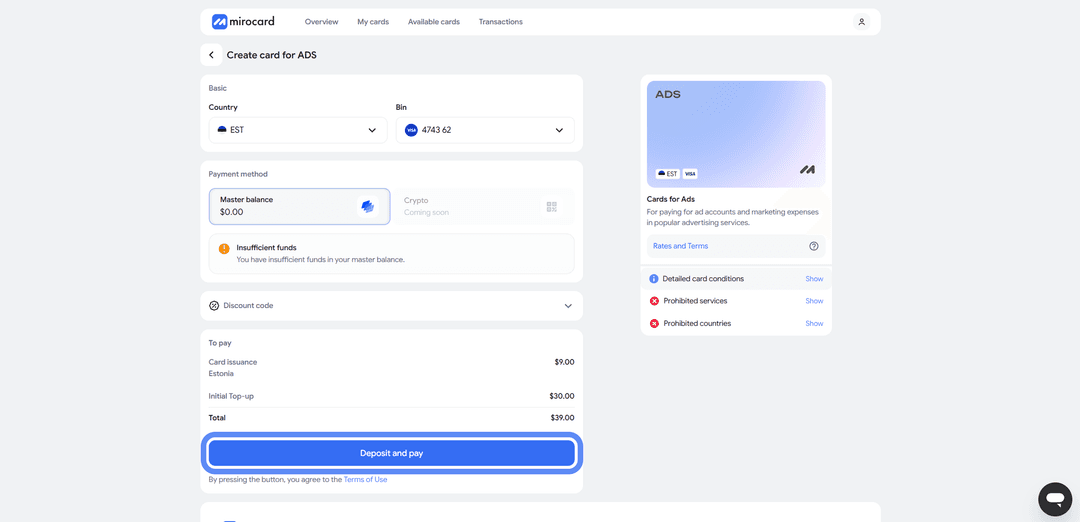
The issuance fee of $10 will be deducted from your Master Balance. The remaining amount will go to your card account and be ready for subscription payments.
Card Is Ready
The card will appear in your dashboard with its details and balance. No activation required — it accepts payments immediately. The dashboard provides access to transaction history, top-ups from the Master Balance, and the option to freeze the card if needed.
A tip — keep a small buffer on the card above the subscription cost. When paying, YouTube may temporarily reserve a slightly larger amount to verify the card. This is a pre-authorization hold, and the excess will be returned within a few hours. But if your balance is exactly the subscription amount, the verification won't pass and the payment will be declined. Keeping a buffer eliminates this issue.
How to Pay for YouTube Premium via Mirocard
Once the card is ready, subscribing takes just a couple of minutes.
Step 1. Sign In to Your Account
Step 2. Open the Premium Section
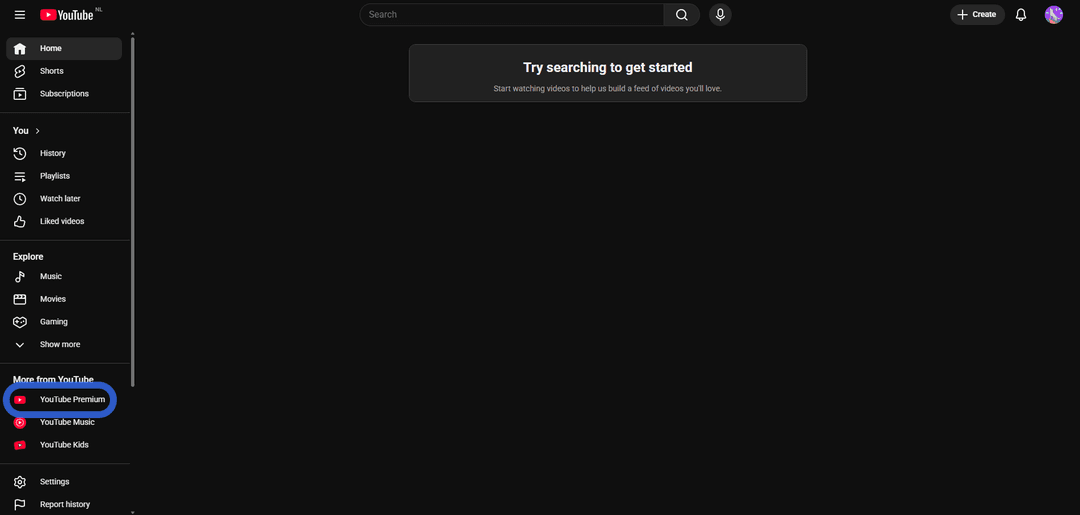
The subscription description page will open.
Step 3. Proceed to Checkout
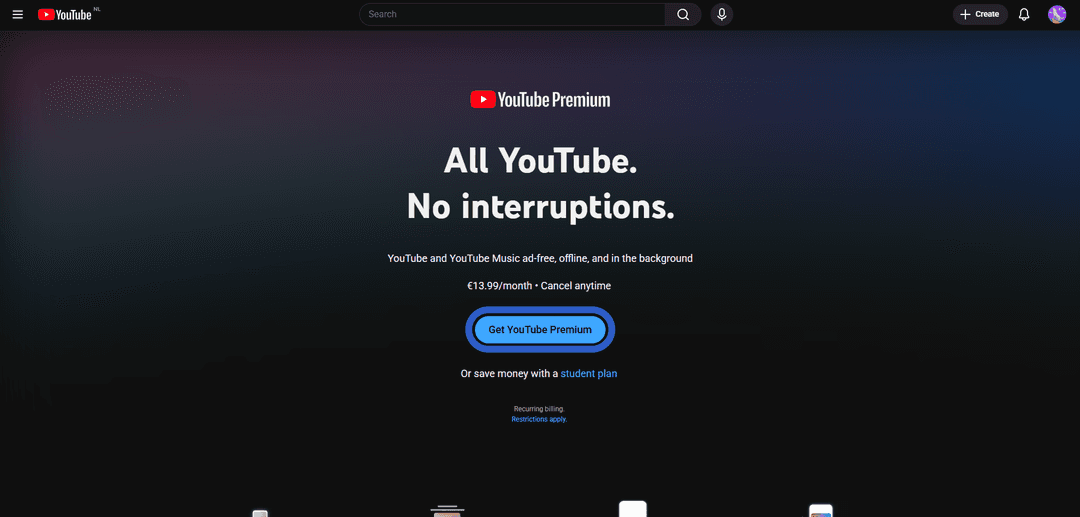
The subscription plans page will open.
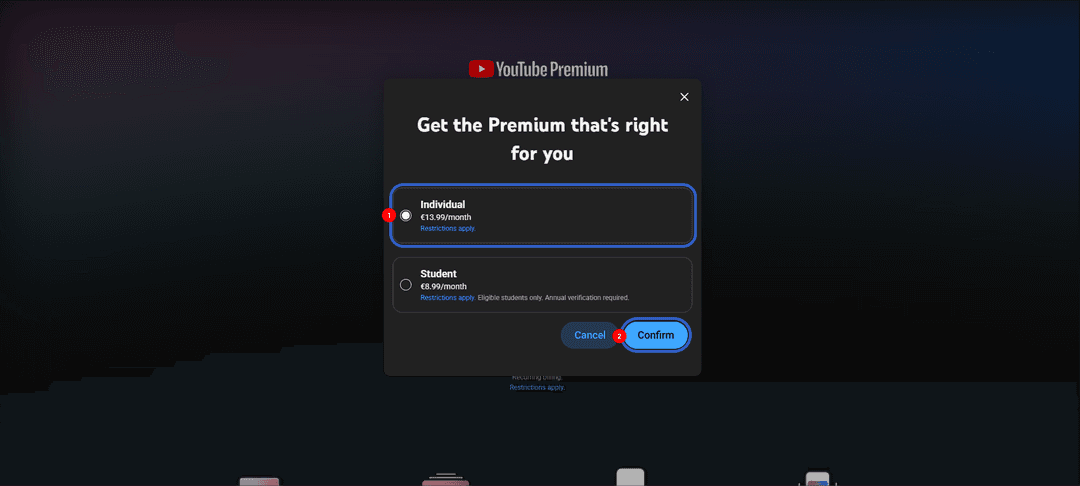
Step 4. Choose a Plan
Select «Individual» — the individual subscription plan, suitable for most users.
If you're a student in Europe, Asia, or the Americas, you can choose «Student» — a discounted plan for students. Keep in mind that purchasing a student subscription requires verification through documents confirming your student status.
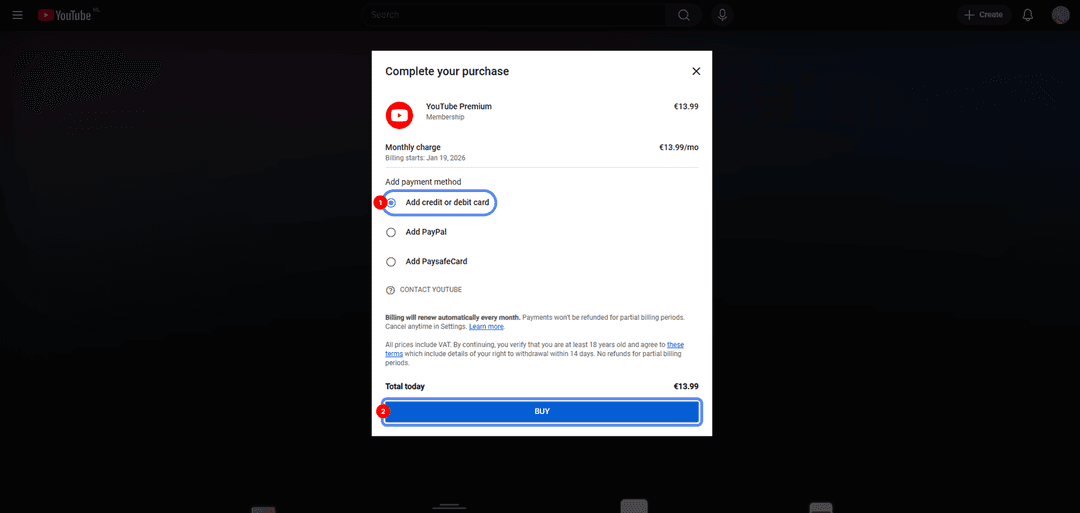
Step 5. Add Your Card
Select «Add credit or debit card» as your payment method.
Step 6. Enter Card Details
Fill in the fields with your Mirocard virtual card details — card number, expiry date, CVV, and cardholder name.
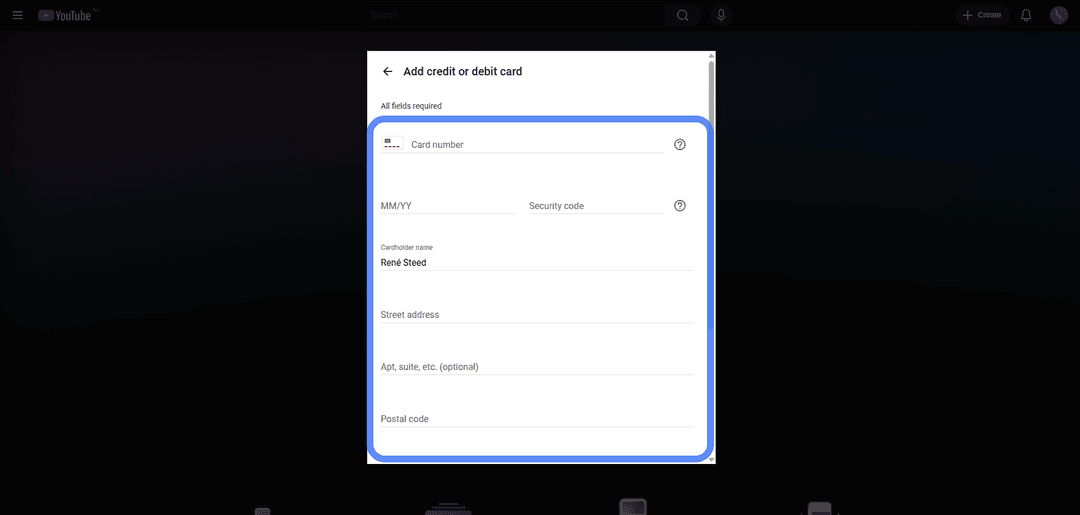
For the address fields, enter a random location in the US region to match the card's country.
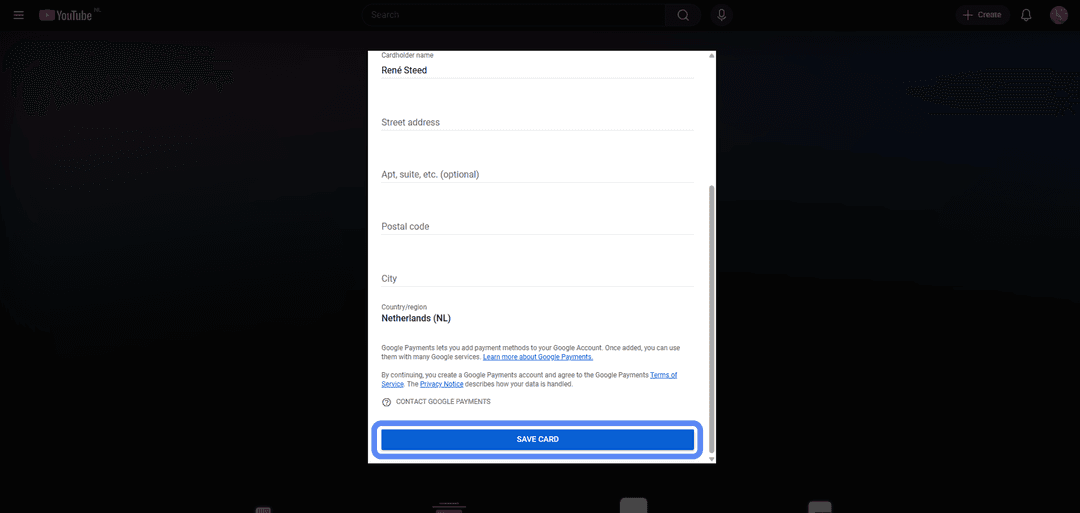
Step 7. Save the Card
Click «Save Card».
If the Payment Fails
Check your card balance, accounting for the pre-authorization hold. Make sure the card details are entered correctly, especially the CVV. If everything looks right but the payment is still declined, check that your account region matches the card's address. If needed, try again after a few minutes.
What to Look for When Choosing a Payment Service
There are many virtual card services, and they vary in quality. A few criteria will help you choose a reliable one.
Platform reliability. The service should process payments consistently without disappearing at the wrong moment. It's worth checking how long it has been operating, whether it has a track record, and what real users say about it.
Payment processing speed. Crypto deposits and card issuance shouldn't drag on for hours. With Mirocard, top-ups arrive within minutes of blockchain confirmation, and the card is issued immediately.
Customer support availability. If something goes wrong, it's important to be able to get help quickly. Mirocard has a support team that handles questions about payments and card operations.
Mirocard meets all of these criteria, making it suitable both for one-time payments and ongoing use across multiple subscriptions.