Як оплатити підписку Patreon криптовалютою
#Інструкція з оплати
Підписатися на автора в Patreon — справа хвилинна, поки не доходить до оплати. Платформа приймає лише картки та PayPal, криптовалюту не визнає, а картки з ряду країн відхиляє на вході. Нижче розберемо, чому оплата спотикається і як обійти це віртуальною карткою, яку ви заправляєте криптою.
Що таке Patreon і як працює платформа
Patreon з'єднує авторів з їхньою аудиторією за моделлю платної підписки. Творець викладає роботи, а глядачі та слухачі вносять фіксовану суму щомісяця і отримують за це закриту частину його творчості. На платформі зібралися найрізноманітніші автори: композитори та ілюстратори, ведучі подкастів, розробники інді-ігор, відеоблогери, незалежні журналісти, викладачі онлайн-курсів.
В основі лежить система рівнів. Автор задає кілька тарифів, і ціна зростає разом з обсягом бонусів: дешевий рівень відкриває базове, дорогий — усе одразу. Ви відмічаєте потрібний тариф, прив'язуєте платіжну картку і підтверджуєте підписку. Коли саме спишуться гроші — в день оформлення або першого числа наступного місяця — вирішує сам автор у налаштуваннях.
Оплата поновлюється сама. Платформа знімає суму на початку кожного нового періоду, поки до профілю прив'язана діюча картка з достатнім балансом, — окремо підтверджувати платіж не потрібно. Усе управління лежить у розділі Billing: там ви ставите підписку на паузу, скасовуєте або змінюєте тариф, забираєте чеки і бачите, за що і коли списували гроші. Після скасування контент залишається доступним до кінця вже оплаченого місяця.
Навіщо оформлюють підписку на Patreon
Мотивів підписатися чотири, і зазвичай вони працюють разом.
Фінансова підтримка автора. Підписка дозволяє платити творцю напряму, минаючи рекламу та майданчики-посередники. Регулярні внески фанатів дають художникам, музикантам і блогерам можливість займатися творчістю як основною роботою, а не підробітком.
Закритий контент. За платний рівень відкривається те, що автор не показує публічно: чернетки, повні версії роликів, бонусні епізоди, випуски без рекламних вставок, архів минулих робіт. Заради цього ексклюзиву більшість і підписується.
Закриті спільноти. Частина тарифів дає пропуск у приватні чати та на сервери Discord, де підписники напряму листуються з автором і між собою. Підписка перетворюється з простого доступу до файлів на участь у спільноті.
Ранній доступ. Деякі автори спочатку публікують новинку для підписників і лише згодом викладають її у відкритий доступ. Ви отримуєте свіжі відео, треки та статті з перевагою перед рештою аудиторії.
У чому складність з оплатою
Криптовалютою Patreon оплатити не можна — і для власників крипти це камінь спотикання номер один. Платформа приймає лише банківські картки та PayPal, а підключити гаманець з USDT, біткоїном або Ethereum до акаунта неможливо. Далі два шляхи: ганяти крипту через біржу, продавати за фіат і втрачати на курсі та комісіях при кожному переказі — або завести картку, яка сама поповнюється криптою, а для Patreon виглядає звичайним пластиком.
Чим можна розрахуватися за Patreon
Спосіб оплати підбирають під свою ситуацію — під те, в якій валюті лежать гроші і з якої країни ви платите.
Міжнародні банківські картки. Найочевидніший шлях: Visa або Mastercard з підтримуваної країни прив'язується до профілю і списує підписку сама, автопродовження включно. Загвоздка в тому, щоб таку картку роздобути, — банк зазвичай вимагає особистого візиту, документів і підтвердженої адреси проживання. Крипто-інвесторам вона до того ж не спрощує життя: активи однаково спочатку йдуть на біржу і міняються на фіат, а це час і комісії.
Подарункові та обхідні варіанти. Іноді підписку вдається оформити без власного банківського платежу — наприклад, коли доступ дарує інша людина або використовуються сторонні схеми поповнення. Як разовий маневр це працює, але регулярну підписку так не потягнути: операцію доведеться повторювати руками щомісяця.
Віртуальні картки. Оптимальний інструмент для платежів за кордон. По суті це картка без фізичного носія — з номером, терміном дії та CVV, які Patreon приймає так само, як дані пластикової картки. Вони дають можливість поповнювати таку картку криптовалютою, і тоді обидві основні перешкоди зникають за один крок. Крипта заходить на картку, картка розраховується в Patreon, а біржа і обмін на фіат випадають з ланцюжка. При цьому на оформлення іде кілька хвилин, і їхати у відділення банку не потрібно.
Mirocard як спосіб оплати Patreon
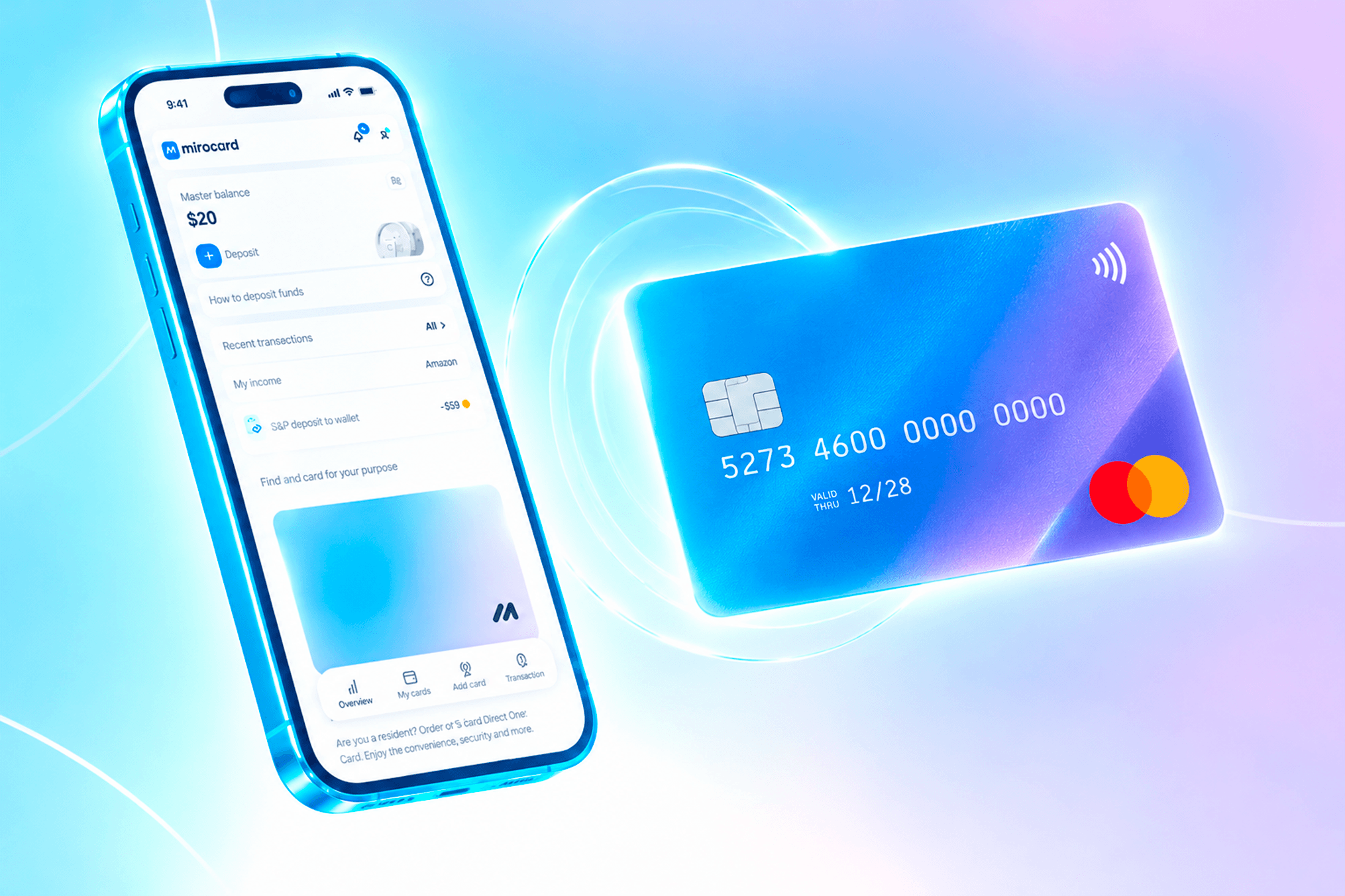
Mirocard — це сервіс віртуальних карток з поповненням криптовалютою, через який оплачують підписки та сервіси. Картки виходять у системах Visa та Mastercard, тому Patreon бачить у них звичайну міжнародну картку. Тим, у кого є крипта, сервіс відкриває оплату напряму з гаманця, а тим, кому недоступні банки за кордоном, дає надійний спосіб платити в інших країнах.
Під Patreon беріть картку для підписок — її заточили під повторювані списання, тому автопродовження не буде збоїти. Випуск обійдеться у 10 доларів, комісія при поповненні — 4%. Однією цією карткою закриваються не лише внески на Patreon, а й ще десятки сервісів.
Як оформити картку Mirocard
Оформлення повністю онлайн, від старту до готової картки — зазвичай менше пів години.
Заведіть акаунт. Зайдіть на mirocard.com і натисніть «Отримати картку». Новим користувачам потрібно вибрати «Зареєструватися» і вказати пошту з паролем, а потім перейти за посиланням із листа, щоб підтвердити адресу. Тим, у кого є профіль Heleket, реєстрація не потрібна: вхід через нього переносить у Mirocard усі картки і весь баланс.

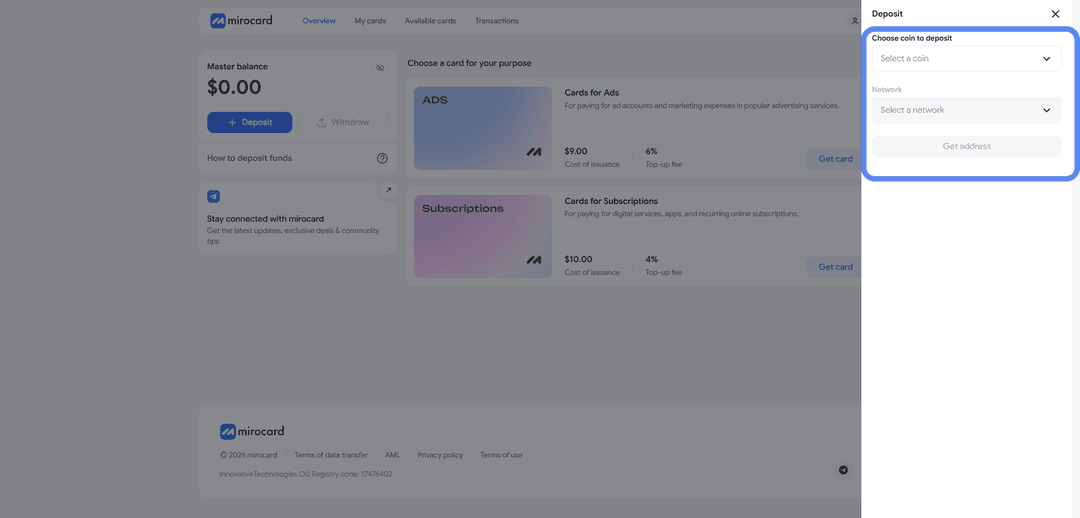
Переведіть валюту на майстер-баланс. Майстер-баланс — це внутрішній гаманець, з якого оплачується і випуск картки, і її поповнення. Натисніть «Поповнити», вкажіть монету та мережу, потім — «Отримати адресу». Сервіс видасть адресу гаманця для переказу крипти. Найдешевше переказувати USDT у мережі TRC-20. Кошти з'являться на балансі, щойно мережа підтвердить транзакцію.

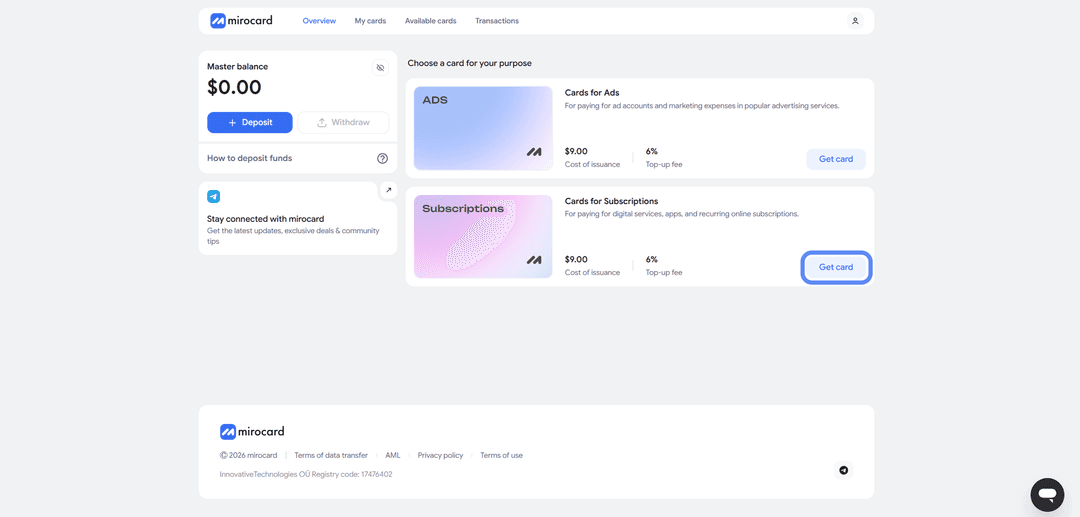
Виберіть картку. У списку карток відкрийте блок «Картки для підписок» і праворуч натисніть «Отримати картку». На сторінці оформлення задаються країна та BIN, а внизу одразу видно суму: 10 доларів за випуск плюс стартовий баланс, який ви кладете на картку.
Пройдіть верифікацію. Картка для підписок вимагає KYC — короткої перевірки особи. Натисніть «Пройти верифікацію» і прикріпіть документи. Так сервіс переконується, що карткою і грошима розпоряджаєтеся саме ви, а заодно знімає обмеження за лімітами. Усе займає пару хвилин.

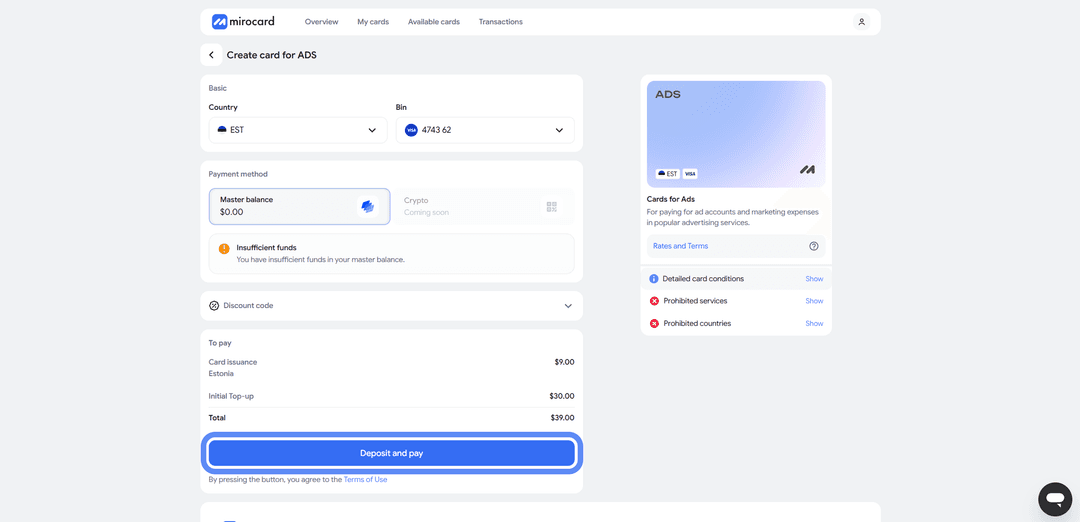
Оплатіть випуск. Коли перевірка завершиться, кнопка зміниться на «Внести депозит і оплатити» — натискайте на неї. Плата за випуск, ці самі 10 доларів, піде з майстер-балансу, а стартова сума опиниться на картці і буде готова для розрахунків у Patreon.
Заберіть готову картку. Картка з'явиться в кабінеті одразу з реквізитами і балансом, вмикати її окремо не потрібно — платежі вона приймає з ходу. Тут же лежить історія операцій, кнопка поповнення з майстер-балансу і заморожування, якщо картку знадобиться призупинити.
Одна порада наостанок. Тримайте на картці невеликий запас понад ціну підписки. На першому платежі Patreon часто резервує трохи більше належного, щоб перевірити картку, — це передавторизація, і надлишок повернеться протягом пари годин. Покладіть рівно суму підписки — перевірка зірветься, а оплата не пройде. І пам'ятайте про комісію за поповнення у 4 відсотки, її теж закладайте заздалегідь.
Як оплатити Patreon карткою Mirocard
З готовою карткою підписка оформлюється за пару хвилин.
Знайдіть автора. Знайдіть потрібного творця пошуком за іменем, за прямим посиланням або в добірках на головній. Там же Patreon розкладає авторів за темами — подкасти, музика, відеоігри, ілюстрація тощо, — якщо ви ще присматриваєтеся.
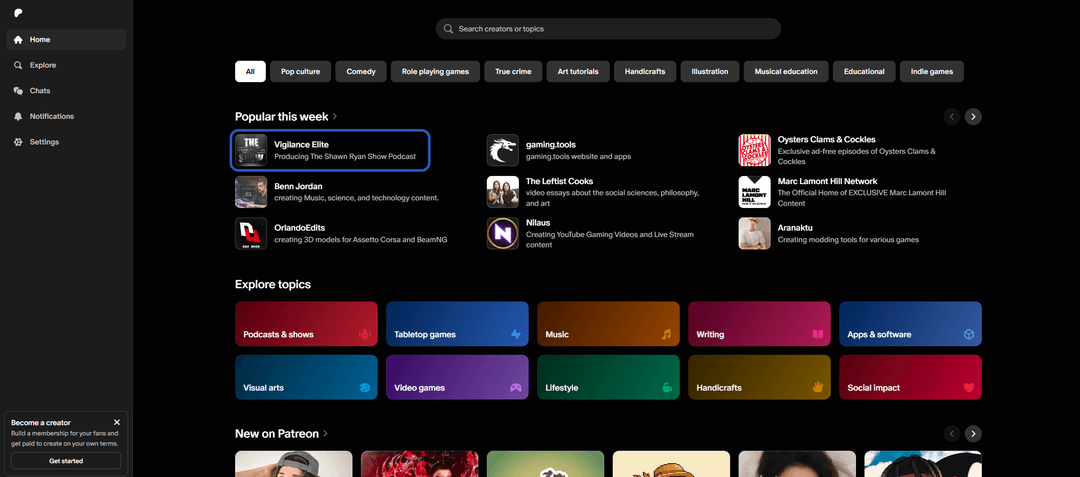
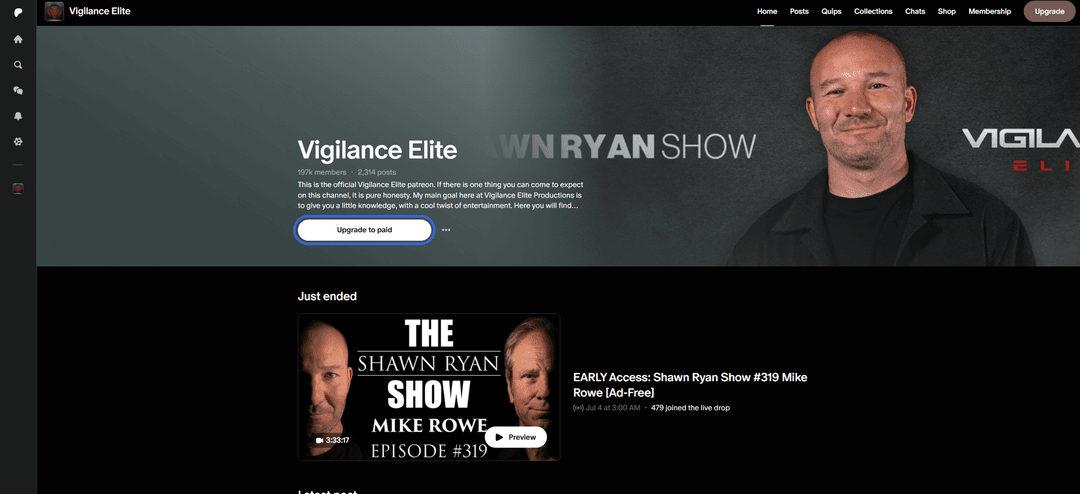
Підпишіться на автора. На сторінці автора натисніть «Приєднатися». Розгорнеться перелік тарифів з цінами і списком бонусів: чим вищий рівень, тим більше матеріалів він відкриває.
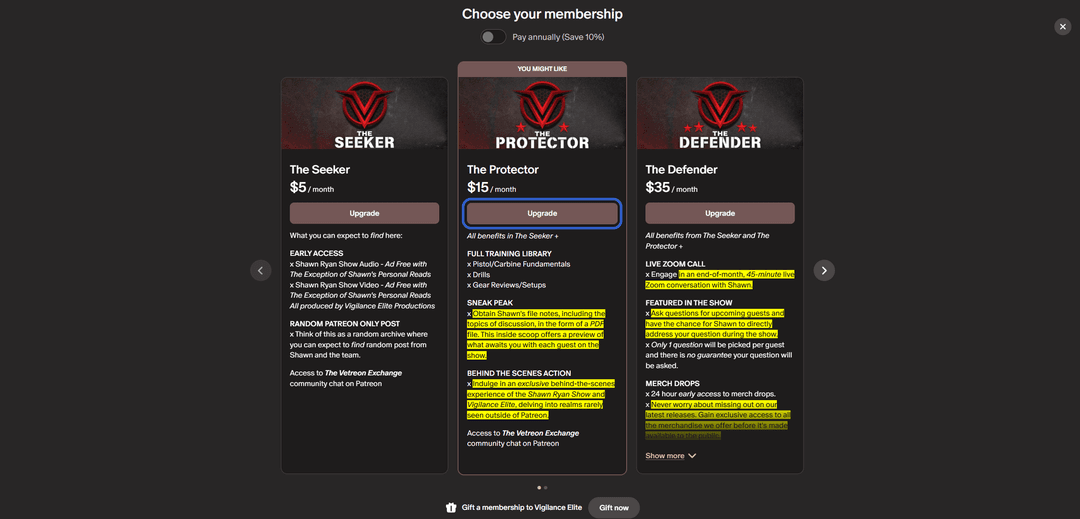
Виберіть рівень підписки. Відмітьте підходящий тариф і натисніть кнопку оформлення під ним — Patreon відведе вас на сторінку оплати.
Виберіть суму та графік платежів. Виберіть режим списань — помісячно або раз на рік зі знижкою. Поруч відображається підсумок до оплати, включаючи податок, якщо він діє у вашому регіоні.
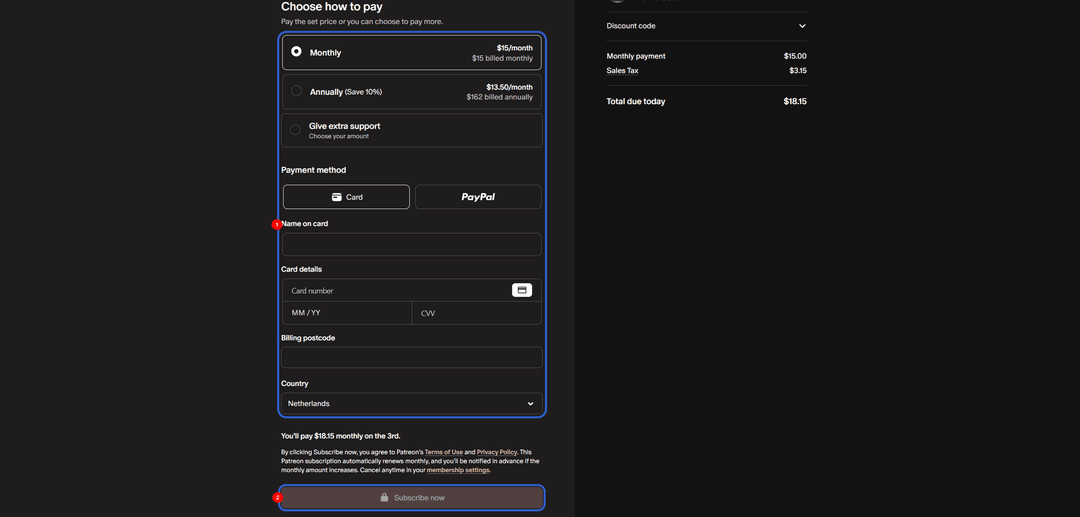
Вкажіть картку. У способах оплати відмітьте «Картка» і впишіть ім'я власника, номер, термін (ММ/РР) та CVV — усе це лежить у кабінеті Mirocard. Потім заповніть поштовий індекс і країну для рахунку. Щоб обійтися без відмови, ставте країну під регіон картки — для Mirocard це США.
Завершіть оплату. Натисніть «Підписатися» внизу форми. Списання пройде одразу, підписка стане активною і далі оновлюватиметься сама кожен період. Вимкнути автопродовження можна будь-коли в налаштуваннях профілю.
Оплата не пройшла? Звірте баланс з поправкою на передавторизацію та комісію, перевірте реквізити — найчастіше спотикаються на CVV — і переконайтеся, що країна профілю збігається з країною картки. Якщо все сходиться, спробуйте ще раз через кілька хвилин.
Коротко про головне
У кожного способу оплати Patreon своя слабина. Іноземна картка платить напряму, але її важко оформити і безглуздо годувати криптою. Подарункові схеми годяться на один раз, але не на постійну підписку. Віртуальна картка знімає обидва головні бар'єри одразу — і заборону на крипту, і недоступність закордонних банків.
У цій схемі Mirocard працює як звична Visa, різниця лише в поповненні криптовалютою. Достатньо один раз пройти налаштування, і далі оплата Patreon іде прямо з гаманця, без прогону грошей через біржу. Тією ж карткою закривають стримінги, онлайн-кінотеатри, нейромережі та інші іноземні сервіси, тож на всі підписки вистачає одного інструменту.