Skillshare is an online platform with thousands of courses on creative and digital professions, and professionals choose it for its hands-on approach to learning. Designers, illustrators, photographers, marketers, and freelancers come here for specific skills, not dry theory. There's just one catch — not everyone can pay for a subscription easily, especially if they want to pay with cryptocurrency. Here's a look at what the subscription offers and how to pay for it with a crypto-funded virtual card.
What Skillshare Is and Why It's Popular with Professionals
Skillshare bets on practice, and that's its main difference from ordinary video lectures. Each course is built from short 20-60 minute lessons paired with an assignment that reinforces the material right away. Finished work goes up in the community, where instructors and other students give feedback, so learning doesn't happen in isolation.
The catalog covers creative and professional fields — design, illustration, photography, video editing, animation, copywriting, marketing, and freelancing. There are more than 35,000 courses, and the library keeps growing. Professionals value the platform because it lets them pick up a specific skill quickly, targeted at a real task.
What's Included in a Skillshare Subscription
The subscription unlocks the whole platform, not individual courses, and comes with several benefits at once.
Access to the course library. Subscribers get thousands of learning materials across different fields, from illustration to marketing. There's no need to buy courses one by one — the entire library comes with a single subscription.
Unlimited learning. While the subscription is active, you can watch any course with no limits on quantity or time. You can work through a dozen courses in parallel and come back to them whenever you like.
Hands-on projects. Most courses come with an assignment that puts the material into practice. You don't just watch a lesson — you apply it right away and get feedback from the community.
Offline access. Courses can be downloaded and watched without an internet connection, which helps while traveling or anywhere the connection is unstable. This works through the Skillshare mobile app on iOS and Android.
As for pricing, Skillshare charges by subscription — monthly or annually, with the annual plan working out noticeably cheaper per month. The exact amount depends on the region, roughly around $13-14 a month. New users get 7 days of free access, and if you cancel before the trial ends, you won't be charged.
Why People Want to Pay with Cryptocurrency
Many users hold their savings in cryptocurrency and want to pay with it directly, without extra conversions. It's simpler that way — the money is already in digital assets, and moving it into cash and back through a bank means losing money on exchange rates and fees. On top of that, crypto isn't tied to a single country and works the same way for payments from anywhere.
The catch is that Skillshare itself doesn't accept crypto directly — only cards and PayPal. So you need a bridge between your coins and the subscription: something that takes cryptocurrency but shows up to the platform as an ordinary card. That's exactly the role a virtual card plays.
Mirocard — a Way to Pay for Skillshare
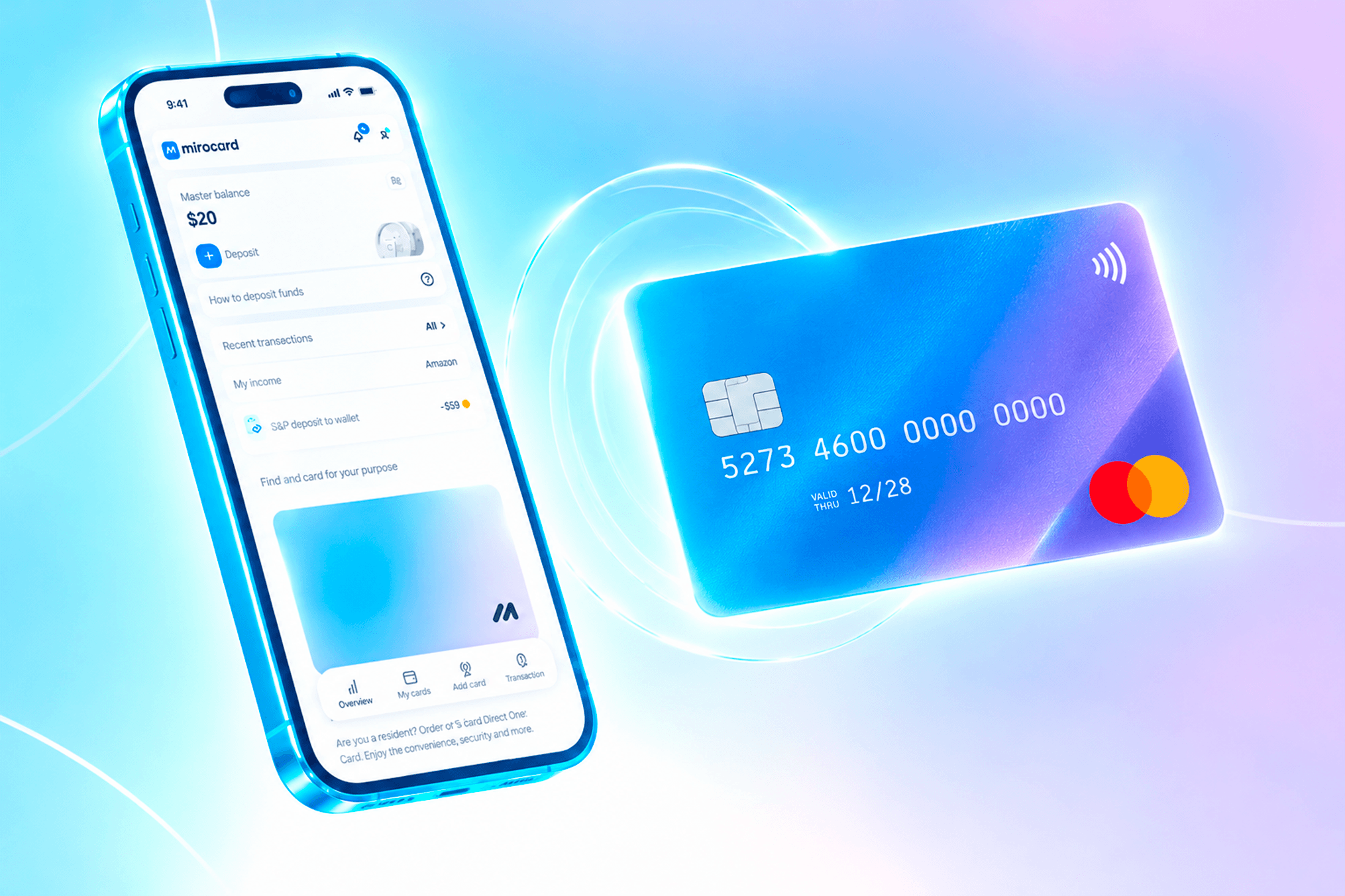
Mirocard issues virtual cards — Visa and Mastercard — funded with cryptocurrency, and for Skillshare that links your crypto to a payment method the platform already accepts. The platform sees the card as an ordinary international one, so the subscription goes through without a hitch. If you're already holding coins, the service lets you pay straight from your wallet, and if an international account isn't otherwise available to you, it gives you a working way to pay abroad.
For Skillshare, the card meant for paying subscriptions is the right fit. It's built for recurring charges, so the yearly renewal goes through smoothly. Issuing it costs $10, and the top-up fee is shown during setup. The same card also covers other learning platforms, subscriptions, and digital services.
How to Get a Mirocard
The whole process happens online and takes just a few minutes.
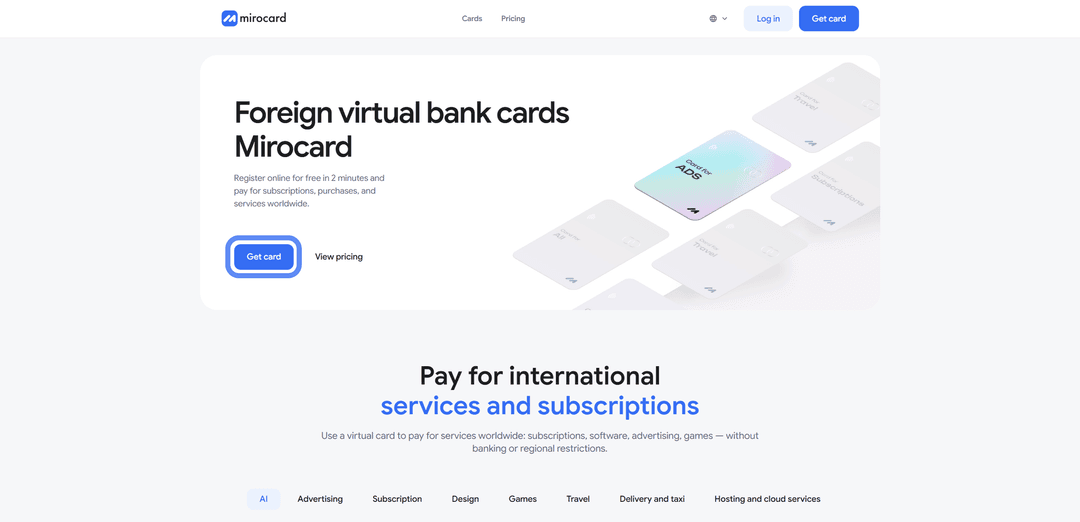
Step 1. Create an account. Go to mirocard.com and click "Get Card." First-time users need to sign up with an email and password, then confirm their address through the link in the email. Existing Heleket account holders don't need to sign up again — logging in through Heleket carries their cards and balance over to Mirocard.

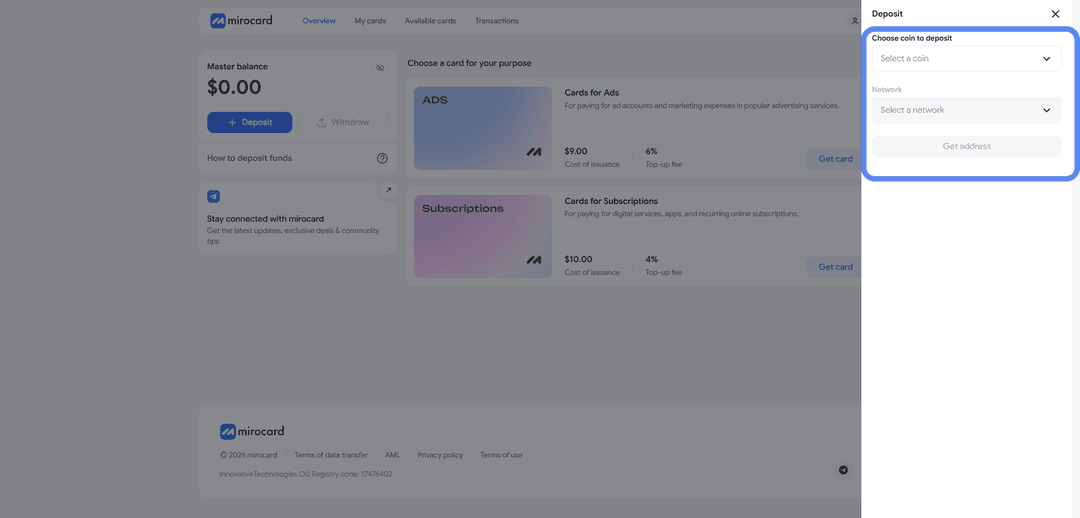
Step 2. Top up your master balance. The master balance works as the account's shared wallet, covering both card issuance and any later top-ups. Click "Top Up," pick a coin and network, then request a deposit address. Send crypto to it from your wallet or exchange. USDT on TRC-20 has the lowest network fee. Funds land after the network confirms the transfer.

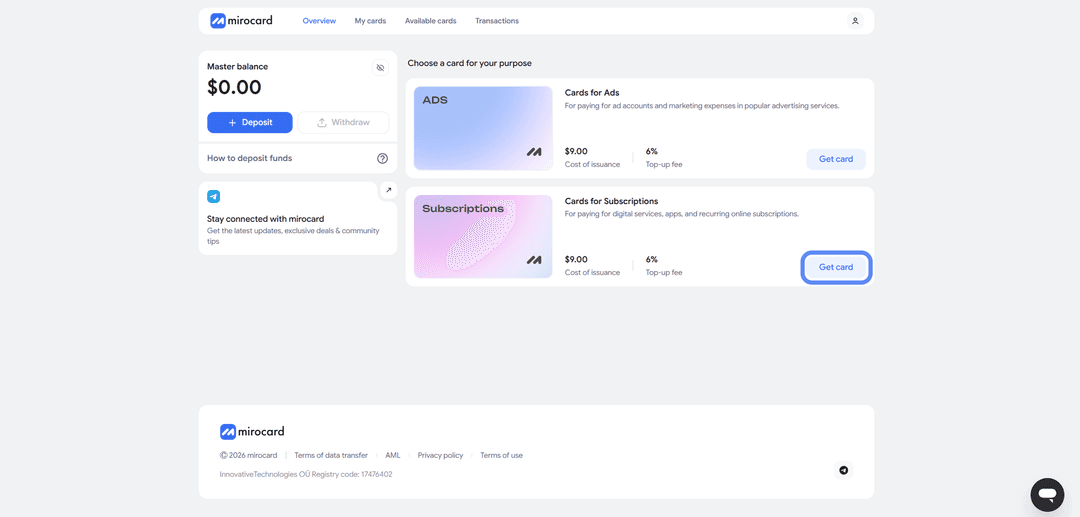
Step 3. Choose your card. From the catalog, open the card meant for paying subscriptions and start the issuance. The setup page shows the total — the issuance price and the starting balance you're loading onto the card.
Step 4. Verify your identity. If verification is required, upload your documents. It's a quick check that protects your account, and your limits open up fully once it's done. It usually takes a couple of minutes.

Step 5. Pay for the card. Confirm the order with the payment button. The issuance price is deducted from your master balance, and the rest of the amount moves onto the card, which you can then use right away.
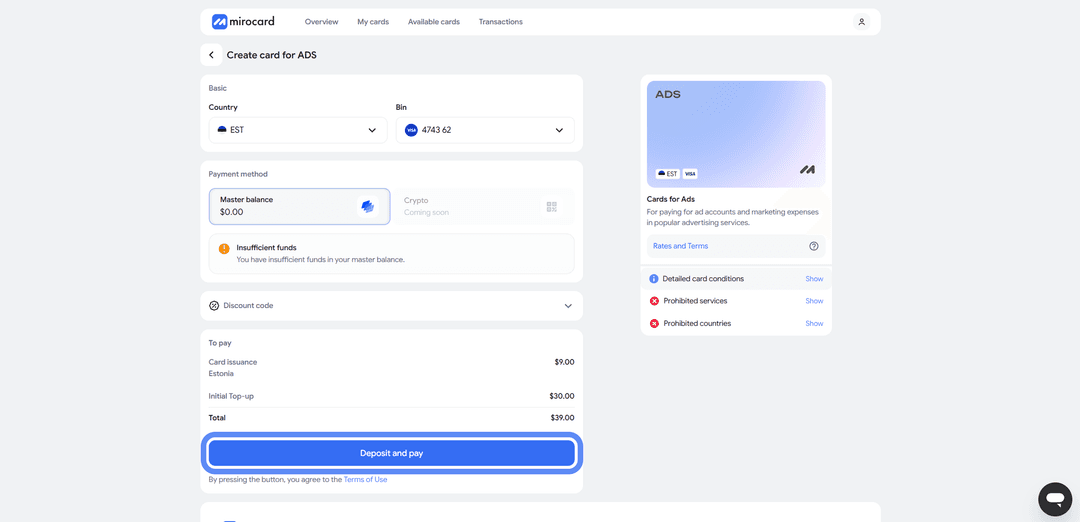
Step 6. Grab your card details. Your account will show the finished card with its number, expiration date, and CVC. No separate activation is needed — it accepts payments right away. This is also where you'll find the details you need to pay on Skillshare.
One last tip: keep a small buffer on the card above the subscription price. At the start of the trial, Skillshare may charge and immediately refund about a dollar to check the card, and the renewal charge goes through automatically once a year. If the balance falls short at the moment of the charge, the subscription won't renew, so top up in advance and factor in the fee.
Step-by-Step Guide to Paying for Skillshare
With the card ready, setting up the subscription takes a couple of minutes.
Step 1. Go to Skillshare. Open skillshare.com and log in, or sign up if you don't have an account yet. You can create a profile with an email or through Google, Facebook, or Apple.
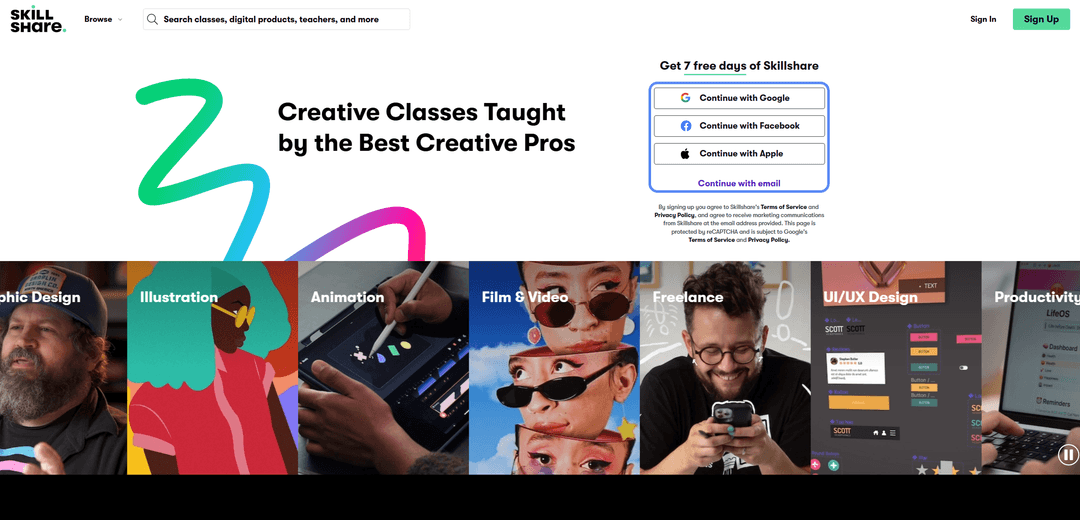
Step 2. Choose card payment and enter your details. Once you log in, the payment screen opens right away. Skillshare will show the terms — 7 days free, then charges on the plan you picked — and prompt you for payment details. Under payment methods, select "Card" and enter your Mirocard number, expiration date, and CVC from your account. In the country field, enter the one the card is linked to — you can see it in your Mirocard account. Matching the country to the card helps the payment pass the payment system's checks.
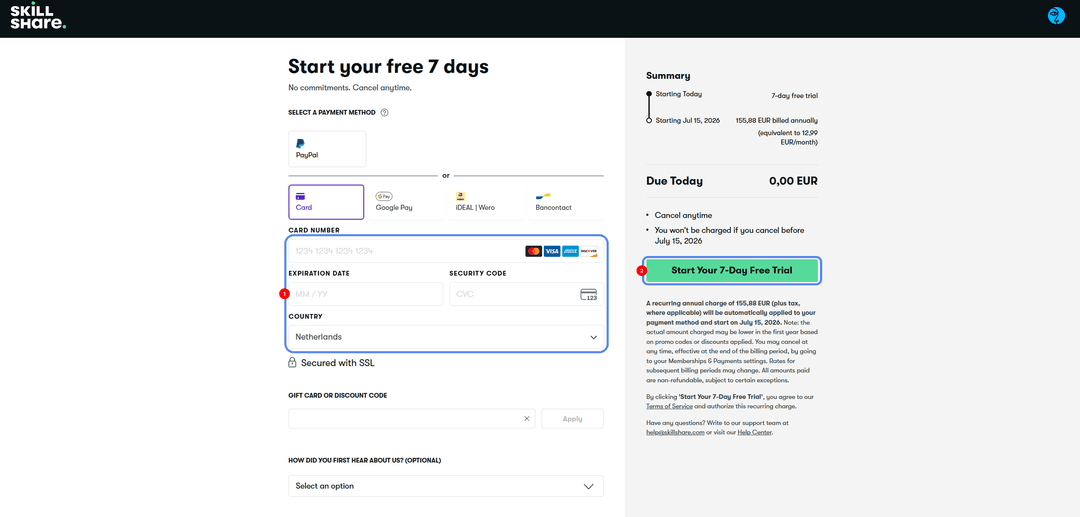
Step 3. Confirm the payment. Click the confirm button at the bottom of the form. The trial activates right away, and the first charge goes through once it ends. You can cancel the subscription anytime in your account settings, and access stays active until the paid period ends.
If the payment doesn't go through, copy the details from your account again to rule out a typo, check your balance against the fee, and make sure the country in the form matches the card. If it keeps failing, wait a couple of hours before trying again.
Which Cryptocurrencies Work Best for Payment
Any supported coin works for topping up the card, but three options stand out.
USDT (Tether). A stablecoin pegged close to the dollar, so the amount doesn't shift when you pay — you send an amount and that's what arrives. On TRC-20 it has a low transfer fee, and nearly every exchange and wallet supports it. It's the most predictable option for paying subscriptions.
Bitcoin (BTC). The best-known and most liquid cryptocurrency, accepted just about everywhere. It's a convenient choice if most of your savings sit in bitcoin. Keep in mind that the rate fluctuates, and the fee and transfer speed depend on how busy the network is.
Ethereum (ETH). The second most popular coin, accepted by nearly every service and wallet. A good fit if your assets are in ether. Like bitcoin, its rate moves, and network fees climb during busy periods.
Conclusion
There are several ways to pay for Skillshare, but not all of them are accessible or convenient. An international card is hard to get, and intermediaries take a noticeable cut and require you to hand them your payment access. A crypto-funded virtual card removes both main obstacles — the inability to pay with crypto directly, and restricted access to banks.
Mirocard works here just like a regular Visa or Mastercard, only it's funded with cryptocurrency. Set it up once, and you pay for Skillshare straight from your crypto wallet, no exchanges or cashing out needed. And since the same card works for dozens of other services, one tool covers all your subscriptions.