How to Pay for Instagram with Cryptocurrency
Instagram is a social network for photos, short videos, and stories, owned by Meta. Users follow creators and shops, message each other in direct messages, and buy products right from the feed. For businesses and creators, it's also a promotion platform, so some of its features are paid.
A basic account is free. Money is needed when you want to reach more people, verify your profile, or charge your followers.
We'll go over the paid features, payment methods, and the steps in Meta's ads account, so you can add a card on the first try.
What paid features Instagram has
The main paid feature is promotion. You pick a post or create an ad campaign, set a budget and an audience, and Meta charges money for impressions or people's actions. Payment goes through the Meta ads account. From here on, we're talking specifically about that scenario.
The second feature is the Meta Verified subscription. It gives a verified profile badge, protection against account impersonation, and access to live support. According to reviews, the price depends on where you sign up. In the mobile app it's higher than on the web version, at about $12 or $15 a month. Verification requires confirming your identity, and the subscription renews every month.
The third feature is creators' paid subscriptions. A creator sets a monthly price for closed stories, videos, and broadcasts. According to reviews, a subscriber pays through an in-app purchase, so this needs a card linked to an app store, not to the ads account.
The features have different payment paths. Promotion is paid by card in the Meta account, Meta Verified can be set up on the website, and subscriptions inside the app go through the store. Check the final price on the payment screen.
Can you pay for Instagram with cryptocurrency
Not directly. The window for adding a payment method in Meta has only bank cards, with no wallet address or field for transferring coins. Cryptocurrency works only as a source of money for a card.
The route through an exchange is inconvenient. You sell coins, withdraw money to a bank account, wait for it to arrive, and only then pay for the campaign. The ad budget has to be planned ahead, and the coin's exchange rate has time to change along the way.
How the cryptocurrency payment setup works
The setup is short. You send coins to a virtual card's balance, get the details, and enter them in the ads account. Meta sees an ordinary card, and conversion into dollars happens inside the service.
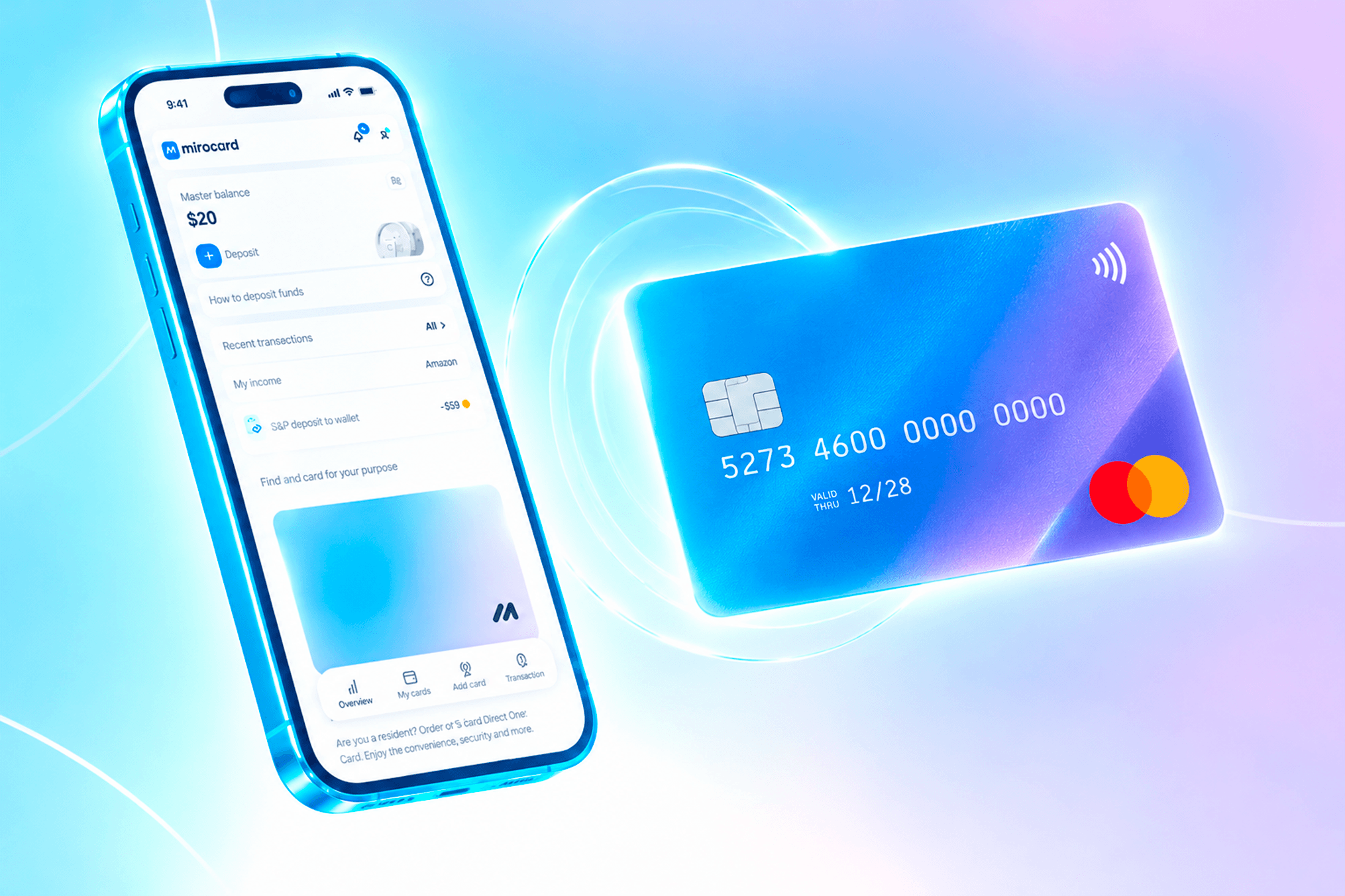
A Mirocard card is topped up with cryptocurrency directly from a wallet. BTC, ETH, USDT, USDC, TON, TRX, and SOL all work. For advertising, stablecoins are more convenient, because the budget is counted as a fixed amount and the coin's exchange rate doesn't change it. Include the 4% top-up fee in the budget right away.
Mirocard for paying for Instagram ads
Mirocard issues virtual Visa and Mastercard cards, and for advertising, a card for paying for advertising fits. Issuance costs $5, and the top-up fee is 4%. The details and balance are visible in your account, so you know in advance how much money is available to the ads account.
We recommend setting up a card for Instagram separately, so promotion costs don't mix with other payments.
If you don't have a card yet, open the guide to issuing a card and go through sign-up, issuance, and the first top-up. Put the campaign amount and a small buffer on the card.
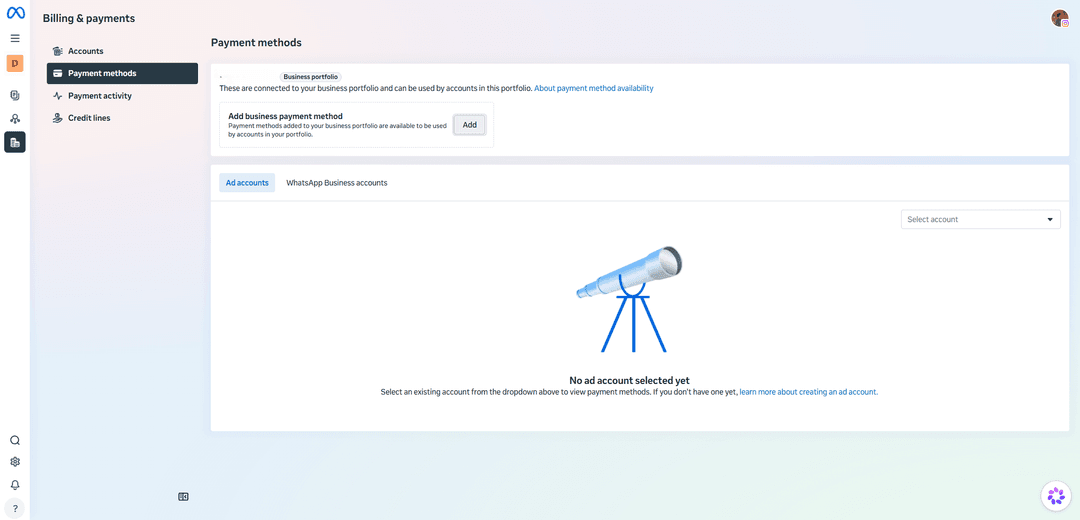
Open the Payment methods page in Billing & payments. On the left are the "Accounts," "Payment methods," "Payment activity," and "Credit lines" sections.
In the top block labeled "Business portfolio," find the "Add business payment method" row. Methods added here are available to all accounts in the portfolio, so choose the card deliberately. Click the "Add" button on the right.
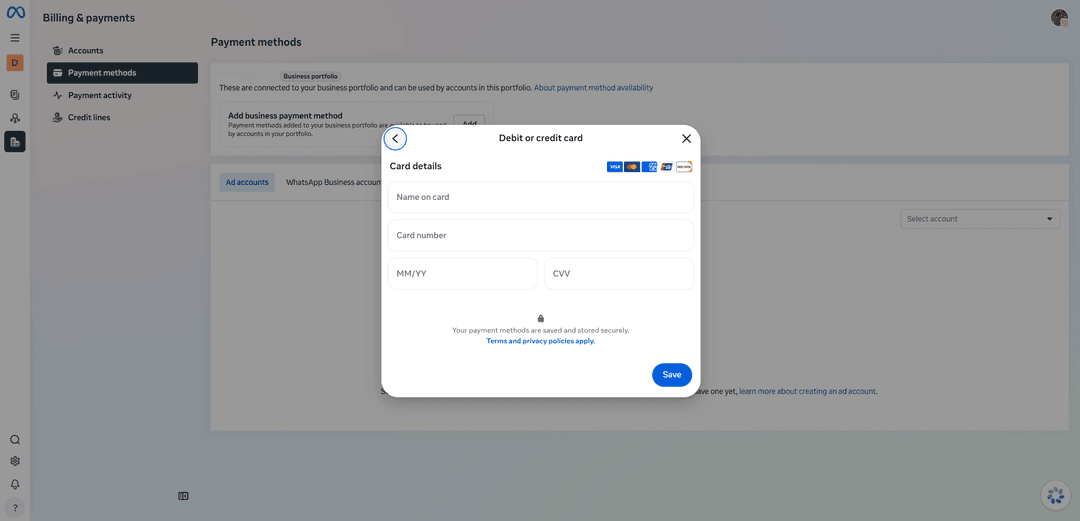
In the window that opens, choose "Debit or credit card." A "Card details" form appears. Enter the name in the "Name on card" field, the number in "Card number," the expiration date in "MM/YY," and the code in "CVV." Take all the details from your Mirocard account. Click "Save."
Check the result below, on the "Ad accounts" tab. Choose the account you need in the "Select account" list, and Meta will show the payment methods linked to it. Until an account is selected, the text "No ad account selected yet" is visible. If you don't have an account, create one via the link in that message.
If the card didn't save, double-check every field. Then open the "About payment method availability" link at the top of the page and see which methods are available in your region. If the decline repeats, don't add new cards one after another — first work out the cause.
How to keep promotion spending under control
Start with the campaign budget. You set the amount when creating the ad, and Meta spends money within that amount. It's best to set a budget no larger than what's on the card, so the payment isn't declined halfway through.
Keep an eye on charges. The "Payment activity" section shows payments, and it's worth checking them against the card's history. That way, you'll quickly notice an unexpected charge.
Account for automatic charges. According to reviews, with automatic payment, Meta charges money when spending reaches a threshold or on the billing day, whichever comes first. The threshold depends on the account's history, so the first payments are small and then grow. Keep a buffer on the card for the next charge.
Don't forget about recurring payments. A Meta Verified subscription and other regular purchases renew on their own until you cancel them. Put an amount with a buffer on the card, and turn off unneeded subscriptions ahead of time.
If a payment fails, a campaign may stop. Check the card's expiration date, the balance, and the details in the form, then try again. According to reviews, it helps to add a backup payment method in advance.
Conclusion
In Meta, a payment method is added once for the whole business portfolio, and all the ad accounts inside can use it. So an error in the details or a lack of money on the card will stop not one campaign but all of them at once.
Mirocard helps keep that point under control. Set up a separate card for the portfolio, top it up for the total budget, and check the balance against the history on the "Payment activity" page. That way, ads run without unexpected pauses.