How to Pay for TikTok Ads with Cryptocurrency
TikTok Ads is TikTok's advertising platform. Through the Ads Manager account, a business shows short videos to people in their feed, sets up an audience and budget, and tracks results. Without a working payment method, a campaign won't launch, so a card is added before the start.
The advertiser pays for impressions, clicks, or views, depending on the chosen model. The price at any moment is set by an auction, so the final bill can't be named exactly in advance. Money is charged by the account's rules, not at the moment you decide.
How TikTok charges for advertising
The pricing model determines what exactly you pay for. According to TikTok's help center, with CPM you pay for every thousand impressions, with CPC for every click, and with CPV for a view lasting at least 6 seconds or for an action within the first 6 seconds. There's also oCPM, where payment is also for impressions, but the system looks for people who are more likely to take the desired action.
A separate billing setting determines when the charge happens. The help center describes three options. With manual payment, you deposit the whole amount in advance, and ads aren't shown beyond the balance. With automatic payment, TikTok charges the card itself when a threshold is reached or the charge date arrives, whichever comes first. Monthly invoicing is available to eligible companies.
The payment method affects campaign continuity. For automatic payment, the account must always have a primary method, and without a working card, delivery may be interrupted. After payment, campaigns resume, but a pause in ads still costs you time and impressions.
You can't switch from automatic payment back to manual, so choose the option deliberately.
Can you pay for TikTok ads directly with cryptocurrency
Not directly. Among the payment methods in TikTok's help center, there's no wallet and no address to transfer coins to, and one review states outright that the platform doesn't accept USDT. Cryptocurrency works only as a source of money for a card or for an intermediary.
The route through an exchange is long and costly. You have to sell coins, withdraw the money to a bank account, and wait for it to arrive. With automatic payment, the charge comes at the moment the threshold is reached, and if the money isn't on the account yet, the payment won't go through.
How to pay for TikTok Ads with cryptocurrency through Mirocard
A Mirocard card is topped up with cryptocurrency directly from a wallet. BTC, ETH, USDT, USDC, TON, TRX, and SOL all work, and coins are converted into dollars and show up on the balance right away. TikTok sees an ordinary card and doesn't know where the money came from.
For advertising, stablecoins are more convenient, because the budget is counted in currency, not in a coin. A token's exchange rate changes over the course of a campaign, and the amount on the card may not cover the threshold. Build the 4% top-up fee into your budget ahead of time.
A virtual card for TikTok Ads
A separate card for advertising protects the rest of your money. TikTok charges the payment itself, and no more will leave the card than is on it.
Virtual cards are easy to divide by purpose. You can set up a separate one for each ad account so expenses don't mix and a mistake in one account doesn't affect the others. The card is issued online, and the details are available right away.
There's a caveat, though. TikTok's help center warns that prepaid cards aren't accepted for automatic payment. So it's best to pass the first card check with a small amount and, if it's declined, contact TikTok support.
Mirocard for paying for TikTok Ads
Mirocard issues virtual Visa and Mastercard cards, and for advertising, a card for paying for advertising fits. Issuance costs $5, and the top-up fee is 4%. The balance is visible in your account, and it's handy to compare it with the charge threshold in TikTok.
An ad budget is worked out in advance, so it helps that the card can be topped up for a specific campaign. You decide the amount yourself, and the rest of your money stays untouched.
First, issue a card. We covered sign-up, issuance, and the first top-up in the guide to issuing a card. Once the details appear in your account, top up the balance. The card needs to hold the $10 verification amount, the first budget, and a buffer.
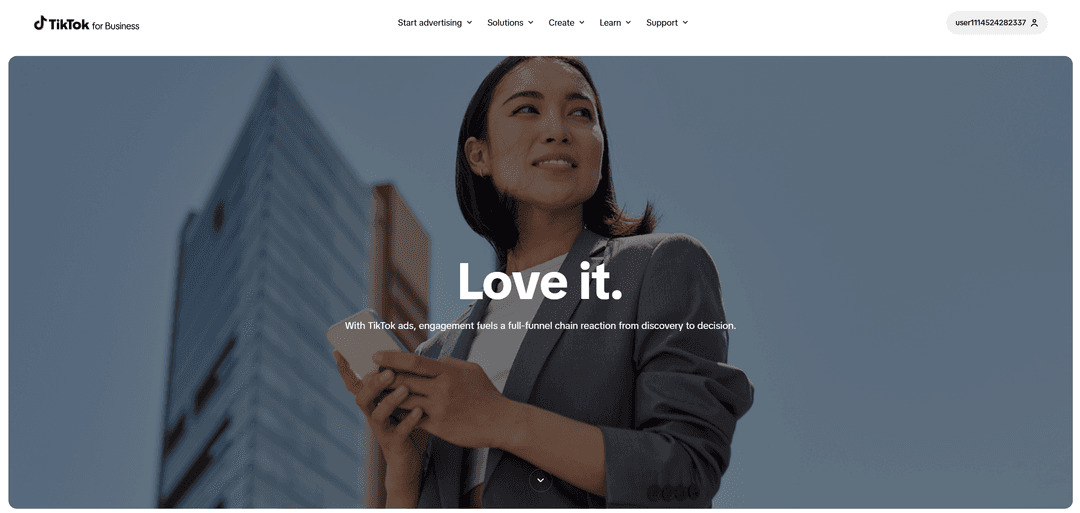
On the Payment page, click "Add payment method" and choose a bank card. Enter the Mirocard's details from your account. Click "Submit." TikTok will check the card, charge at least $10, and return it within 15 days.
After the check, set the card as primary on the Payment page. If you've added several payment methods, TikTok uses the primary one and tries the others if it fails. Launch the campaign and compare the card's balance with the nearest charge.
If TikTok declined the card, look at the reason on the Payment page and check that the balance covers the verification. Then try again after some time. If the decline repeats, write to TikTok support.
How to avoid ad campaigns stopping
Watch the charge threshold and payment date. On the Payment page, the "Spend so far" widget shows the threshold and the date. The threshold is the amount at which TikTok charges money, and the date is the day the unpaid balance is charged even if the threshold hasn't been reached.
At first, the threshold is low and grows along with your spending. That's why the first charges are small and then get larger. A failed payment can affect the threshold too.
Keep a buffer on the card. Calculate the amount as the threshold plus 10-15%, and if the account is in a different currency, add a reserve for conversion. Top up the card in advance, because the payment arrives at the moment the threshold is reached, not when it suits you.
When a charge fails, TikTok first tries other payment methods on the account. If a debt remains, the system pauses campaigns and blocks the account. The reason is visible on the Payment page, and after payment comes in, campaigns resume. So add a second card so the payment doesn't hang on a single source.
Conclusion
Launching a campaign in TikTok Ads opens a series of charges, not a single payment. The first bill is small because the threshold grows along with spending, and it's easy to underestimate the following ones from it.
So plan the card for the largest bill, not the first. Mirocard lets you set up a separate card for the account, top it up in advance, and compare the balance with the threshold on the Payment page. That way, ads run without pauses, and spending stays within budget.