How to Pay for TradingView
TradingView is a cloud-based platform for analyzing financial markets, where traders and investors build charts, layer on indicators, and track stocks, cryptocurrency, forex pairs, and futures. It also has a social side — millions of users publish ideas and strategies, and part of the platform can connect directly to a broker so you can trade without switching between apps. The service runs in the browser with no installation — just sign up and pick the instrument you're interested in on the chart.
The basic version of TradingView is free and works well for a first look at technical analysis — signing up takes a couple of minutes.
What a paid subscription is for
The free version doesn't limit the idea behind the service so much as the working scale — only one chart opens on screen at a time, and it fits a fairly small number of indicators. Add ads between charts and a short price history, and it's clear why serious analysis quickly hits a ceiling on the free plan.
Paid tiers lift all three limits at once. The number of charts per tab grows from a few up to fifteen or twenty, which matters a lot for comparing instruments against each other, and you can layer far more indicators on each chart. Ads disappear completely, historical data depth increases — important for testing a strategy over long periods — and the number of price and technical alerts, which arrive even with the browser tab closed, grows from a few dozen up to a thousand. The higher tiers also add watchlist alerts — notifications across your entire list of tracked instruments at once, instead of just one chart.
How to pick the right TradingView tier
TradingView has four paid tiers, and the difference between them is in the amount of resources, not a fundamentally different set of features. Volume profile, no ads, and access from any device are already included at the lowest paid tier — from there, the tiers just raise the limits.
Essential
The entry-level paid tier — for anyone who's fine with a couple of charts at once and around fifteen alerts in play. That's enough if TradingView is a supplement to your main trading platform rather than your only working tool.
Plus
The mid tier roughly doubles Essential's limits across the board — twice as many charts per tab, and more simultaneous chart connections and available alerts. It suits a trader keeping an eye on several instruments at once who doesn't want to keep switching between tabs.
Premium
This is where watchlist alerts first show up — getting notified across an entire list of tracked assets at once, instead of setting up an alert for every chart individually. Charts, indicators, and alerts all grow noticeably again, and historical data depth doubles compared to Plus. This tier is built for active daily trading with several open positions.
Ultimate
The top tier — for anyone who needs the platform's full resources at once. Sixteen charts per tab, up to fifty indicators per chart, a thousand price alerts and the same number of technical alerts, and the deepest price history of any tier. That volume is typically needed by professional analysts and teams building complex, multi-layered market-monitoring systems.
Why paying for TradingView with cryptocurrency can be tricky
For a crypto holder, the problem is that TradingView doesn't accept crypto payments directly, so funds sitting in a wallet don't help set up a subscription on their own until they're turned into a familiar payment instrument.
Ways to pay for TradingView
An international bank card
A personal account with a bank in another country, with a Visa or Mastercard issued against it, closes the payment question completely and for years ahead — from there, the subscription runs at face value with no markup. The downside is the cost of entry — setting up an account remotely or in person takes time and a certain investment, which only pays off with regular use of several foreign services.
Intermediaries
A virtual card
From a payment system's point of view, a card like this is no different from plastic issued by a foreign bank — same check, same result. The only difference is how fast you get it — the details arrive within a few minutes of applying, with no branch visit and no waiting for a courier with a physical card, which makes this the most practical option specifically for a one-off or trial payment.
How Mirocard can help
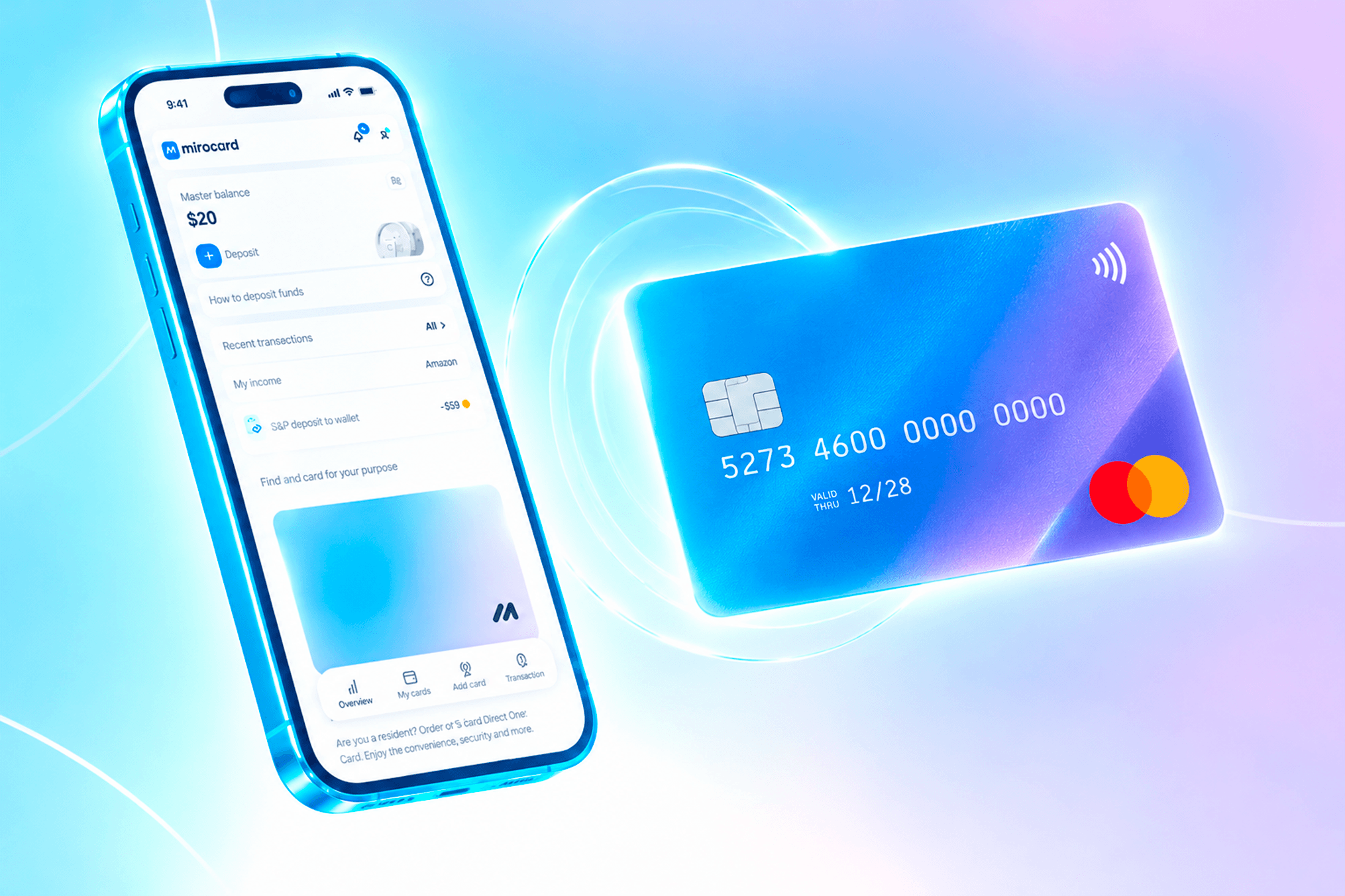
Essentially, Mirocard lets you top up a card with cryptocurrency directly and pay for online services with no exchanges, no exchangers, and no intermediaries. From there, you use the card just like an account at a regular bank. TradingView sees no difference between a card like this and plastic from any other bank, so the platform has no separate check or restriction for it.
Issuing a card for paying subscriptions costs $5, and every top-up carries a 4% fee — fixed numbers, known in advance. Any user can get the card with no special preparation, and we covered the whole process, from application to finished card details in a couple of minutes, in a separate article on issuing a Mirocard virtual card.
Paying for TradingView with Mirocard
Once the card is ready, move on to setting up your TradingView subscription.
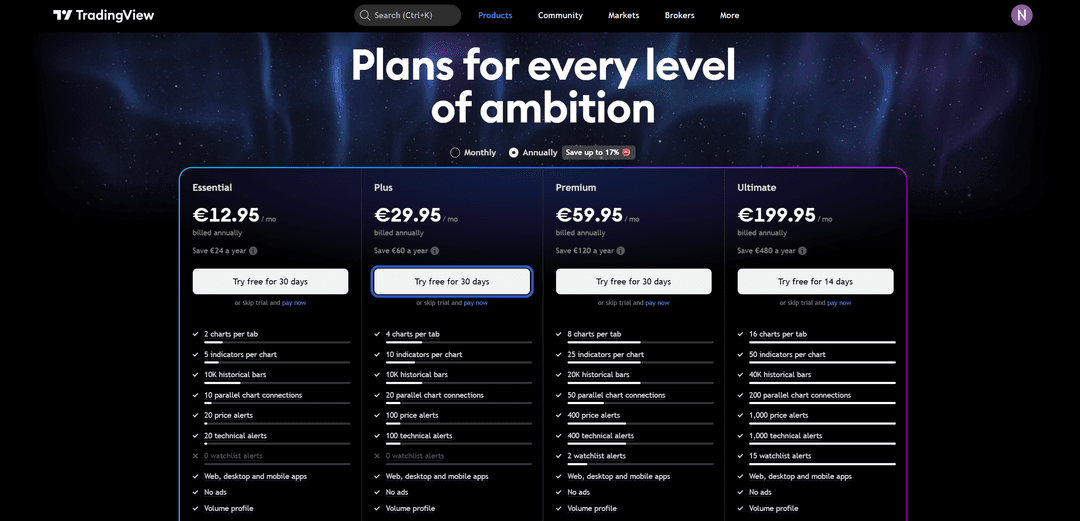
Toggle the switch between "Monthly" and "Annually" depending on how often you want to pay — the annual option works out cheaper per month.
Click "Try free for 30 days" under the tier you picked, or, if you don't need the trial, the "pay now" link next to it.
Under "Billing address," enter your full name and the country matching your Mirocard details, then fill in the address, city, and postal code.
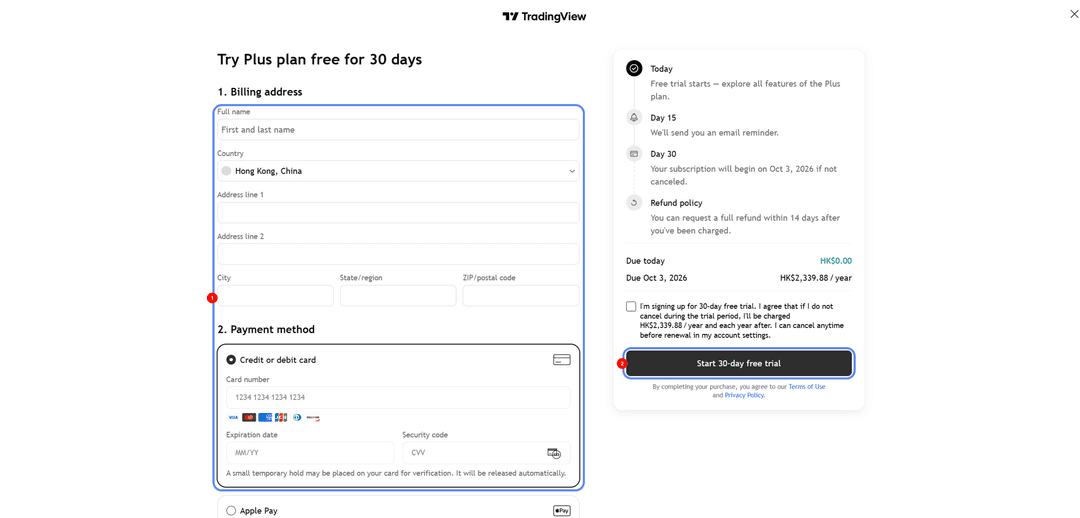
Under "Payment method," choose "Credit or debit card" and enter the Mirocard's number, expiration date, and security code.
Check the trial terms and the final subscription price after it ends, check the box agreeing to the terms, and click "Start 30-day free trial" — the subscription activates, and the first charge happens once the trial period ends.
Conclusion
TradingView doesn't accept crypto payments directly, so funds sitting in a wallet don't help set up a subscription on their own until they're turned into a familiar payment instrument. Mirocard solves that with no exchanges, no exchangers, and no intermediaries — crypto from the wallet turns straight into card balance, and from there the card works like a regular international Visa or Mastercard.