Digital Virtual Card: What It Is and How It Differs from a Physical Card
#reviews
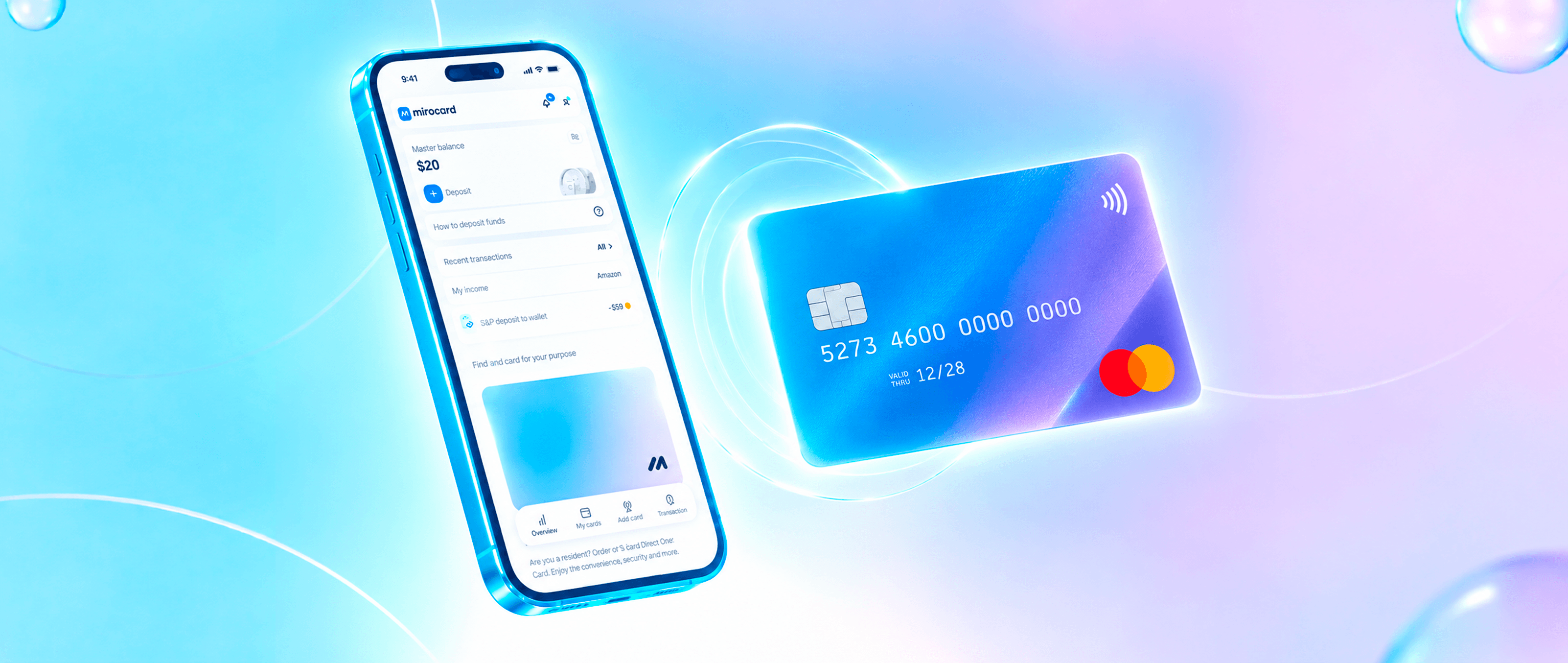
A digital virtual card exists only in a service's app or account. You don't hold it in your hand — you simply use the details it gives you at issuance and pay with them like an ordinary card. For a store and the payment system, there's almost no difference, because the card has its own issuing bank, its own balance, and its own transaction history.
It differs not in how it works but in how you use it. There's no delivery and no plastic card in your pocket, but you can issue a new card in a couple of minutes and close it when it's no longer needed. We'll compare the cards using everyday situations.
Virtual or physical card: the main differences
The differences show up best in five everyday situations. The first is getting the card. A plastic card has to be made and delivered, and that takes days. A digital card you get right after issuance, and you can pay with it the same day.
The second is loss. A physical card is easy to forget in a café or drop on the street, after which you block it and wait for a new one. A digital card can't be physically lost, but a stolen phone or leaked data creates a different risk, which we'll cover below.
The third is cash. An ATM accepts a plastic card, and withdrawing money is simple. A digital card needs an ATM with contactless payment or a visit to a bank branch, so it's more convenient to go for cash with plastic.
There's also a subtlety in the names. Banks distinguish a digital card issued to their own customer from a virtual card not tied to their account. The second has fewer functions and is mostly used for online payments.
Whatever's in your pocket, plastic or an app, an ordinary bank card spends ordinary money from an account. If you hold coins rather than currency in an account, a separate conversion is needed before payment, and the card's form doesn't cancel that.
How a virtual card works when you pay
A payment with a virtual card follows the same chain as a payment with plastic. The store sends a request to the payment system, the system passes it to the issuing bank, the bank checks the balance and limits, and then sends back a response. All of this takes seconds, and you only see the last stage — a code or a payment notification.
Online, you enter the details on the payment page and confirm the payment with a code from a message. Without the code, the operation won't complete, even if the details were entered correctly.
In a store, the card is added to a payment app on your smartphone. You hold the phone to the terminal, and instead of your real number, the merchant gets a one-time payment token. Payment by QR code is sometimes available too, but not at every checkout.
A terminal that accepts only contact payment won't see a digital card, so in stores with outdated equipment, it won't work.
What kinds of digital virtual cards exist
By source of funds, a card can be debit, when you spend your own money, or credit, when you use a bank's limit. And by purpose, cards are divided into those built for subscriptions, advertising, games, or trips.
Mirocard isn't limited to one universal card and offers different cards for clients' needs. Among them are a card for subscriptions, a card for paying for ad accounts, and a card for trips. Issuing a card for subscriptions costs $5, and each top-up carries a 4% fee. The terms of the other cards differ, and you can check them on the page of the card you need.
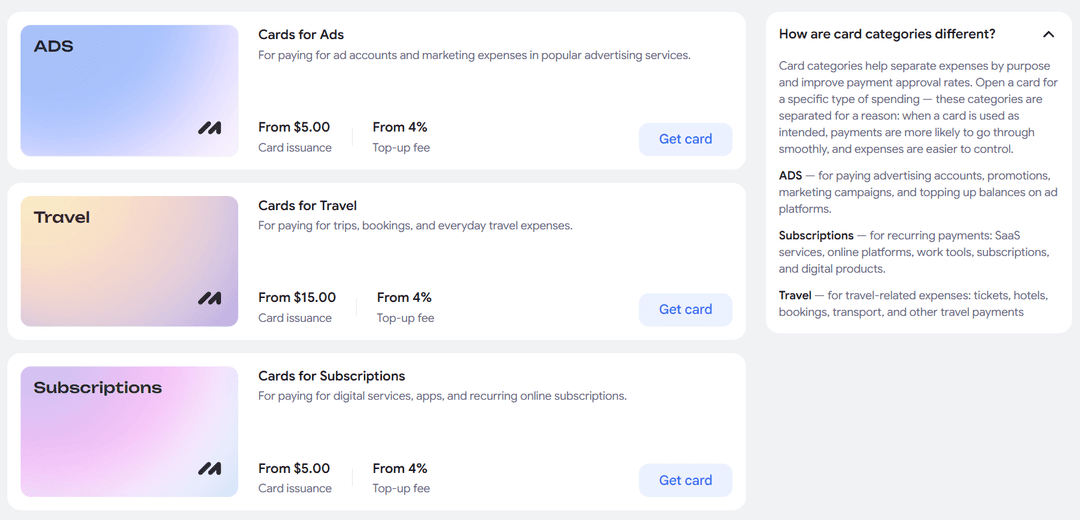
If you don't have a card yet, you'll find all the steps from sign-up to the first top-up in the guide to issuing a card.
Mirocard accepts top-ups in cryptocurrency. BTC, ETH, USDT, USDC, TON, TRX, and SOL all work, and the credit arrives after the transaction is confirmed on the network. That way, you pay services that accept only ordinary cards without selling coins on an exchange.
When a virtual card is more convenient than a physical one
A virtual card is most convenient when you need to pay today. You issue the card, top it up, and pay, without waiting for delivery.
It's more convenient when:
You're paying an unfamiliar merchant. You put exactly the amount you need for the purchase on a separate card, and if the site turns out to be unreliable, the rest of your money stays safe.
You have many subscriptions. Set up a card for each one or for a group, and you'll immediately see how much each subscription charges. If you need to drop a service, it's enough to close the card.
Details need to be replaced urgently. If the data leaked, you close the card and issue a new one in a few minutes, whereas with plastic you'd have to wait for a reissue.
A physical card wins where you need cash and terminals without contactless payment, so a plastic card in reserve doesn't hurt.
Virtual card security: what's important to know
The digital format lowers the risk of physically losing a card, but it doesn't automatically protect against data leaks and fraudulent transactions. Details can be stolen the same way as a plastic card's data, for example on a fake site or through an infected phone. So security rules remain mandatory.
Don't store the details in notes and files on your device. Banks advise copying them from the app for each payment, and it's better not to take screenshots. Enter card data only on trusted sites, and always look at the page address if you arrived through a link in someone else's message.
Keep on the card only the amount needed for the nearest payment. If a fraudster gets the details, they'll spend only what's on the balance. Separate cards for subscriptions, advertising, and purchases keep a leak in one place from affecting the others.
Turn on transaction notifications and look through the history once a week. That way, someone else's charge is visible right away. At the slightest suspicion, block the card and issue a new one.
A card also shields your savings. The merchant sees only the card's details, and the coins themselves stay with you, so a leak of card data doesn't touch them.
How to choose the right card type
The best option depends on where you pay and how often. For an unfamiliar store, a one-time card with a small amount fits. For a regular subscription, you need a standalone card with its own balance, and it's worth topping it up before the charge date.
Next, look at the full cost. Add up the issuance price, the top-up fee, and possible maintenance charges. For example, topping up a subscription card with $50 costs $2 in fees, while issuance, which costs $5, is paid once.
Check whether you need smartphone payment support. If you plan to pay in stores, make sure the card you choose can be added to a payment app. Always make the first payment with a small amount, so you can immediately see how the service accepts the card.
If you pay with cryptocurrency, choose a card you can top up with coins directly. That way, the money doesn't pass through an exchange and a bank, and the fee is visible in advance.
Conclusion
The main advantage of a digital card is that it can be managed. You create it for a task, limit it by an amount, and then close it in a couple of minutes — and plastic can't do that.
Set up a separate card for each task and keep only the money you need on it. Mirocard issues cards like that for subscriptions, advertising, and trips, and the guide on the site will help you open your first one and test it right away with a small payment.