How to Top Up Your Battle.net Wallet and Buy Games
There are two ways to pay on Battle.net. The first is by card with each purchase. The second is through the Battle.net wallet, the account's internal balance, which is then used to pay for games, subscriptions, and in-game items.
We'll explain what's sold in the Blizzard store, how to top up the wallet and buy a game, and how to work out in advance what a purchase will cost.
What you can buy through Battle.net
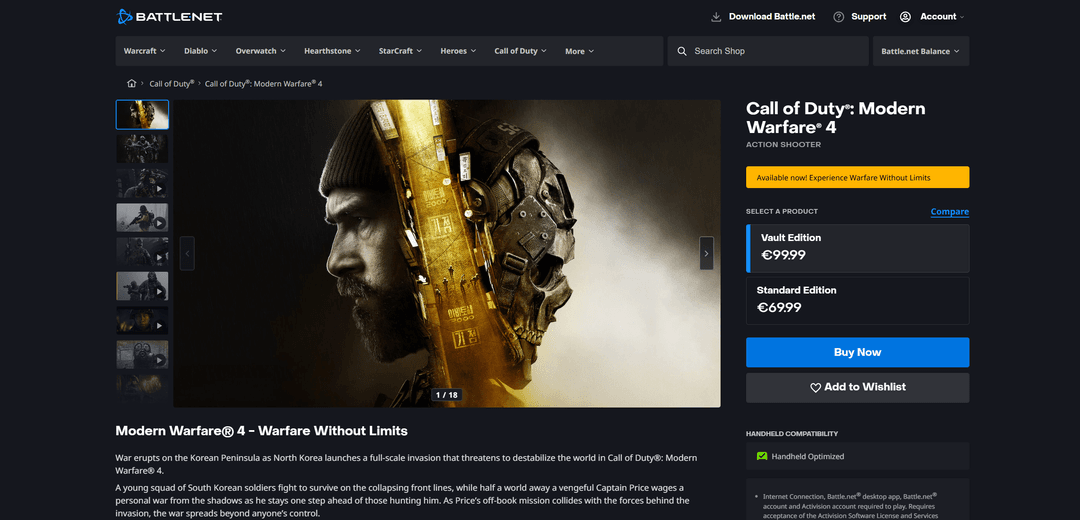
The main selection is Blizzard and Activision games. The store sells World of Warcraft, Diablo, Overwatch, Hearthstone, StarCraft, and games from the Call of Duty series. Many of them come in several editions, from a base edition to an expanded one with bonuses and early access.
World of Warcraft works differently. Besides buying expansions, you need to pay for game time, meaning a subscription. It can be renewed automatically by card or bought with funds from the wallet.
In free-to-play games, money goes toward in-game purchases. In Overwatch it's coins and the battle pass, in Hearthstone card packs, and in Diablo and Call of Duty cosmetics and season passes.
Digital gifts are sold separately. You can buy a game from the store and send it to a friend's Battle.net account.
Can you pay for Battle.net directly with cryptocurrency
No. Blizzard doesn't accept cryptocurrency either in the Battle.net store or inside its games. The list of payment methods depends on the account's country and usually includes bank cards, PayPal, gift cards, and local payment systems.
You can buy a Battle.net gift card for cryptocurrency on third-party platforms. But the code is tied to a currency and region, and if it doesn't match the account's country, the money won't be credited to the wallet.
The most direct route is to top up a virtual card with cryptocurrency and pay with it in the store. That way the price on Battle.net stays official, and the payment itself looks like an ordinary payment by Visa or Mastercard.
How to make a cryptocurrency payment safely
A blockchain transfer can't be undone, so most losses come from small mistakes when sending. Here are the most common ones.
Wrong network. The same coin, such as USDT, exists on several networks. If you send it over a network the recipient doesn't support, the coins may be lost. Before the transfer, check the network in your wallet and in the service you're sending the money to.
Address error. Copy the address in full and check at least the first and last characters after pasting. Some malware swaps the address in your clipboard.
Forgotten network fee. The network charges its own fee for a transfer. If you send exactly the cost of the purchase, less than needed may arrive.
A large sum right away. Make your first transfer to a new address a small one. Once it arrives, send the rest.
Caution is needed on the store's side as well. A gift card code bought from an unknown seller may turn out to be already used, and Blizzard has the right to revoke an item paid for by fraudulent means. It's safer to pay by card in the official Battle.net store.
How to pay for Battle.net games with a Mirocard virtual card
Mirocard issues virtual Visa and Mastercard cards that are used to pay in game stores and online services. On Battle.net, such a card can be used to buy a game, an expansion, World of Warcraft game time, or to top up the wallet.
Mirocard is topped up with cryptocurrency. BTC, ETH, USDT, USDC, TON, TRX, and SOL are supported, and once the coins are credited, you can pay in the Battle.net store with the card right away.
The subscriptions card, with issuance from $5 and a top-up fee from 4%, suits these purchases. It supports recurring charges, so it also works for the monthly renewal of a World of Warcraft subscription.
It's convenient to use one card for all game stores at once. Your gaming expenses then gather in one place, and you can see how much goes to Battle.net each month.
We described how to issue a card in a step-by-step guide. With the card ready, you can pay on Battle.net right away.
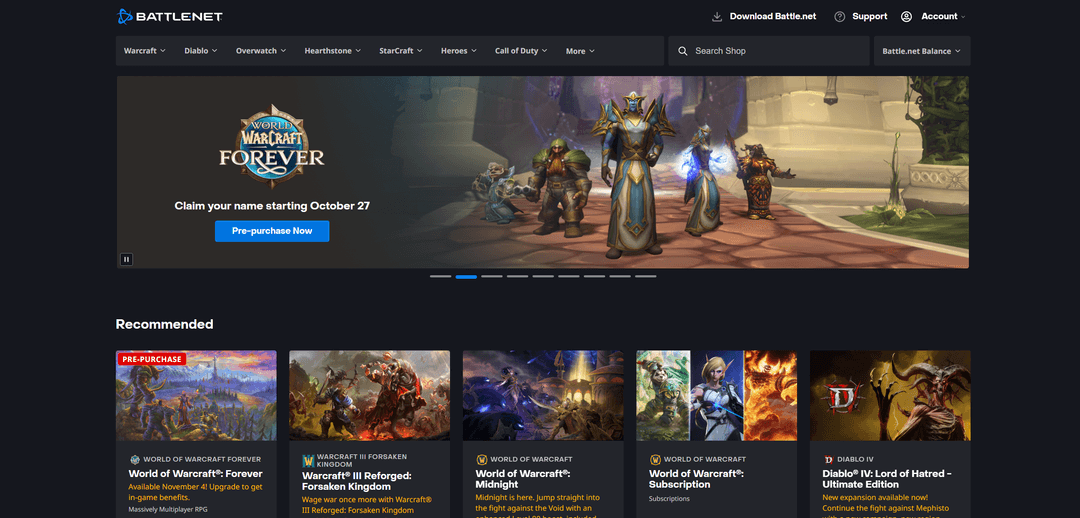
On the game's page, in the "Select a product" block, choose an edition. The price is shown right on each option's card, and you can see how the editions differ via the "Compare" link. Then click "Buy Now". For games that haven't been released yet, the "Pre-purchase Now" button appears instead.
On the payment page, enter the card number, expiration date, and CVC from your Mirocard account dashboard. Check the total amount and confirm the purchase. The game will appear in your Battle.net library, from where you can download it right away.
How to avoid overpaying when buying games
The price in the store isn't the only expense. To understand how much you'll really pay, take three more things into account.
The first is the card top-up fee. It's worth building it into the amount in advance. For example, with a 4% fee, for a game costing €59.99, you need to top up the card by about €62.39.
The second is currency. The European Battle.net store shows prices in euros. If your card's currency is different, the amount will be converted at the exchange rate, and the total may differ slightly from what you expected. Leave a small reserve for the difference.
The third is the game's edition. Expanded versions cost noticeably more than the base one, and their bonuses often come down to cosmetics and a few days of early access. Compare what exactly is included in each edition before paying extra.
Keep an eye on sales. Blizzard regularly lowers prices on games and expansions, especially those that came out a while ago. If you don't need the game urgently, it makes sense to wait for a discount.
For World of Warcraft, compare subscription options. Game time is sold for different periods, and a long period usually works out cheaper per month.
Conclusion
Battle.net itself doesn't require anything complicated. You need an account with a suitable country and a payment method the store accepts, and after that, buying a game takes a couple of minutes.
Before paying, calculate the final amount including the fee and the exchange rate, and check whether the game you want is on sale. That way, the game will cost exactly the amount you expected.