How to Pay for a Netflix Subscription with Cryptocurrency
#Payment Instructions
Netflix remains one of the most in-demand streaming platforms in the world. At its core it's an online cinema with a massive library of films, series, documentaries, and original shows that exist nowhere else. The service operates in most countries and has long become the go-to format for home entertainment by subscription.
But not everyone can pay for Netflix directly. Some viewers keep their money in cryptocurrency, which the service doesn't accept. Others have bank cards that don't support international payments. Let's break down both situations and show how to subscribe without unnecessary complications.
What Netflix Offers
Netflix has a number of tangible strengths that drove its popularity.
First is its vast and regularly updated library. Tens of thousands of titles for every taste — from major blockbusters to intimate arthouse films. Netflix originals stand apart — the studio's series and films frequently become global phenomena. There's no way to watch them anywhere else.
Next is picture quality. Higher-tier plans offer 4K, HDR, and Dolby Atmos audio — picture and sound at the level of a home cinema. The service also tailors recommendations to your taste by analyzing your viewing history, making it easier to find something new over time.
There are also practical features — offline downloads to a phone or tablet, multiple profiles within one account, and subtitle and audio track support in various languages. Separate children's profiles with age-appropriate content are convenient for families.
What Makes Paying Difficult
Payment problems with Netflix show up in different ways — a declined transaction, an inability to renew a subscription, or restrictions when adding a payment method. The reasons vary too.
For cryptocurrency holders the core difficulty is that Netflix doesn't accept crypto. Payment goes through bank cards and local payment systems only. If your funds are in USDT, BTC, or Ethereum, paying directly won't work. You'd first need to sell the crypto on an exchange, withdraw fiat to a bank account, and only then connect a card. It's a long chain, and at every step a portion of the funds goes to fees.
Payment Methods Users Rely On
There are several suitable options, and the choice comes down to what funds you have available.
International Bank Cards
A Visa or Mastercard issued in a country where Netflix is officially available works for direct payment through the service. The platform treats it like any standard bank card, without additional checks.
For cryptocurrency holders there's a catch — a standard card doesn't work with crypto. To pay with one, crypto assets first need to be exchanged for fiat through an exchange and withdrawn to a bank account. Only after that can the card be linked to Netflix. Each step takes time and a portion of the money is lost to fees. It's also worth noting that getting a physical international card isn't always straightforward — banks often require an in-person visit and proof of address.
Specialized Subscription Payment Services
These are intermediaries used to work with various international platforms through a single solution. You send them money, they pay for the subscription from their own funds.
The convenience is that one service can cover multiple platforms, and payment is often possible in crypto. But a markup is charged, usually 15 to 30%. The main risk is depending on the intermediary's honesty. If the service disappears after receiving funds, getting them back is extremely difficult, and crypto transfers are irreversible.
Virtual Cards
A virtual card makes it possible to pay for international services without opening an account at an international bank. It's a bank card without the plastic — with a card number, expiry date, and CVV. Netflix accepts it on equal terms with physical cards.
The key advantage for crypto holders is that some virtual card services can be topped up directly with cryptocurrency. Crypto goes onto the card, and from there a standard payment goes to Netflix. No exchanges or bank accounts needed. A card like this is issued online in minutes and can be linked immediately to a subscription with auto-renewal.
Paying for Netflix via Mirocard
For paying international subscriptions, many users turn to specialized virtual cards like Mirocard. The service issues Visa and Mastercard cards that are topped up with cryptocurrency and accepted by Netflix as standard international cards.
For subscription payments, the subscription card is the right fit. It's designed for recurring charges, so Netflix renews automatically without issues. Issuance costs $10, and the top-up fee is 4%. The card's US BIN means Netflix recognizes it as a card from the United States — convenient for an account registered in the American region.
The card is topped up via ETH, USDC, USDT, AVAX, BCH, DAI, BNB, BTC, DASH, DOGE, POL, LTC, SOL, TON, TRX, and XMR. A transfer from an exchange or wallet takes a few minutes.
How to Get a Mirocard
The process is fully online and usually takes less than half an hour.
Step 1. Registration
Open the Mirocard website and click «Get Card».
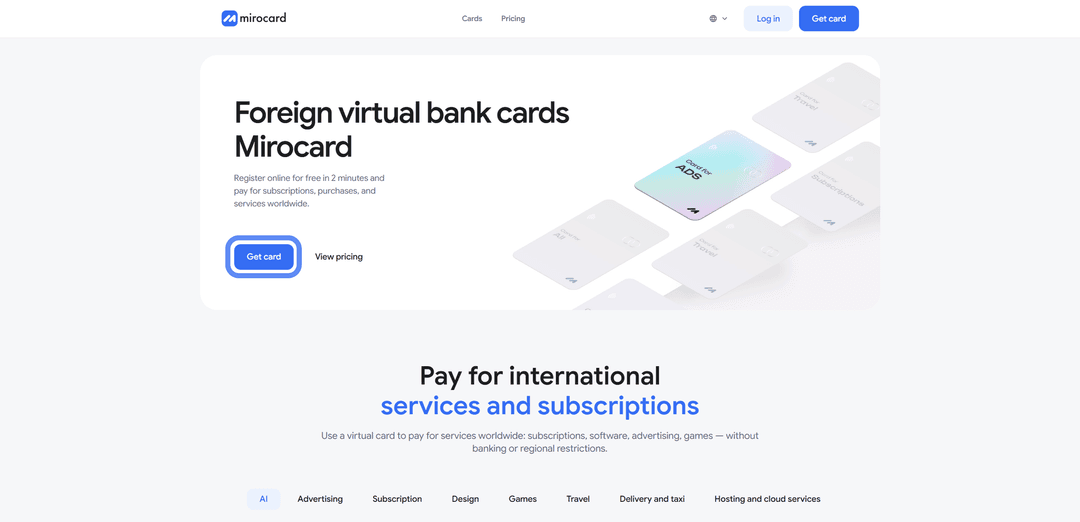
If you're new to the platform, select «Sign Up».

You'll need a working email and password — a confirmation link will be sent to your inbox. If you have a Heleket account, sign in through it and all your funds and cards will transfer to Mirocard automatically.
Step 2. Top Up Your Master Balance

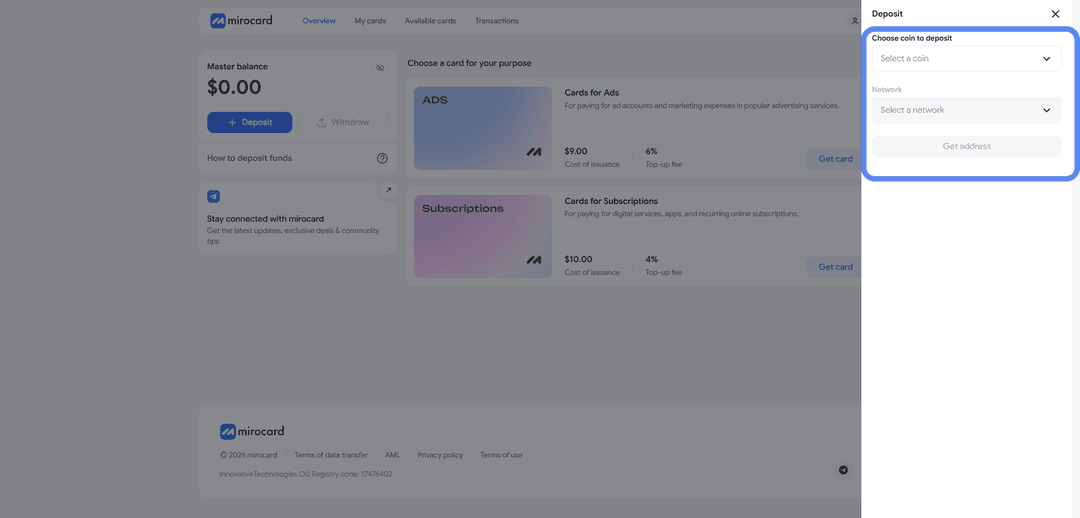
The lowest transfer fee option is USDT on the TRC-20 network. The service will provide a wallet address — send crypto to it from an exchange or external wallet. The balance will be credited after the transaction is confirmed on the blockchain.
Step 3. Select a Card
In the catalog, select the subscription card and click «Get Card» on the right side of the block.
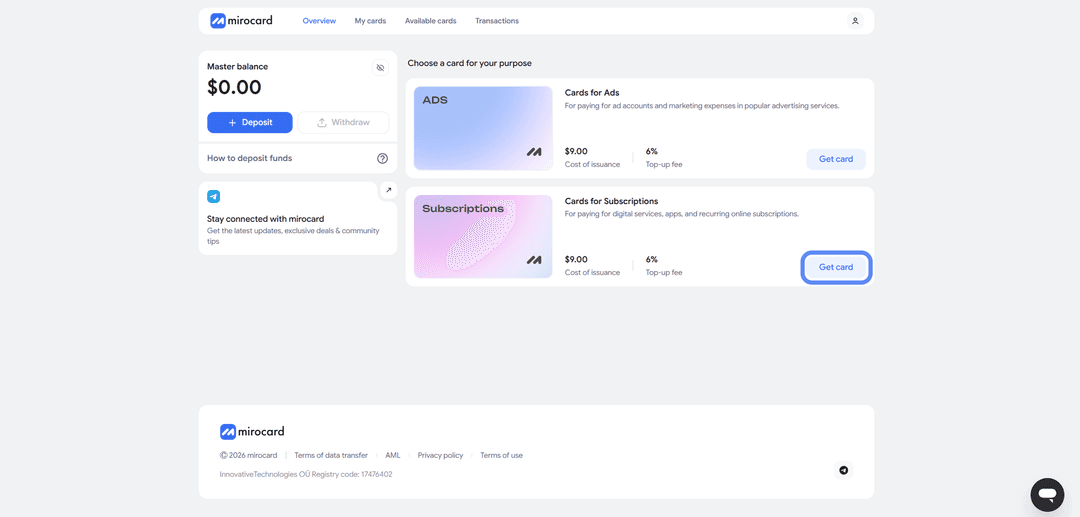
The issuance page will open.
Step 4. Verification
Before issuance, you'll need to upload documents for verification. This protects your balance — only you will be able to manage it and link new cards.

After verification, maximum top-up and spending limits become available.
Step 5. Pay for Issuance
On the issuance page, click «Deposit and Pay».
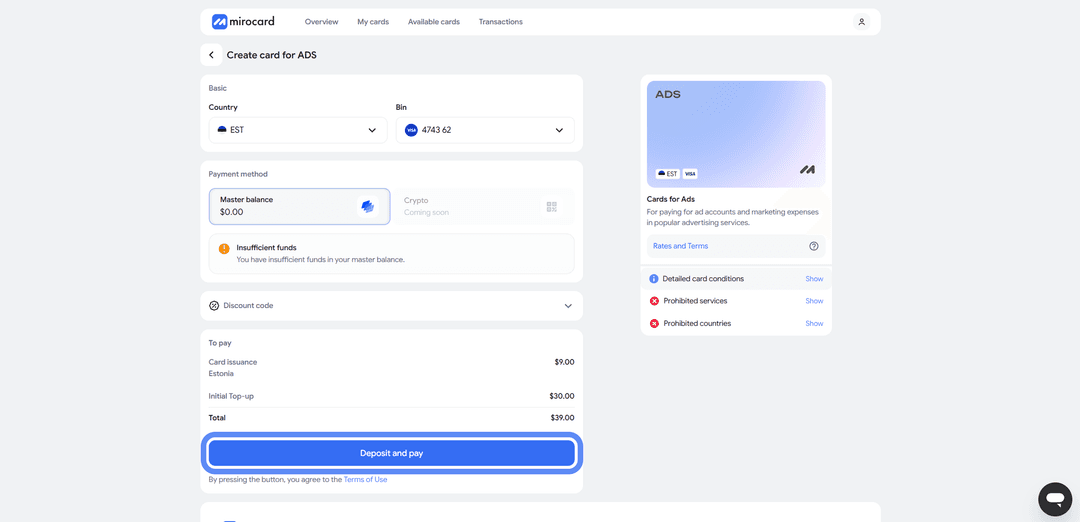
The issuance fee of $10 will be deducted from your Master Balance. The remaining amount will go to your card account and be ready for subscription payments.
Step 6. Card Is Ready
The card will appear in your dashboard with its details and balance. No activation needed — it accepts payments immediately. The dashboard provides access to transaction history, top-ups, and the option to freeze the card if needed.
A tip — keep a small buffer on the card above the subscription cost. When paying, Netflix may temporarily reserve a slightly larger amount to verify the card. This is a pre-authorization hold, and the excess will be returned within a few hours. If the balance is exactly the subscription amount, the verification won't pass and the payment will be declined. A buffer eliminates this issue.
How to Pay for Netflix via Mirocard
Once the card is ready, subscribing takes just a couple of minutes.
Step 1. Open the Site and Enter Your Email
Go to Netflix.com. On the homepage, enter your email in the field and click «Get Started».
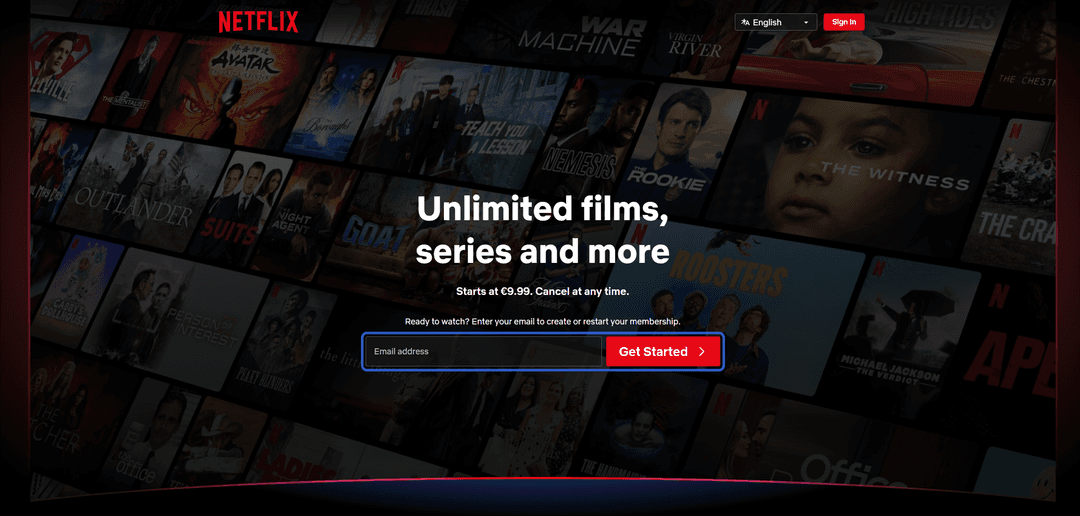
Netflix uses this address as your account login, so make sure to enter a working email you have access to.
Step 2. Register or Sign In
If you don't have an account yet, the system will prompt you to create a password and complete registration. If you already have an account, you'll need to confirm sign-in via email or phone.
When creating a new account, keep the region in mind — it affects the subscription price and the content library available to you.
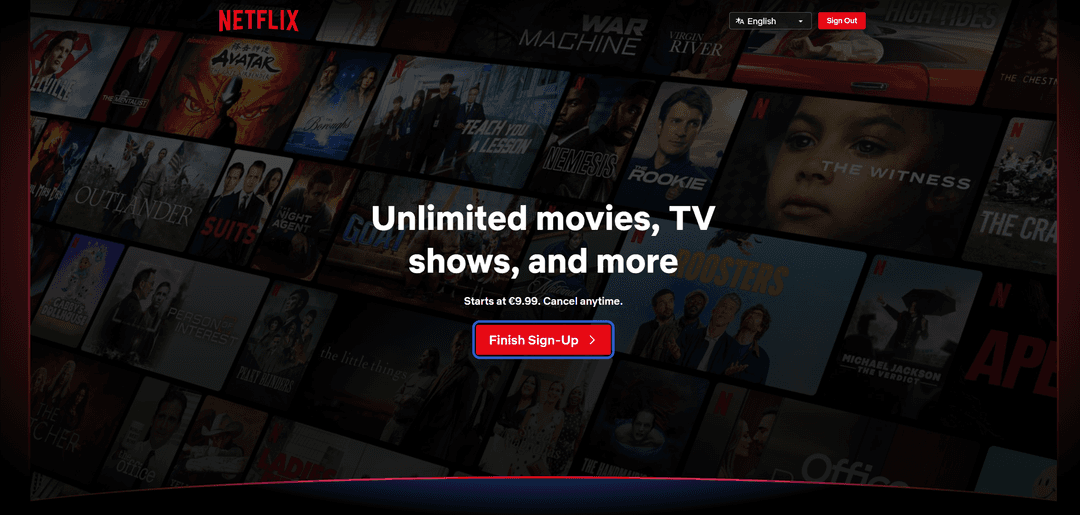
On the next screen after signing in, click «Finish Sign up».
Step 3. Choose a Subscription Plan
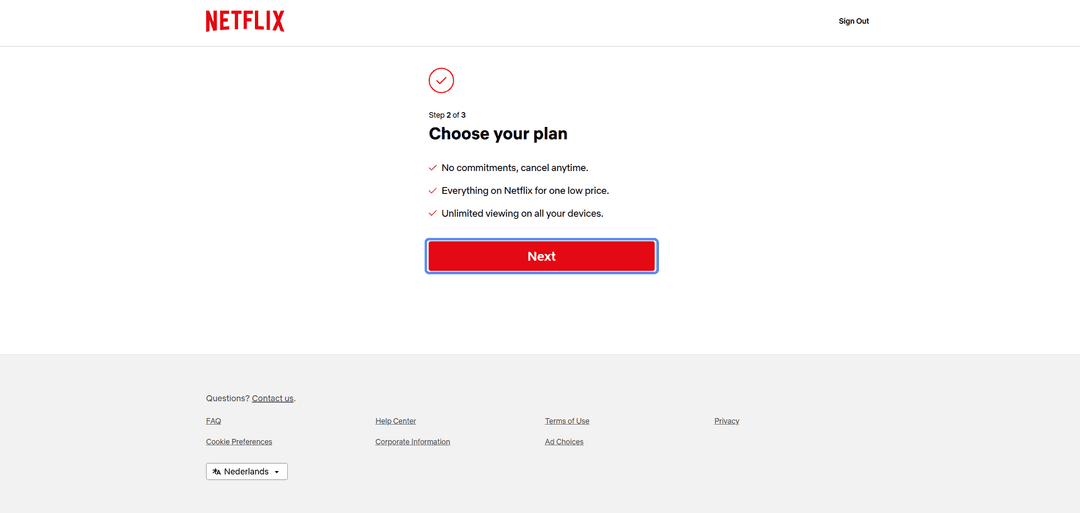
Click «Next» and Netflix will display the available plans.
They differ in picture quality and the number of devices that can stream simultaneously. We'll cover the plans in more detail below.
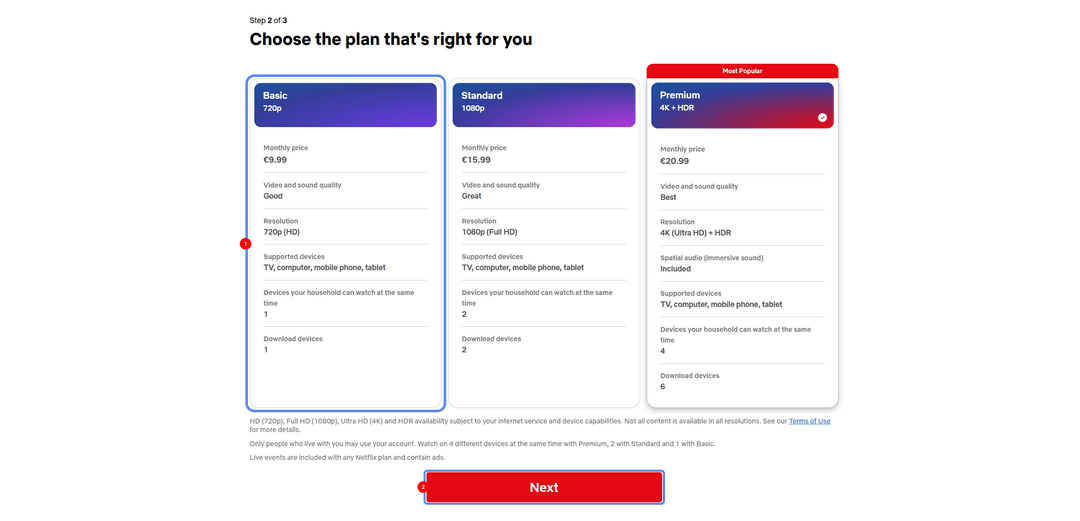
Select the one that works for you and click the continue button.
Step 4. Select Card as Payment Method
From the available payment options, select «Credit or Debit Card».
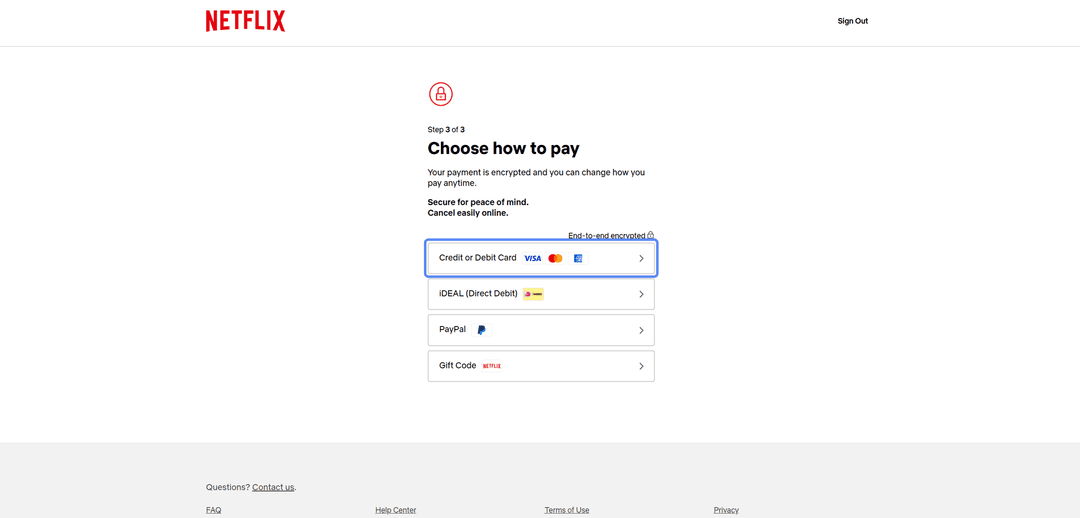
A form for entering card details will open.
Step 5. Enter Card Details
Fill in the fields with your Mirocard virtual card details — card number, expiry date, CVV, and cardholder name.
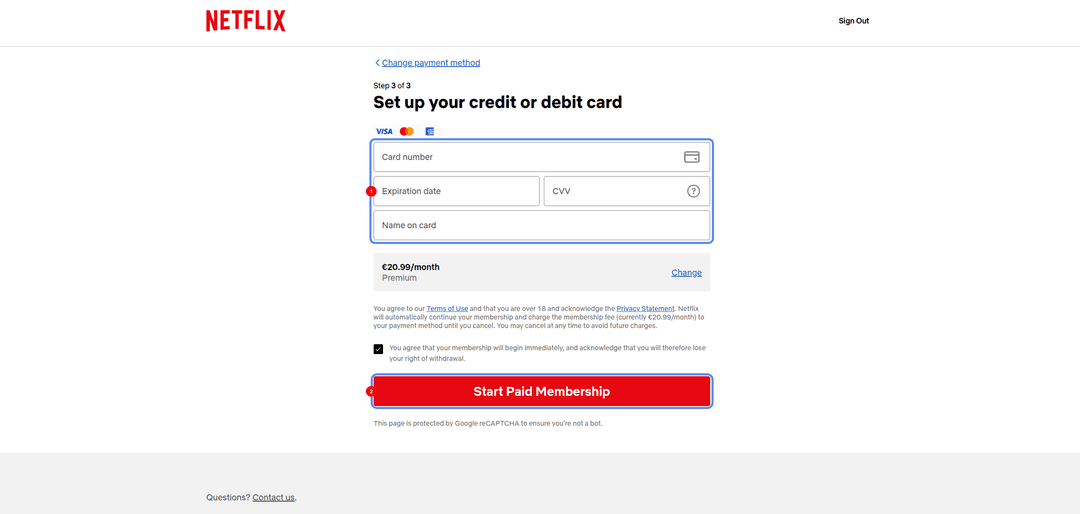
All credentials are available in your Mirocard dashboard. If Netflix requests a billing address, enter a real address from the US region with the corresponding ZIP code to match the card's country.
Step 6. Confirm Payment
Review the selected plan and amount, then confirm payment. Netflix will process the transaction and the subscription will activate immediately. From then on it renews automatically each month. You can cancel renewal at any time in your account settings — access will remain until the end of the paid period.
If the Payment Fails
Check your card balance accounting for the pre-authorization hold. Make sure the card details are entered correctly, especially the CVV. If everything looks right but the payment is still declined, check that your account region matches the card's address. If needed, try again after a few minutes.
Which Plan to Choose
Netflix offers several plans that differ in picture quality and the number of simultaneous streams. The plan lineup may vary slightly by region.
Basic — ad-free viewing on one device at a time, HD quality. An option for solo viewers who aren't particular about quality and don't need multiple simultaneous screens.
Standard — no ads, two devices simultaneously, Full HD quality. An additional user outside the household can be added for an extra fee. The optimal choice for a couple or small family.
Conclusion
There are several ways to pay for Netflix. International bank cards work directly, but paying with crypto requires additional conversion steps. Intermediary services cover multiple platforms at once but charge markups and offer no guarantees. Virtual cards strike a balance between speed and crypto compatibility. The choice depends on what you have available and how much stability matters.
For cryptocurrency holders, this is the shortest path from crypto assets to a subscription — with no losses on unnecessary conversions. And for those who can't access standard international cards, a virtual card remains a reliable way to keep access to Netflix.