How to Pay for an NVIDIA GeForce NOW Subscription with Cryptocurrency
#Payment Instructions
NVIDIA GeForce NOW is a cloud gaming service that runs games on NVIDIA's remote servers and streams the image to your device. No graphics card, powerful processor, or expensive hardware is required — games run even on a laptop or tablet. All you need is a stable internet connection.
A GeForce NOW subscription unlocks graphics on par with top gaming PCs, RTX support, long gaming sessions without queues, and an expanded game library. But many users run into problems paying for the service. Today we will cover which methods still work and walk step by step through how to set up a subscription using a virtual card.
Payment Options
Due to payment restrictions, some users have found alternative ways to pay for GeForce NOW. Each works, but with varying degrees of convenience and reliability.
Bank Cards
This is the logical solution for most users. However, a bank card does not work with cryptocurrency. If your assets are held in USDT, BTC, or Ethereum, spending them directly through such a card is not possible. First you would need to sell the crypto on an exchange, wait for the fiat to be credited, withdraw the funds to a bank account — and only then link the card to NVIDIA. Time is lost at every step, and part of the sum goes to conversion and transfer fees. For a crypto holder, this is a path with unnecessary extra steps — a payment instrument that accepts crypto directly is far more convenient.
Gift Cards and Intermediaries
There are services online that sell GeForce NOW subscriptions through their own accounts or provide activation codes. This works through several schemes — some pay for the subscription on your account using their own card, others provide access to an already-paid account.
The price for such a service is usually 25–50% above the official price. There is also a support issue — if the subscription stops working after a week, fighting for a refund is unlikely to succeed. Suitable as a one-off solution, but not as a way to pay for a subscription long-term.
Virtual Cards
A virtual card is a bank card without a physical form. It has a number, expiry date, and CVV — this data is enough for any online payment. NVIDIA accepts such cards as regular Visa or Mastercard, indistinguishable from physical ones.
You can get a card online in a few minutes, without visiting a bank or providing residency documents. These services are often topped up with cryptocurrency, which additionally resolves the question of where the money comes from — no fiat bank account needed. The key is to choose a service that reliably processes international payments and works with gaming platforms.
Mirocard — A Convenient Option for Paying GeForce NOW
Mirocard helps pay for digital services, including an NVIDIA GeForce NOW subscription. The service issues virtual cards under Visa and Mastercard, and top-ups are made through cryptocurrency.
For GeForce NOW payments, the subscriptions card is the right fit. It has a US BIN, which suits NVIDIA well — the service is primarily oriented toward the American market and trusts such cards. Issuance costs $10, and the top-up fee is 4%. The card works with recurring charges, so automatic subscription renewal goes through without issues.
The card is topped up through any of the supported cryptocurrencies — ETH, USDC, USDT, AVAX, BCH, DAI, BNB, BTC, DASH, DOGE, POL, LTC, SOL, TON, TRX, XMR. One minute to transfer from an exchange or wallet — and the balance is already on the card.
An added bonus is that one card can pay for more than just GeForce NOW. Steam, Epic Games Store, Xbox Game Pass, PlayStation Plus, and dozens of other gaming services accept this card without issues. For a gamer, this covers almost all digital purchases with one instrument.
How to Get a Mirocard Card
The process is simple and takes place entirely online.
Step 1. Register on the Website
Open the Mirocard website and click "Get a Card."
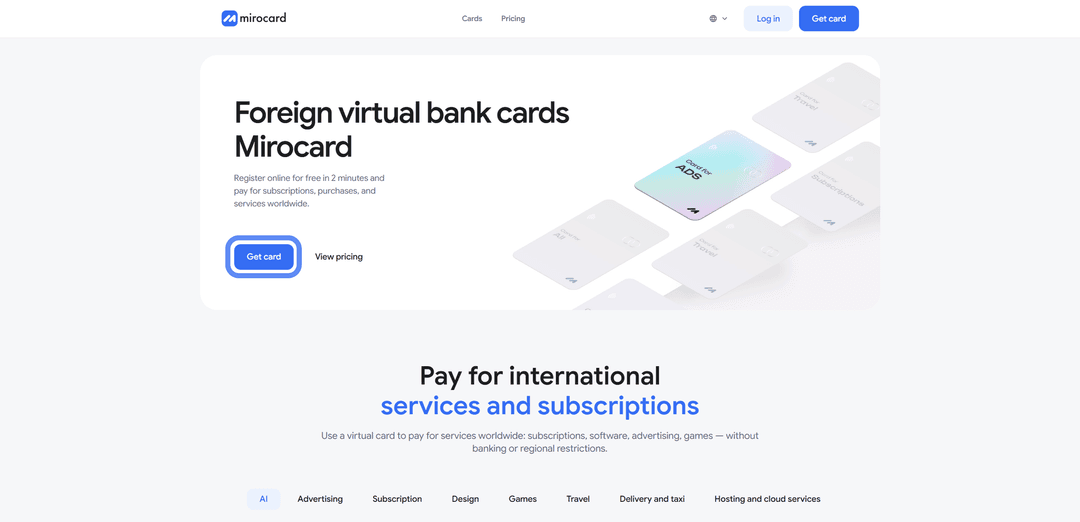
On the login page, select "Register" if this is your first time here. You only need a working email address — a confirmation letter and password will be sent to it.

If you previously had a Heleket account, it is better to log in through it — all your funds and cards will transfer to the new account automatically.
Step 2. Top Up the Master Balance

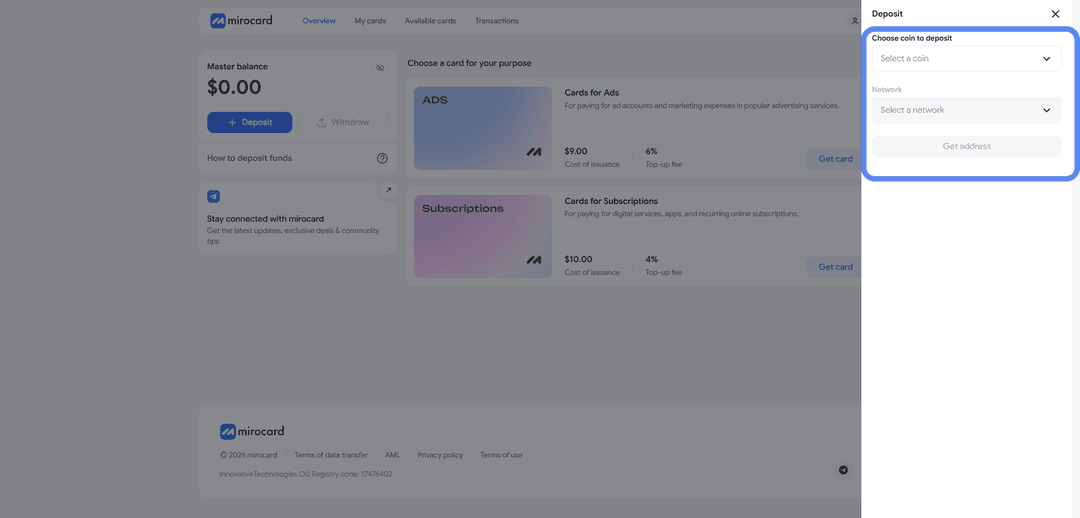
For the lowest transfer fee, use USDT on the TRC-20 network. After selecting, click "Get Address" — the system will generate a unique wallet address. Transfer crypto to it from an exchange or external wallet, and the balance will be credited after the transaction is confirmed on the blockchain.
Step 3. Choose a Card Type
In the card catalog, select the subscriptions card — it is optimal for paying GeForce NOW and other recurring services.
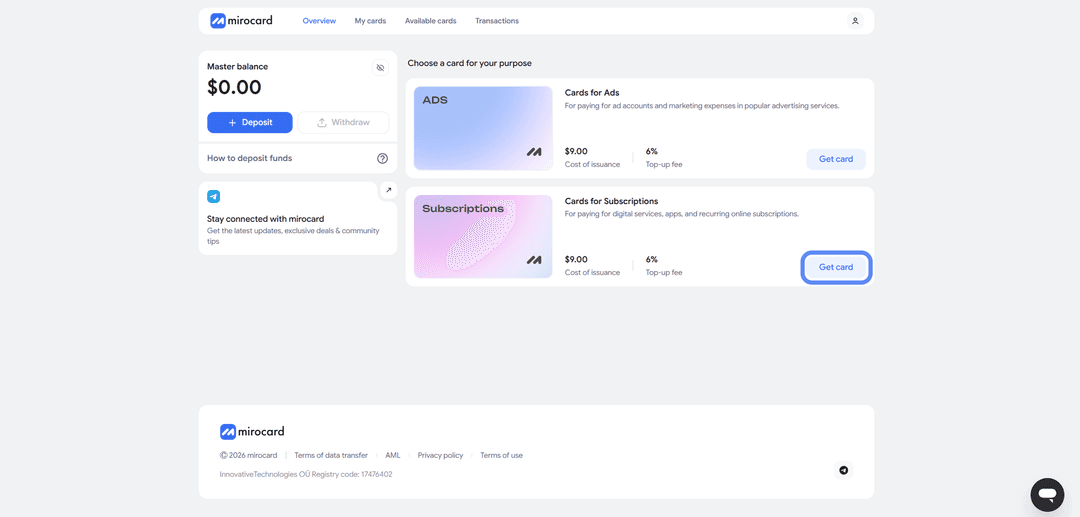
Click "Get Card" on the right side of the corresponding block and you will be taken to the issuance page.
Step 4. Complete Verification
Before the card is issued, you need to complete verification — upload documents. This is a safeguard so that no one else can manage your balance or link new cards.

After the documents are reviewed, maximum top-up and purchase limits will become available.
Step 5. Issue the Card
Once verification is complete, click "Deposit and Pay" on the same page.
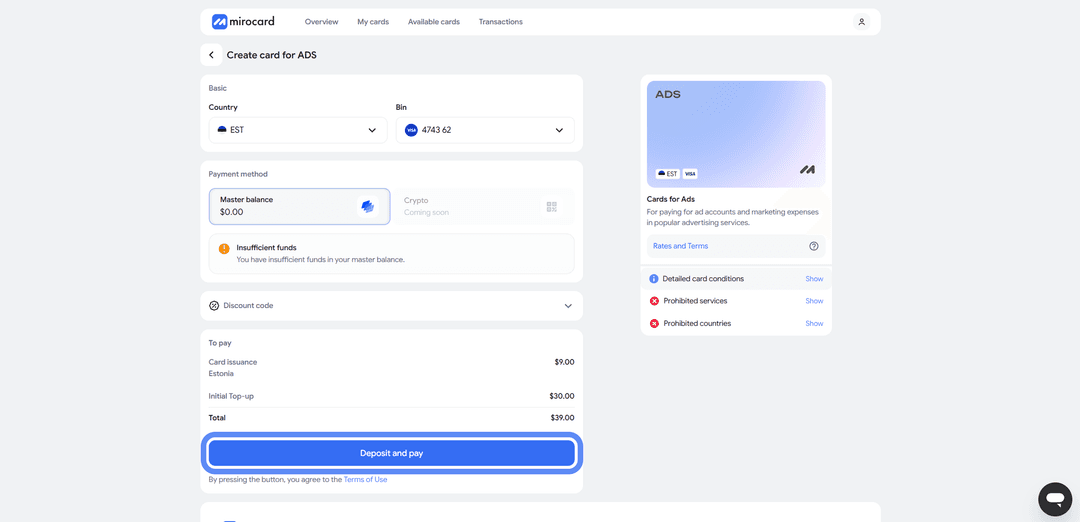
The issuance fee of $10 will be deducted from the Master Balance. The remaining amount will go to the card account and be available for paying the subscription.
Step 6. The Card Is Ready to Use
The issued card will appear in your personal account. Here you can see its details — number, expiry date, and CVV — as well as the current balance and transaction history. No additional activation is needed; the card accepts payments immediately.
A useful note about the balance — when paying for the subscription for the first time, NVIDIA may temporarily reserve slightly more than the plan cost on the card. This is called pre-authorization; the bank verifies the card's validity. The excess will be returned within a few hours, but if the balance is only just enough, the payment may not go through. It is better to keep a small buffer above the subscription cost.
How to Pay for a GeForce NOW Subscription
Now that the card is ready, let's set up the subscription.
Step 1. Log Into Your NVIDIA Account
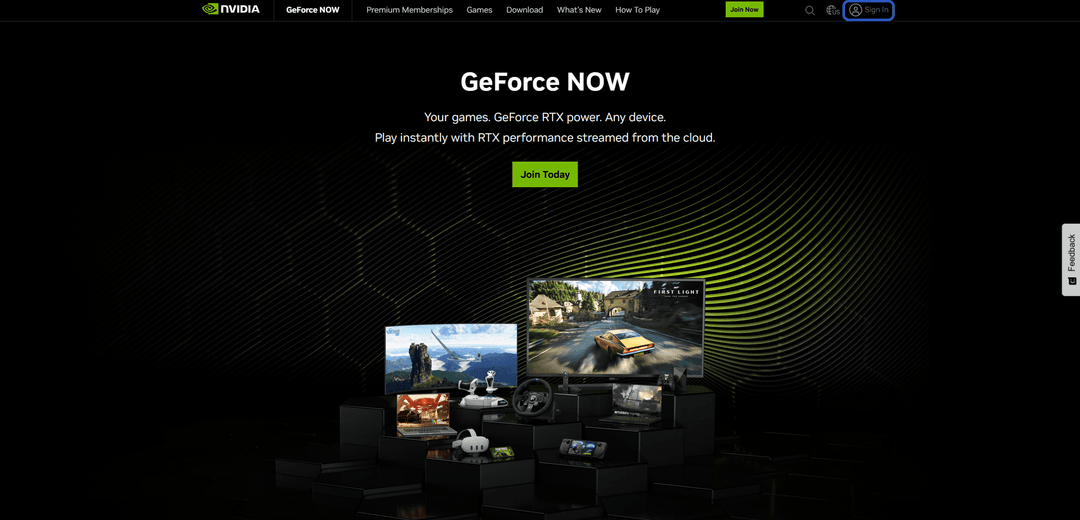
Open the NVIDIA GeForce NOW website and click "Sign In" in the top right corner.
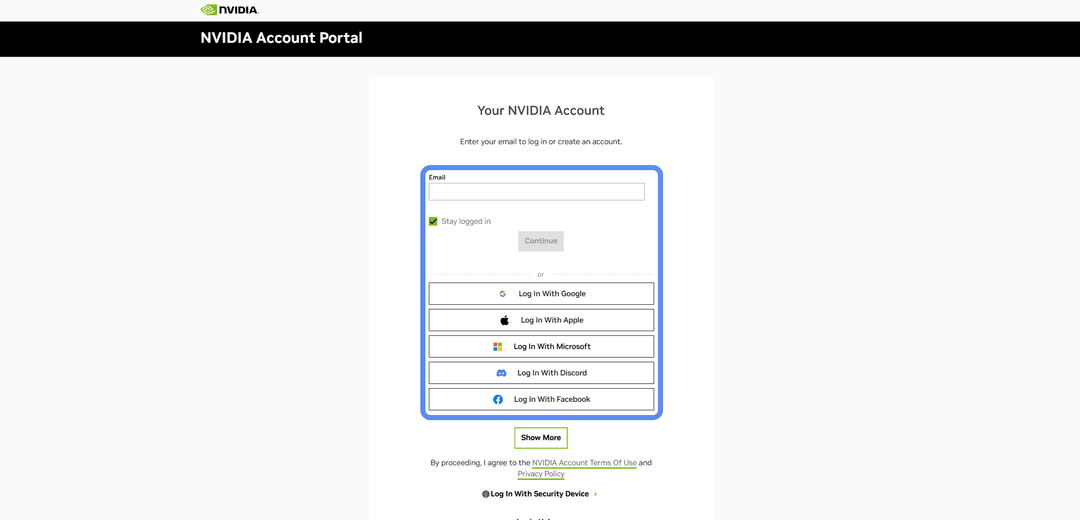
Sign into an existing NVIDIA account or create a new one — registration only requires an email and password.
Step 2. Open the Subscriptions Page
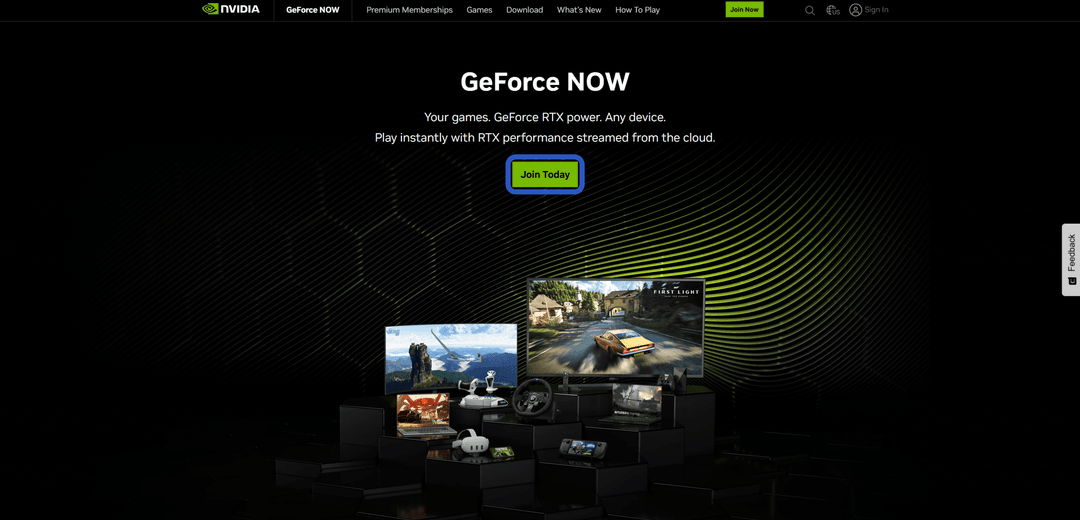
On the GeForce NOW main page, click "Join Today."
A page with the available plans, descriptions, and prices will open.
Step 3. Choose a Plan
Compare the available plans and select the one that suits you.
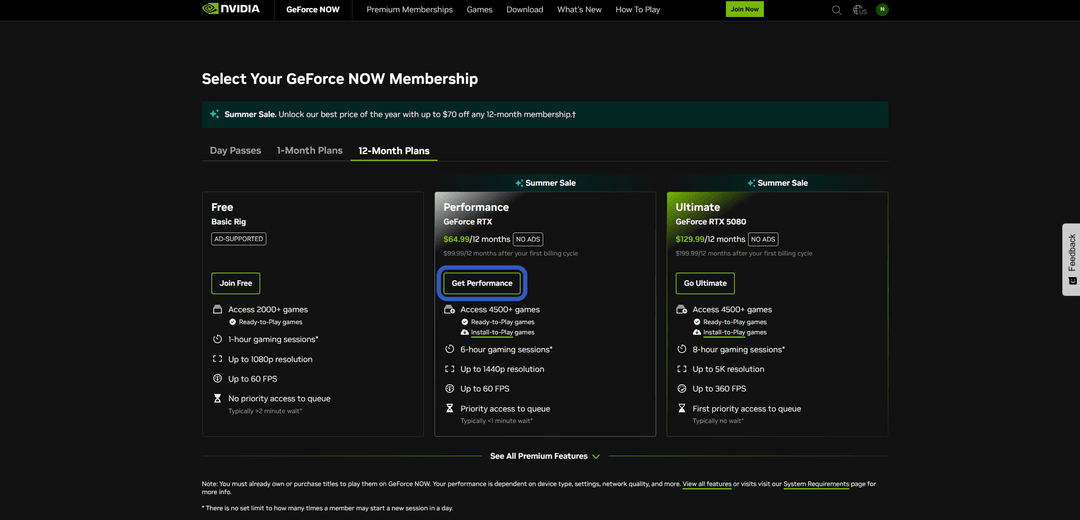
Each plan has a sign-up button below it — click the one for the plan you want.
Step 4. Enter Card Details
In the payment form, select "Credit Card" as the payment method. Fill in the fields with your Mirocard card number, expiry date, CVV, and cardholder name — all of this is available in your Mirocard personal account.
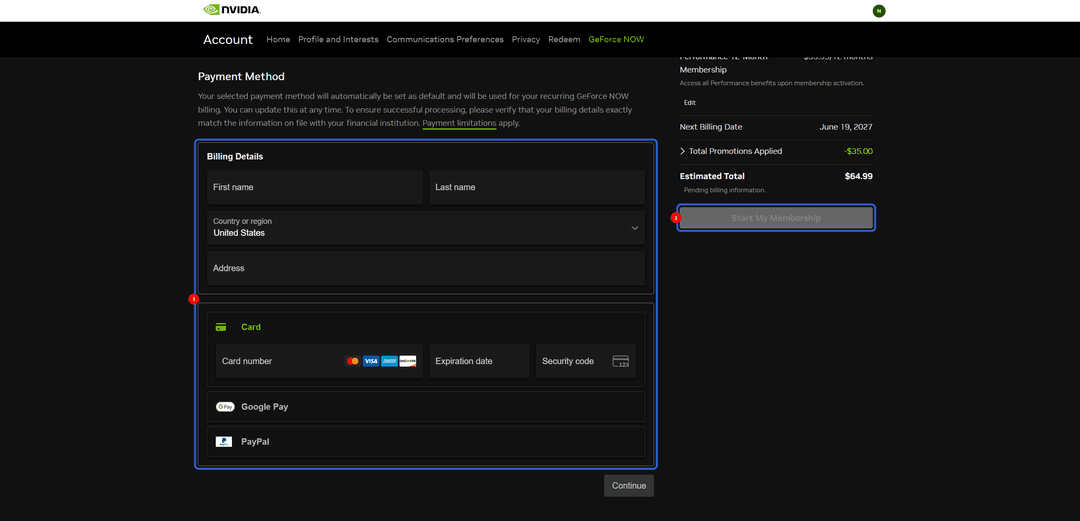
In the "Billing Details" section, it is best to enter any real US address so it matches the card's region.
Step 5. Confirm the Payment
Click "Start My Membership." The payment is processed instantly and the subscription activates immediately. A confirmation will be sent to the email linked to your NVIDIA account. The subscription renews automatically each month. To cancel the renewal, go to the subscriptions section in your account settings.
If the Payment Fails
First check that there are enough funds on the card accounting for the pre-authorization. Then make sure the details were entered correctly, especially the CVV — this is the most common reason for declines. If everything is correct but the payment is still declined — try again in 10–15 minutes or connect via a VPN with a US IP. NVIDIA sometimes declines payments from an unverified region on the first purchase from a new account.
How to Choose the Right Plan
GeForce NOW offers several subscription tiers, and the choice depends on how often you play and what you play.
Free. A free plan to try the service. Sessions are limited to one hour, after which you need to start over. Connecting to a server often involves a queue, especially in the evening. Games run on basic hardware without RTX support. This plan is suitable for getting familiar with the service, but playing regularly on it is not comfortable.
Performance. The mid-tier plan for most players. Sessions last up to 6 hours, the queue is priority (meaning short or nonexistent), RTX effects and ray tracing are available. Graphics are on par with a mid-range gaming PC. This is the optimal choice for most people who play modern games several times a week.
Ultimate. The maximum tier for serious gamers. Sessions up to 8 hours, RTX 4080-level graphics, support for 4K resolution and 120 frames per second on compatible devices. Chosen by those who play demanding titles or want cinematic quality without buying top-end hardware.
If you play occasionally — start with Performance. Once you find the service has become a regular part of your leisure and you want the maximum — move up to Ultimate. You can switch between plans at any time, paying the difference or receiving a partial refund for the unused period.
Conclusion
An NVIDIA GeForce NOW subscription is accessible despite payment difficulties for many users. Intermediaries work fast, but cost more than the official price and come with no guarantees. A virtual card is the balance between speed, price, and reliability.
Mirocard in this role covers the main needs — issued in a couple of minutes, topped up with cryptocurrency, and works not only with NVIDIA but with most other digital services. Set it up once and use it for all cryptocurrency payments without bank restrictions.
GeForce NOW removes one of the main barriers of modern gaming — the need to regularly upgrade hardware. Once the subscription is paid, you can play on any device, in any conditions, without hours of waiting for downloads and patches. Combined with a convenient payment method, this turns cloud gaming into a genuine alternative to a home PC.