How to Buy Games in Epic Games Store with Cryptocurrency
#Payment Instructions
A separate reason for its popularity is the weekly free game giveaways. Every week, one or more games appear in the store that can be claimed to your library forever. Over a couple of years, a collection worth hundreds of dollars builds up without a single payment.
But buying games sometimes comes with complications. The main one — Epic Games only accepts bank cards, while many gamers keep a significant portion of their money in cryptocurrency. Converting assets through an exchange every time before a purchase is inconvenient, expensive, and slow. What is needed is an instrument that turns crypto assets into a regular Epic payment without extra steps.
Why Problems Arise When Buying Games
The main difficulty for gamers with cryptocurrency — Epic Games does not accept crypto as payment. The platform only works with bank cards and payment services based on them, such as PayPal or Apple Pay.
If the bulk of your money is in USDT, BTC, Ethereum, or other crypto assets, paying for games in Epic Games directly is not possible. To spend crypto assets on purchases, two paths remain. The first — sell crypto on an exchange, wait for the fiat to be credited, withdraw the funds to a bank account, and link the card to Epic. The chain is long, and at every step part of the sum goes to conversion, withdrawal, and account maintenance fees. The second option — use an instrument that accepts crypto directly and works with international payments like a regular bank card. This is what cryptocurrency virtual card services do.
What Payment Methods Gamers Use
There are several payment methods in Epic Games Store. Each has its own characteristics and suitable audience.
Bank Cards
For example, a Visa or Mastercard from any country with active international operations support — Epic accepts it without question.
The difficulty here is in obtaining one — not every country offers access to such cards. Plus, these cards do not work with cryptocurrency — if your money is in crypto, you will need to separately convert it to fiat on an exchange and withdraw it to an account. Every step takes time and eats into the sum through fees.
Gift Cards
These are digital codes for a fixed amount that are activated in the Epic Games wallet. They can be purchased from official partners and on gift code marketplaces.
The method is convenient for one-off purchases — no bank card required, activation takes a minute. The downsides — a markup of 10 to 30% above face value, a limited choice of denominations, and the inability to place pre-orders. With gift cards, you are essentially only topping up the Epic wallet, and then paying for games from that.
PayPal and Payment Services
Epic Games accepts PayPal in many countries worldwide. For millions of users this is a familiar method — the account is already set up, a bank card is linked to it, and payment goes through in a couple of clicks without entering details on every platform.
But for cryptocurrency holders, PayPal does not solve the main problem. The service itself only works with fiat money — you cannot hold crypto in it, top it up with crypto, or use it to pay for a purchase. To use PayPal, your money must first reach a bank via an exchange — that is, go through the same chain of conversions as with a regular bank card payment. Plus PayPal charges its own commission for currency operations, adding yet another layer of costs.
Virtual Cards
A virtual card is a bank card without a physical form. It has a number, expiry date, and CVV — this is enough for any online payment. Epic Games accepts such cards like regular Visa or Mastercard, with no distinction from plastic ones.
Some virtual card services accept top-ups with cryptocurrency. For crypto asset holders, this is the most direct path — crypto goes onto the card, and from it a regular payment is made to Epic. No exchanges, no bank accounts, no three-day conversions. The key is to choose a service that reliably processes international payments and works with gaming platforms.
A Service for Paying Digital Platforms — Mirocard
Mirocard helps pay for digital services and gaming platforms. The service issues virtual Visa and Mastercard cards that are topped up with cryptocurrency and work with Epic Games Store without restrictions.
For buying games, the subscriptions card is the right fit. It reliably passes through the anti-fraud systems of gaming platforms. Issuance costs $10, and the top-up fee is 4%. The card has a US BIN, and Epic Games accepts it as a US card.
Top-ups go through ETH, USDC, USDT, AVAX, BCH, DAI, BNB, BTC, DASH, DOGE, POL, LTC, SOL, TON, TRX, XMR. One minute to transfer from an exchange or wallet — and the funds are already on the balance. No intermediaries, no waiting at the banking level.
One card can pay not only in Epic Games Store. Steam, GOG, Battle.net, PlayStation Store, and Xbox Store accept it the same way. For an active gamer, this covers almost all digital purchases with one instrument, and all of them are paid directly from the crypto wallet.
How to Get a Mirocard Card
The issuance process is simple and takes place entirely online.
Step 1. Create an Account
Open the Mirocard website and click "Get a Card."
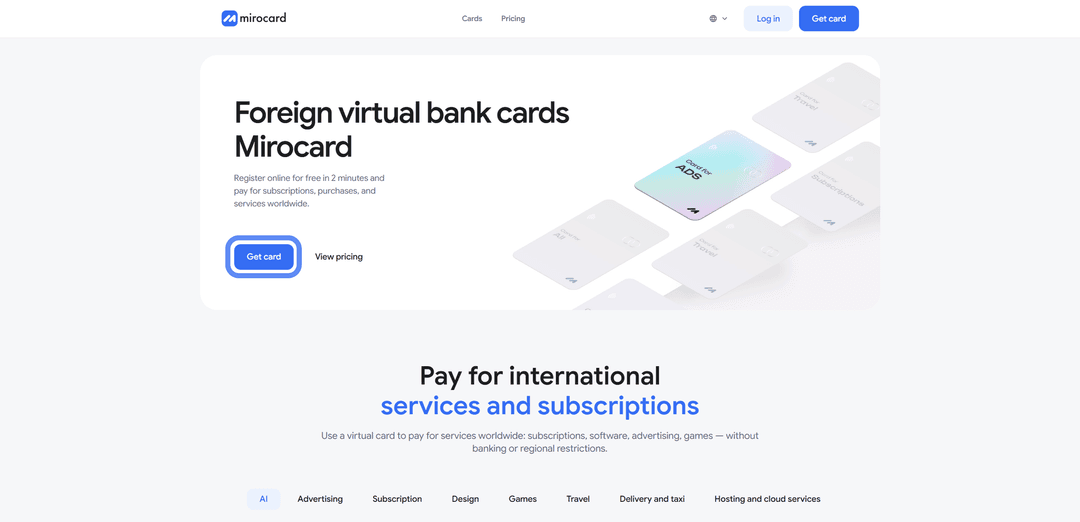
If you are here for the first time, select "Register" — registration requires a working email and password.

A confirmation link will be sent to your email. If you had a Heleket account, log in through it — all funds and cards will transfer automatically.
Step 2. Top Up the Master Balance

Click "Top Up" and select a cryptocurrency and network.
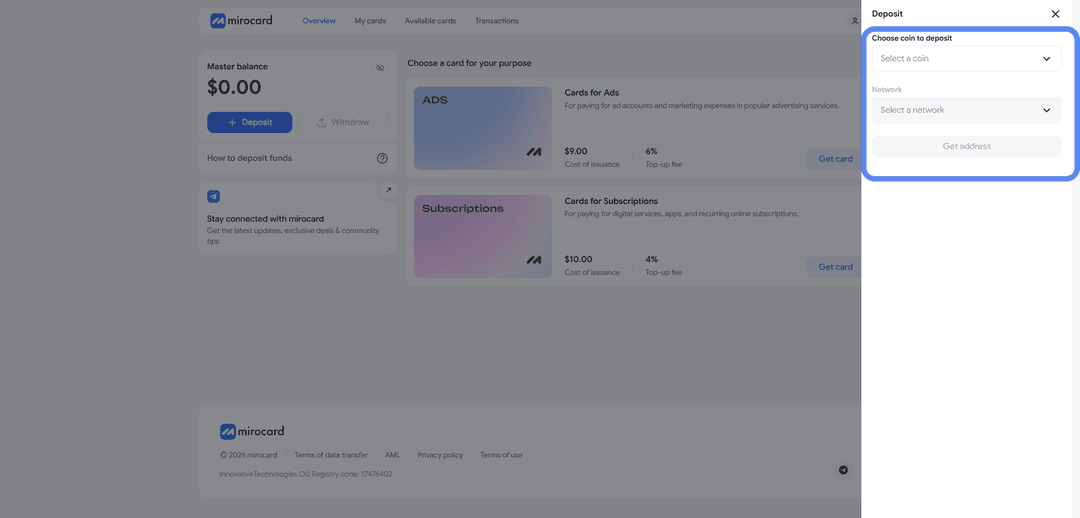
The cheapest option in terms of transfer fees is USDT TRC-20. The system will generate a unique wallet address to which you need to transfer crypto from an exchange or external wallet. After the transaction is confirmed on the blockchain, the balance will be credited.
Step 3. Choose a Card
In the catalog, find the subscriptions card and click "Get Card" on the right side of the block.
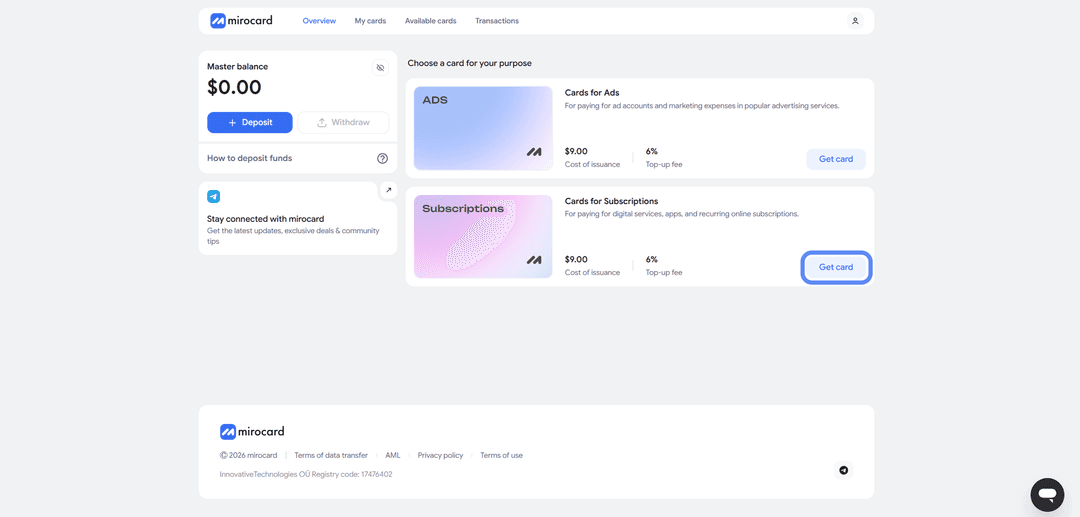
The issuance page will open.
Step 4. Verification
Before issuance, you need to upload documents for verification. This ensures that no one other than you can manage the balance or link new cards to the account.

After the documents are reviewed, maximum top-up and purchase limits will become available.
Step 5. Pay for Issuance
On the issuance page, click "Deposit and Pay."
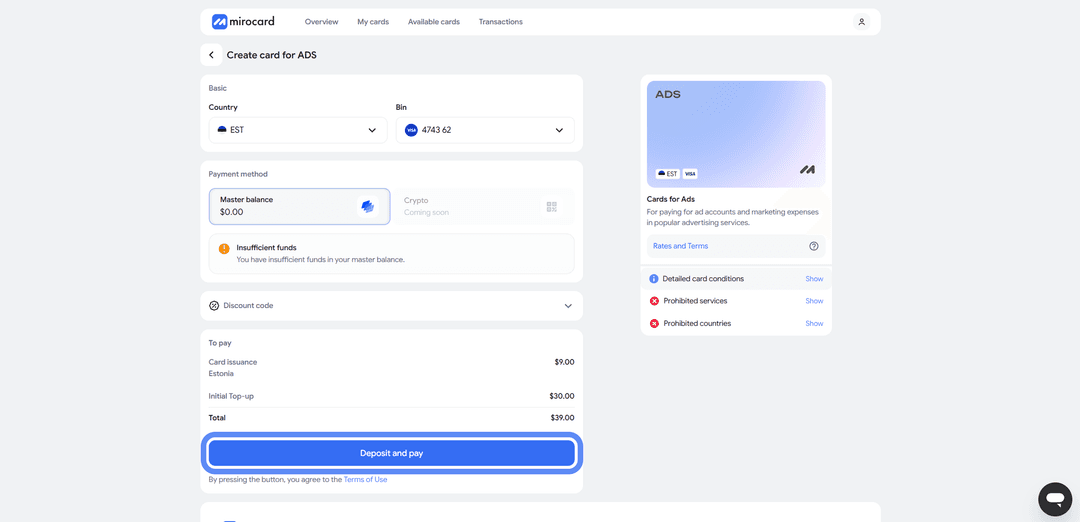
The issuance fee of $10 will be deducted from the Master Balance. The remaining portion of the top-up will go to the card account and be available for buying games.
Step 6. The Card Is Ready
The issued card will appear in your personal account along with the card details and current balance. No additional activation is needed — it accepts payments immediately. Here you can also top up the balance, track transaction history, and freeze the card if needed.
A tip — put a little more on the card than the game costs. When paying, Epic Games performs a pre-authorization, temporarily reserving a slightly larger amount for verification. The excess is returned after a few hours, but if the balance is only just enough, the pre-auth block will fail and the payment will be declined. A small buffer above the purchase amount takes care of this.
How Buying Games in Epic Games Store Works
Once the card is set up, the actual purchase process takes a minute.
Step 1. Log Into Your Epic Games Account
Open store.epicgames.com and click "Sign in" in the top right corner.
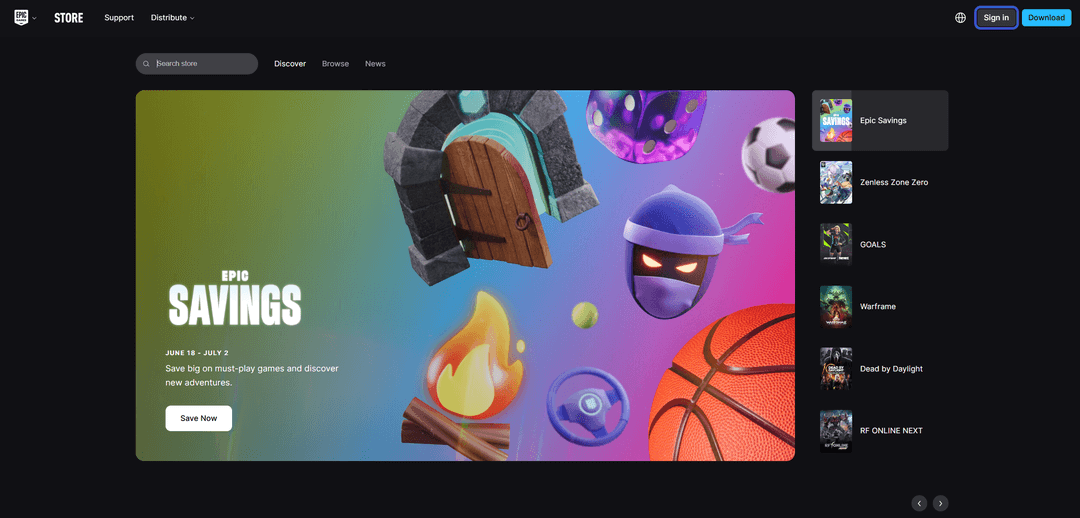
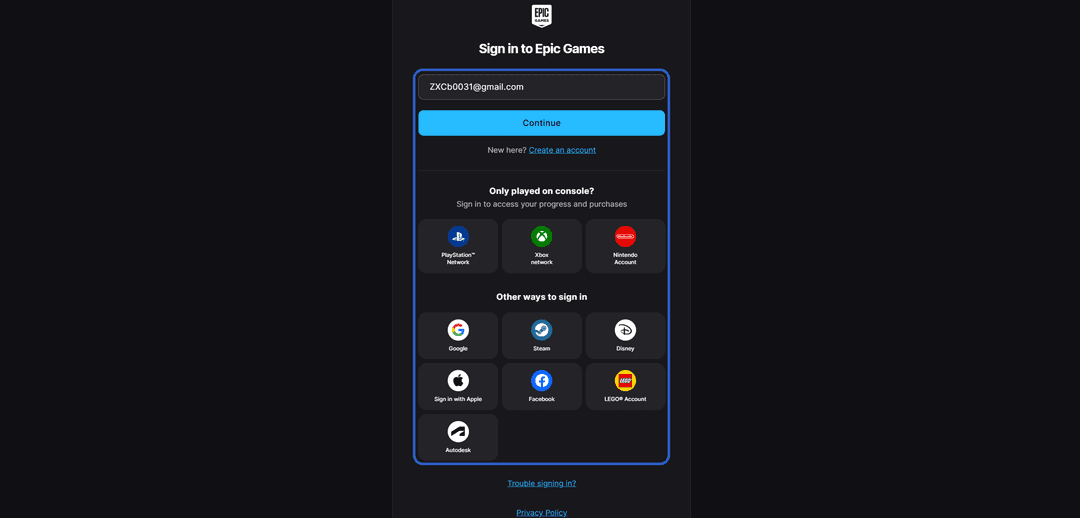
Log into an existing account or create a new one — email, Google, Apple ID, or PlayStation and Xbox accounts are all accepted for registration.
Step 2. Find a Game
In the store catalog, find the game you want via search or categories.
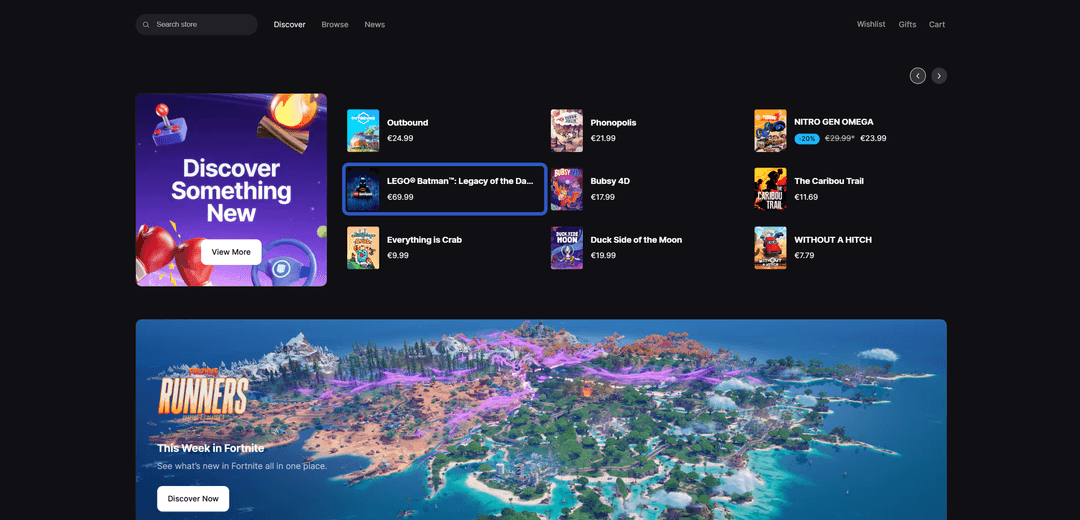
Open the game's page to check the system requirements and description. Click "Buy Now" if you want to pay immediately, or "Add to Cart" if you plan to purchase several titles at once.

Step 3. Proceed to Checkout
On the checkout page, review the list of selected games and the total amount. If you have a promo code or coupon — enter it in the corresponding field. Click "Place Order" to proceed to payment.
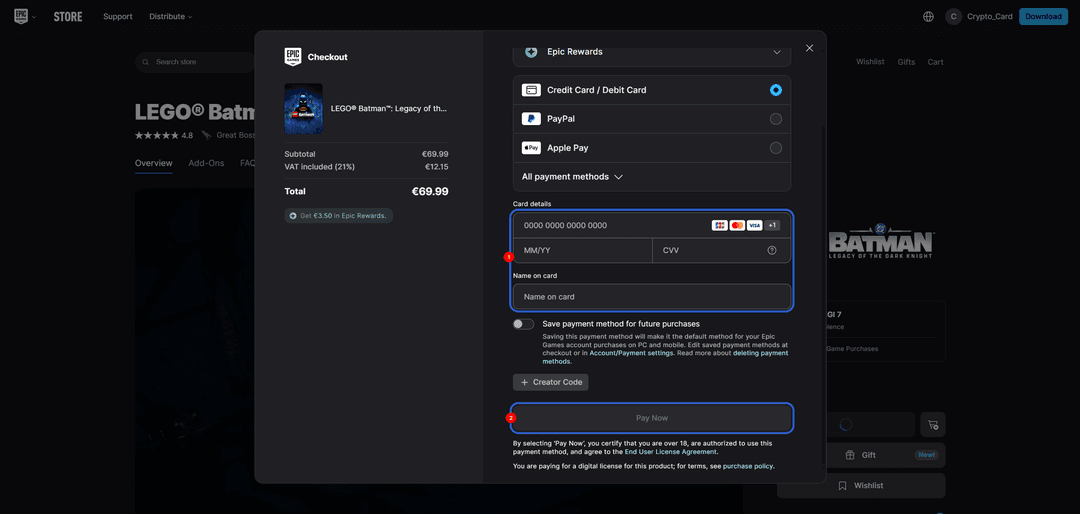
Step 4. Enter the Card Details
Select "Credit Card" as the payment method. Enter the Mirocard card number, expiry date, CVV, and cardholder name — this data is available in your Mirocard personal account. Any real address can be used in the billing address field — Epic Games does not perform a strict check matching the address to the card.
Step 5. Confirm the Purchase
Click the purchase confirmation button. The payment is processed instantly and the game appears in your Epic Games library right away. It can be downloaded through the Epic Games Launcher client on your computer. A purchase confirmation with a receipt will be sent to the email linked to the account.
If the Payment Fails
Check the card balance — there should be enough funds accounting for the pre-authorization. Make sure the details were entered correctly, especially the CVV. If everything is correct but the payment is still declined, try again in 10–15 minutes. Epic's anti-fraud system sometimes temporarily blocks suspicious transactions, but a retry goes through without issues.
Common Mistakes
When buying games in Epic Games, users sometimes take questionable routes that lead to losing money or their account. A few situations to avoid.
Buying accounts from unknown sellers. Forums and marketplaces have listings for Epic Games accounts with a library of popular games at a low price. In most cases, these are either hacked accounts that will be returned to the legitimate owner, or accounts with a deliberately limited lifespan. After a few weeks or months, such an account is banned and access to all games is lost.
Using unverified intermediaries. Services that offer to buy a game for you at a "favorable rate" often operate through semi-legal schemes — paying for purchases with stolen cards or from compromised payment services. When Epic Games detects fraud, the game is revoked from the library and the account receives restrictions. No one refunds the money.
Sharing account credentials with third parties. Sometimes users give their login and password to someone promising to "help with payment." This is the most dangerous scheme — once access is gained, the account can be linked to a different email, the password changed, and the account sold. Proving ownership is extremely difficult in such cases, and Epic Games does not always restore access.
Conclusion
Games in Epic Games Store can be bought through several routes. An international bank card works without question, but not everyone has one, and if your money is in crypto — additional conversions are needed. Gift cards work for one-off purchases but cost more than face value and do not allow pre-orders. PayPal is familiar and widely accepted, but also only works with fiat. Virtual cards offer the balance of speed, price, and crypto compatibility.
Mirocard in this role works like a regular bank card, but is topped up with cryptocurrency and accepted by all major gaming platforms. Set it up once — and use it for any digital purchases without going to fiat through exchanges.
If games are a regular part of your leisure, a virtual card pays for itself on the second or third purchase. For crypto holders, this is the most direct path from crypto assets to a purchase — without losses on conversions and without long waits on the exchange and bank side.