
How to Pay for Cloudflare with Cryptocurrency
Cloudflare is a service that sits between a website and its visitors. It speeds up page loading, protects against attacks, manages domains and DNS, and also lets you run code and store data without your own servers.
You can start for free, and that's enough for many people. But once a project needs higher limits, container launches, or more AI compute, you have to connect a paid plan, and a payment method along with it.
Below, we'll look at what a Cloudflare bill is made of, which payment methods Cloudflare supports, how a separate virtual card helps, and how to set up a paid plan through Mirocard step by step.
What Cloudflare bills for
A Cloudflare bill has two parts, which sets it apart from an ordinary subscription. The first part is a fixed plan fee, for example for Workers Paid, which costs $5 a month. The second part is pay-as-you-go usage, and it only appears if you exceed the included volume.
Workers Paid includes 10 million requests a month, 6 slots, and 6,000 build minutes, plus a million requests to Durable Objects. Anything above these limits is billed at overage rates. For example, Workers requests cost $0.30 per million, and KV operations cost $0.50 per million.
The base fee is charged right when you connect, while additional usage is tallied and billed monthly. That means the final amount can differ from month to month, which is worth keeping in mind when choosing a payment method.
What payment methods Cloudflare accepts
Cloudflare supports several payment methods, but their availability and applicability depend on the specific account and region. On the payment page, you'll see a bank card, PayPal, Apple Pay, and Google Pay, with the choice between them made in one form.
Bank cards
A card remains the most universal option. In the payment form, you enter the number, expiration date in MM / YY format, and the security code, with icons of the major payment systems shown alongside. Right below the fields, the service notes that by entering your details, you authorize charges for future periods.
An ordinary bank card holds money in fiat currency. To pay Cloudflare with it, coins first have to be sold on an exchange and withdrawn to a bank account, and then that procedure repeats with every top-up.
PayPal
The PayPal button sits above the card form, and with it, payment goes through without entering any details. That's convenient as long as a working payment method is linked to the PayPal account.
PayPal is also funded only with regular money. It doesn't hold coins, so the path from crypto to paying Cloudflare again runs through an exchange and a bank.
Apple Pay
Apple Pay is a quick-pay button that fills in the details of a card already saved on your device. You don't have to type the number manually, and confirmation takes a couple of taps.
It's worth remembering that this isn't a separate source of money. The wallet simply passes your card's details to Cloudflare, so the payment will only go through if the card itself is suitable.
Google Pay
The "Buy with Google Pay" button works on the same principle. Cloudflare gets the card details from your Google wallet, and your part comes down to confirming the payment.
If the wallet holds a card the service doesn't accept, the decline will be the same as with manually entered details.
A virtual card for paying for Cloudflare
For cloud services, a virtual card is the best fit. The bill is made up of a fixed fee and usage costs, and a separate card lets you decide in advance how much money you're willing to put toward infrastructure.
The details of a card like this are entered into the same form as those of an ordinary one, and the service sees no difference. Meanwhile, your main account and other cards stay closed off from Cloudflare, and an accidental charge for exceeded limits won't touch the rest of your money.
The card's balance is topped up with cryptocurrency, so Cloudflare bills can be settled straight from a wallet. Coins are converted into dollars inside the service, and the card works like an ordinary one.
How to pay for Cloudflare with Mirocard
Mirocard issues virtual Visa and Mastercard cards that can pay for cloud services, hosting, and subscriptions. Setup happens entirely online, with no bank visit and no paperwork, and the details appear in your account right after issuance.
A card for paying for services fits Cloudflare. It costs $5, and we've covered sign-up and issuing the card in detail in a separate guide, so here we'll go straight to payment.
The card can be topped up directly from a crypto wallet in BTC, ETH, USDT, USDC, TON, TRX, or SOL. Coins are converted into dollars inside Mirocard, and the amount shows up on the card's balance right away.
The easiest way to find out how much to send to the card is on the transfer screen. Enter an amount and look at the total, because the top-up fee is shown there before you confirm the operation.
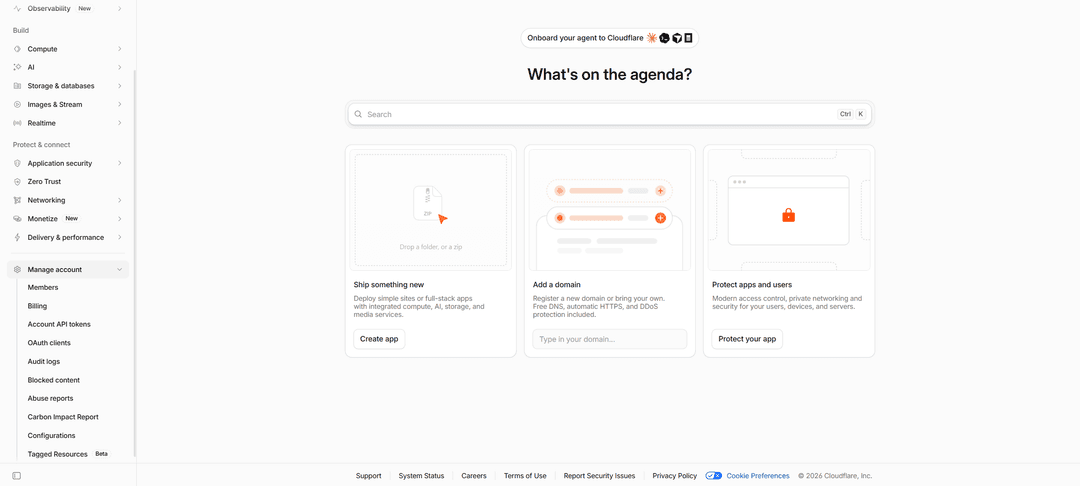
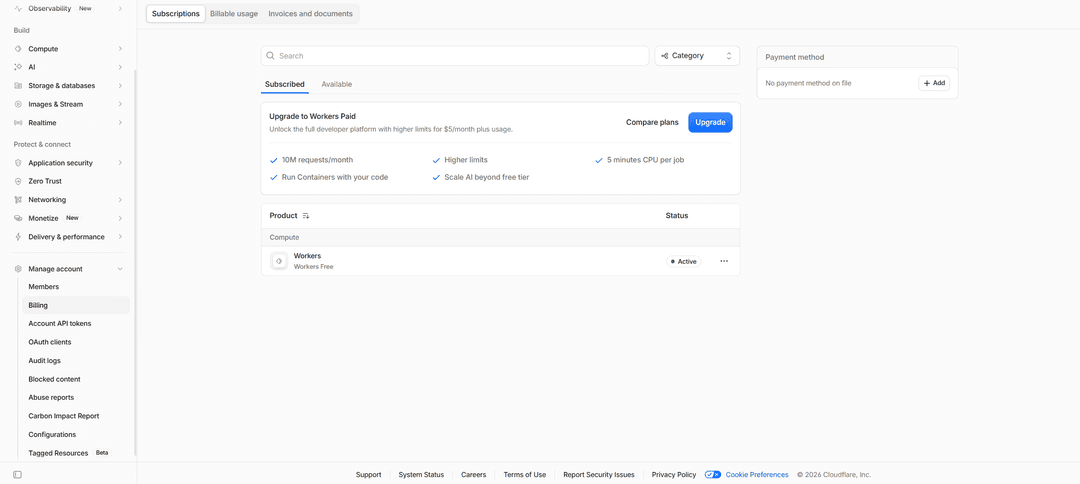
A page opens with "Subscriptions," "Billable usage," and "Invoices and documents" tabs. On the first tab, there's an "Upgrade to Workers Paid" block with a note about higher limits for $5 a month plus usage. On the right is a "Payment method" block with an "Add" button, if no payment method has been added yet.
In the plan block, click "Upgrade." If you'd like to compare terms first, use the "Compare plans" link. The "Upgrade to Workers Paid" payment page opens, with everything included in the plan listed on the right and the amount in the "Due today" row at the bottom.
At the top of the page are Apple Pay, Google Pay, and PayPal buttons. You can skip them and go to the "Card" block, where in the "Card information" field you enter the Mirocard virtual card's number, expiration date, and security code.
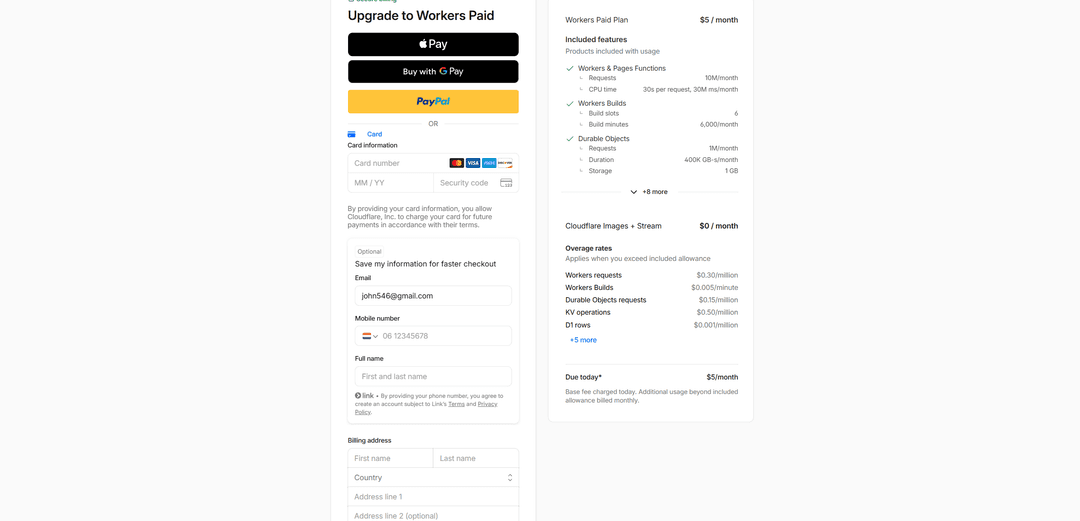
Below that is an optional block for quick payment in the future, which you can leave blank. In the "Billing address" section, enter your first and last name, then choose in the "Country" field the country matching the card's own details, and fill in the "Address line 1" row.
Before confirming, check the total. The "Due today" row should show the base fee, and usage above the limits will be billed later. Confirm the payment with the button at the bottom of the form, after which the paid plan turns on for the account.
How later Cloudflare bills are paid
Cloudflare charges money automatically from the primary payment method. The plan's base fee comes on the same date each period, while usage costs are added as separate amounts, so the card should hold a buffer above $5.
Two tabs on the "Billing" page help you track spending. The "Billable usage" tab shows how much you've already used beyond the limits, and the "Invoices and documents" tab collects issued invoices, which you can check against your card statement.
Top up the card from your wallet ahead of time, before the charge date comes up. That way, coins have time to turn into balance, and the paid plan keeps running without gaps.
Conclusion
Cloudflare is paid for as you use it, and that model fits well with cryptocurrency. You transfer to the card exactly as much as the base fee and expected usage need, and the rest of your savings stays in the wallet.
When a project grows and overage costs increase, topping up the card once more is enough. You can pay for infrastructure straight from coins, with no exchanges, exchangers, or bank accounts.