How to Pay for Canva with Cryptocurrency
After that, all that's left is entering your card details, and that's the step where some users start running into trouble.
We'll go through what payment methods exist at all, why a separate virtual card handles this task better than the alternatives, and how to set up and use Mirocard for it.
What payment methods Canva offers
Canva's payment form offers a bank card or a local method like iDEAL — methods like that are tied to a specific country and aren't available everywhere, so for most users, a card remains the main option. The set of methods on this screen depends on which country the account is registered in — you can tell from the fact that the local payment option is only offered to users from specific countries, not to everyone.
Paying by bank card
The most direct route is a card that Canva's payment form will accept without extra questions — one issued by a bank and payment network available in the exact region where the subscription is being set up.
But Canva's payment form has no field for cryptocurrency — just a card or a regional method like iDEAL tied to a specific country. A balance in BTC, ETH, or another coin never gets as far as this screen — it needs to become money on a card ahead of time, not in the middle of the payment itself.
Paying through the App Store or Google Play
You can also set up Canva through the app store on your phone — in that case, the payment is checked not by Canva itself but by Apple or Google, tied to the account the app was installed through.
The logic is the same as paying on the site, just with a different middleman — if the app store account is registered in a country where Canva is sold, and the payment method on that account is suitable, the subscription gets set up in a couple of taps right from the app. The feature set and price don't change, only who accepts the payment does.
This route suits Business worse than Pro — a team subscription is usually set up and paid for centrally through the site, not from one team member's personal phone.
Intermediaries
The third option is to ask someone with a suitable card to pay for the subscription on your behalf, usually for a fee on top of the tier's price. Offers like that turn up in classifieds and topic-specific chats.
The main risk here isn't the price but control — the card the subscription was paid with belongs to another person, and if they stop responding or simply change their mind, there's nothing left to renew the payment with. On top of that, for a recurring subscription, this method has to be repeated every cycle rather than set up once.
Paying for Canva with a virtual card
A virtual card with no physical form works like any other — it has a number, an expiration date, and a security code, except the payment form gets them straight from your account rather than from a physical card in your hand.
A card like that can be issued with details Canva's payment form will accept right away, with no questions about where the money actually came from. To the service on the other end of the payment, the card looks like any other — it sees a number and an expiration date, not the history of its top-ups.
Mirocard for paying for Canva
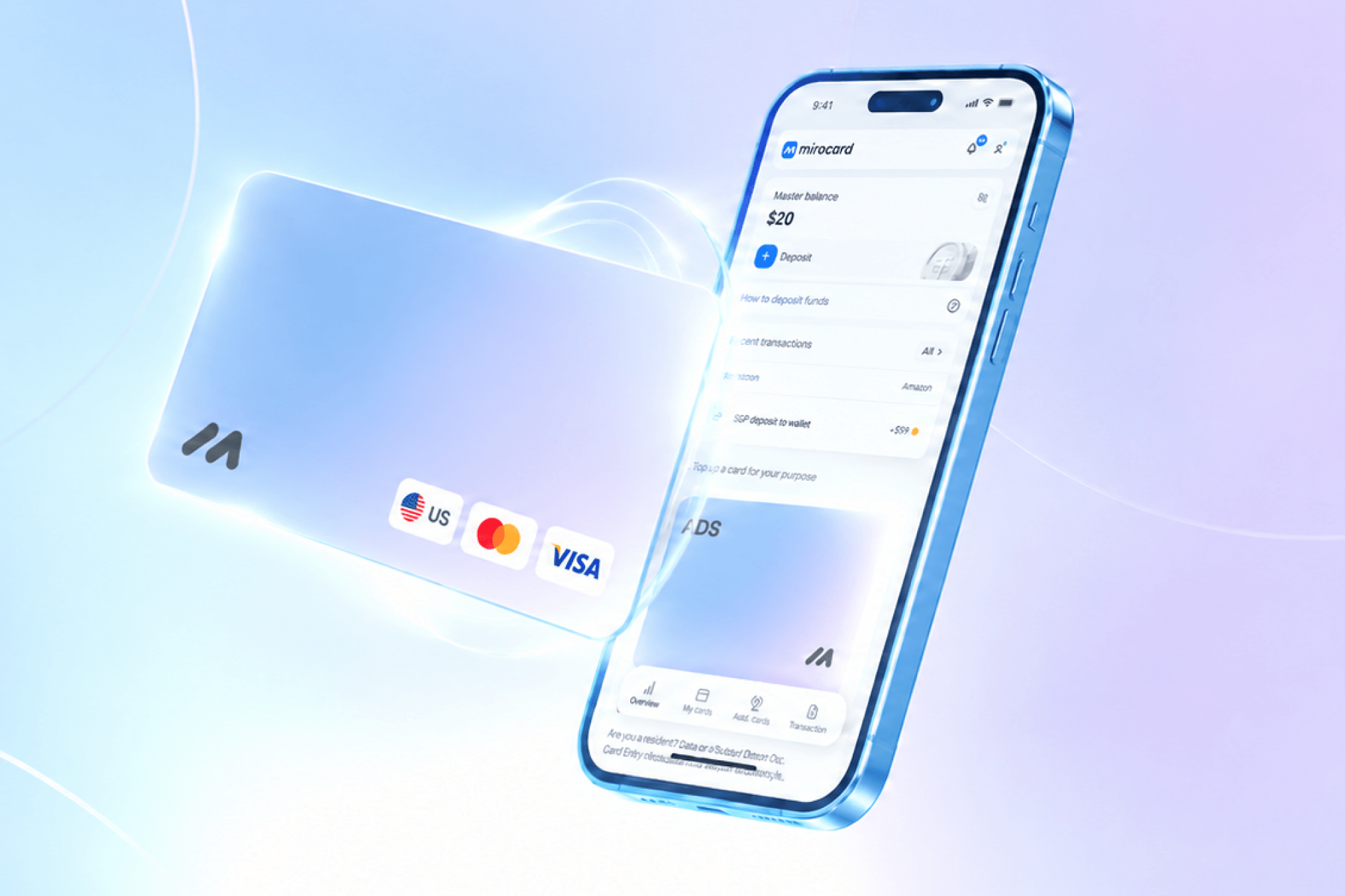
Mirocard issues virtual Visa and Mastercard cards suited to paying for subscriptions like Canva — set up entirely online, with no bank visit and no paperwork. For a one-off subscription, the simplest card is usually enough, the one built specifically for paying for services.
The setup process itself — what you enter at sign-up and how the account is confirmed — is covered in detail in a separate guide to issuing a Mirocard virtual card, so here we'll stick to what matters specifically for Canva. The card costs $5 and is ready to pay with right after issuance.
The card's balance can also be topped up straight from a crypto wallet — BTC, ETH, USDT, USDC, TON, TRX, or SOL are exchanged for dollars inside Mirocard itself, with no withdrawal to an exchange and no extra bank account in the chain.
Before you confirm the transfer to your balance, the total including the fee for the operation is already visible on screen — Canva will then charge exactly what's listed in the card's details, with no after-the-fact surcharges.
How to pay for Canva with cryptocurrency using Mirocard
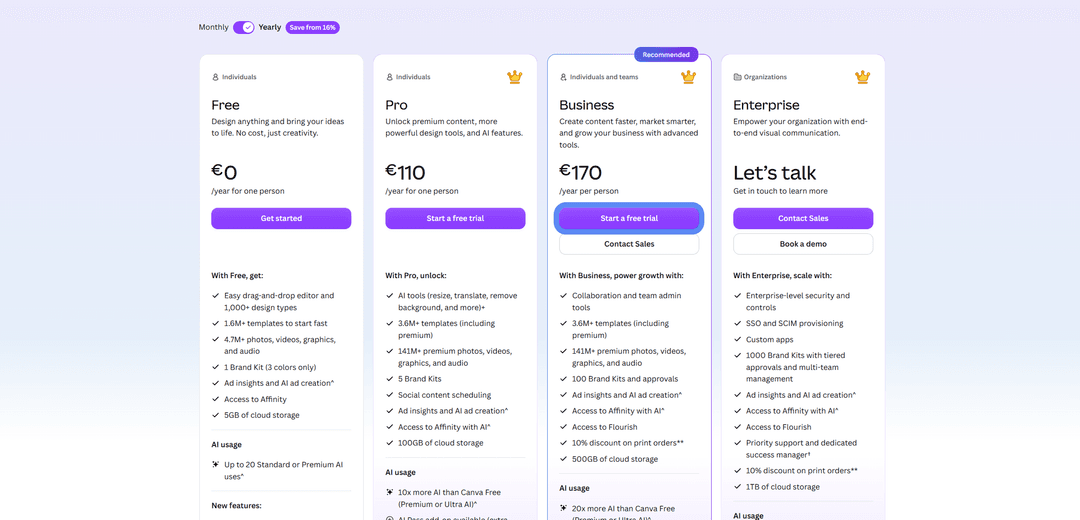
On Canva's pricing page, there's a toggle at the top between monthly and annual billing — switch it to annual, and the difference in price is immediately visible. Under the tier you want, Pro for example, there's a "Start a free trial" button — it opens the payment window.
In that window, choose "Credit or debit card" if it isn't selected by default, and fill in the fields in order — the card number, expiration date in MM/YY format, and the security code from the back. Below that, a card brand field sometimes appears — if it's marked optional, you don't need to touch it.
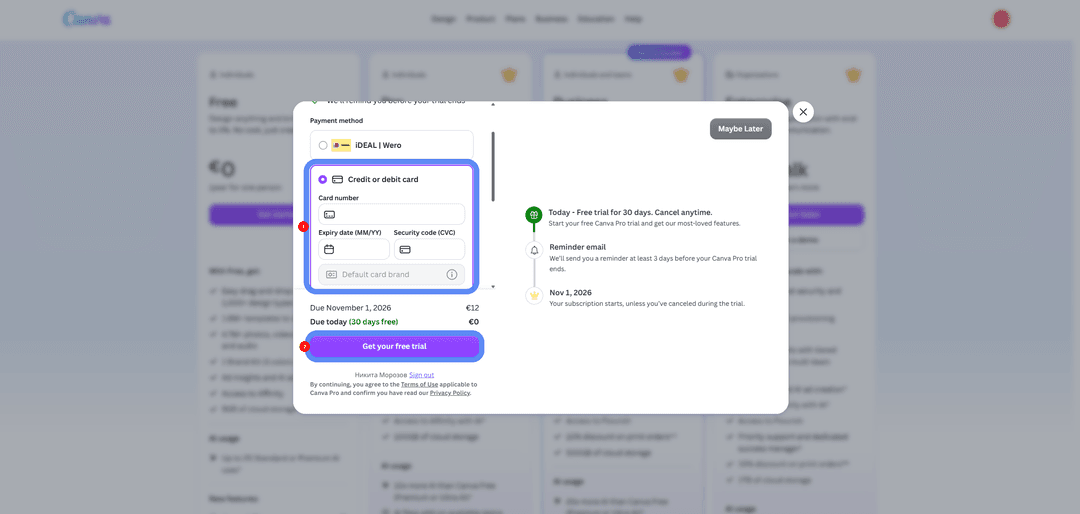
Before clicking the confirm button at the very bottom of the window, check the amount listed next to the next charge date — usually the first period is free, and after that the subscription renews at the tier's full price. Once you confirm, access to Pro or Business opens right away, with no waiting.
How to pay for Canva with auto-renewal
The free trial ends on a specific date, and exactly on that day, Canva charges the full price of the tier you picked to the same card you provided at setup — with no re-entering of details and no extra confirmation.
The only thing to keep an eye on here is the card's balance at the time of that charge. If the balance is lower than the tier's price, the payment will be declined, and access to Pro or Business may be suspended until the next successful payment attempt.
It makes sense to top up the card ahead of time, a day or two before the renewal date, rather than at the last minute — that way, a transfer from your wallet has time to land before Canva tries to charge the money. If you no longer need the tier, you can cancel the subscription in your Canva account settings before the renewal date — after that, the charge simply won't happen.
Conclusion
Paying for Canva doesn't require anything special — the form accepts an ordinary card with ordinary details, and the only difficulty is whether your payment method fits that form at all. Intermediaries solve the task once, while a virtual card solves it for as long as the subscription keeps renewing.
Mirocard issues a card like that in a few minutes and lets you top it up the way you already have on hand — with cryptocurrency. From there, the card simply works at every subscription renewal, and the only thing that needs attention is a balance topped up in time before the next charge.