How to Pay for Gardenscapes
Gardenscapes is a match-three puzzle from Playrix, where every level you clear turns into real progress restoring a neglected garden alongside the butler Austin. Stars earned on levels clear away rubble, plant flowerbeds, and unlock new areas of the garden, while a separate storyline runs alongside it with dozens of characters.
You can buy a few types of resources in the game — coins, which unlock extra moves and boosters on hard levels, and a golden ticket that gives unlimited lives and faster access to new content for a set period. The game itself is free and fully completable without a single purchase, but for anyone stuck on a tough level or not wanting to wait for lives to refill, paid resources noticeably speed things up.
How purchases work in Gardenscapes
Coins and the golden ticket in Gardenscapes aren't bought directly from Playrix — the receipt and the charge are handled by whichever store the game was installed from, the App Store or Google Play. The developer only gets confirmation of payment from the store, and payment data never reaches them at all. Because of this, a bundle's price automatically adjusts to your region's currency, and some offers come with a bonus — boosters that can't be bought separately in the shop, only alongside coins.
The practical takeaway is that you add a card not through the game's own settings, but through your device's payment profile, and everything that happens with the card afterward is entirely on Apple's or Google's side.
Why paying for Gardenscapes with cryptocurrency can be tricky
Neither the App Store nor Google Play lets you pick cryptocurrency from the list of payment methods — only a card or local equivalents like Apple Pay, which work strictly with a fiat account. Crypto in a wallet is useless on its own for buying coins in the game until it's converted into a form the app store will accept.
What crypto-funded payment methods are available for Gardenscapes
A virtual card
To the app store, a card like this looks just like a regular physical Visa or Mastercard. The details arrive within a few minutes of applying online, with no bank branch visit and no waiting for a courier.
App Store gift cards
A purchased code turns into Apple ID balance right after activation, and coins in Gardenscapes then charge to that balance — a bank card isn't part of this setup at all. The card's face value rarely matches a bundle's price exactly, so any leftover sits on the balance and waits for your next purchase in any other app.
Google Play gift cards
The logic is the same as with an App Store card, just for Android accounts — the code activates on the balance, and coins charge from there. The one hard rule is that the code's region has to match the region of the Google Play account itself, or the system will simply refuse to accept it.
A virtual card from another country for in-game purchases
The key advantage here isn't the mere existence of the card, but the fact that how fast it's issued doesn't come at the expense of reliability — the app store runs exactly the same check on a virtual card as it does on a regular card from any foreign bank. The only difference shows up at the point of getting it — instead of a branch visit and waiting for a courier, all the details show up on screen within a few minutes, and you can make your first coin purchase the same day the idea to play even comes up.
Mirocard for paying for games from other countries
Mirocard is built around a specific scenario — paying for games and subscriptions where the card links not directly to the seller, but to the app store's payment profile. The details Mirocard issues are set up so that Apple ID and Google Play accept them with none of the extra checks that come with international cards specifically — that's the whole secret, no magic beyond ordinary banking logic.
Crypto from your wallet lands on the card balance directly — no exchange, no exchanger, and no third party handling the transaction for you anywhere in the chain. The transfer usually takes just a few minutes, and you can pay for coins in the game with the card right away.
Issuing a card like this costs $5 once, and every top-up on top of that carries a 4% fee. The full breakdown of the whole setup process, from application to finished numbers on screen, is covered in a separate article on issuing a Mirocard virtual card.
How to pay for Gardenscapes with cryptocurrency through Mirocard
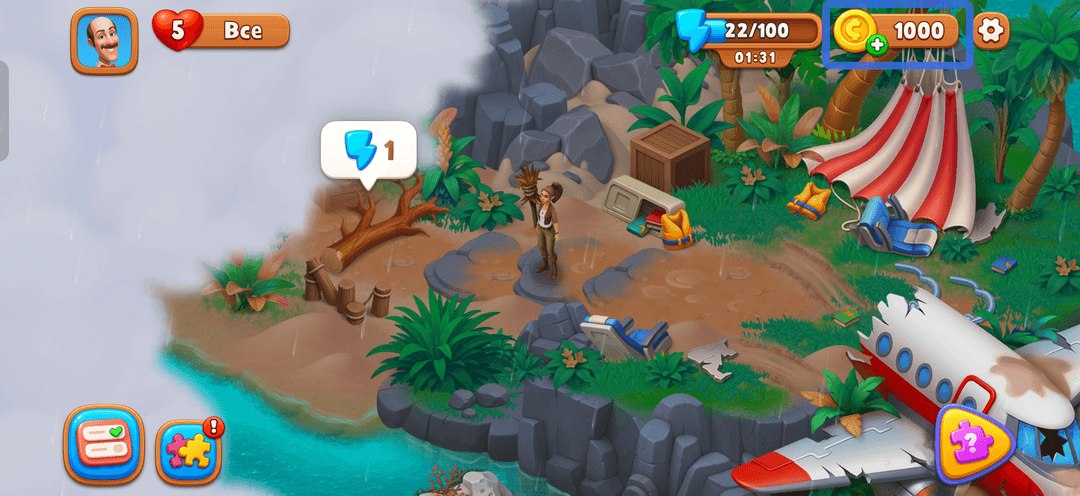
Open Gardenscapes and look at the top panel of the screen — next to the coin or star counter, there's a small "plus" icon, and tapping it opens the in-game shop right away.
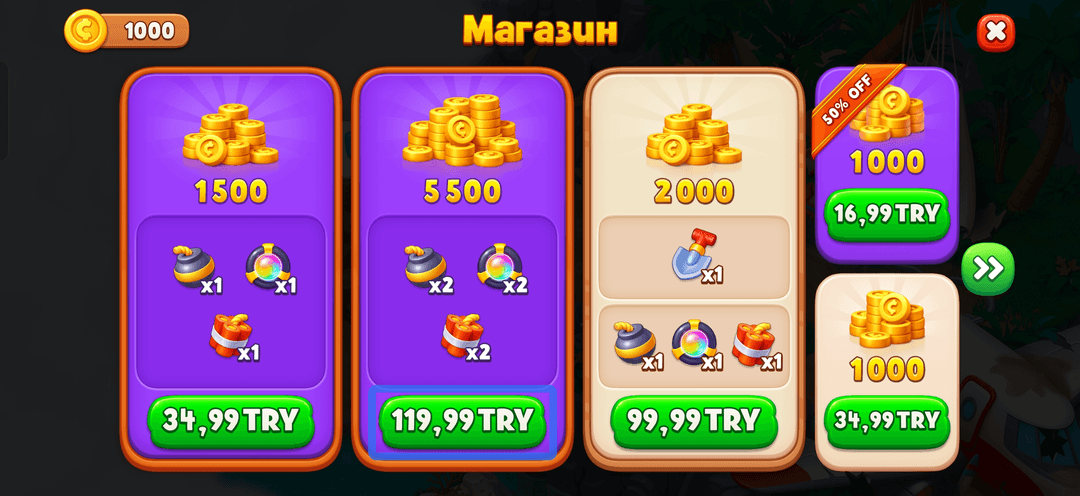
In the shop, scroll through the offers sideways with the arrow and pick the coin bundle that fits your needs and budget — some of them include bonus boosters, and some sell coins with no extra items.
On iPhone, once you pick a bundle, the screen switches to the standard App Store purchase window with the total amount. If the Mirocard isn't saved in your Apple ID yet, the system will prompt you to add a payment method right there — you'll need the number, expiration date, and security code, and you'll finish the purchase by confirming with Face ID, Touch ID, or your passcode.
On Android, the process runs through Google Play — after picking a bundle, a list of saved payment methods appears, and if the card isn't there, look for the option to add a new bank card right on that screen. Once you enter the Mirocard's details, the system shows the total amount due and a confirm button, and coins get credited to your account balance almost immediately after a successful payment.
Conclusion
Cryptocurrency in a wallet doesn't turn into Gardenscapes coins on its own — the App Store and Google Play simply don't see your BTC balance. A Mirocard virtual card handles exactly that step — crypto becomes card balance in dollars within a few minutes, and from there you can get right back to Austin's garden.