How to Pay for Songsterr
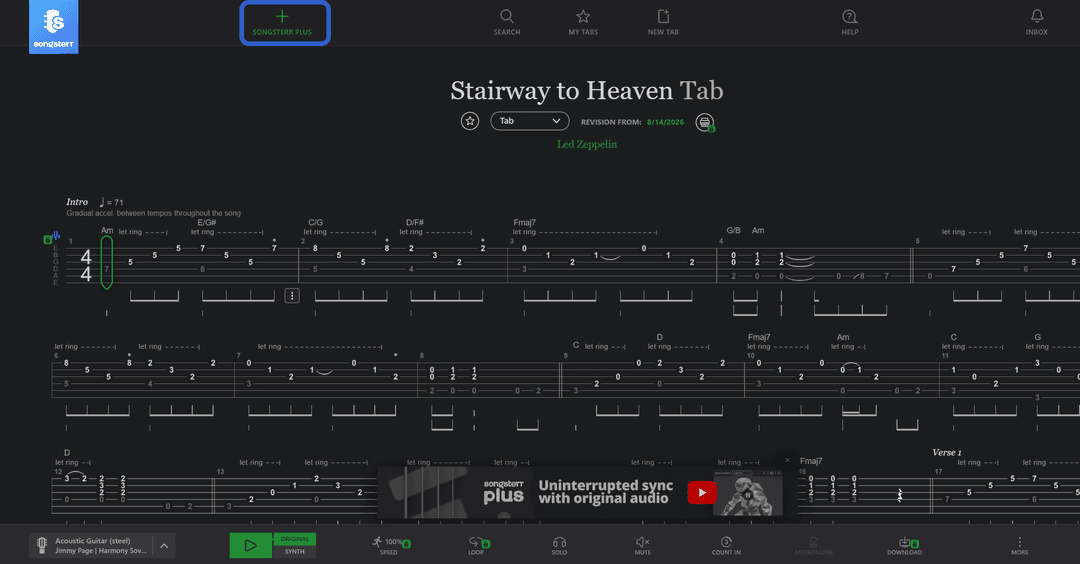
Songsterr is a tab player for guitar, bass, and drums, where each instrument's part plays as actual sound rather than just showing up as a picture on screen. You open the song you want, hit play, and watch the cursor move across the notation in sync with the music, and you can play along with the recording or on your own. The catalog is built from tabs that musicians add themselves, so the quality of the transcription varies from song to song, but almost any popular track has at least one working version.
You can use the service in the browser on a computer, as well as through the iPhone and Android apps — the subscription is tied to your account and works the same way on any of these platforms.
What you can pay for on Songsterr
The free version delivers the core of the service — you can find a tab and play through the whole thing at standard speed with every part at once. That's enough for a one-off listen or getting familiar with a new song.
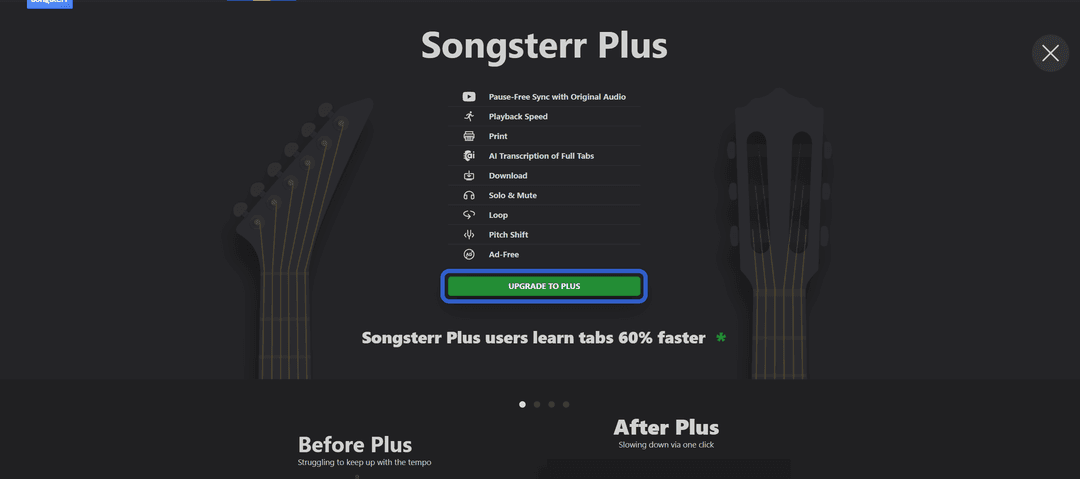
Working out a tricky section calls for a different toolkit, and that's where the paid Songsterr Plus subscription comes in. Slowing down the tempo without distorting the sound lets you run a fast riff as many times as it takes to get the fingering into muscle memory, and looping a specific section saves you from constantly rewinding by hand. Solo and Mute strip unwanted parts out of the mix, leaving only the one you're working on, and pitch shifting adjusts the recording to match a non-standard instrument tuning. On top of that, you get printable tabs, offline file downloads, and AI-powered recognition for new tabs — up to fifty a month. The difference from the free version shows up most on complex material, not on simple beginner chords.
What payment methods are available for Songsterr
A card from an international bank. If you already have an international bank card, you enter the details once, and the service charges the money itself every month after that. Opening that kind of account solely for one music subscription doesn't make sense given the time and cost involved, but for anyone who already has the account, this route costs nothing extra.
A virtual card. Details with international information can be issued online in a few minutes and are accepted at Songsterr's checkout the same as any other card — no bank visit, no separate account to open. Because of how payment checks generally work at online services, it's worth picking a card built specifically for recurring charges rather than one-off payments if you want renewals to keep going through.
How to pay for Songsterr with cryptocurrency using Mirocard
Mirocard issues a virtual Visa or Mastercard that's accepted at Songsterr's checkout just like a regular international card and supports repeat charges, so a Plus subscription renews itself with no trouble in the second month.
Funds land on the card straight from a crypto wallet — no exchanger, and no intermediary handling the payment for you. The balance updates within a few minutes and is ready right away to pay with.
The cost here is $5 to issue the card, a one-time fee, plus 4% on every balance top-up after that. The full path from application to a working card is laid out in a separate article on issuing a Mirocard virtual card — from here, let's go straight to the subscription itself.
On songsterr.com, sign in to your account and find the green "UPGRADE TO PLUS" button — it expands the list of Plus features with a link to checkout at the bottom.
Of the three payment method tabs, you need the first one, "Card" — skip the other two. The form asks for four values — the Mirocard's number, expiration date, security code, and the country the card is registered to in your account — the system checks that last field separately, and a mismatch with the card's actual details is usually what causes a decline.
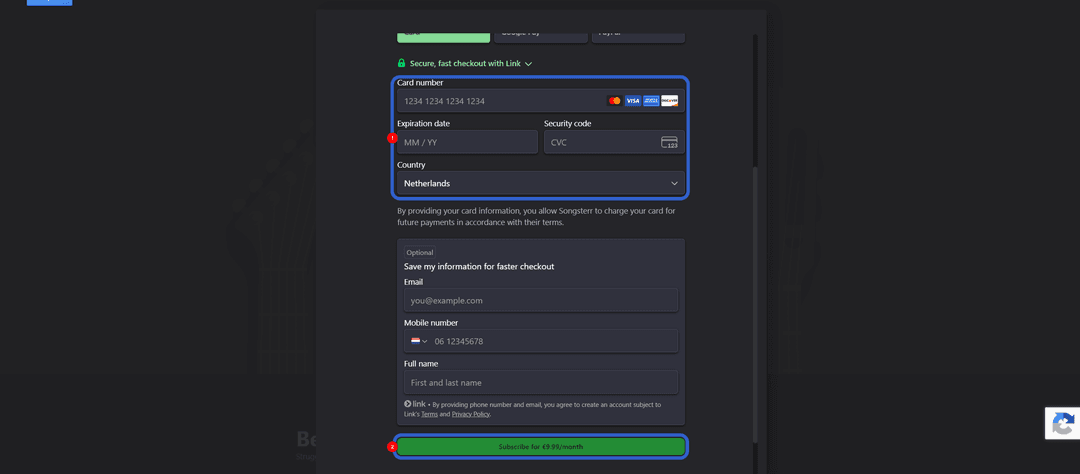
The charge amount shows right above the confirm button, and Plus features turn on in your account as soon as the payment goes through.
How safe is paying for Songsterr with a Mirocard virtual card
Paying with a Mirocard is exactly as safe as paying with any regular bank card — the details go straight into Songsterr's checkout form, not through some intermediary or third-party app. The cardholder decides how much money to keep on it, so even if data ever leaked from the site, the damage an attacker could do is limited to whatever balance is on that specific card, not all the funds in your account or wallet.
There's an extra security advantage — keeping payment instruments separate. One card for specific subscriptions, Songsterr included, doesn't overlap with your main savings, so a problem at one checkout doesn't touch the rest of your finances.
Conclusion
It's not about Songsterr itself, but about whose card is behind the subscription payment — it affects crypto holders too, just from a different angle, since there's simply no direct crypto payment option at checkout. A Mirocard virtual card solves that in a few minutes whenever someone can't pay for an online service in their own currency, and from there you can keep it on hand not just for tabs, but for any other recurring subscription with a similar checkout.