How to Top Up Your Steam Wallet with Cryptocurrency
#Payment Instructions
Steam is the world's largest digital storefront for buying PC games. Nearly every significant release appears on the platform — from indie projects to major AAA blockbusters. Beyond the game store, Steam is also a social platform with friends lists, group chats, guides, forums, and an in-game item marketplace.
To buy games, additional content, and items, you need a balance in Steam Wallet — the account's built-in wallet. It can be topped up in several ways, but not everyone finds it straightforward. Some people keep their money in cryptocurrency, which Steam does not accept. Others find that their bank cards block international payments. Here we will cover how to work around these limitations.
Why Top Up the Steam Wallet
The Steam Wallet is more than just a payment method. It offers several practical advantages over paying with a bank card each time.
Convenience. With a funded balance, a purchase takes one click — no need to enter card details, wait for bank confirmation, or go through 3D Secure every time. Especially useful during sales, when you want to quickly grab a game at a discount.
Spending control. When the wallet has a fixed amount, it is easier to plan spending — you can see how much is left and stay within budget. It works like a mini envelope of money for games.
Access to the Steam Marketplace. To sell and buy in-game items (skins, cards, cases), you specifically need a wallet balance — paying with a bank card is not possible there. For players in Counter-Strike, Dota 2, and Team Fortress 2, this is the main reason to top up Steam Wallet.
Gifts for friends. Games can be sent to other Steam users from the balance — for example, as a birthday gift. The gift function does not work directly with crypto or external payments; a funded wallet is required.
The Challenge for Cryptocurrency Holders
The main obstacle for most cryptocurrency users is a single one — Steam does not accept crypto as payment. Steam previously supported Bitcoin as a payment method, but that option was removed several years ago. Currently only bank cards, PayPal, and country-specific local payment services are available in the store.
If most of your money is in USDT, BTC, Ethereum, or other crypto assets, topping up Steam Wallet directly is not possible. To spend crypto assets, two paths remain. The first — sell crypto on an exchange, wait for the fiat to be credited, withdraw it to a bank account, and pay for the top-up with a card. The chain is long, and at every step part of the sum goes to conversion, withdrawal, and account maintenance fees. The second option — use an instrument that accepts crypto directly and works with international payments like a regular bank card.
Most Commonly Used Top-Up Methods
There are several ways to top up Steam Wallet, and the choice depends on what money you have available.
Steam Gift Cards
Gift cards are digital codes for a fixed amount. They are activated in Steam itself through the "Activate a product on Steam" section, and the amount goes straight to the wallet.
The method is convenient in that it bypasses a bank payment entirely — only the code is needed. It can be purchased from official Valve partners, retail chains, Amazon, eBay, and gift code marketplaces. The downsides — fixed denominations (you cannot top up an arbitrary amount), seller markup usually 5–20% on top, and the risk of receiving an invalid code if buying from an unverified source.
Intermediaries and Marketplaces
These are third-party services that top up Steam Wallet on your behalf. You transfer an amount to them in a convenient way (card, crypto, bank transfer), and they fund the top-up from their own means.
The convenience is that you can pay with anything — even crypto. But in exchange for that convenience, you lose on the rate and fees — the markup is usually 10% on top, sometimes more. The main problem with such services is the lack of guarantees. If the deal falls through or the service disappears with your money, getting it back is extremely difficult. Crypto transactions are irreversible, and the blockchain cannot help here.
Bank Cards
Direct payment with an international Visa or Mastercard is the most transparent path. Steam accepts such cards, fees are minimal, and no intermediaries are involved.
But this method has its own bottleneck. Bank cards only work with fiat money — they do not work with crypto. If your money is in USDT or BTC, using a card directly is not possible. First you would need to sell the crypto on an exchange, wait for the fiat to be credited, withdraw it to a bank, and only then link the card to Steam. Every step takes time and part of the sum goes to fees.
Virtual Cards
A virtual card is a bank card in digital form, without the plastic. It has a number, expiry date, and CVV — everything needed for an online payment. Steam accepts such cards on a par with regular ones.
The key difference from classical bank cards — some virtual card services accept cryptocurrency top-ups. This solves the problem for crypto asset holders — crypto goes onto the card, and from there a fiat payment goes to Steam. No exchanges, no bank accounts, no multi-step conversions. Such a card is issued online in a few minutes.
A Way to Pay Digital Platforms with Cryptocurrency — Mirocard
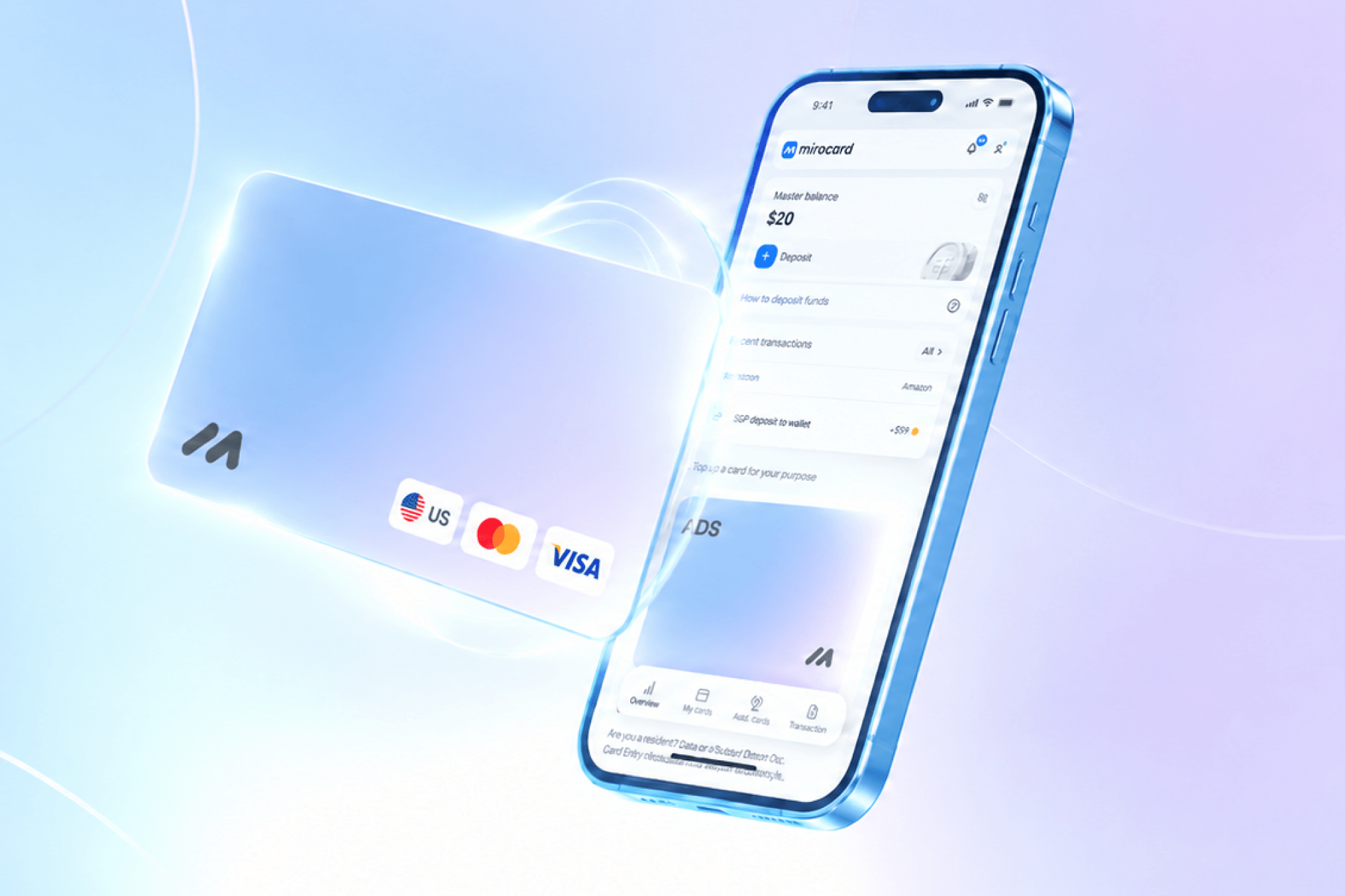
Mirocard helps pay for online services and digital platforms, including gaming ecosystems. The service issues virtual Visa and Mastercard cards that are topped up with cryptocurrency and accepted by Steam as regular international cards.
For topping up Steam Wallet, the subscriptions card is the optimal choice. Issuance costs $10, and the top-up fee is 4%. The card has a US BIN, and Steam recognizes it as a US card, which makes payments go through more smoothly.
The card can be topped up via ETH, USDC, USDT, AVAX, BCH, DAI, BNB, BTC, DASH, DOGE, POL, LTC, SOL, TON, TRX, XMR. A transfer from an exchange or external wallet takes a few minutes, and the funds are then available for payment.
Multiple cards can be opened from a single account for different purposes. Steam, Epic Games, GOG, Battle.net, PlayStation Store, Xbox Store, plus subscription services like Netflix and Spotify — all of them accept Mirocard without special configuration. For an active gamer and digital service user, this is one instrument for all occasions.
How to Get a Mirocard Card
The issuance process takes place entirely online and usually takes less than half an hour.
Step 1. Registration
Go to the Mirocard website and click "Get a Card."
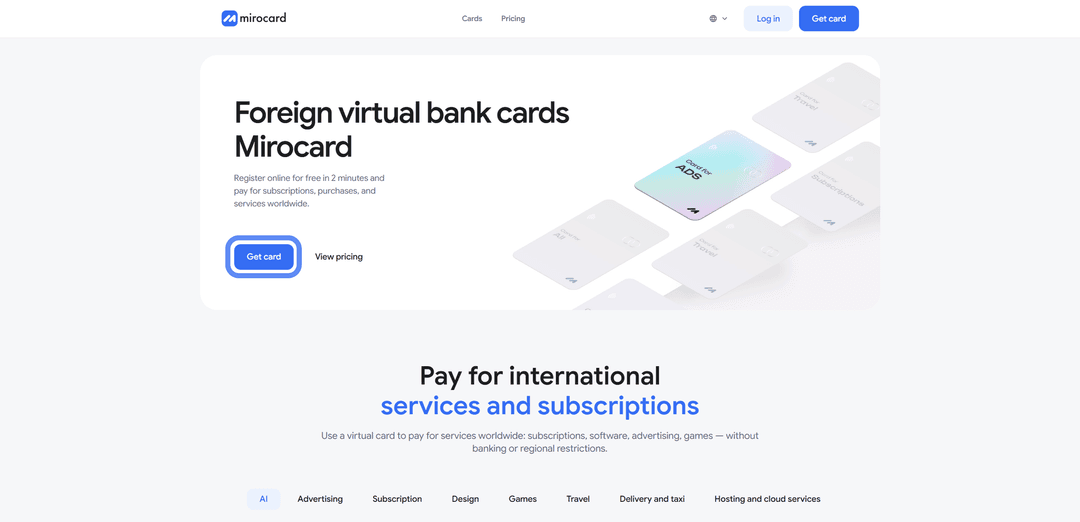
On the login page, select "Register" if you are here for the first time. You will need a working email and password — a confirmation letter will be sent to the email.

If you have a Heleket account, it is more convenient to log in through it — all funds and cards will transfer to Mirocard automatically.
Step 2. Top Up the Master Balance

Select a cryptocurrency and network.
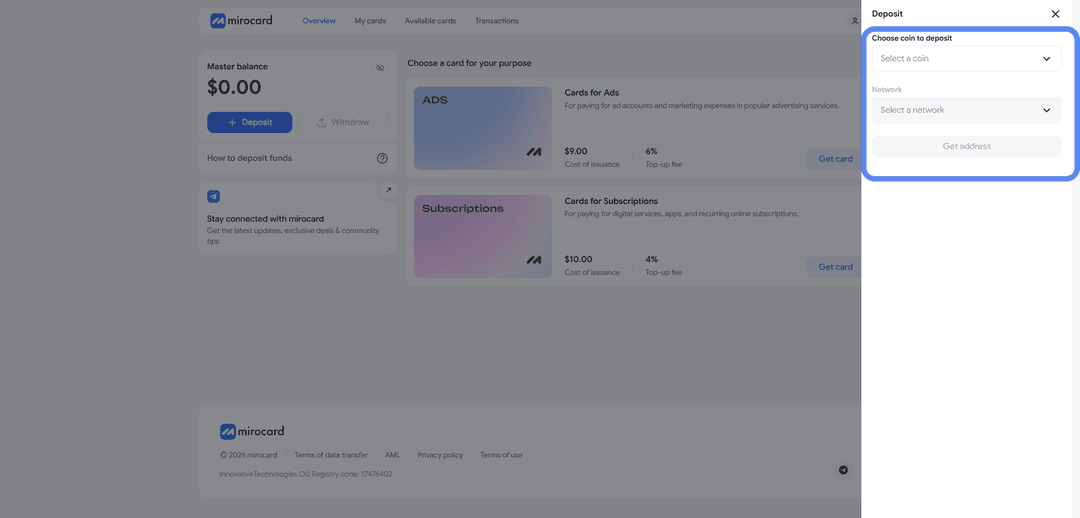
For the lowest transfer fee, choose USDT on the TRC-20 network. After selecting, click "Get Address" — the service will create a unique wallet to which you need to transfer crypto from an exchange or external wallet. Crediting will happen after the transaction is confirmed on the blockchain.
Step 3. Choose the Card Type
In the catalog, find the subscriptions card and click "Get Card" in the corresponding block.
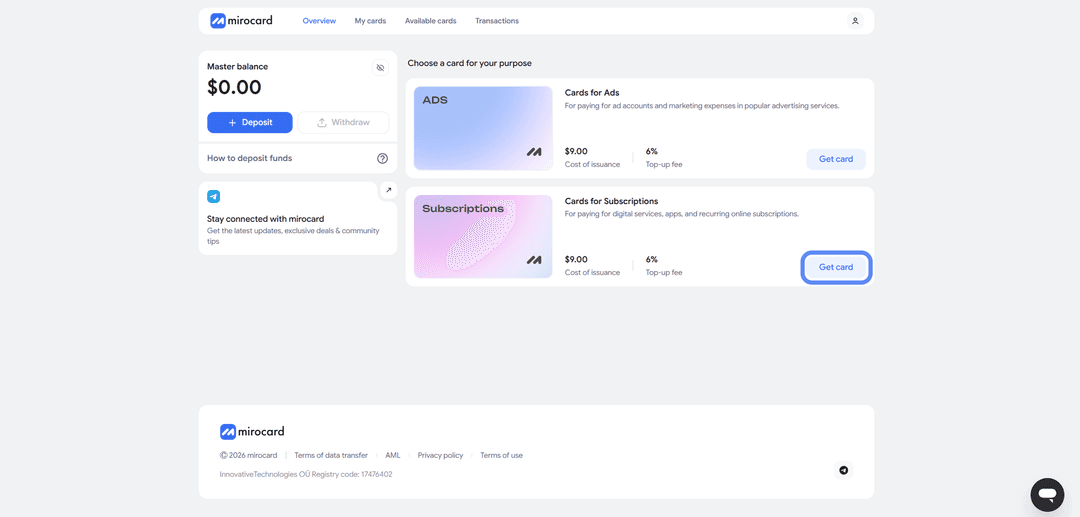
The issuance page for the selected card type will open.
Step 4. Identity Verification
Before the card is issued, you need to complete verification by uploading documents. This ensures that no one other than you can manage your balance or link new cards.

After the review, maximum top-up and spending limits will become available.
Step 5. Pay for Card Issuance
On the issuance page, click "Deposit and Pay."
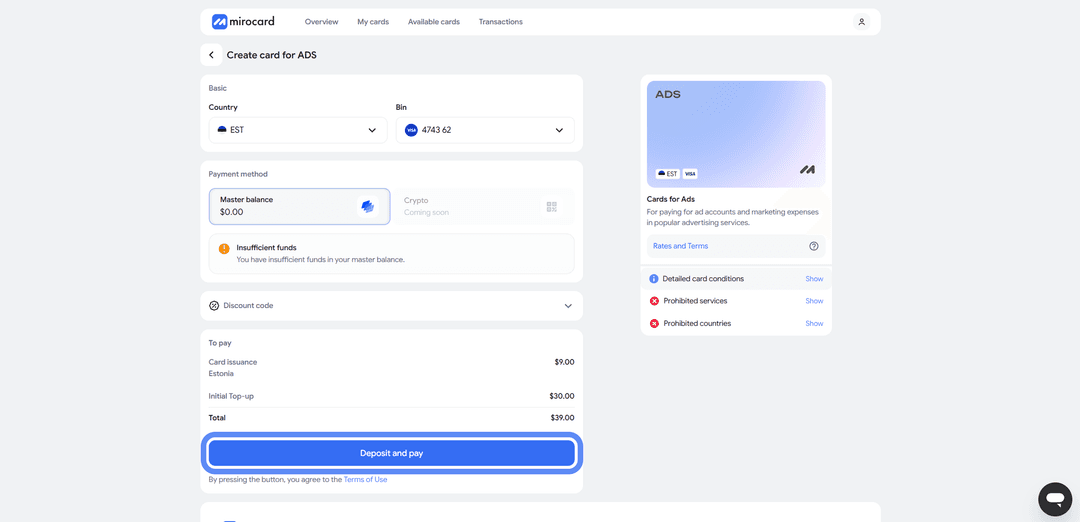
The issuance fee of $10 will be deducted from the Master Balance. The remaining top-up amount will go to the card account and be immediately available for paying Steam and other services.
Step 6. The Card Is in Use
The card will appear in your personal account with its details — number, expiry date, CVV. No activation is needed; it accepts payments right away. Transaction history, current balance, and options to freeze or top up the card from the Master Balance are all accessible in the account.
A tip — keep a little more on the card than you plan to spend. When topping up Steam, the system may temporarily reserve a slightly larger amount to verify the card (this is called pre-authorization). The excess is returned within a few hours, but if the balance is only just enough, the pre-auth block will fail and the payment will be declined. A small buffer above the top-up amount takes care of this.
How Topping Up Steam via a Virtual Card Works
Once the Mirocard card is set up, paying in Steam literally takes a minute.
Step 1. Log Into the Account
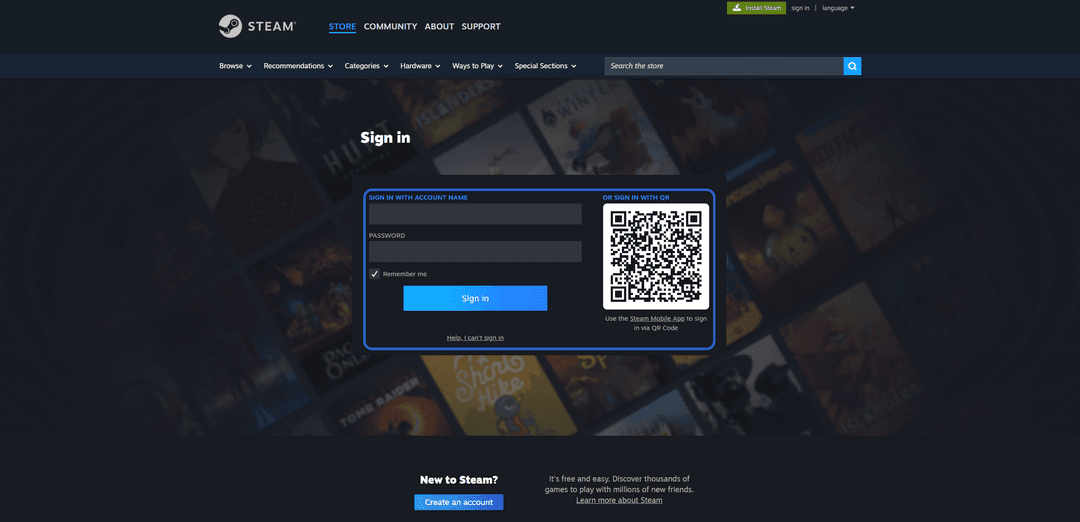
Launch Steam on your computer or open store.steampowered.com. Click "Sign in" and log into your account.
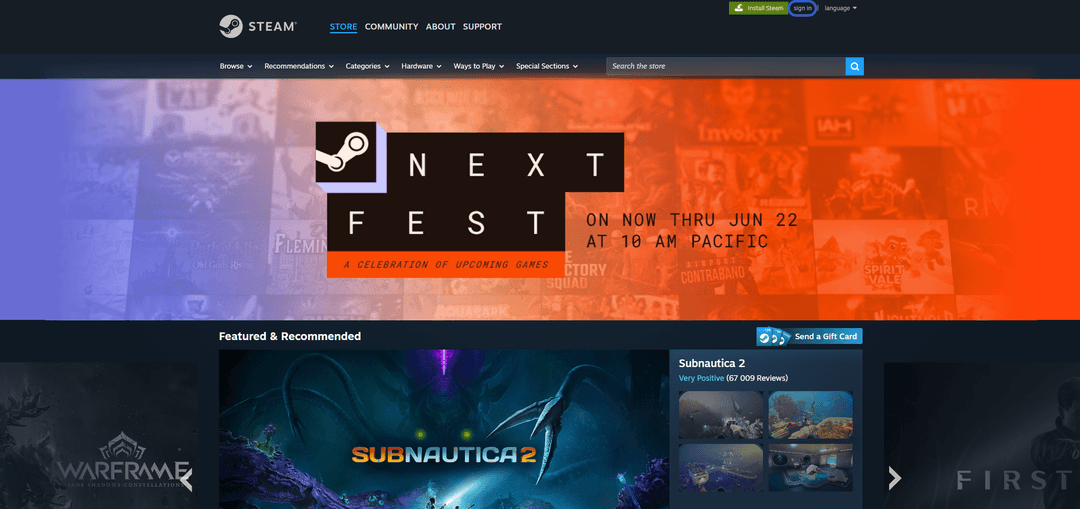
If you don't have an account yet, click "Create an account" and register a new one — an email and password are enough.
Step 2. Find a Game
In the store catalog, find the game you want via search or categories.
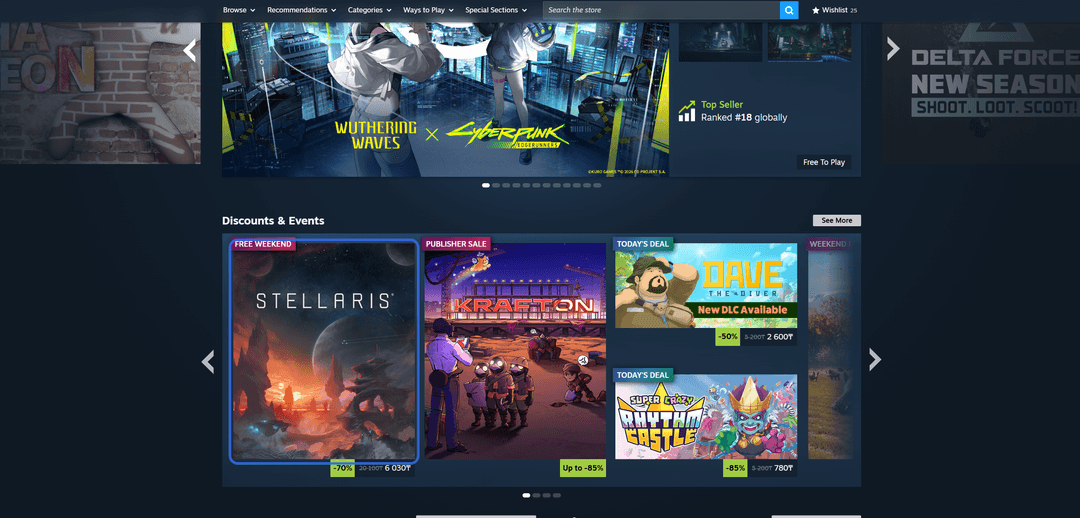
Open the game's page — it has a description, screenshots, system requirements, and information about included content.
Step 3. Add the Game to Cart
Scroll down the page and click "Add to Cart."
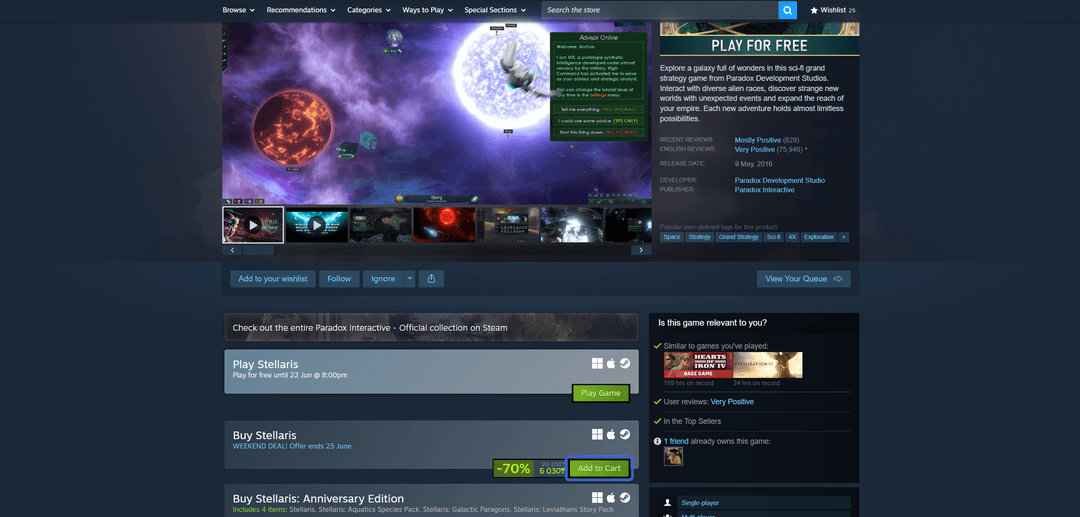
If you want to buy several games at once, add them the same way — any number of items can be collected in the cart.
Step 4. Proceed to Payment
Open the cart and click "Continue to payment."
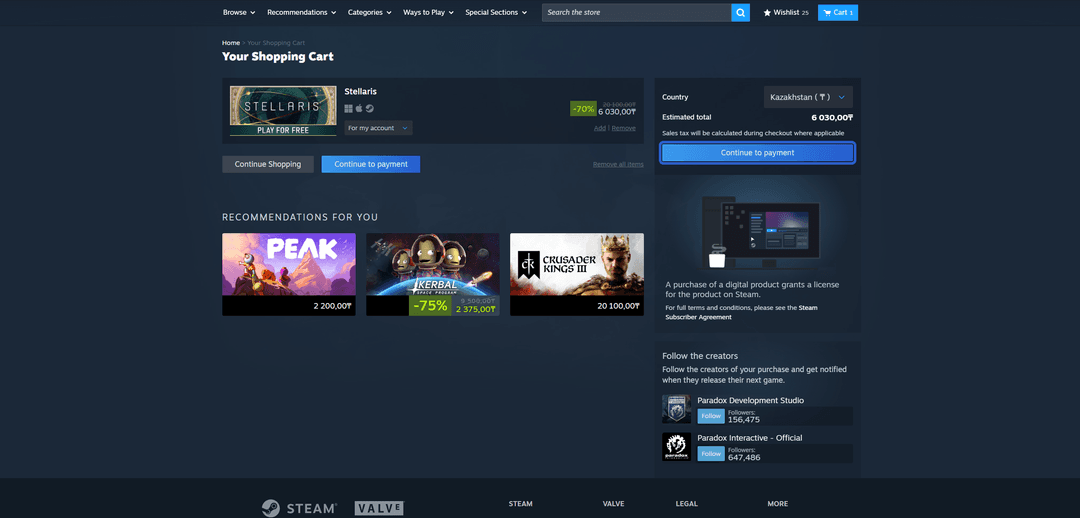
The order checkout page with the total amount will open.
Step 5. Enter Card Details
Under payment method, select "Credit Card." Enter the Mirocard card details — number, expiry date, CVV, and cardholder name.
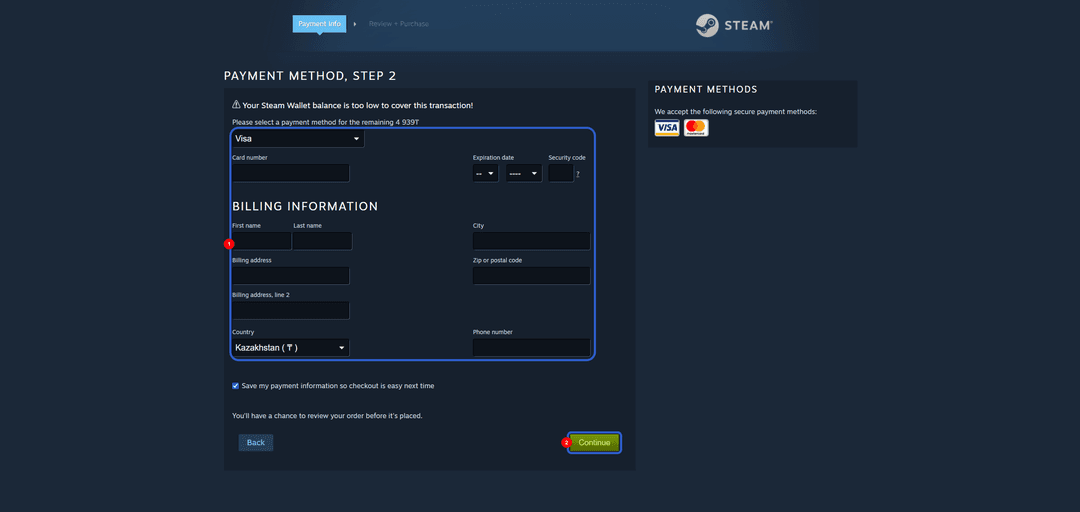
This data is available in your Mirocard personal account. Any real address can be entered in the billing address field — Steam does not perform a strict check matching the address to the card.
Step 6. Confirm the Purchase
Click the confirmation button. The payment is processed instantly and the game appears in your Steam library right away. It can be downloaded through the Steam client on your computer. A purchase confirmation with a receipt will be sent to the email linked to the account.
If the Payment Fails
Check the card balance — there should be enough funds accounting for the pre-authorization. Make sure the details were entered correctly, especially the CVV. If everything is correct but the payment is declined, try again in 10–15 minutes. Steam's anti-fraud system sometimes temporarily blocks suspicious transactions, and a retry goes through without issues.
Things to Keep in Mind
A few points worth considering before and during the top-up.
Check the Steam account region. Steam ties an account to a country, and the region affects prices, the wallet currency, and available payment methods. Accounts from different regions can have significantly different prices for the same game. The region cannot be changed through settings — Steam requires a purchase made with a local card or a gift card from that country. If you plan to use a Mirocard card (US BIN) long-term, it is preferable for the Steam account region to also be set to the US. If it is different, the top-up will still go through, but occasional anti-fraud rejections are possible.
Total fees. It is useful to understand what the top-up ultimately costs. With a Mirocard card, the picture looks like this — 4% on the crypto top-up, plus possible exchange or wallet fees when withdrawing crypto to the card, plus Steam's marketplace fee (charged on the seller's side, but it affects the price). In total, the difference from a direct fiat card purchase comes to around 5–7%. This is noticeably cheaper than intermediaries, who typically charge 15% or more on top.
Conclusion
Steam Wallet can be topped up in several ways. Gift cards bypass bank payments but are tied to fixed amounts and come with a markup. Intermediaries work quickly but cost more and come with no guarantees. An international bank card is the most direct path, but does not work if your money is in crypto. Virtual cards serve both audiences — those who need to spend crypto directly, and those who do not have access to standard international cards.
Mirocard in this role works like a regular Visa, but is topped up with cryptocurrency. Set it up once — and top up Steam directly from a crypto wallet, without going to fiat through exchanges. The card also works with Epic Games, PlayStation Store, Xbox, GOG, and dozens of other digital platforms.
For a regular gamer, this turns the virtual card into a universal payment instrument that pays for itself on the second or third top-up. And the key point — for cryptocurrency holders, this is the most direct path from crypto assets to buying games, without losses on conversions and long waits on the exchange and bank side.