How to Buy V-Bucks and Battle Pass in Fortnite with Cryptocurrency
#Payment Instructions
Fortnite is one of the most popular online games in the world. It is a battle royale where one hundred players drop onto an island and fight until only one remains. Beyond the core mode, the game now includes LEGO Fortnite, Rocket Racing, Festival, and other experiences — it has effectively become an entire platform rather than just a game. It can be downloaded for free, and the basic gameplay is fully accessible without spending anything.
The real customization and seasonal content, however, only unlock after purchasing V-Bucks — the in-game currency. This is where some players run into the same problem they face with other online services — the inability to pay with crypto on Epic Games Store. Today we will cover how to work around this and complete your purchase.
Why Buy V-Bucks and the Battle Pass in Fortnite
The main purchase for most players is the Battle Pass. It runs for one season (about three months) and unlocks 100 levels of progress with rewards. The more you play, the more exclusive skins, emotes, and V-Bucks you earn. It pays for itself by mid-season if you play regularly — the V-Bucks earned through rewards are enough to cover the next Battle Pass.
A separate option is the Fortnite Crew subscription. It includes the current Battle Pass, a fixed amount of V-Bucks each month, and an exclusive character set available only to subscribers. It suits players who game consistently and want to collect every seasonal reward.
Without V-Bucks the game remains fully playable — but without them you cannot personalize your character and will miss seasonal content that is only available for a limited time.
Purchase Options
There are several working ways to get V-Bucks with cryptocurrency. Each has its own characteristics.
Fortnite Gift Cards
These are digital codes that are redeemed in an Epic Games account and credit V-Bucks to the balance. The cards are sold in gift code stores, on marketplaces, and through official Epic partners in various countries.
The advantages — no bank card required, the code arrives almost instantly. The downsides — you need to find a seller with valid codes, the markup can be high, and you cannot buy the Battle Pass or the Fortnite Crew subscription this way — only V-Bucks.
Bank Cards
A bank card solves the payment problem for regular users. But crypto holders want to spend their digital assets on games without intermediaries, exchange services, and other complications.
Intermediaries and Gaming Services
These are third-party platforms that buy V-Bucks on your behalf and credit them to your account. There are also services that sell an activated Battle Pass directly to your account.
The downsides are significant. Markups are typically 20 to 40% on top of the price. Some intermediaries require access to your Epic Games account, which creates a risk of losing it. Security guarantees are limited — if something goes wrong, getting a refund is difficult. Suitable for one-off small purchases, but not as a permanent solution.
Virtual Cards
One of the most popular ways to pay for Fortnite and other games. A virtual card is the same as a bank card, just without the plastic. It has a number, expiry date, and CVV, and Epic Games accepts it just like any standard international Visa or Mastercard.
You can get the card online in a matter of minutes. It is linked to your Epic Games account, and all purchases remain fully under your control. It works for buying V-Bucks, paying for the Battle Pass, and setting up a Fortnite Crew subscription with automatic renewal.
Mirocard — A Way to Pay for Fortnite with Cryptocurrency
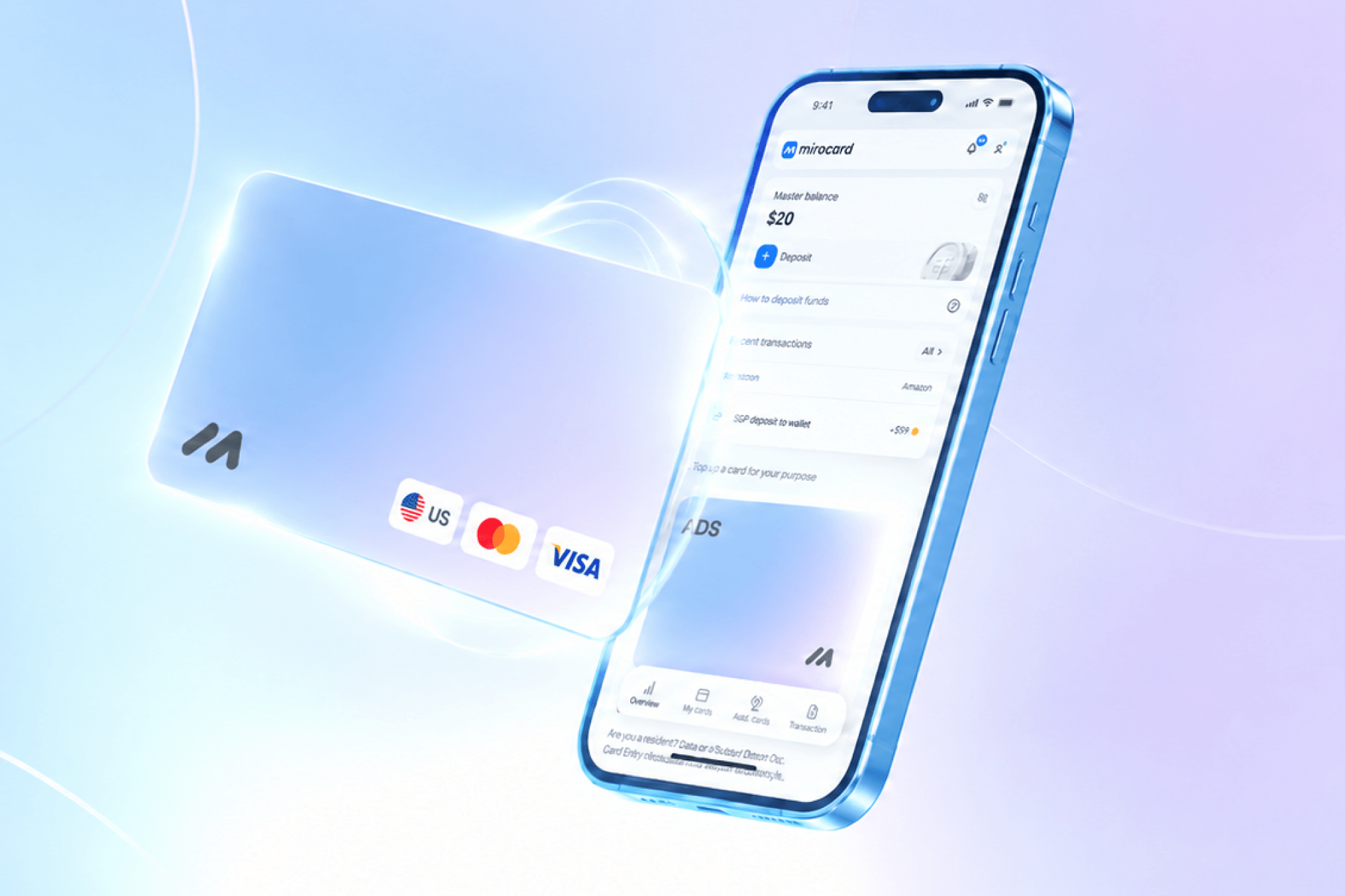
Mirocard is a service that issues virtual cards for paying for services, games, and subscriptions. The cards operate on Visa and Mastercard payment networks, are topped up with cryptocurrency, and are accepted without issues on Epic Games Store — including V-Bucks purchases and Fortnite Crew sign-ups.
For Fortnite payments, the subscriptions card category is the best fit. It is designed for gaming platforms and recurring charges. Issuance costs $10, and the top-up fee is 4%. Cards in this category carry a US BIN, which helps payments go through more smoothly on international platforms.
The card is topped up with cryptocurrency, removing dependency on banks. Supported coins include ETH, USDC, USDT, AVAX, BCH, DAI, BNB, BTC, DASH, DOGE, POL, LTC, SOL, TON, TRX, XMR. If you have crypto on an exchange or in a wallet — that is all you need.
Multiple cards can be opened from a single account — for example, one for gaming and another for work subscriptions. This helps keep budgets under control and separate spending by category.
How to Get a Mirocard Card
Here is the process step by step.
Step 1. Registration
Go to the Mirocard website and click "Get a Card."
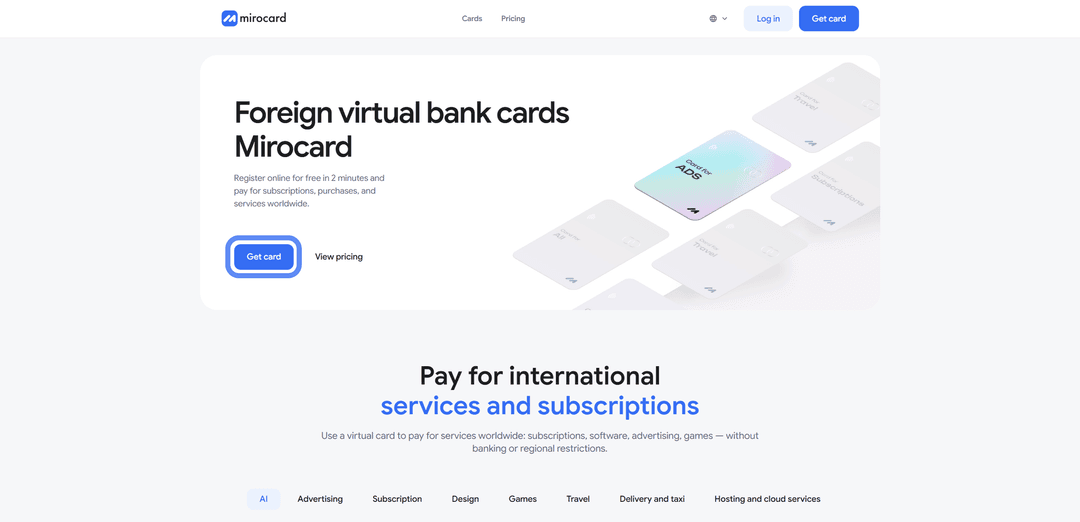
If you are on the platform for the first time, select "Register." You will need a working email address — a confirmation link will be sent to it — and a password.

If you already have a Heleket account, it is better to log in through it — all your funds and cards will transfer automatically.
Step 2. Top Up the Master Balance
In your personal account, find the Master Balance block and click "Top Up."

A list of coins and networks will appear. Choose a suitable one — for example, USDT via TRC-20, which has one of the lowest transfer fees.
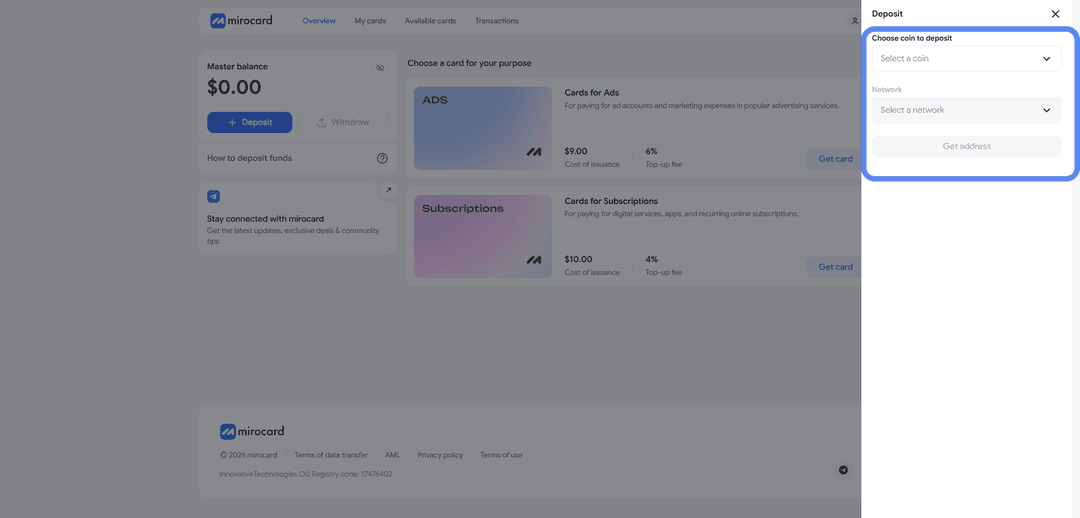
Click "Get Address" — the service will generate a wallet to which you need to transfer crypto from an exchange or external wallet. Funds will be credited after blockchain confirmation, usually within a few minutes.
Step 3. Choose a Card
After topping up the Master Balance, select the card you want to issue. For Fortnite payments, the subscriptions card is the right fit.
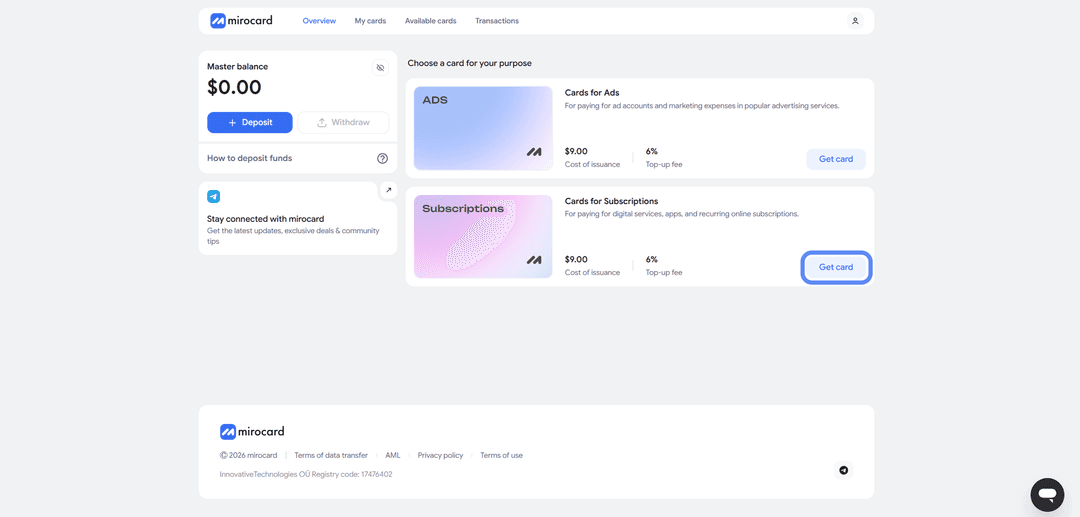
Click "Get Card" on the right side of the corresponding block — the issuance page will open.
Step 4. Verification
Before issuance, you need to complete verification and upload documents. This ensures that only you can manage your funds and link new cards.

After the review, maximum purchase and top-up limits will become available.
Step 5. Pay for Issuance
On the same page, click "Deposit and Pay."
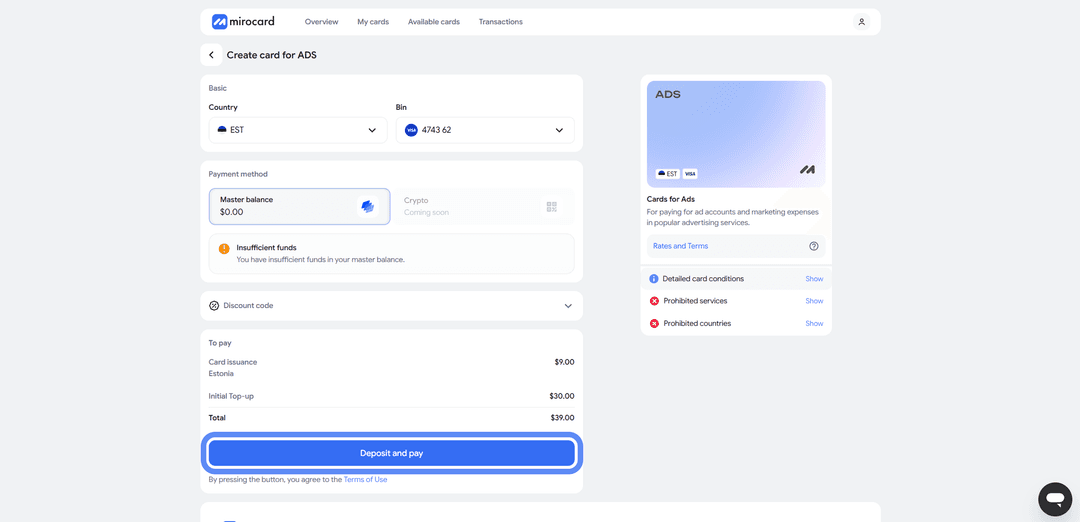
The $10 issuance fee will be deducted from the Master Balance. Everything remaining above that amount will be transferred to the card account and ready to spend.
Ready to Use
The issued card will appear in your personal account along with the current balance. Here you can see the card details, transaction log, and the top-up button. The card works immediately after issuance — no separate activation is required.
A tip — put a little more on the card than the purchase costs. When paying on Epic Games, the card's issuing bank may perform a pre-authorization — temporarily reserving a slightly larger amount for verification. After a successful transaction, the extra funds are returned, but if the balance is only just enough, the pre-auth block will fail and the payment will be declined. It is better to keep a small buffer above the purchase amount on the balance — that way the payment goes through without surprises.
How to Buy V-Bucks and the Battle Pass in Fortnite via Mirocard
The card is ready — now let's complete the purchase.
Step 1. Log Into Your Epic Games Account
Open store.epicgames.com and click "Log in" in the top right corner.
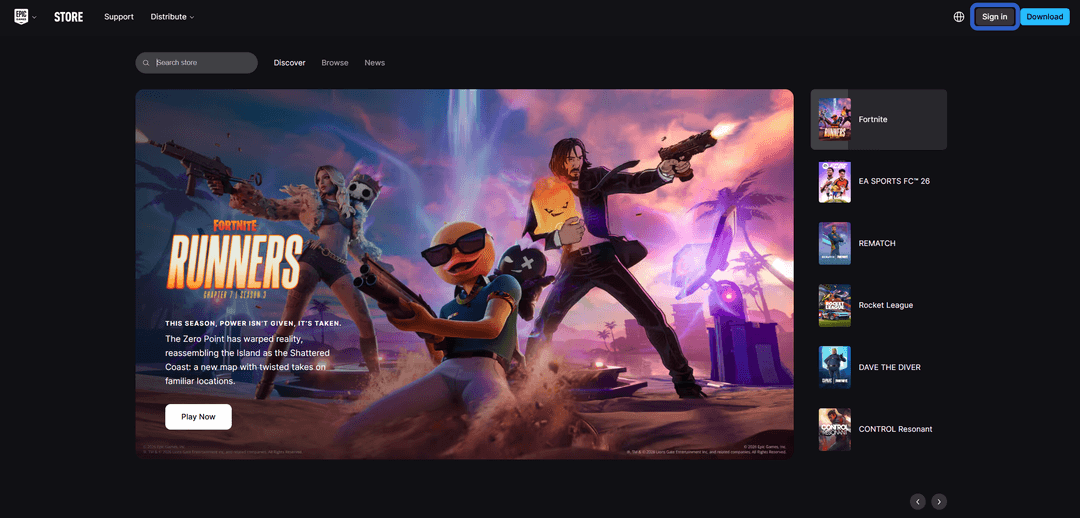
Sign into your account or create a new one if you don't have one yet.
You can register using email, Google, Apple ID, or a PlayStation/Xbox account.
Step 2. Navigate to the V-Bucks Section
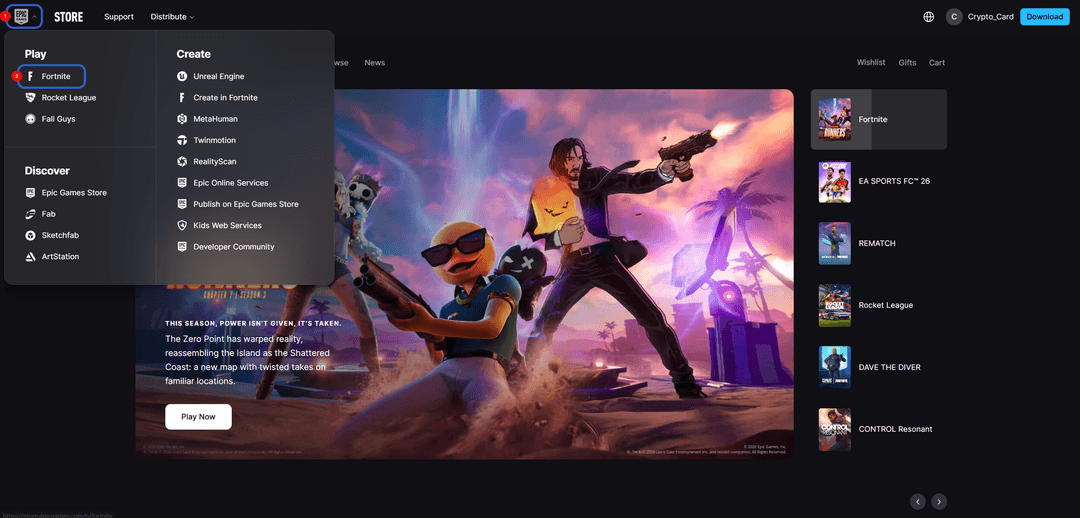
On the game's page, find the "Item Shop" section, and within it — the V-Bucks purchase option.
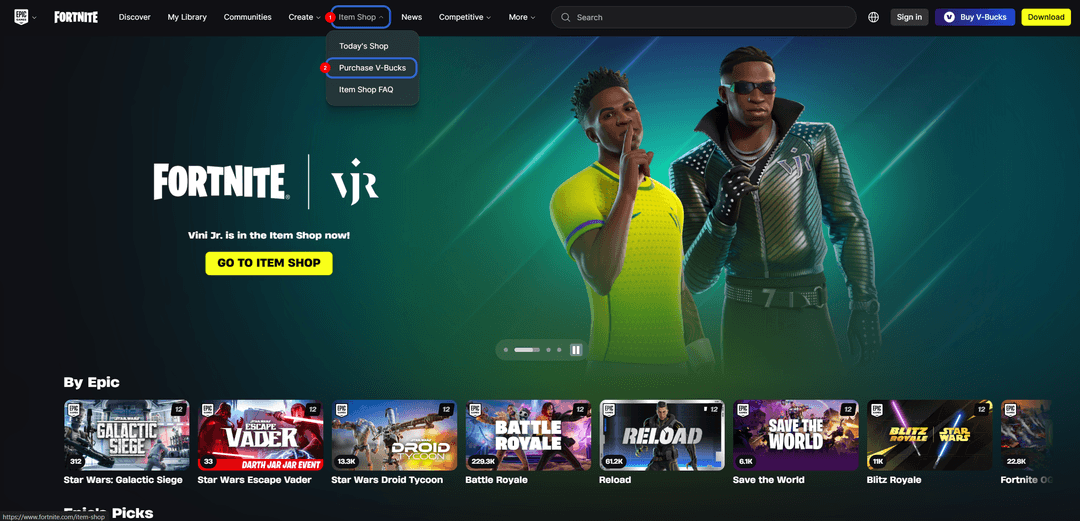
Step 3. Choose a Bundle or Subscription
A list of available V-Bucks bundles will appear. Select the one you want and click "Buy Now."
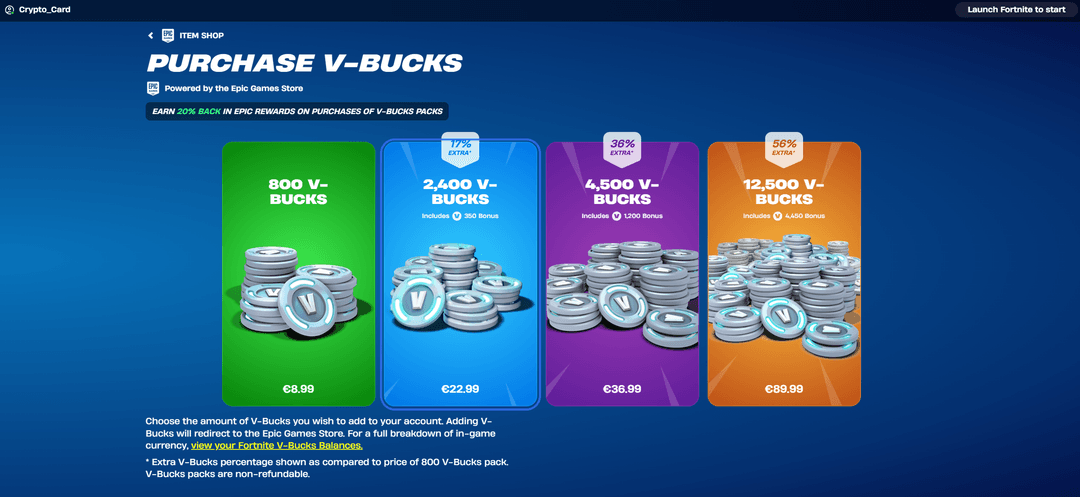
The Battle Pass is purchased separately inside the game using V-Bucks, after the balance has been topped up.
Step 4. Enter the Card Details
On the payment page, select "Credit or Debit Card." Enter the Mirocard card number, expiry date, CVV, and cardholder name — all of this can be found in your Mirocard personal account. Any real billing address will work, as Epic Games does not cross-check it against card data.
Step 5. Confirm the Payment
Click the purchase confirmation button. Processing is instant and V-Bucks are credited to the account without delay. If you sign up for Fortnite Crew, the subscription renews automatically every month. Auto-renewal can be turned off at any time in your account settings.
Buying the Battle Pass
If the Payment Fails
Check the card balance — there should be enough funds with some to spare so the pre-authorization goes through. Make sure the details were entered correctly, especially the CVV. Verify that the card is active in your Mirocard personal account and has funds on it. If everything is set up correctly but the payment still fails — try again in a few minutes or contact Mirocard support.
Conclusion
Buying V-Bucks and the Battle Pass in Fortnite with cryptocurrency is possible — regular cards won't work for this, but there are working alternatives. Gift codes only cover V-Bucks and come with a markup. Intermediaries are fast but expensive and come with risks. Virtual cards offer the optimal balance of price, speed, and reliability.
Mirocard in this role works like a regular Visa, except it is topped up with crypto and issued online in a few minutes. One card can be used to buy not only V-Bucks but also the Battle Pass, the Fortnite Crew subscription, and content in other Epic Games Store titles. Once set up, the process becomes routine — top up the balance, pay for the purchase.
If Fortnite is part of your regular leisure, a virtual card pays for itself on the very first seasonal pass and removes most of the friction around cryptocurrency payments.