How to Pay for Hetzner with Cryptocurrency
#Payment Instructions
Hetzner is a German hosting provider where developers and businesses rent servers and computing resources. In simple terms, it's a company that leases computers in its data centers — used to host websites, applications, databases, and any other projects that need a server running continuously on the internet. Hetzner is valued for its low prices combined with high quality, which is why developers and companies around the world rely on it.
Not everyone can pay for the service directly. Some users keep their funds in cryptocurrency, which Hetzner doesn't accept. Others have bank cards that don't support international payments. Let's break down both situations and show a working solution.
What Hetzner Users Usually Pay For
Hetzner offers several service lines, and most payments fall into three categories.
Cloud Server Rentals
The most common scenario. A cloud server is a virtual machine that can be created in a minute, configured for your needs, and deleted just as quickly. Billing is based on actual usage — hourly or monthly. It's suited for websites, bots, test projects, and any task that requires flexibility and a fast start without large upfront costs.
Dedicated Servers
Web Hosting Packages
Ready-made plans for hosting websites and web applications. Unlike a server that needs to be configured from scratch, a hosting package is ready to go — with a control panel, email, and support for popular platforms like WordPress. It's suited for those who simply need to get a website online without getting into server administration.
What Payment Methods Hetzner Supports
Bank Cards
Hetzner accepts Visa, Mastercard, and American Express. This is the primary payment method for most users worldwide.
For cryptocurrency holders there's a limitation — a regular card doesn't work with crypto. To pay with one, crypto assets first need to be sold on an exchange, fiat withdrawn to an account, and then the card linked. At every step a portion of the funds goes to fees.
PayPal
The service supports PayPal payment in a number of countries. This is convenient if you already have a configured account with a linked card.
But PayPal only works with fiat money and doesn't solve the problem for crypto holders. Additionally, accounts tied to some countries have limited functionality.
Bank Transfer
Hetzner accepts payment by bank transfer against an issued invoice. This suits companies that prefer to pay by account details from a business account.
For an individual user the method is slow and inconvenient — a transfer takes several days. It doesn't work for crypto either, since it only operates with fiat money in a bank account.
Virtual Cards
A virtual card is a bank card without the plastic — with a card number, expiry date, and CVV. Hetzner accepts it as a standard international card. These cards are convenient for online payments, help with expense tracking, and work across international services.
The key advantage for crypto holders is that some virtual card services can be topped up directly with cryptocurrency. Crypto goes onto the card, and from there a standard payment goes to the server. No exchanges or bank accounts needed. The card is issued online in minutes.
Payment Method Comparison
| Payment method | Works with crypto | Setup complexity | Speed | |
|---|---|---|---|---|
| Bank cards | Works with cryptoNo, requires conversion through an exchange | Setup complexityHigh — bank account needed | SpeedInstant | |
| PayPal | Works with cryptoNo, fiat only | Setup complexityMedium | SpeedInstant | |
| Bank transfer | Works with cryptoNo, fiat only | Setup complexityHigh — account needed | SpeedSeveral days | |
| Virtual cards (Mirocard) | Works with cryptoYes, direct crypto top-up | Setup complexityLow — issued online | SpeedInstant |
Virtual cards win overall — the only option that works with crypto directly, issued online, and accessible where regular cards don't go through.
Paying for Hetzner via Mirocard
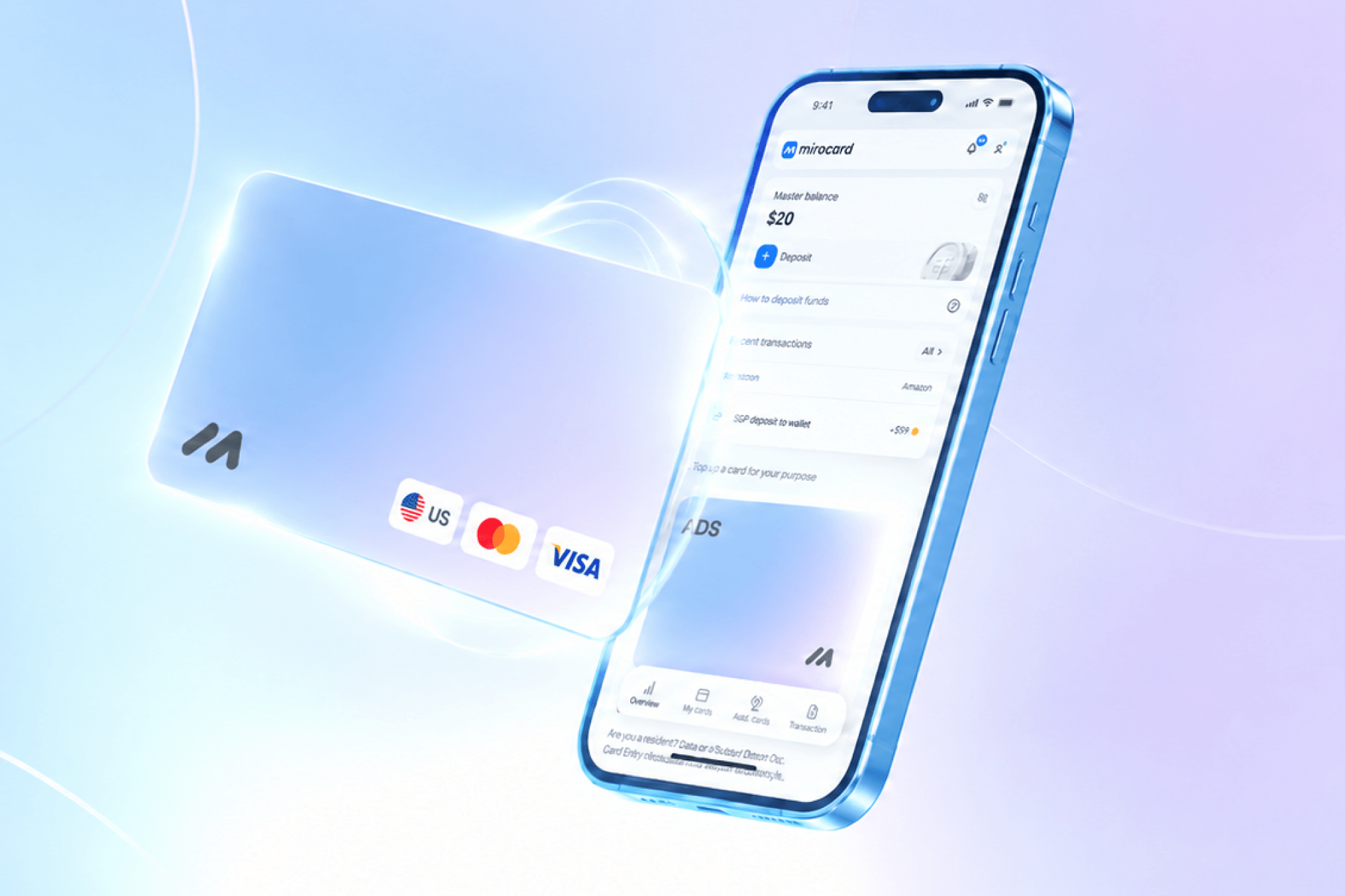
Mirocard issues virtual bank cards that are convenient for paying on international platforms. Built on Visa and Mastercard payment systems, the balance is funded with cryptocurrency, and Hetzner accepts these cards the same as any other international card.
For paying Hetzner, the subscription card is the best fit. Its profile is designed for recurring charges, so the monthly server fee will be deducted automatically. Issuance costs $10, and top-ups come with a 4% fee. Thanks to the US BIN, the service sees this card as issued in the United States.
The balance can be topped up through most popular cryptocurrencies. Funds from an exchange or wallet arrive in a couple of minutes and are immediately ready for use.
One card can pay for more than just Hetzner. It works with other hosting providers, cloud platforms, AI services, and subscriptions. All charges go directly from the crypto wallet, without cashing out to fiat.
How to Get a Mirocard
The whole process happens online and usually takes no more than half an hour.
Step 1. Create an Account
Go to the Mirocard website and click «Get Card».
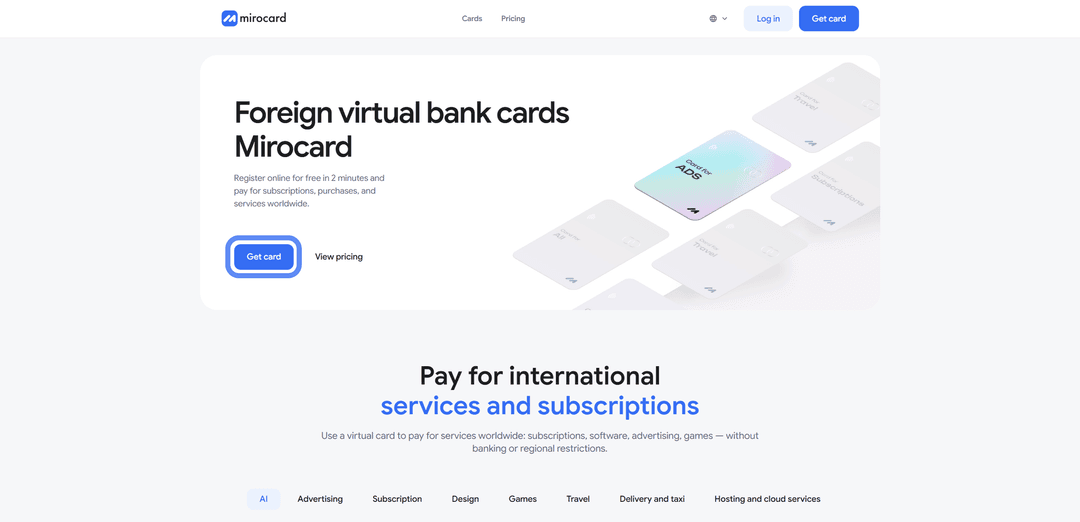
New users need to click «Sign Up» — a working email and password are required, and a confirmation email will be sent.

If you already have a Heleket account, it's easier to sign in through it — your balance and cards will transfer to Mirocard automatically.
Step 2. Top Up Your Master Balance

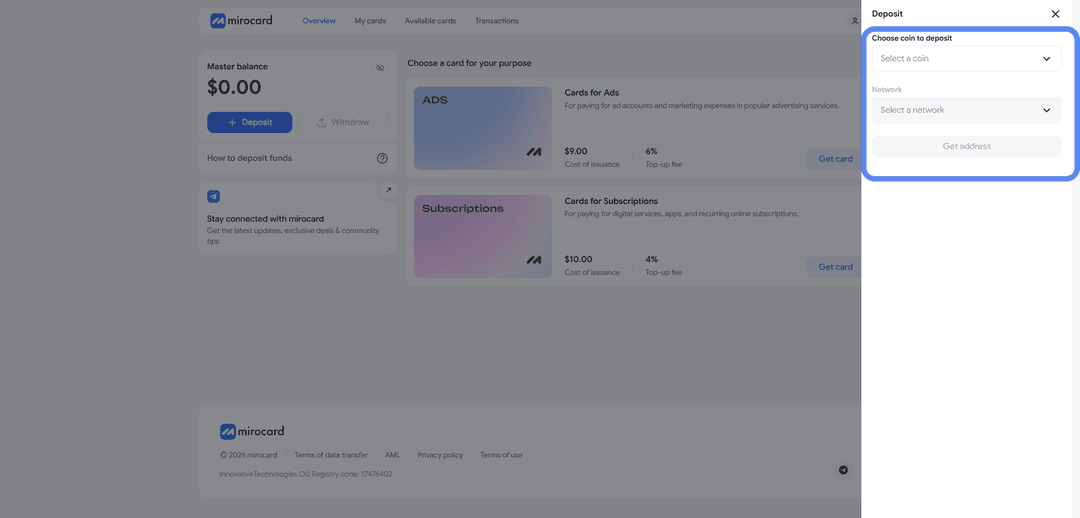
The lowest transfer fee is for USDT on the TRC-20 network. The platform will provide a wallet address — send crypto to it from an exchange or external wallet. Funds will be credited once the transaction is confirmed on the blockchain.
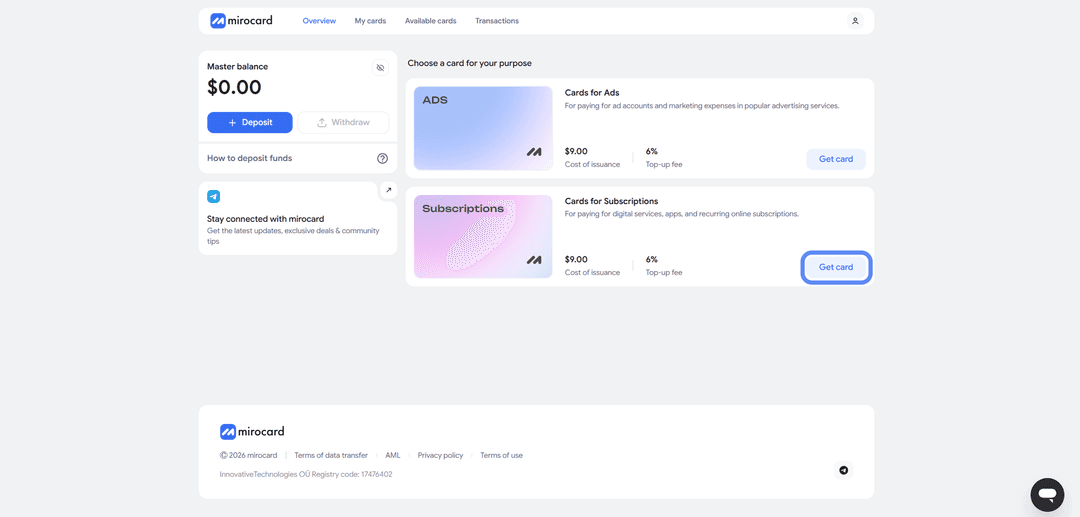
Step 3. Select a Card
In the catalog, find the subscription card and click «Get Card» on the right side of its block. You'll be taken to the issuance page.
Step 4. Verification
Before issuance, you'll need to attach documents for identity verification. This measure restricts access to the balance for anyone else — only you will be able to manage funds and issue cards. Once verification is complete, maximum top-up and spending limits become available.

Step 5. Pay for Issuance
On the issuance page, click «Deposit and Pay». The $10 issuance fee will be deducted from the Master Balance. Everything left over will go to the card account and be available to spend.
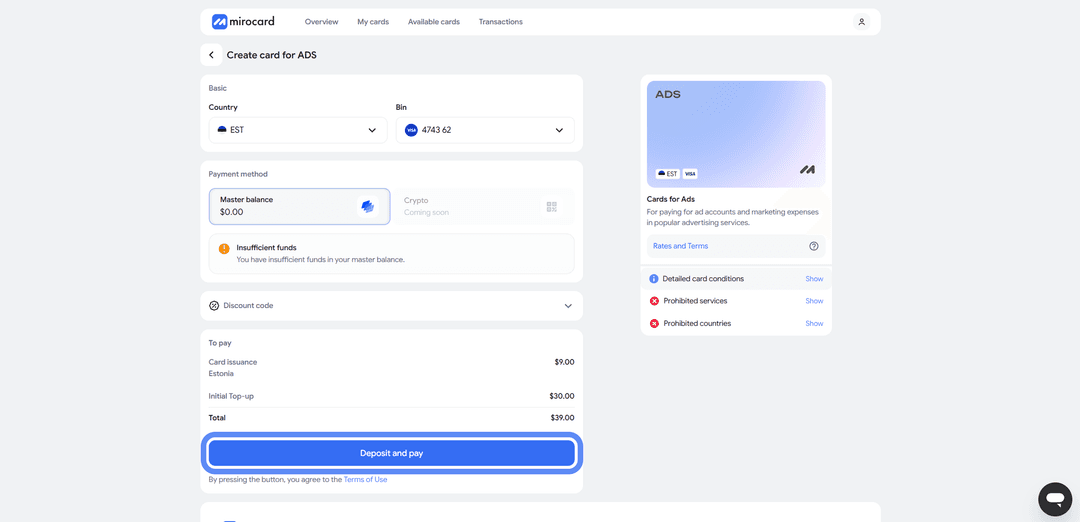
Step 6. Card Is Ready
The finished card will appear in your dashboard with its details and balance. No separate activation is needed — payments go through immediately after issuance. Transaction history and the top-up button are also available here.
A tip — keep a small buffer on the card above the server cost. When processing a payment, Hetzner may temporarily reserve a slightly larger amount to verify the card. This is a pre-authorization hold, and the excess is returned within a few hours. If the balance is exactly the payment amount, the check won't pass and the payment will be declined. A buffer eliminates this issue.
How to Pay for Hetzner
Once the card is ready, the setup takes just a few minutes.
Step 1. Sign In
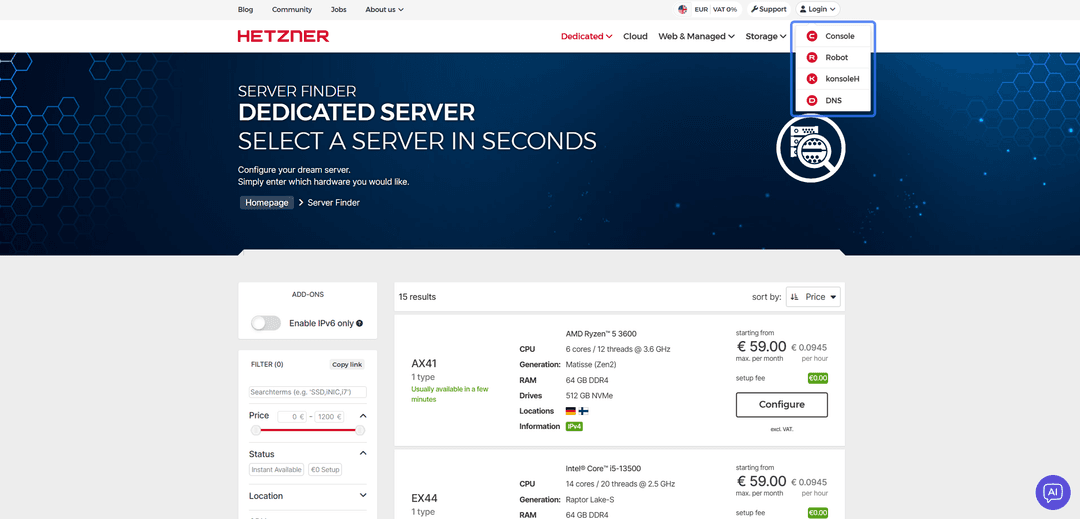
Step 2. Register and Confirm Your Email
If you don't have an account yet, click «Register now» and create one. You'll need an email and password.
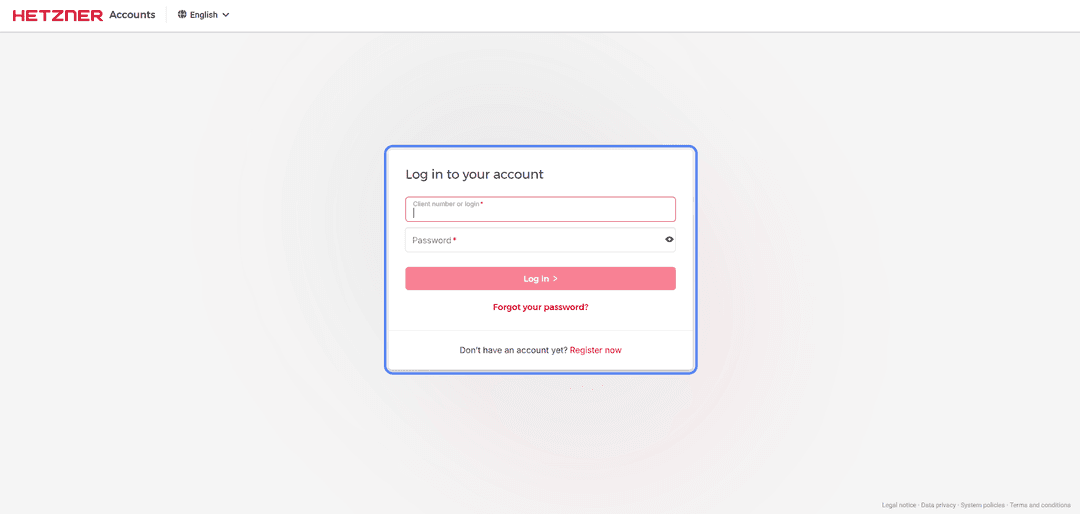
A confirmation email will be sent — follow the link in it to verify your address.
Step 3. Fill In Contact Information
A Contact information form will open. Fill in your name, surname, and address. Enter a real address from a country that Hetzner supports — for example, Germany — with a street, postal code, and city.
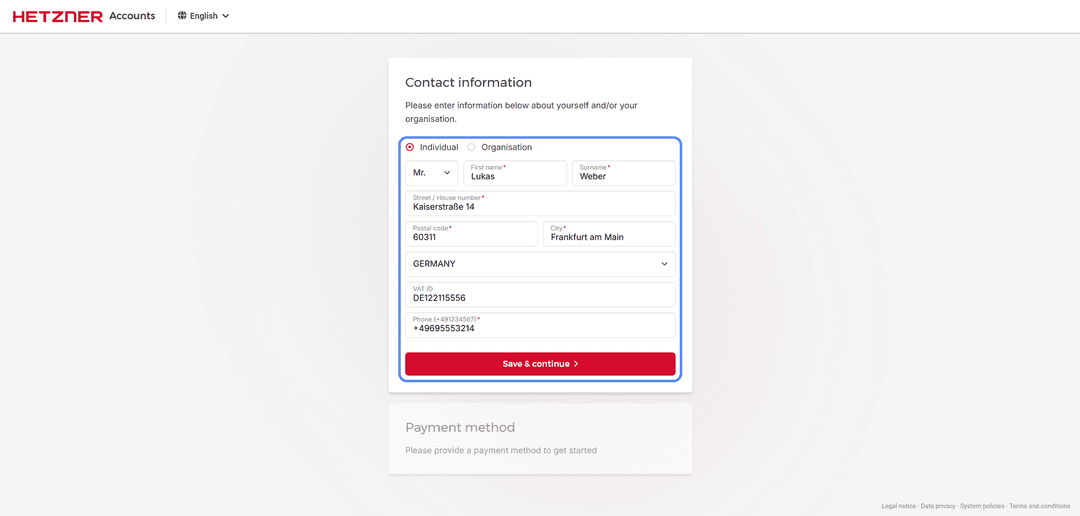
Click «Save & continue».
Step 4. Select a Payment Method
In the Payment method section, select «Credit card». Fill in the fields with your Mirocard virtual card details — cardholder name (Card holder), card number (Card number), expiry date (Expires), and CVC code.
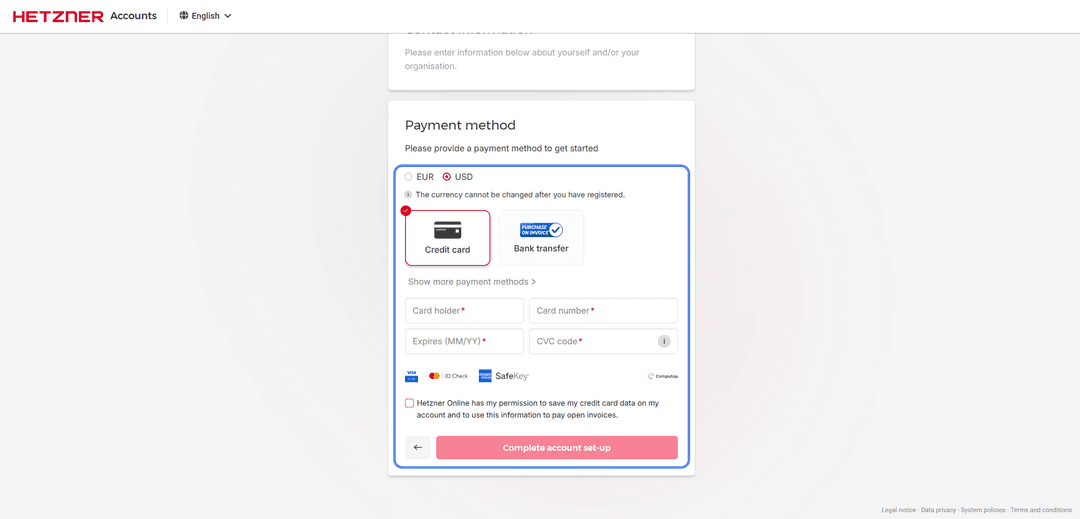
All details are available in your Mirocard dashboard. Complete the account setup by clicking «Complete account set-up».
Step 5. Choose a Server
After setting up your account, return to the homepage and select the server you want to rent.
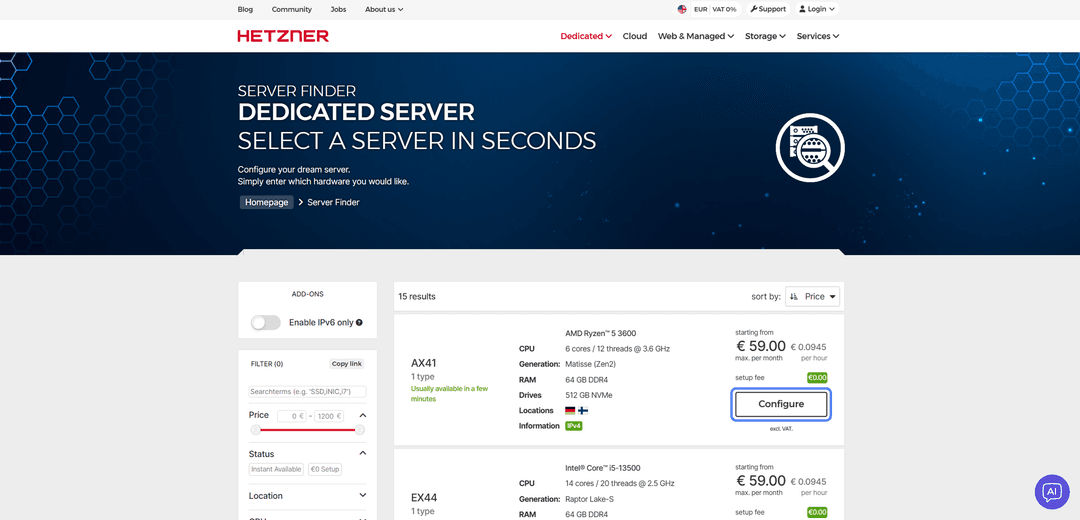
Open the option that fits your needs and configure it for your tasks.
Step 6. Confirm the Order
On the configuration page, review the server parameters and total cost. Click «Order now» to confirm the order.
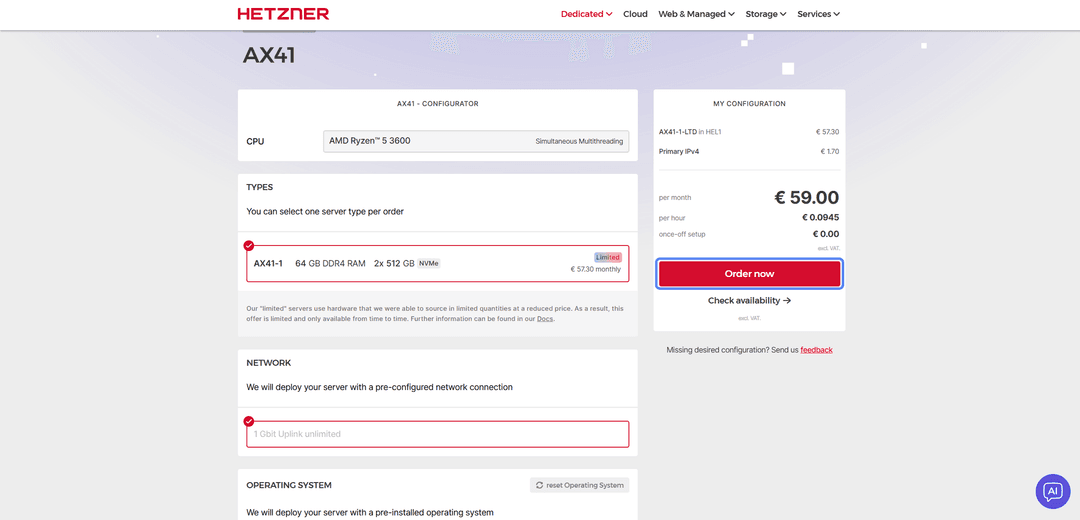
Payment will be charged to the linked Mirocard, and the monthly fee will be processed automatically going forward.
If the Payment Fails
Check the card balance accounting for the pre-authorization hold. Make sure the details are entered correctly, especially the CVC code. If all the data is correct, try again after a few minutes.
Conclusion
There are several ways to pay for Hetzner. Bank cards and PayPal work directly, but crypto can't be paid through them, and they're not available in every country. Bank transfers take days and are designed for businesses. Virtual cards find the middle ground — in terms of speed, cost, and crypto compatibility.
Mirocard behaves like a familiar Visa here, but the balance is funded with cryptocurrency. Set it up once and pay for servers directly from your crypto wallet, bypassing the cash-out to fiat through exchanges. The same card works for other hosting providers and international platforms.
For those who hold capital in crypto, this is a direct path from crypto assets to paying for servers without losses on unnecessary conversions. And when standard international cards aren't accessible, a virtual card remains a reliable way to use Hetzner and keep projects online without downtime.