How to Pay for Kling AI
Kling AI is a neural network for generating video that turns a text description or an uploaded image into a finished clip with realistic movement and natural physics. Beyond basic prompt-based generation, the interface includes the Omni tool for working with several elements at once — photos, video, objects — as well as Canvas for assembling more complex scenes out of individual frames and transitions.
The service is used by anyone who needs video content without filming and editing in the traditional sense — bloggers, marketers, small studios putting together clips for social media or ads. Free access is enough to get a feel for the interface and try out generation, and paid tiers take over from there.
How Kling AI's tiers work
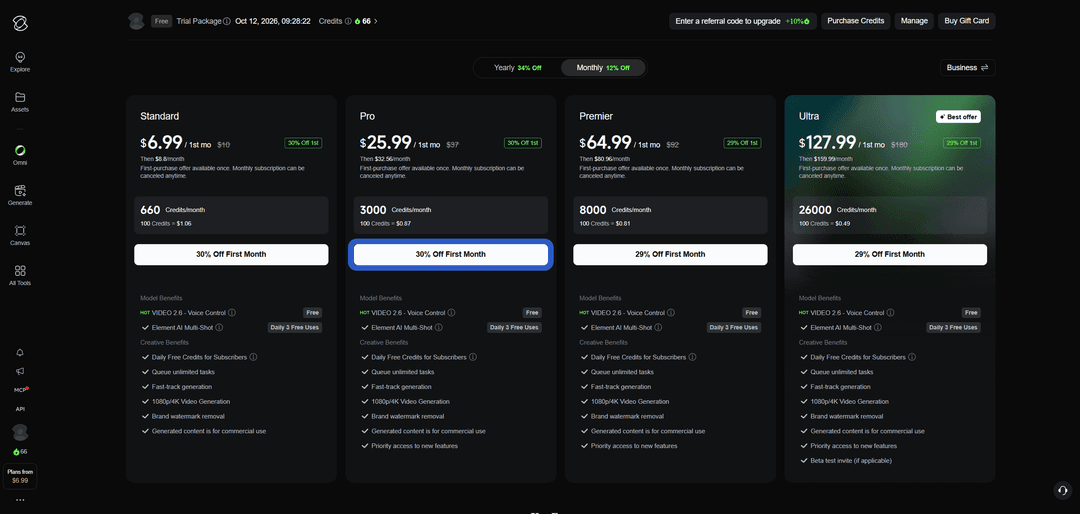
After signing up, an account gets a trial credit package, enough for a few test generations — that's the entire free access, with no subscription and no card required. There are four paid tiers, and they differ mainly in the monthly credit allowance rather than the feature set itself — as the tier goes up, credits get cheaper per hundred, so an active user is better off skipping small top-up packs on a lower tier and moving straight to a higher one.
The overall feature set is the same across every paid tier — generation at 1080p and 4K resolution, removal of the branded watermark, commercial usage rights for finished clips, and an unlimited queue with no cap on simultaneous tasks. The difference grows on the higher tiers — priority access to new features shows up there, and the top tier unlocks participation in beta-testing models before their official release.
How credits work in Kling AI
Credits are an internal currency the service charges per generation, not a fixed fee for the whole clip. The cost depends on several parameters at once — the model you pick, the video's length, and its output resolution — so a short clip at standard quality costs several times less than a long 4K clip on a top-tier model.
It's worth noting that some features don't use credits at all — for example, certain newer models and tools have a daily free-use limit that resets every day regardless of how many credits are left on the account. Unused subscription credits usually don't roll over to the next month, so it's worth picking a tier that matches your actual generation pace rather than padding it "just in case."
Why paying for Kling AI can be tricky
The reason is that Kling AI only accepts card payment or similar fiat methods like Google Pay — there's no direct crypto payment option at checkout. Funds sitting in a wallet just stay an asset until they're converted into a regular payment instrument, and the service doesn't offer a built-in bridge between cryptocurrency and a subscription.
A virtual card for paying for Kling AI
The mechanics are simple — a virtual card with international details goes through the exact same check with Kling AI's payment processor as a card from any other country's bank, since the system looks at the BIN code and the payer's data, not whether the card in front of it is physical or digital. That's where the main advantage comes from — you can get working details online in a matter of minutes, with no bank branch visit and no waiting for a courier with a card in hand.
For a service with a monthly charge like Kling AI, it matters that the card can handle not just a single payment, but a series of repeat charges throughout the whole subscription — otherwise the first month goes through fine, and the system declines the renewal attempt on the second.
Mirocard for paying for AI services
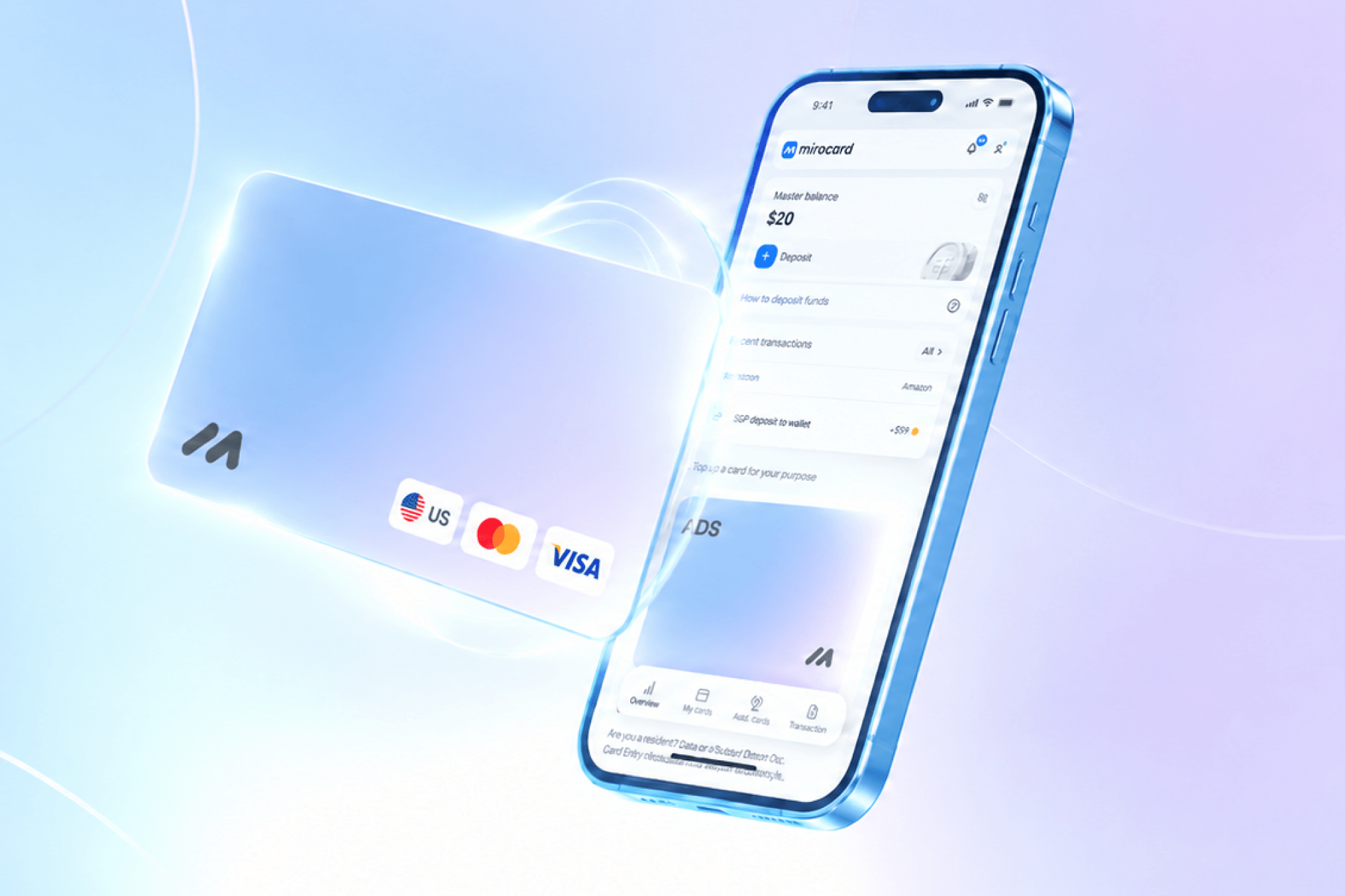
Mirocard solves this with a virtual card built from the start for subscriptions like Kling AI — it's issued as a Visa or Mastercard with a full set of international details and works equally well whether you're paying directly on the site or handling repeat automatic charges every month or year.
Funds land on the card straight from a crypto wallet, skipping exchanges and intermediaries — the transfer takes a few minutes, and you can pay for the subscription with the card right after.
Issuing the card costs $5 once, and every following balance top-up carries a 4% fee. The full setup process, from application to finished numbers on screen, is covered in a separate article on issuing a Mirocard virtual card — the process is designed for someone with no prior experience with this kind of thing.
How to pay for Kling AI with cryptocurrency through Mirocard
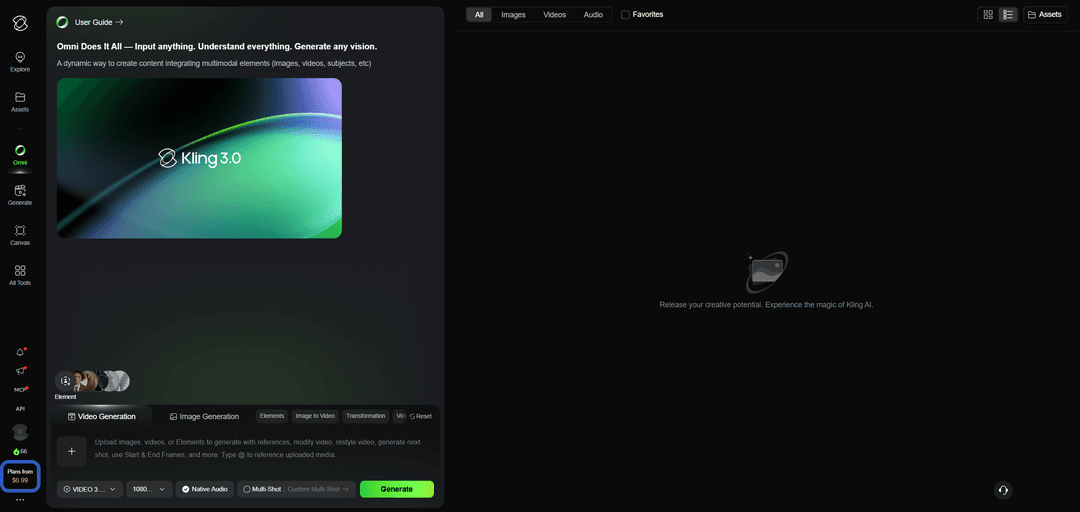
Once the details are ready, go to the official Kling AI site and find the pricing section in the bottom-left corner.
On the plan comparison page, the toggle at the top lets you choose monthly or annual billing, and the four paid plan cards show the credit allowance and the discounted price for the first month.
Pick the plan that fits and click the subscribe button under it — the system opens a checkout form with the total in the selected currency. In the payment methods section, choose the card option rather than Apple Pay or Link, and fill in three fields — the Mirocard's number, expiration date, and security code — then below that, if the form asks for an address, enter details matching the card's profile in your Mirocard account.
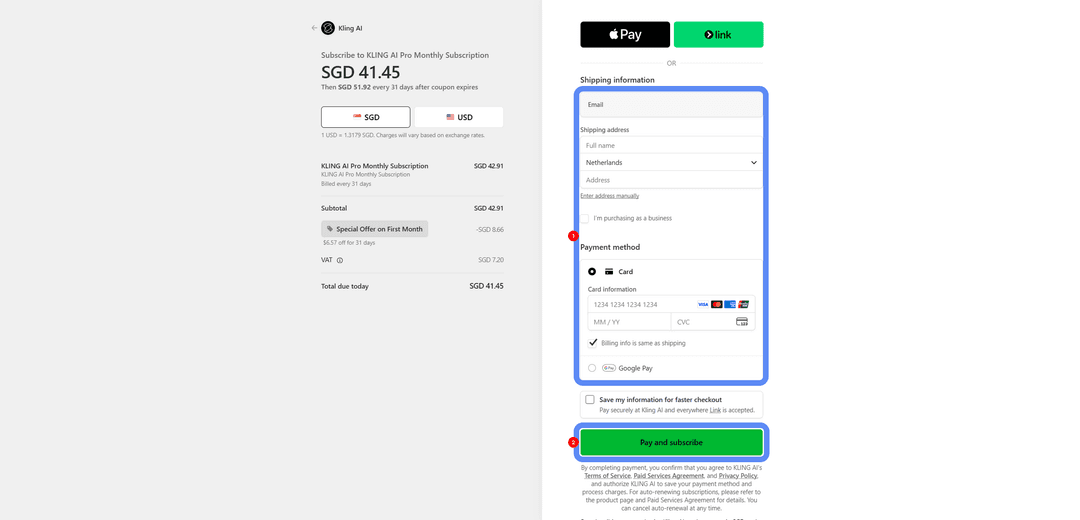
Check the total including the first-month discount and confirm the payment with the button at the very bottom of the form — access to the tier and its monthly credit allowance opens right after the charge goes through.
How to pick a Kling AI tier based on how many generations you need
The key is figuring out not your budget, but how much you used the service in the last week or two, if you've already tried generating with free credits. Work out how many clips you managed to create on average before the trial package ran out, and what their length and resolution were — that gives you a rough sense of the credit cost per generation in your particular use case.
From there, all that's left is matching that number against each tier's monthly limit — if the trial package lasted a day of active work, the lowest paid tier will hold up for roughly the same stretch at the start of the month, and then credits will run out earlier than you'd like. For regular work, it makes more sense to go straight for tiers with a lower price per hundred credits, even if the subscription's starting price looks higher — over a few months, that choice ends up cheaper than frequent top-ups on a lower tier.
What's better — a monthly or annual Kling AI subscription
Monthly
Monthly billing works for testing out Kling AI or working on a specific project with clear time boundaries — you pay for one month, get the volume of clips you need, and can cancel the subscription with no loss. This option gives flexibility to anyone not yet sure whether the service will stick around as part of their regular toolkit.
Annual
An annual subscription is worth considering for ongoing video generation work, once the service has become part of a regular process rather than a one-off experiment. The monthly price with annual billing is usually noticeably lower than the same tier billed monthly, and a single charge once a year instead of twelve separate payments also makes budgeting simpler.
Conclusion
Kling AI's credit system counts specific generations, not an abstract subscription, so it makes sense to approach the payment question with the same principle — a precise calculation instead of guesswork. A Mirocard virtual card takes care of the entire technical side of that calculation, saving you from hunting for workarounds every time you need a new clip.