How to Pay for Boosty Subscription with Cryptocurrency
#Payment Instructions
Boosty is a platform where creators earn from gated content and subscribers get access to material that isn't publicly available. It's home to bloggers, artists, musicians, streamers, and experts, and it grew into a mainstream option after access to many Western alternatives closed off. Subscribers pay a fixed monthly amount, get the creator's content, and support them directly in the process. Beyond subscriptions, creators also receive one-off donations and gifted subscriptions, but the monthly format remains the core one.
What a Boosty Subscription Gets You
A subscription unlocks what a creator keeps away from the general public, and it comes with several types of perks. Here are the main ones.
Exclusive content. Subscribers get access to gated posts, videos, and materials that aren't publicly available — full-resolution art, complete video versions, courses, and podcasts. This is usually the main reason people sign up for a paid tier.
Early access. Some creators release new material to subscribers first and open it up to everyone later. You get fresh work and releases ahead of the general audience.
Extra perks. Many tiers include private chats, streams, and direct feedback from the creator. It's not just content anymore — it's a way to interact directly with the creator and other subscribers.
Supporting your favorite creators. A subscription works as ongoing financial support for people making content. The money goes straight to the creator and lets them treat their creative work as their main occupation.
How Payment Works on Boosty
When you sign up, you choose a billing period — one month, three months, six months, or a year. After that, the subscription renews automatically as long as a funded card is linked to the account, and you can cancel anytime; access stays active until the paid period ends. You can also send a one-off donation to a creator or gift a subscription to someone else.
Common Payment Hurdles
The main obstacle for crypto holders is that Boosty doesn't accept cryptocurrency. You can't pay for a subscription in coins — the platform works with bank cards only. If your funds are in USDT, bitcoin, or Ethereum, you'd first have to run them through an exchange or P2P, losing time and a cut of the amount to fees. A card that's funded with crypto but reads as an ordinary bank card to the platform solves this.
Ways to Pay for Boosty
There are several ways to pay for a subscription, and the right one depends on your location and the currency you're paying in.
Bank cards. Most payments on Boosty go through bank cards. There's one problem: a bank card doesn't answer the main question crypto holders have — how to pay with coins.
Payment intermediary services. Some people pay through an intermediary who deposits the funds on their behalf, or use e-wallets. This works as a one-off solution, but it comes with a fee, and reliability depends entirely on the service you pick.
Virtual cards. A great tool for online purchases. This type of card exists purely in digital form — it has a number, an expiration date, and a three-digit CVC code, and Boosty reads it just like a regular card's details. Some providers let you fund one with crypto, which removes both obstacles at once — the lack of crypto support and the lack of an accepted card. Getting one set up takes just a few minutes.
Mirocard — a Way to Pay for a Boosty Subscription
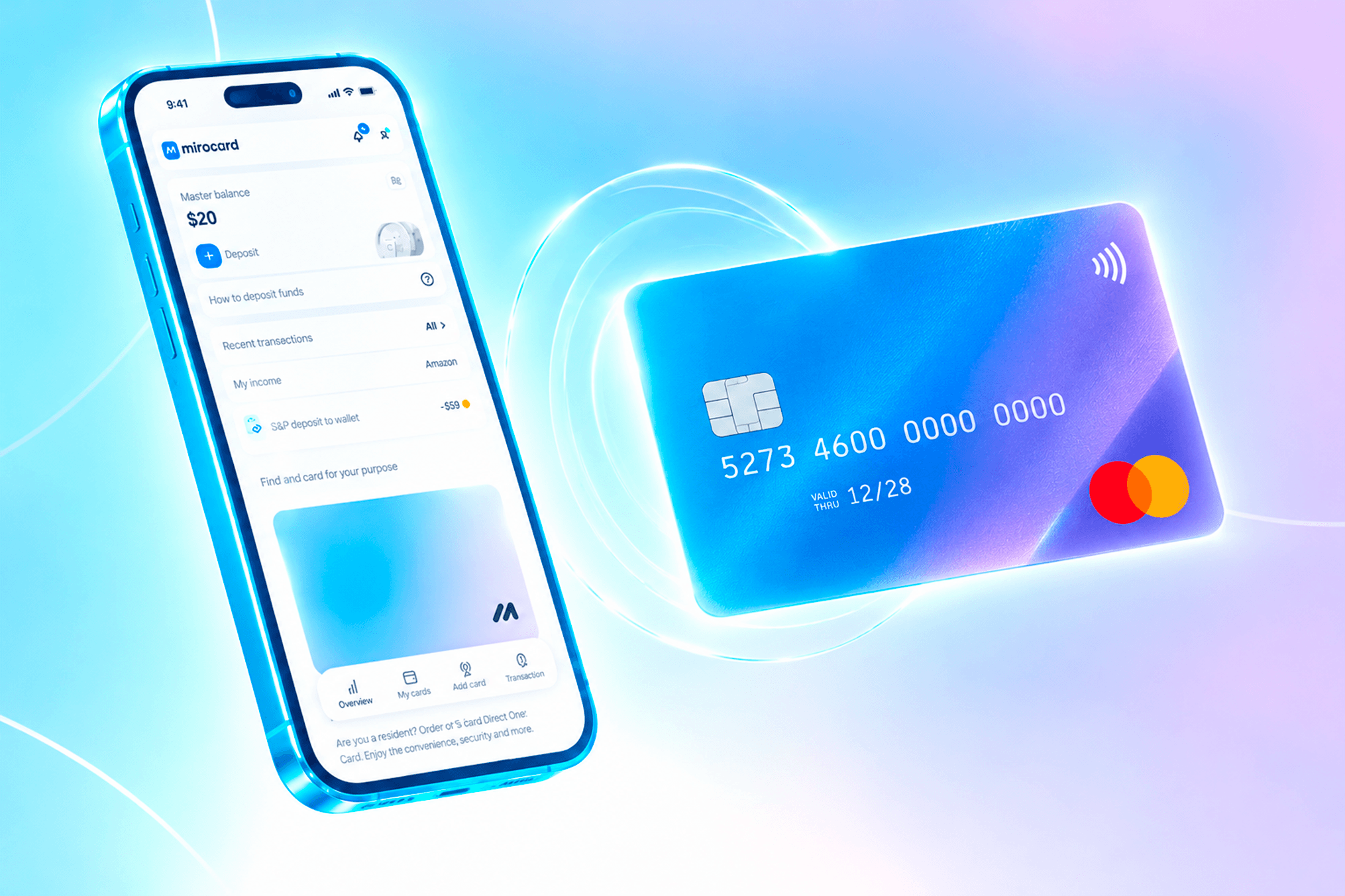
Mirocard issues digital Visa and Mastercard cards funded with cryptocurrency, and using one for Boosty clears both main hurdles at once. The platform sees an ordinary international card, so the charge goes through as usual. If you're already holding coins, the service lets you pay straight from your wallet, and if an international card isn't otherwise available to you, it gives you a working way to pay abroad.
For Boosty, the card meant for paying subscriptions is the right fit. It's built for recurring charges, so auto-renewal goes through smoothly. Issuing it costs $10, and the top-up fee is shown during setup. The same card also covers Boosty and any other subscription or digital service.
How to Get a Mirocard
The whole process happens online and takes just a few minutes.
Step 1. Create an account. Go to mirocard.com and click "Get Card." First-time users need to sign up with an email and password, then open the confirmation email and click the link to verify their address. Existing Heleket account holders don't need to sign up again — logging in through Heleket carries their cards and balance over to Mirocard.
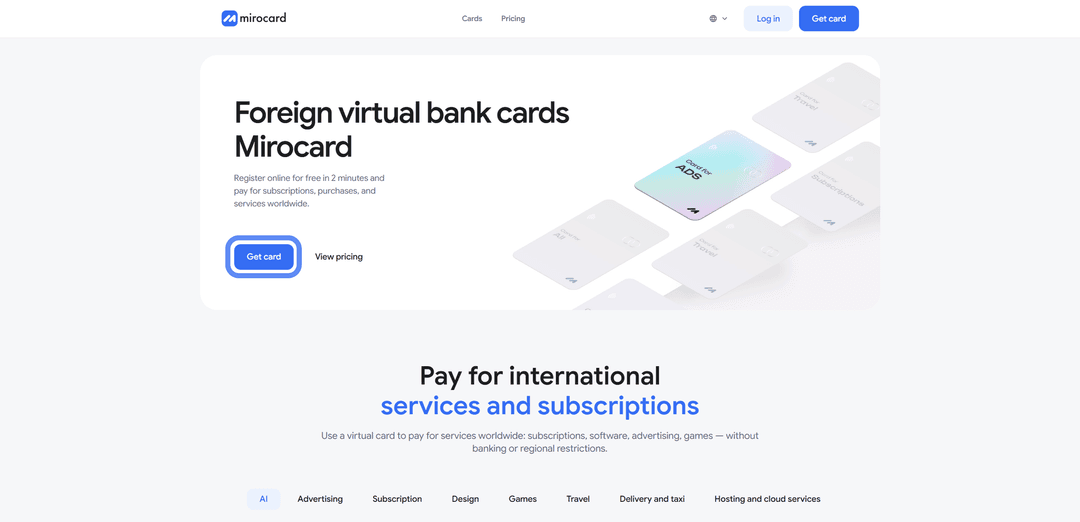


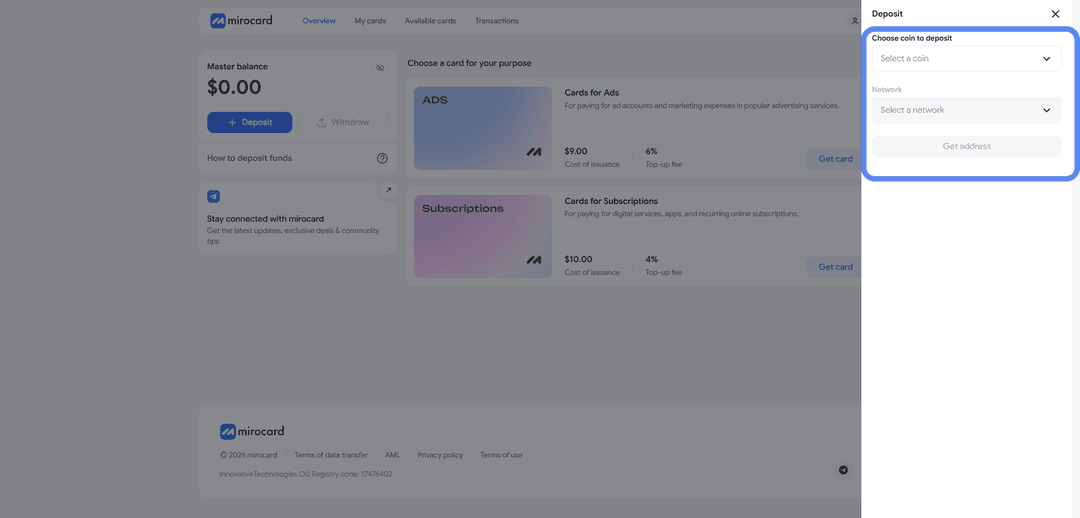
Step 3. Choose your card. From the list of available cards, open the one meant for paying subscriptions and click "Get Card."
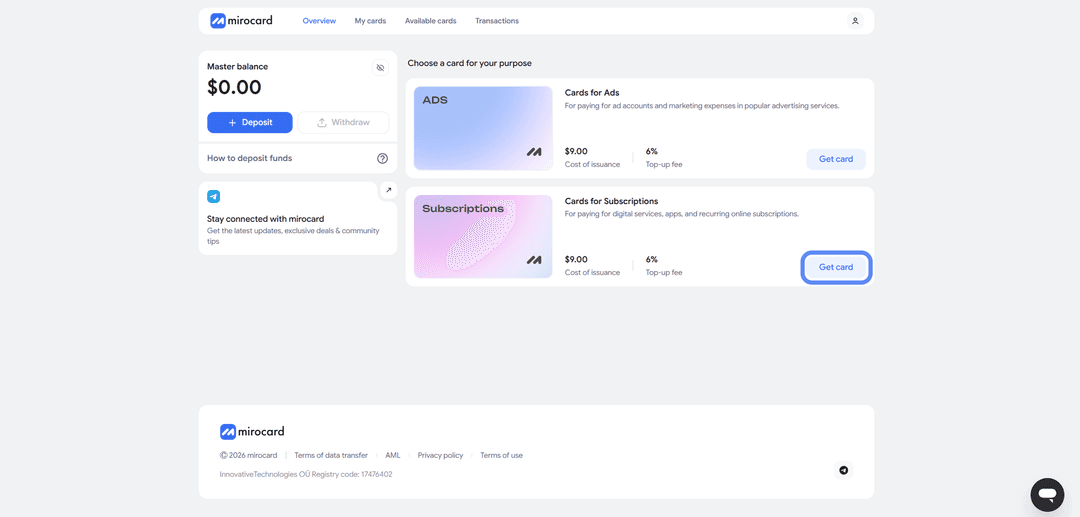
Step 4. Verify your identity. If verification is required, upload your documents. It's a quick check that protects your account, and your limits open up fully once it's done. It usually takes a couple of minutes.

Step 5. Pay for the card. Confirm the order with the payment button. The issuance fee is deducted from your master balance, and the remaining amount moves onto the card, which you can then use right away.
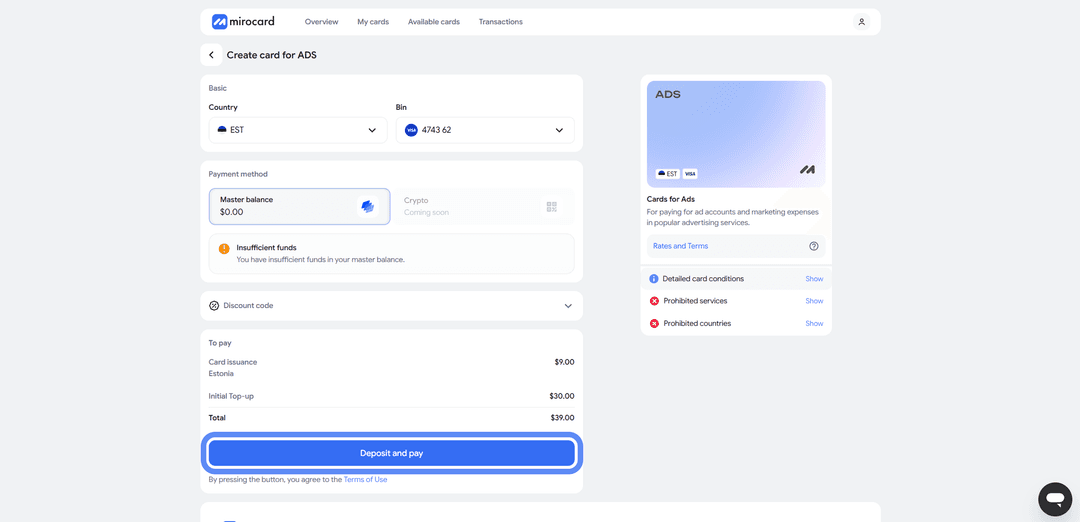
Step 6. Grab your card details. Your account will show the finished card with its number, expiration date, and CVC. No separate activation is needed — payments work right away. This is also where you'll find the details you need to pay on Boosty.
One last tip: keep a small buffer on the card above the subscription price. Boosty charges automatically at the start of each new period, and if the balance can't cover it, access will lapse. Set aside at least one payment's worth in advance, and don't forget to account for the top-up fee.
How to Pay for Boosty with Mirocard
With the card ready, setting up the subscription takes a couple of minutes.
Step 1. Open the creator's page. Go to Boosty and find the creator you're looking for through search, a direct link, or the list of popular creators. Creators often post a link to their Boosty on their other social channels.
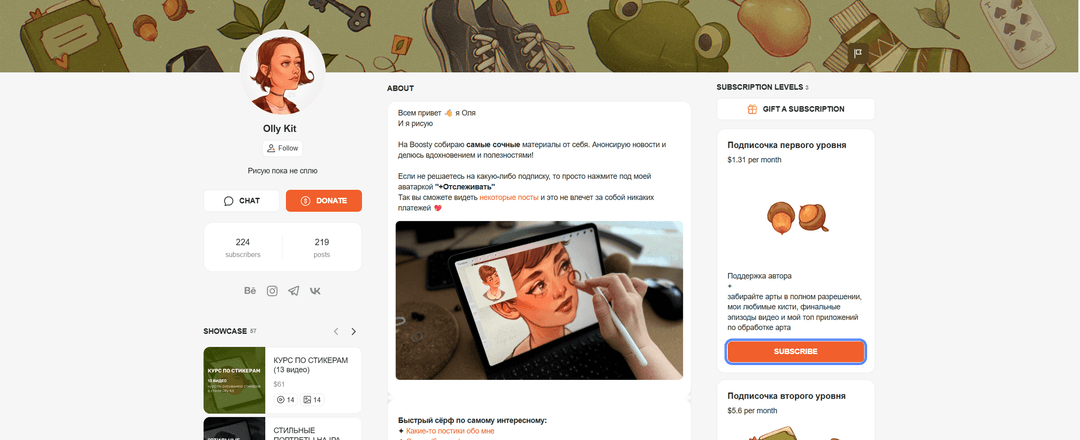
Step 2. Pick a tier and click "Subscribe." The creator's page shows the subscription tiers on the right, along with pricing and perks. Choose the one you want and click "Subscribe" underneath it.
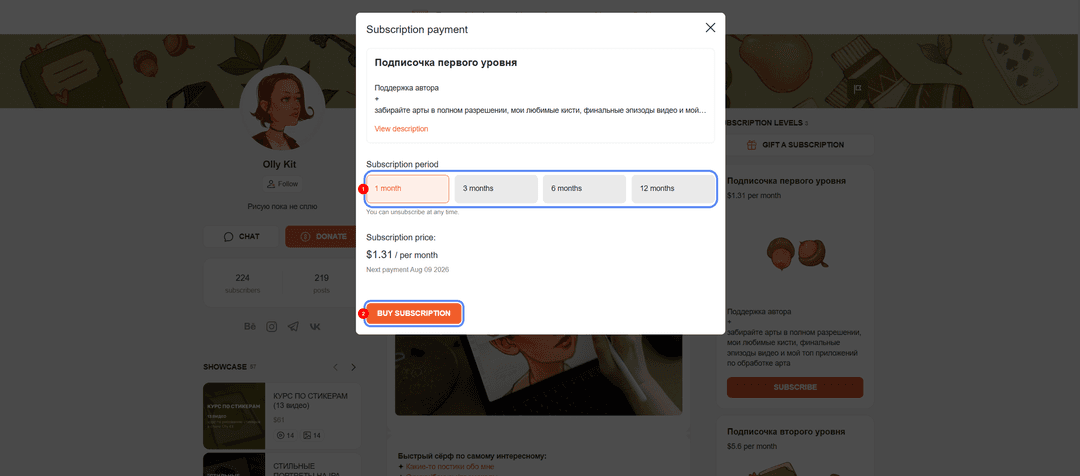
Step 3. Choose your billing period. In the payment window, pick a term — one month, three months, six months, or a year. You'll see the price and the date of the next charge next to it. Click "Buy Subscription."
Step 4. Enter your card details. Boosty accepts Visa and Mastercard, so enter your Mirocard number, expiration date, CVC, cardholder name, and email. All of this is available in your Mirocard account.
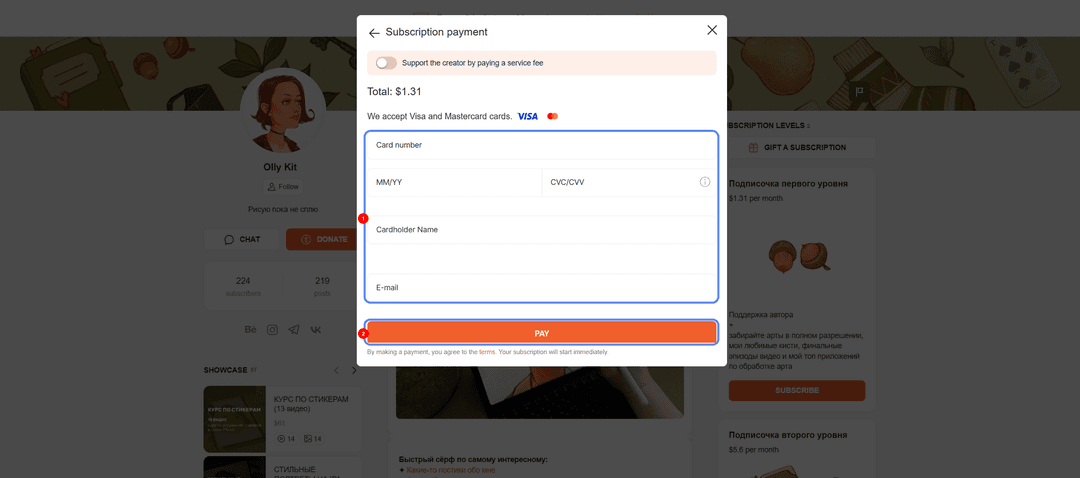
Step 5. Confirm the payment. Check the amount and click "Pay." The subscription activates immediately and renews automatically after that. You can turn off auto-renewal anytime in your profile settings.
Conclusion
There's no shortage of ways to pay for Boosty, but each one has its own drawback. A regular bank card is no help if you're paying with crypto, and wallet intermediaries take a cut without guaranteeing results. A virtual card removes the roadblock of not being able to pay with cryptocurrency.
Mirocard works exactly like a regular card here, just funded with crypto. Set it up once, and Boosty subscriptions get paid straight from your crypto wallet, skipping exchanges and fiat conversion. And since the same card covers other subscriptions and services too, all your payments stay on a single tool.