How to Pay for a Midjourney Subscription with Cryptocurrency
#Payment Instructions
Midjourney is one of the most well-known services for generating images from text descriptions. You write a request in words, and the neural network creates an image from it — from concept art and illustrations to photorealistic pictures. The service has no free access, so a paid subscription is required to use it.
Not everyone manages to pay for it directly. Some users keep their funds in cryptocurrency, which Midjourney does not accept. For others, bank cards fail on international payments. We will cover both situations and show a working solution.
What Midjourney is and why the service became popular
Midjourney is a neural network that turns text descriptions into images. You formulate a request — for example, "a city street in the rain in cyberpunk style" — and within a few seconds you get ready image options. You can refine details, change the style, rework the result, and improve the quality.
The service gained popularity for its image quality. Midjourney pictures are often hard to distinguish from the work of a professional artist or photographer. Designers, illustrators, marketers, game developers, and people who simply need images for projects all use it. It saves time and money where an artist or photo shoot used to be required.
Midjourney works through a web interface on its website, as well as through Discord, where the service historically began. The controls are simple — you just describe what you want in words; no special skills are needed.
What plans are available in Midjourney
The service has four plans. It is important to understand that Midjourney sells not a fixed number of images but fast generation time — so-called fast hours. When they run out, higher-tier plans let you keep generating in slow mode (Relax), while on the basic plan you can only buy more time or wait for the next month. Paying for a full year comes with a 20% discount.
Basic Plan
For 10 dollars a month you can get the basic plan. It gives roughly 3.3 hours of fast image generation — enough for around 200 images per month. There is no unlimited slow mode here, so when the fast hours run out, generation stops until the next month. Suitable for getting familiar with the service and for occasional use.
Standard Plan
The standard plan at 30 dollars a month. It gives 15 hours of fast generation plus unlimited slow Relax mode. So even when the fast hours are gone, you can keep generating — just a bit slower, without any quantity limit. This is the most balanced option and suits most users.
Pro Plan
The professional plan at 60 dollars a month. It includes 30 hours of fast generation, unlimited Relax, and Stealth mode, in which your images are not visible to other users. This matters for commercial projects where results cannot be shown publicly.
Mega Plan
The maximum plan at 120 dollars a month. It gives 60 hours of fast generation and all the features of the higher tiers. Taken by those who generate images in large volumes — studios, agencies, and active commercial users.
You can switch plans at any time, so it is worth starting with a lower one and moving up when you understand your actual workload. One more note — companies with large annual revenue are required by the service's terms to use Pro or Mega for commercial work.
Why payment difficulties arise
The main challenge for cryptocurrency holders is that Midjourney does not accept crypto. Subscription payments go through bank cards only. If your funds are in USDT, BTC, or Ethereum, you cannot link a crypto wallet to the subscription. You first have to sell the crypto on an exchange, withdraw fiat to an account, and then connect a card. A long chain with fee losses at every step.
What payment methods are available
There are several workable options, and the right one depends on what funds you have available.
International bank cards
A bank card from a country where Midjourney operates officially is one of the main payment methods. The service accepts it like any regular Visa or Mastercard.
For crypto holders there is a limitation — the card does not work with cryptocurrency. To pay with it, you first have to exchange your crypto assets for fiat through an exchange and withdraw the money to an account. On top of that, opening an account at a bank in another country is usually not easy — it requires a personal visit and proof of address. That level of effort is rarely justified for a single subscription.
Intermediary services
These are services used to pay for specific international platforms on behalf of the user. You transfer money to them, including crypto, and they pay for the subscription from their own funds.
The convenience is that you can pay in different ways. But the service charges a markup, typically 15 to 30%. For a subscription with auto-renewal this is inconvenient — you have to repeat the process every month. And there is a risk of depending on the integrity of the service, especially when paying with crypto, where transfers are irreversible.
Virtual cards
A virtual card is a popular solution for paying for AI services and international subscriptions. It is a bank card without plastic, with a number, expiry date, and CVV. Midjourney accepts it like any regular international card.
The key advantage for crypto holders is that some virtual card services are topped up directly with cryptocurrency. Crypto goes onto the card, and from there a regular subscription payment is made. No exchanges or bank accounts needed. The card is set up online in a few minutes.
Why virtual cards are convenient for paying Midjourney
Virtual cards are well suited to paying for AI services for several reasons.
First — fast issuance. The card is set up online and ready right away, without visiting a bank or waiting. If you want to start working with Midjourney today, you will not have to wait. Second — they handle international payments and go through where a regular local card is declined. Third — subscription support. You can link the card once and payments renew automatically as long as there are funds on it.
Fourth, and important for AI tools — spending control. Neural network subscriptions accumulate easily, especially if you use several services. A separate virtual card for AI tools helps you see how much goes to them and keep spending under control. You can keep exactly the subscription amount on the card and not worry about unexpected charges.
Mirocard virtual cards for paying Midjourney
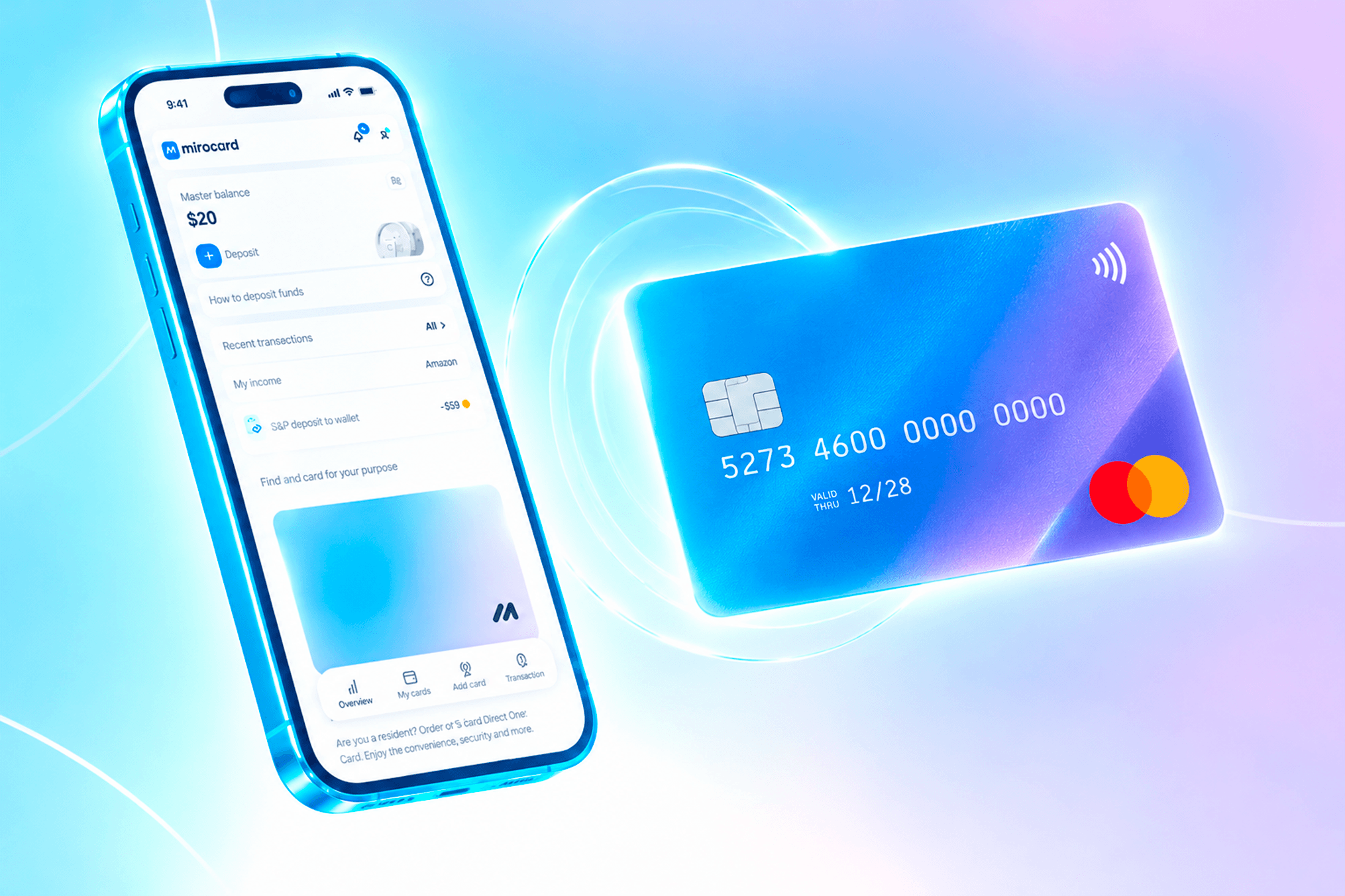
Mirocard is a virtual card service for paying for international services and subscriptions. Cards are issued under Visa and Mastercard, topped up with cryptocurrency, and accepted by Midjourney like regular international cards.
For paying Midjourney, the subscription card is the right choice. It is designed for recurring charges, so the subscription renews automatically without interruptions. Issuance costs 10 dollars, and the top-up fee is 4%. The card's US BIN means Midjourney recognizes it as a card issued in the United States, which makes the payment go through more smoothly.
The card can be topped up with ETH, USDC, USDT, AVAX, BCH, DAI, BNB, BTC, DASH, DOGE, POL, LTC, SOL, TON, TRX, and XMR. A transfer from an exchange or wallet takes a few minutes, and funds are immediately available for payment.
One card works not only with Midjourney. ChatGPT, Claude, Notion, other AI services and subscriptions accept it without any extra setup. For those who use several neural networks, this is one payment tool and all charges come directly from the crypto wallet.
How to get a Mirocard
The setup is done online and usually takes less than half an hour.
Step 1. Registration
Open the Mirocard website and click "Get a card".
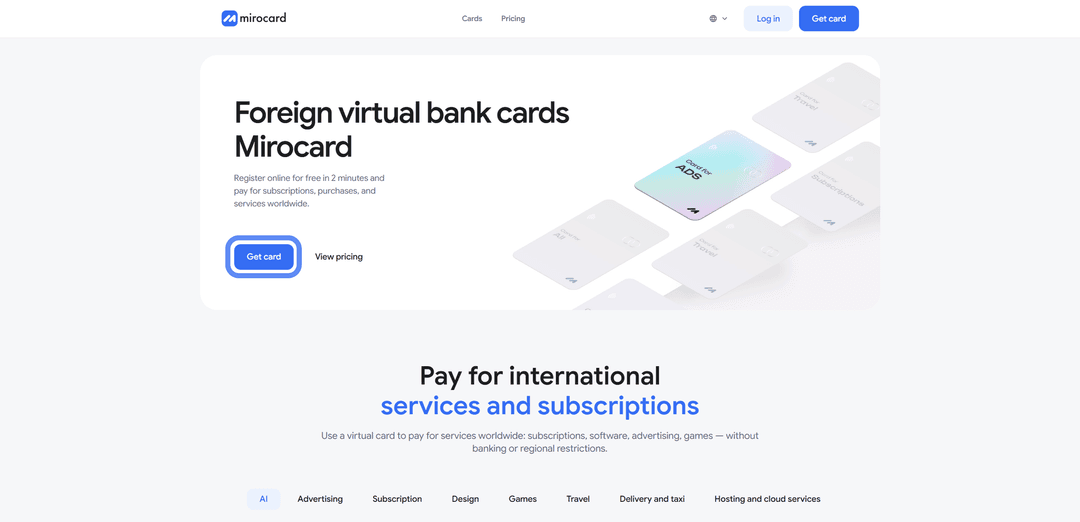
If you are new to the platform, choose "Register".

You will need a working email and password; a confirmation link will be sent to your inbox. If you have a Heleket account, sign in through it — all funds and cards will transfer to Mirocard automatically.
Step 2. Topping up the Master Balance

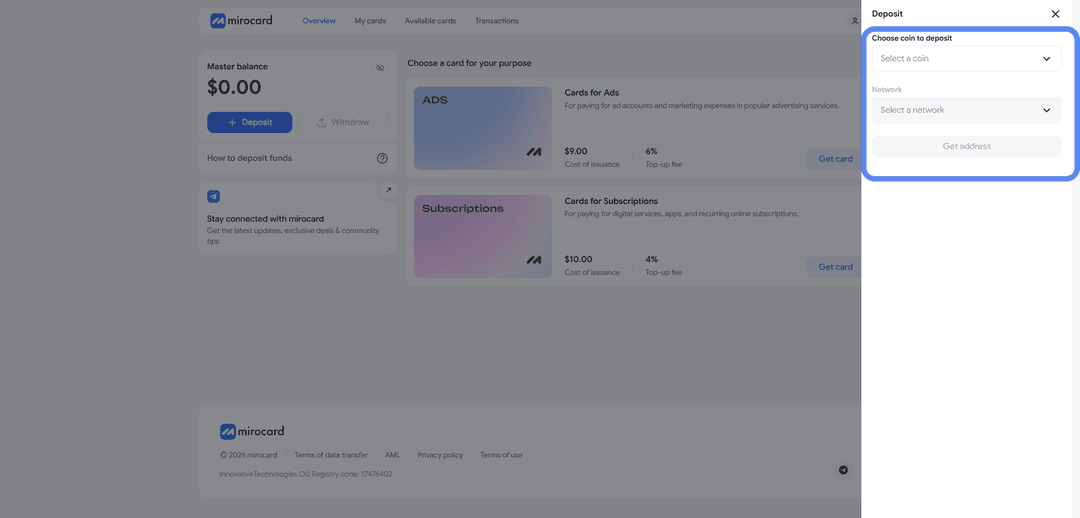
The lowest transfer fee is with USDT on the TRC-20 network. The service will provide a wallet address to send crypto to from an exchange or external wallet. Once the transaction is confirmed on the blockchain, the balance will be credited.
Step 3. Choosing a card
In the catalog, select the subscription card and click "Get a card" on the right side of the block.
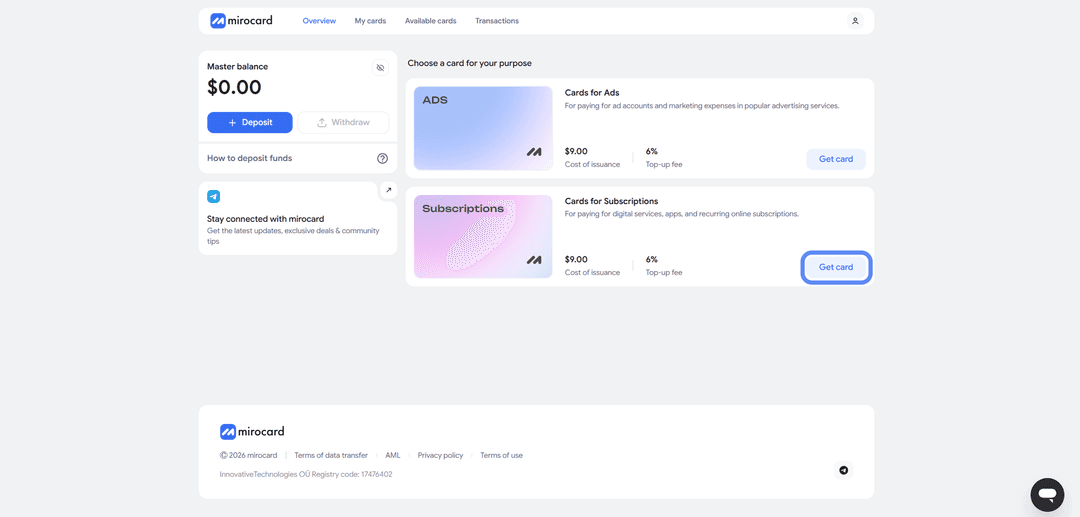
The setup page will open.
Step 4. Verification
Before issuance, you need to upload documents for identity verification.

This protects your balance — only you will be able to manage it and link new cards. After the check, maximum limits on top-ups and spending will become available.
Step 5. Paying for issuance
On the setup page, click "Deposit and pay".
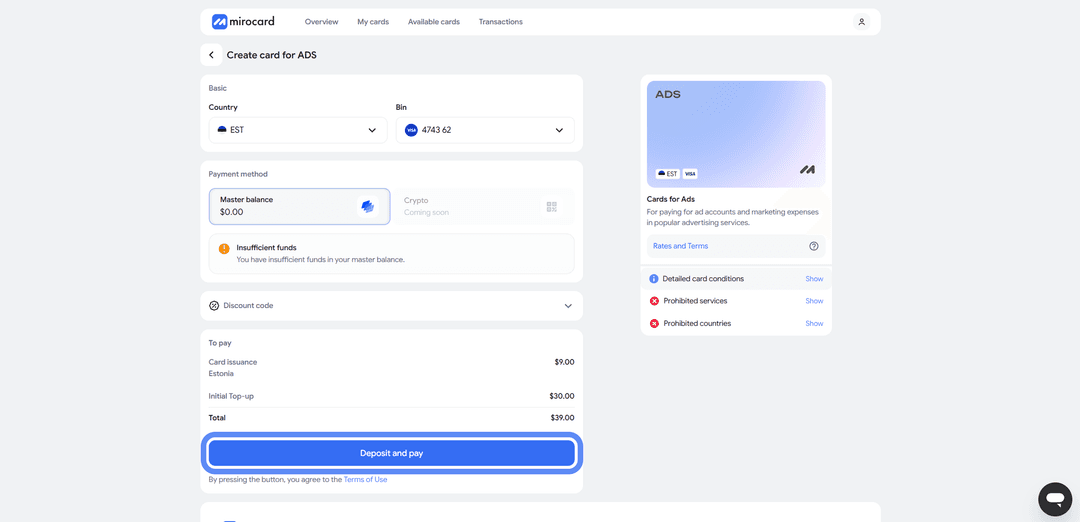
The issuance fee of 10 dollars will be deducted from the Master Balance. The remaining amount will be transferred to the card account and will be available for payment.
Step 6. Card is ready
The card will appear in your account with its details and balance. No activation is needed — it accepts payments right away. The account also shows transaction history, top-up options, and the ability to freeze the card if needed.
Tip — keep a small reserve on the card above the subscription cost. When paying, Midjourney may temporarily hold a slightly larger amount to verify the card. This is a pre-authorization; the excess is returned within a few hours. If the balance is exactly the subscription amount, the check will fail and the payment will be declined. A small buffer eliminates this issue.
How to pay for Midjourney via Mirocard
Once the card is ready, setting up the subscription takes a couple of minutes.
Step 1. Log in to your account
Go to Midjourney.com and log in to your account, or register if you do not have one yet.
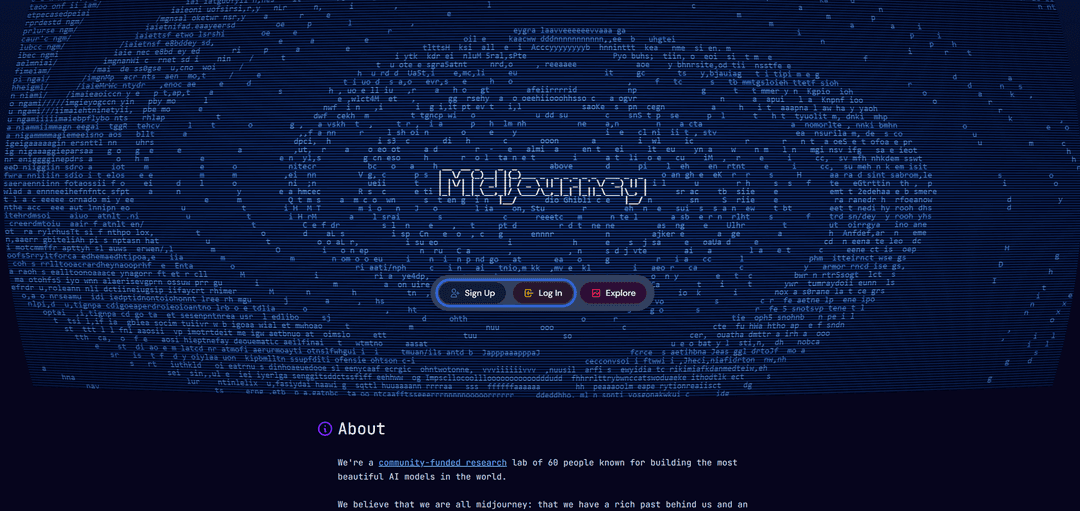
You can sign in with Discord or Google.
Step 2. Open the subscription section
Click the "Subscribe" button in the left sidebar.
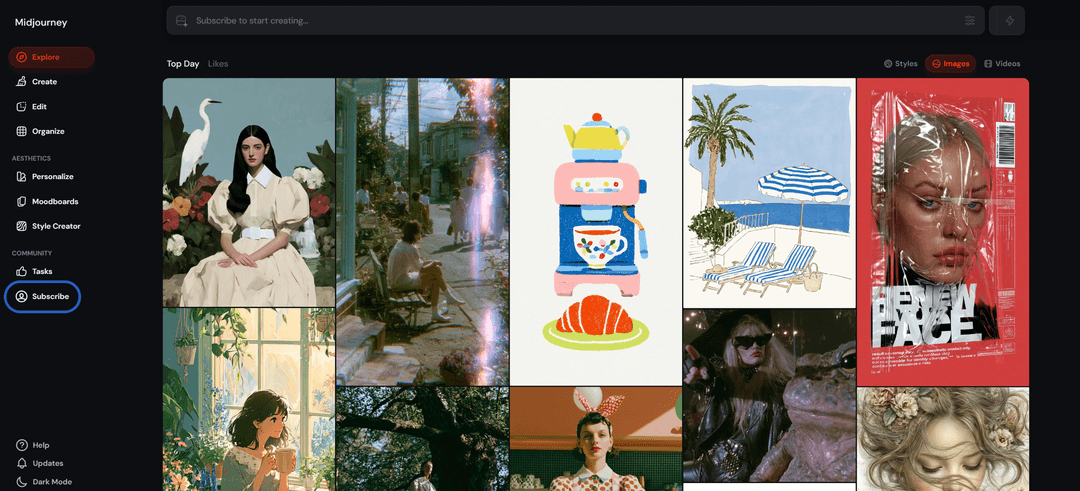
A page with plans and their descriptions will open.
Step 3. Choose a plan
Compare the available plans and pick the right one. Basic at 10 dollars a month suits occasional use, Standard at 30 dollars suits regular work, and Pro and Mega suit professional and high-volume needs.
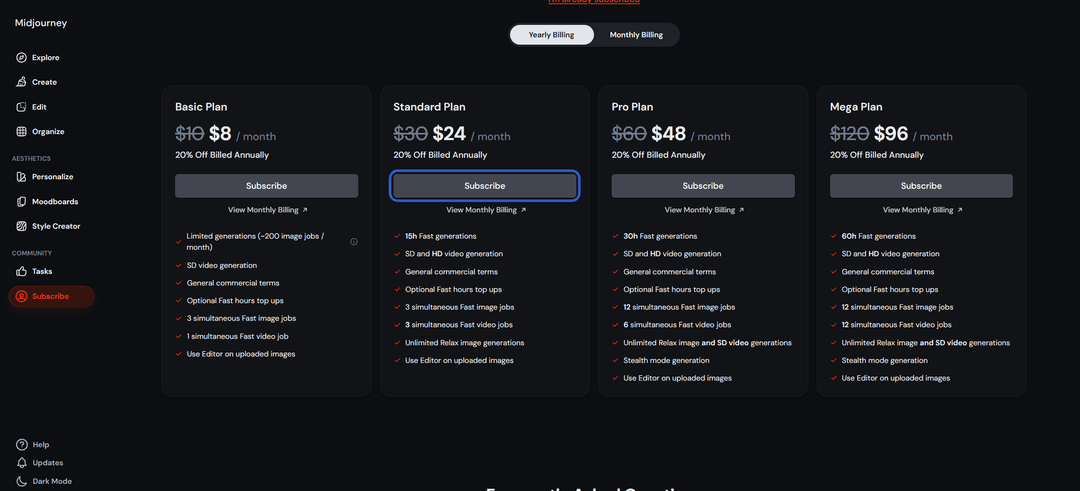
Pay attention to the toggle between monthly and annual billing — annual is 20% cheaper. Click the subscribe button under your chosen plan.
Step 4. Enter your card details
A payment form will open. Enter your Mirocard virtual card details — card number, expiry date, security code (CVV), and cardholder name.
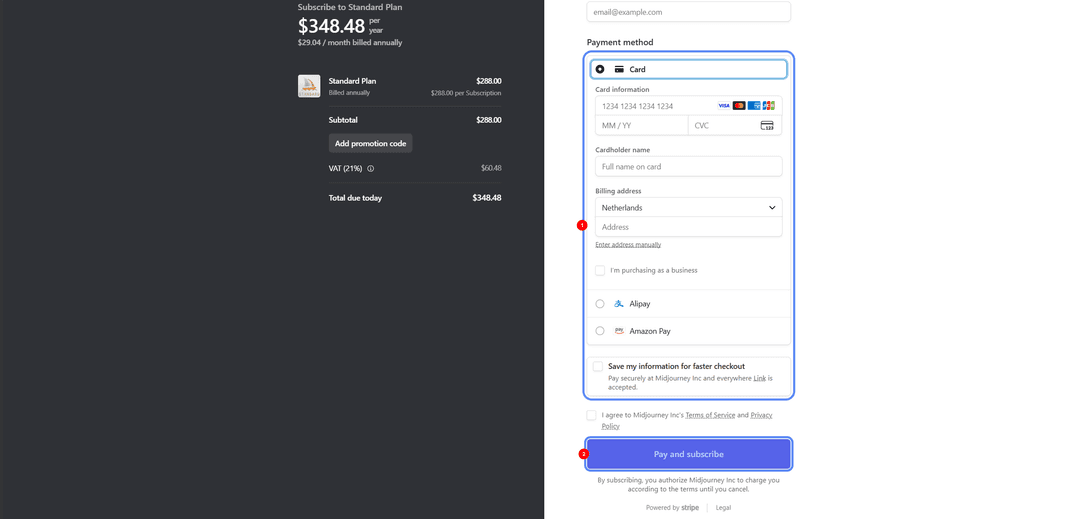
All the data is available in your Mirocard account. If a billing address is required, enter a real address that matches the card's country.
Step 5. Confirm payment
Check the selected plan and amount, then confirm the payment by clicking "Pay and subscribe". Midjourney will process the payment and the subscription will activate immediately. From then on it renews automatically. You can cancel renewal in the same subscription management section at any time.
If the payment did not go through
Check the card balance taking pre-authorization into account. Make sure the details were entered correctly, especially the CVV. If everything looks right but the payment is still declined, check that the card address matches and try again after a few minutes.
Conclusion
There are several ways to pay for Midjourney. Bank cards work directly but are difficult to obtain and do not support crypto payments. Intermediaries charge a markup and are inconvenient for subscriptions with auto-renewal. Virtual cards strike the right balance on speed, cost, and crypto compatibility.
Mirocard in this setup works like a regular Visa but is topped up with cryptocurrency. Set it up once and pay for the subscription directly from your crypto wallet, without withdrawing to fiat through exchanges. The same card pays for ChatGPT, Claude, Notion, and other AI services.
For cryptocurrency holders, this is the shortest path from crypto assets to a subscription, without losses on unnecessary conversions. And for those who cannot access standard international cards, a virtual card remains a reliable way to use Midjourney without payment interruptions.